- Free 30-day Returns
Meet Your Seller
VIVO Telescoping Dual Ultrawide 27" to 38" Monitor Heavy Duty Desk Mount Stand
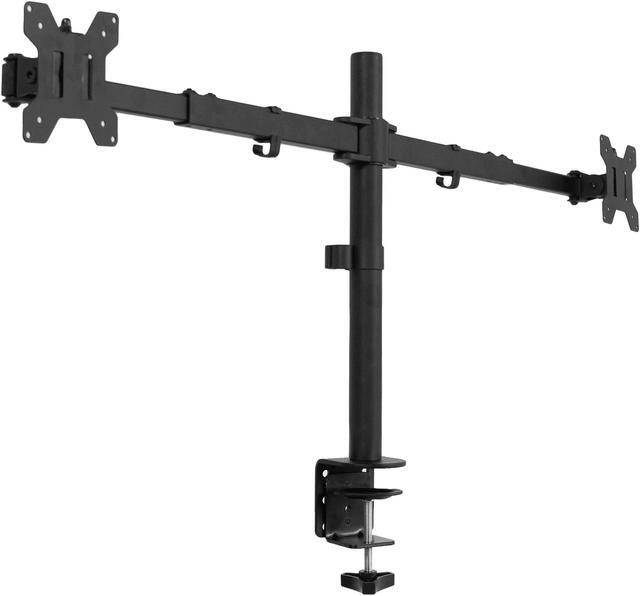
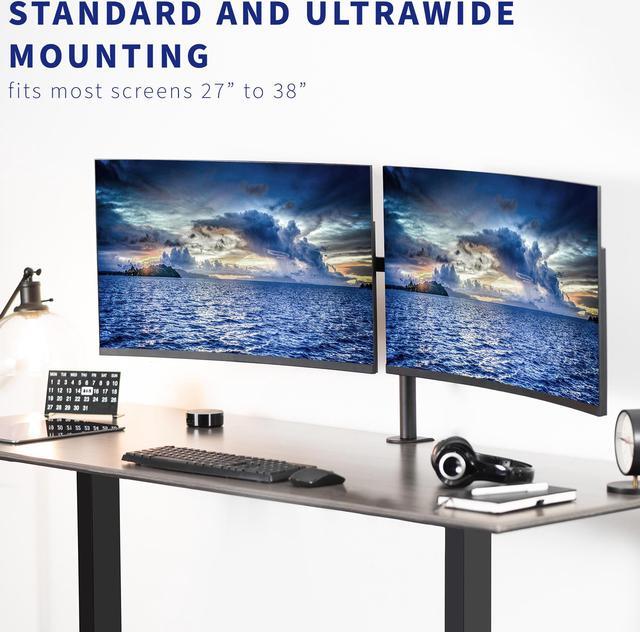
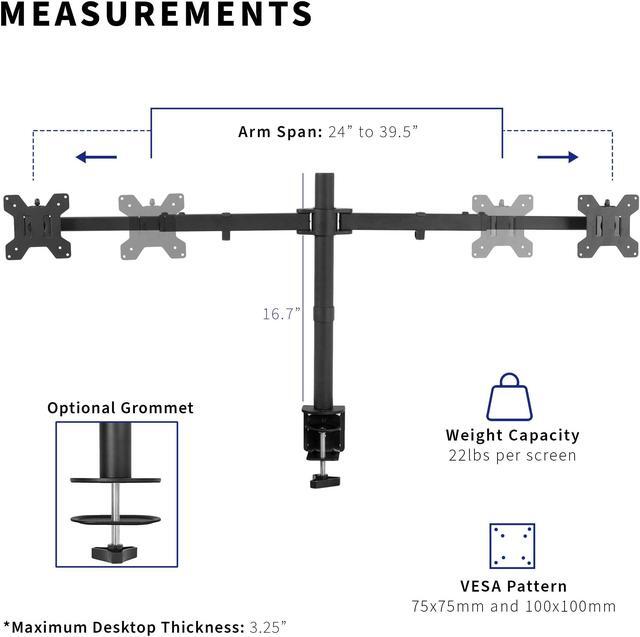
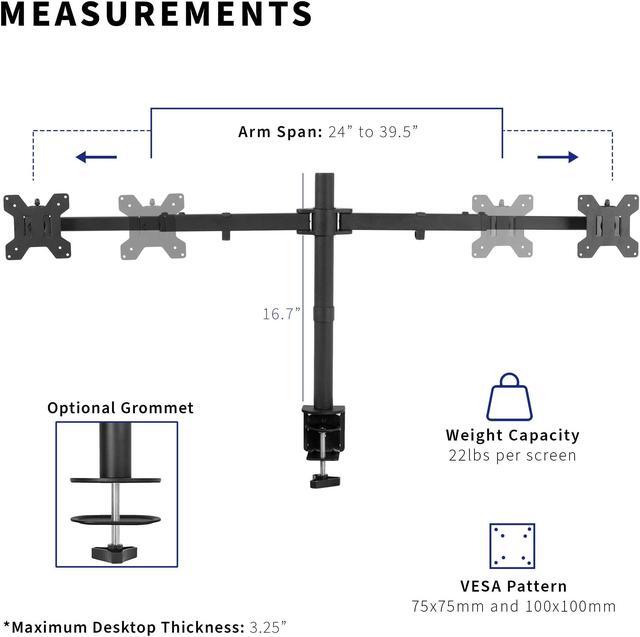
- Fits 27 to 38 Ultrawides: Dual monitor mount holds two screens up to 38 and 22 lbs each with 75x75mm or 100x100mm VESA patterns. Secure to desk with a heavy-duty C-clamp or optional grommet mount. Max recommended desktop thickness is 3.25 --Patented--
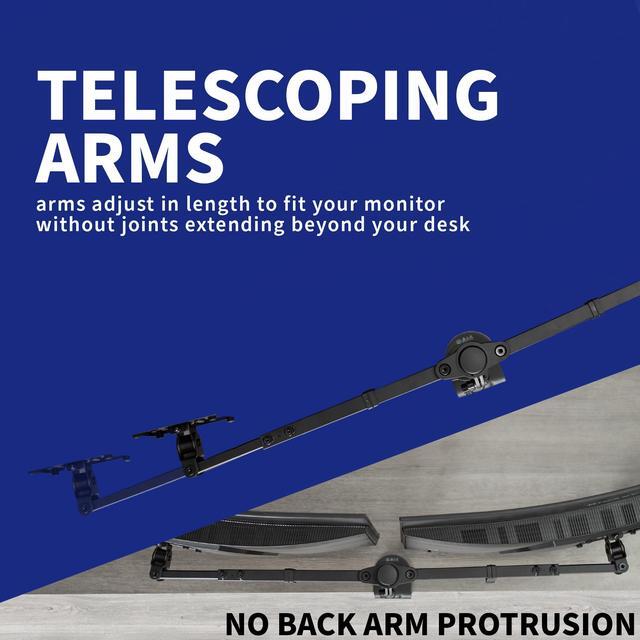
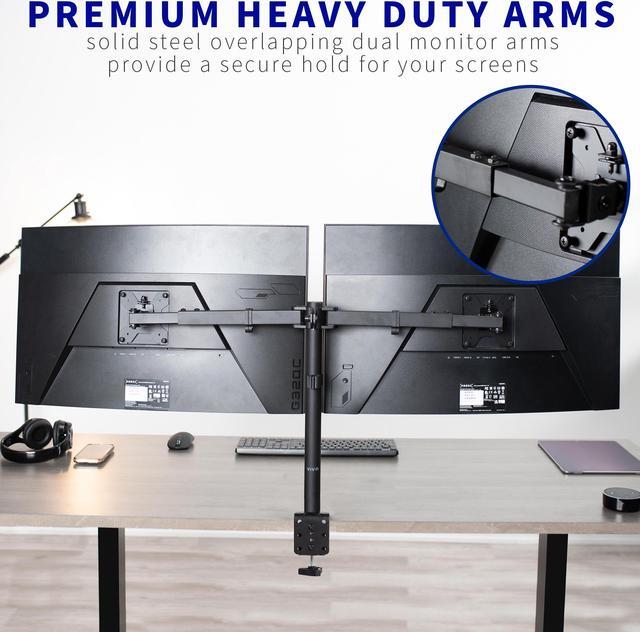
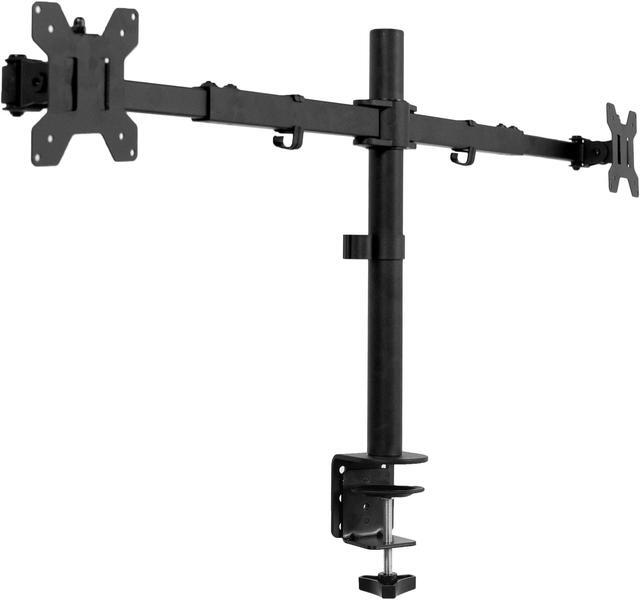
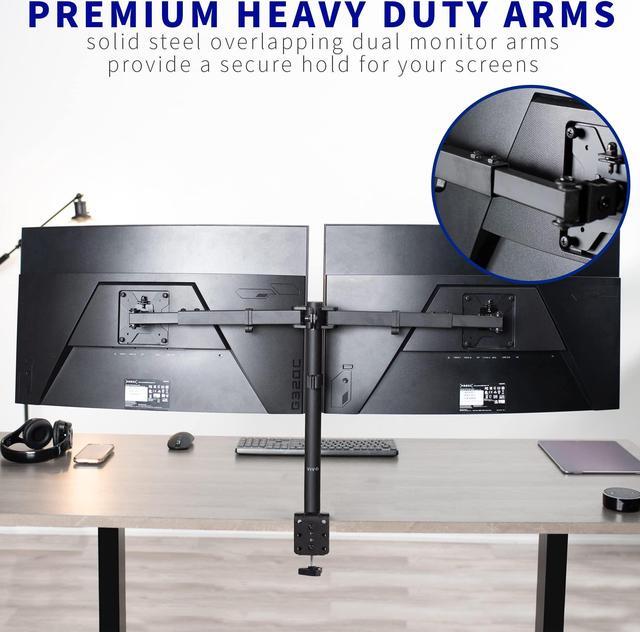
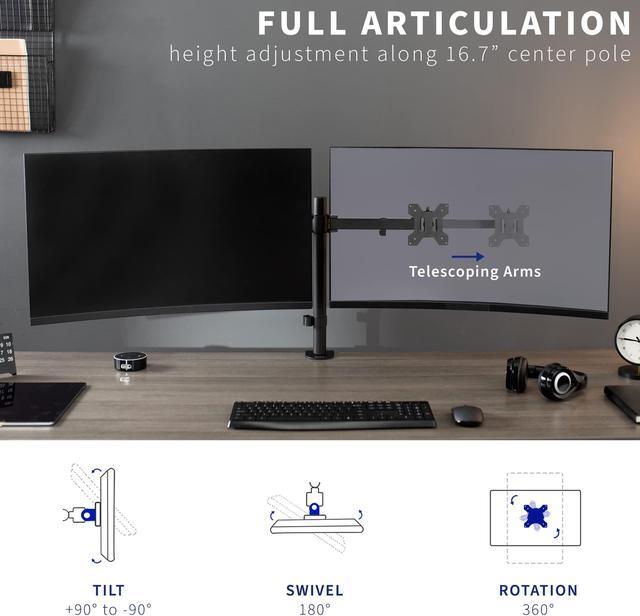
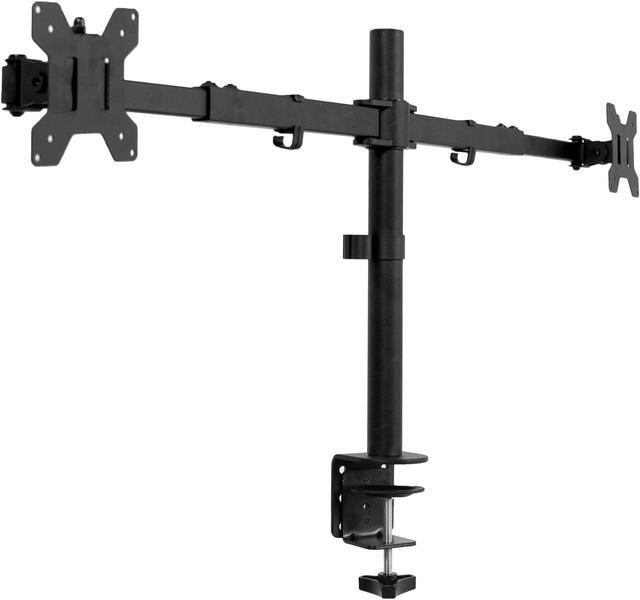
- Premium Telescoping Arms: Heavy-duty telescoping arms adjust in length to fit the size of your monitors. The arms slide into each other for added strength and stability
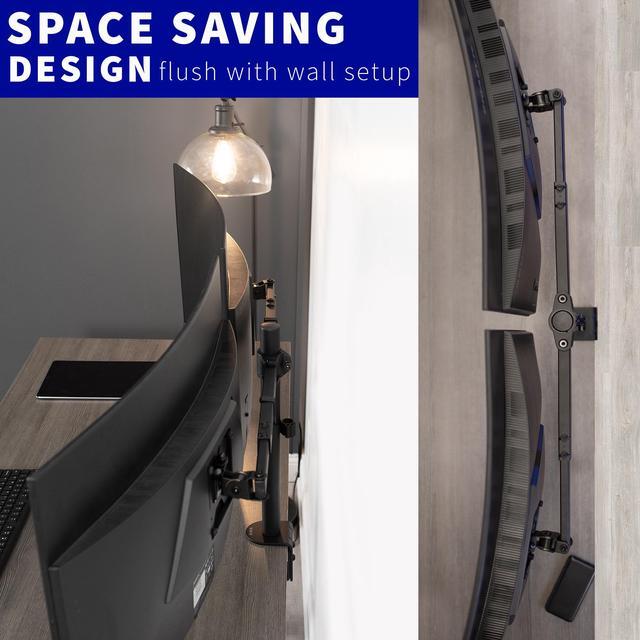
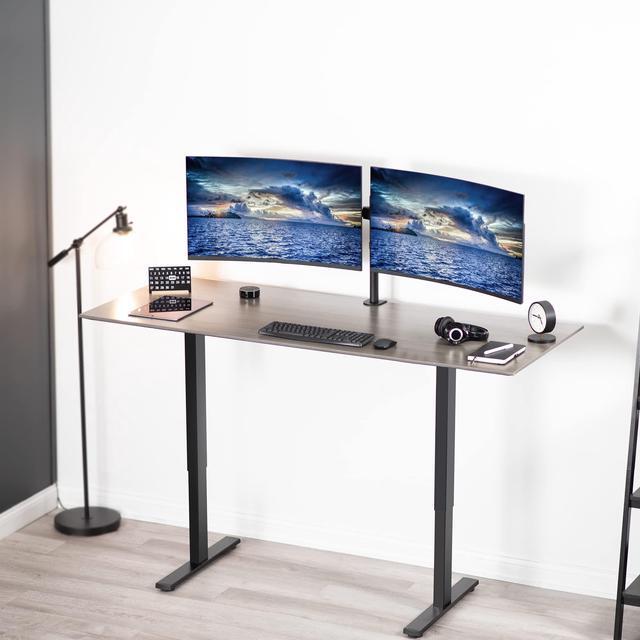
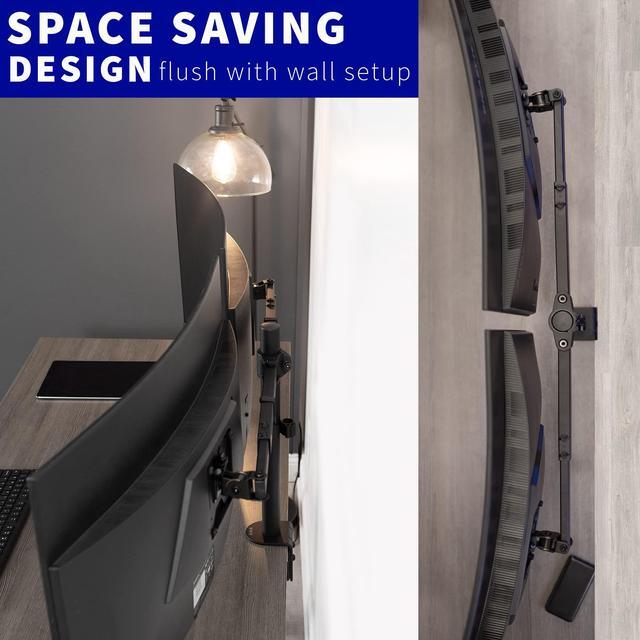
- Flush Setup: Unique design expands arms straight outwards (spanning 24 to 39.5 from bracket to bracket) so that nothing extends past the back edge of your desk, creating a flush-to-wall setup
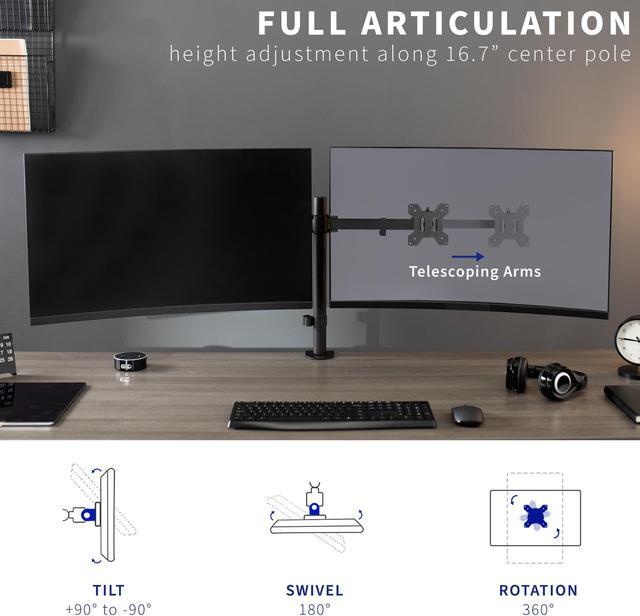
- Articulation and Height Adjustment: Adjustable mount offers +90° to -90° tilt, 180° swivel, 360° rotation, and height adjustment along the center pole. Monitors can be placed in portrait or landscape orientation
Any questions? Ask CelesteSM will help you find out quickly.
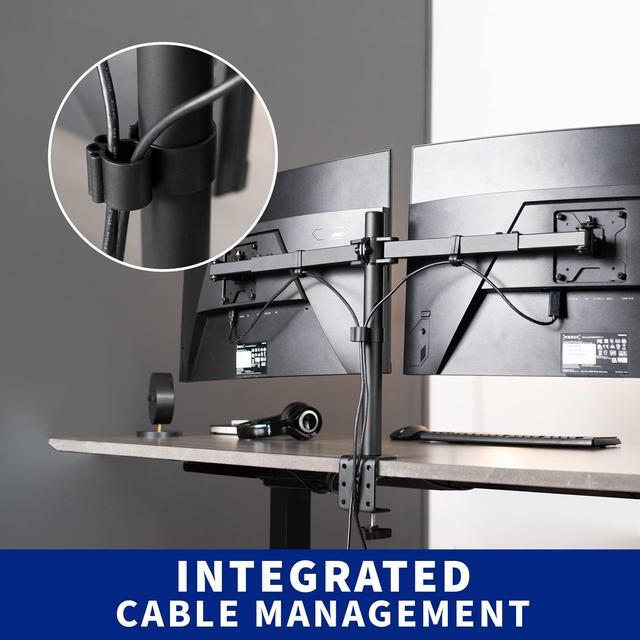
Enjoy a truly flush desk setup with the Telescoping Dual Monitor Desk Mount (STAND-TS38C) from VIVO! Premium telescoping arms adjust in length to fit your monitors, accommodating 27 to 38 screens with ease. The adaptable nature allows for a snug side-by-side monitor positioning without fear of arms extending beyond the bounds of your desk, creating a setup thats flush with the wall. The heavy-duty arms overlap and feature fewer joints than typical mounts which creates a stronger, more durable hold for ultrawide monitors. Additional features include sleek cable management for an organized appearance, screen articulation for ergonomic viewing angles, and height adjustment for customized placement. All hardware and instructions are provided so you can get your new stand assembled in no time!
Compatibility
- Screen Sizes: 27 to 38
- VESA Standard: 75x75mm and 100x100mm
- Maximum Desk Thickness: 3.25
- Weight Capacity: 22 lbs per screen
Specifications
- Color: Black
- Material: Steel
- Pole Height: 16.7
- Arm Length Adjustment: 12 to 19.8
- Arm Span: 24 to 39.5 (center of bracket)
- Screen Articulation: +90° to -90° tilt, 180° swivel, and 360° rotation
- Height Adjustment: Provided along center pole
- Mounting Options: Sturdy C-clamp and Optional Grommet
- Screen Orientation: Portrait or Landscape
Warranty & Returns
Warranty, Returns, And Additional Information
Warranty
- Please contact the Seller directly for warranty information. Warranty information may also be found on the Manufacturer's website.
- CONTACT
Return Policies
- Return for refund within: 30 days
- Return for replacement within: 30 days
- This item is covered by VIVO Return Policy
Manufacturer Contact Info
- For a directory of all our manufacturers, please click below.
- Manufacturers Directory
The VIVO Telescoping Dual Ultrawide Desk Mount is a heavy-duty stand for users who want to position two 27–38-inch monitors side by side, with adjustable arms, height, tilt, swivel, and rotation for a customized workspace.
Recommended For
- Desk-based multitaskers who keep two large monitors side by side—for example, a primary ultrawide for editing, gaming, or analysis and a second screen for reference material or communication.
- People fitting two wide screens on a desk near a wall: the telescoping arms are designed to span side by side without extending past the desk’s back edge.
- Users who want to reclaim desk surface otherwise taken up by two monitor feet and prefer both displays mounted from one desk attachment.
- Users who mostly set monitor positions once and then make occasional angle or orientation adjustments, rather than frequently moving the screens around the desk.
Real-World Use Scenarios
- For work that involves switching between a main task and reference material, place apps such as a document, spreadsheet, or video call on separate screens to keep both visible and reduce window switching.
- For a desk positioned close to a wall, adjust the telescoping arms to keep the monitors side by side without the mount extending past the back edge of the desk.
- For coding, writing, or reading long pages, turn one screen to portrait orientation to show more lines at once while keeping the other screen in landscape for the main workspace.
- For a home-office setup with two large monitors, raise and angle the screens to suit the seated viewing position and keep their cables routed along the mount rather than across the desk.
- For gaming or streaming with a second screen, keep the game on one monitor and use the other for chat, guides, or streaming controls; adjust the screens’ angles to make both easier to view.