Andromeda Insights Advanced AMD Vector - RX 9070XT 16GB | Ryzen 5 9600X (5.4 GHz Turbo Boost) | 32GB DDR5 6000MHz | 1TB Gen4 SSD | 850W Gold PSU | ARGB Fans | Wi-Fi + BT | Win 11 Home
  •  
  • $2,399.99 –
  • $89.99
  • Free 30-day Returns
  • Sold by Direct from manufacturerVIVO
    Top Rated
    4.7 (2,010 seller ratings)

    Shipped by Direct from manufacturerVIVO

    Price alert
    Shop it at NeweggBusiness.

    Meet Your Seller

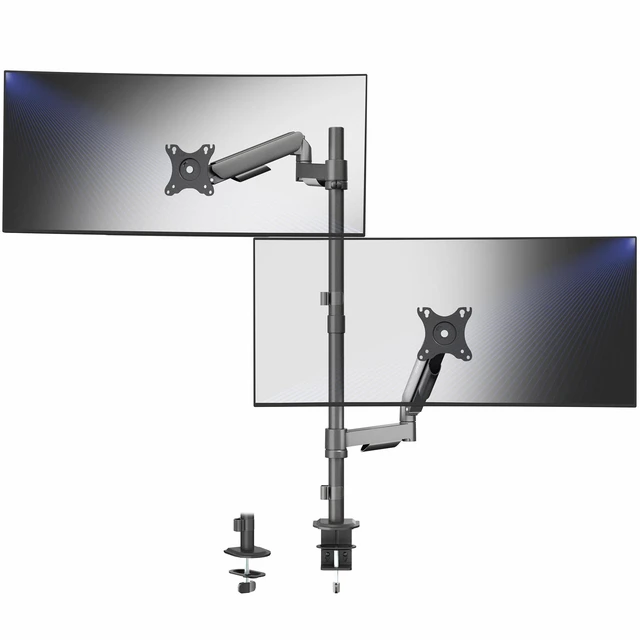
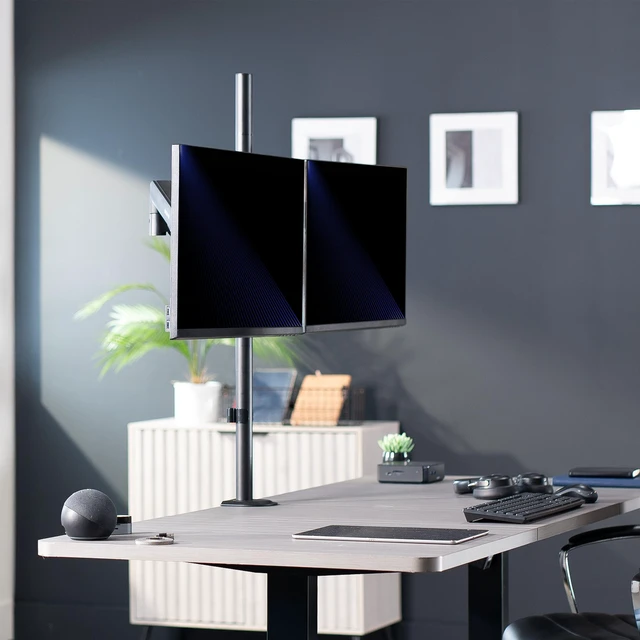
    VIVO Extra Tall Dual 17" to 32" Monitor Mechanical Spring Sit-Stand Desk Mount

    • Black
    • White
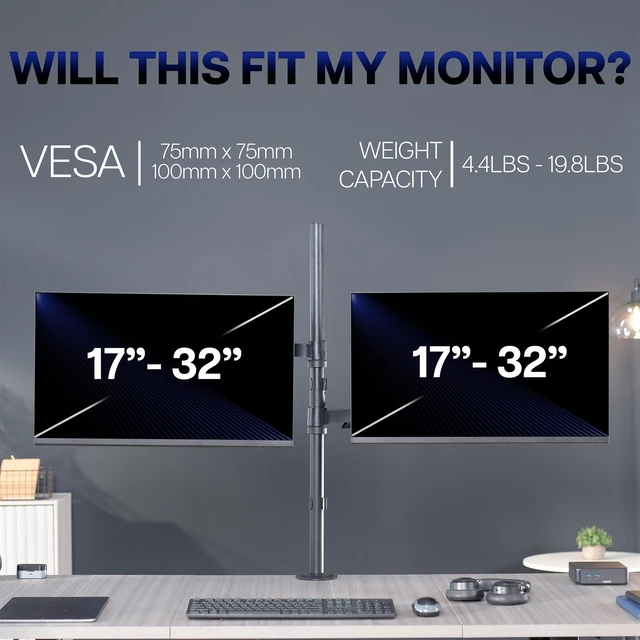
    • Fits 17" To 32" Screens: Dual monitor mount fits most computer monitors 17" to 32" and up to 19.8 lbs (each) with VESA 75x75mm or 100x100mm mounting holes. Secures to desks (up to 3.3" thick) with heavy-duty C-clamp or optional grommet mount
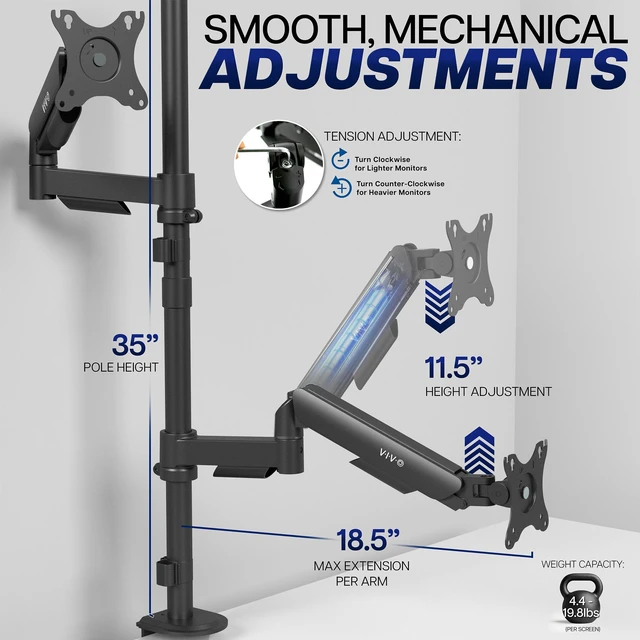
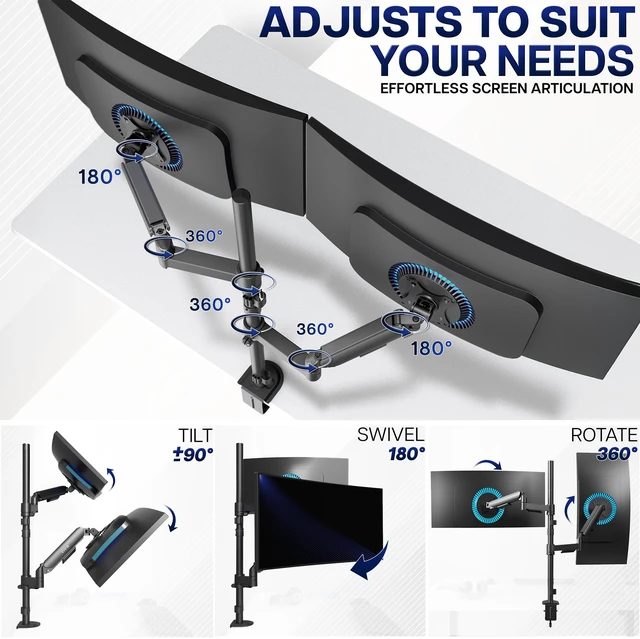
    • Articulation and Height Adjustment: Flexible arms offer +90° to -90° tilt, 180° swivel, and 360° rotation for comfortable viewing angles. Dual mechanical springs provide smooth height transitions by perfectly counterbalancing the weight of your monitors
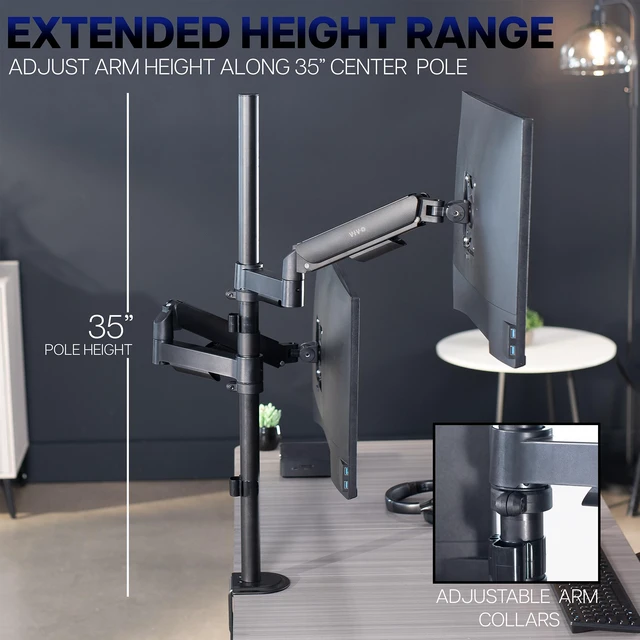
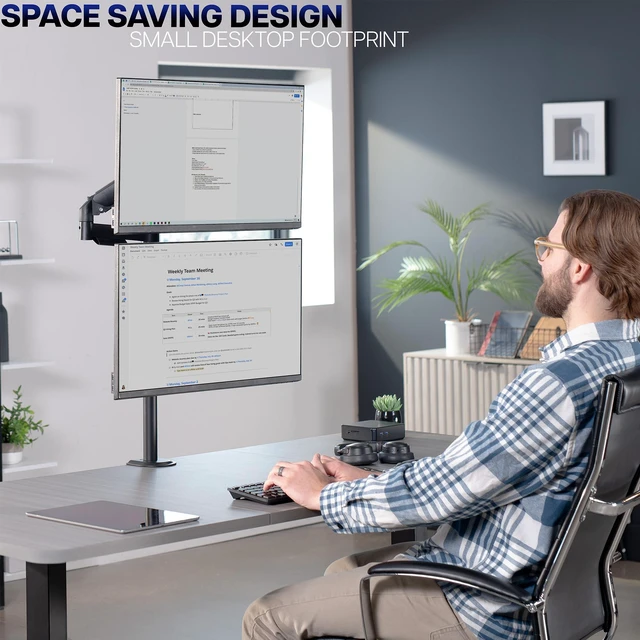
    • Solid Steel Construction: Provides excellent support for two monitor screens weighing up to 19.8 lbs each. The VESA plate brackets are removable for easy slide-on monitor installation, and the extra tall pole allows vertical screen stacking
    • Cable Management: An integrated cable management system keeps cords organized to give your workspace a clean appearance
    +
    +
    Overview
    Specs
    Reviews

    Any questions? Ask CelesteSM will help you find out quickly.

    Increase efficiency and optimize viewing angles with Mechanical Arm Dual Monitor Extra Tall Desk Mount (STAND-V012K) from VIVO! Win back valuable desk space by elevating your monitors to an ideal viewing height with this high-grade steel stand built for scratch resistance and security. Featuring arm articulation, mechanical spring height adjustment, a sturdy C-clamp, integrated cable management, and more, this mount is built to perform! The versatility of screen placement allows ergonomic viewing that aids in decreased fatigue and muscle strain on the neck, back, and shoulders. The modern appearance complements any office setting while you enjoy double-screen viewing. All hardware is provided for easy assembly, so you can get your stand mounted in no time!

    Compatibility

    • Screen Sizes: 17" to 32"

    • VESA Standard: 75x75mm and 100x100mm

    • Desktop Thickness for C-clamp: 0.4 to 3.3"

    • Desktop Thickness for Grommet: 0.4 to 1.5

    • Weight Capacity: 4.4 lbs to 19.8 lbs (per screen)

    Specifications

    • Color: Black

    • Material: Steel

    • Pole Height: 35"

    • Arm Span: 37

    • Maximum Extension: 18.5 (per arm)

    • Maximum Screen Height: 44 (center screen)

    • Articulation: +90° to -90° tilt, 180° swivel, and 360° rotation

    • Height Adjustment: 10 with Mechanical Arms (additional adjustment along center pole)

    • Screen Orientation: Portrait and Landscape

    Warranty & Returns

    Warranty, Returns, And Additional Information

    Warranty

    • Please contact the Seller directly for warranty information. Warranty information may also be found on the Manufacturer's website.
    • CONTACT

    Return Policies

    • Return for refund within: 30 days
    • Return for replacement within: 30 days
    • This item is covered by VIVO Return Policy

    Manufacturer Contact Info

    LOADING...

    The VIVO Extra Tall Dual Monitor Mechanical Spring Desk Mount holds two 17–32-inch monitors weighing up to 19.8 lb each, making it a fit for home-office or work setups that need adjustable screens and the option to stack them vertically.

    Recommended For

    • Desk workers who regularly reposition two monitors for changing tasks or viewing angles; the spring-assisted arms adjust independently and support tilt, swivel, and rotation.
    • People building a vertically stacked or height-staggered dual-screen setup who need an extra-tall pole and adjustable monitor arms.
    • Home-office and productivity users who keep two monitors on the desk and want to free up surface space by mounting them on a pole.
    • Standing-desk users who want to adjust monitor height and viewing position as their work setup changes, without relying on the mount to raise or lower the desk itself.

    Real-World Use Scenarios

    • In a home office with two monitors, mount both above the desk to free up space for a keyboard, notebook, or other desk items; the adjustable arms help position the screens for the user’s work area.
    • When desk width is limited, stack one monitor above the other; community users describe stacked setups as a way to fit two screens while keeping the main display in front, though the upper screen is best kept for less frequent viewing.
    • For gaming or focused work on the main display, use the second screen for a chat window, reference material, or background video; users report this as a practical role for an upper monitor in a stacked setup.
    • When changing between tasks or users, reposition and tilt the screens to adjust their viewing angles; the arms allow monitor placement to be changed without moving the desk mount.