IPASON Ryvex-Gaming Desktop PC , Ryzen7 5700X, AMD Radeon RX9060XT,16GB DDR4, 1TB NVMe SSD, 550W PSU, Wi-Fi,ARGB Fans , Windows 11 Home 64-bit ,Prebuilt Gaming Pc New compute
  •  
  • $1,299.00 –
  • Save: 27%
  • $29.99
  • Free 30-day Returns
  • Sold by Direct from manufacturerVIVO
    Top Rated
    4.7 (2,010 seller ratings)

    Shipped by Direct from manufacturerVIVO

    Price alert
    Shop it at NeweggBusiness.

    Meet Your Seller

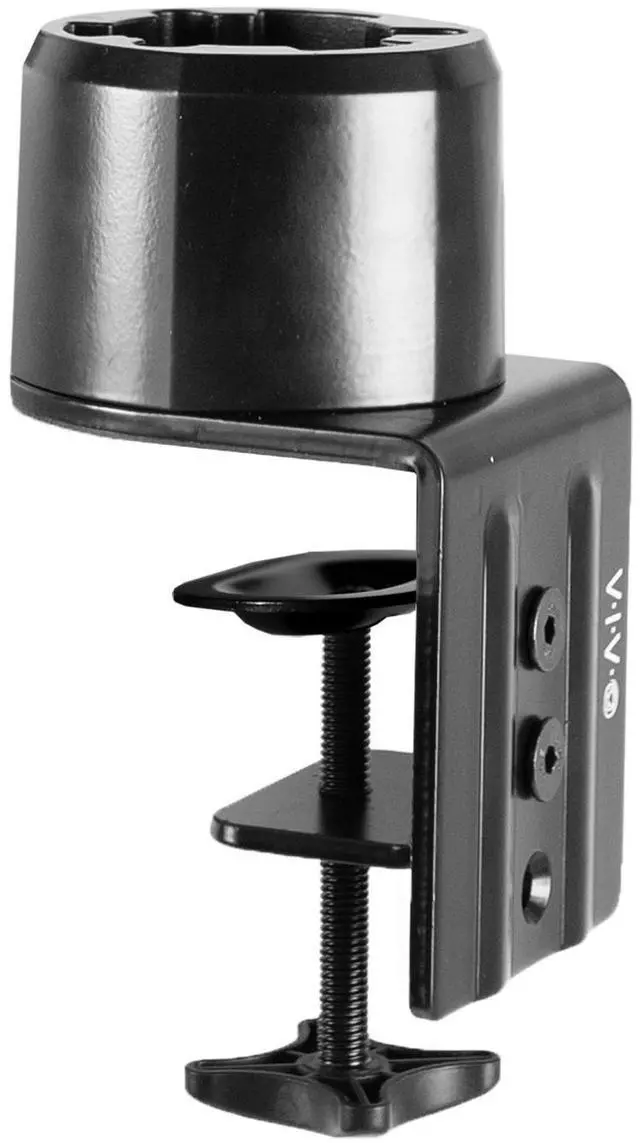
    VIVO Heavy Duty Desk Clamp Converter Designed for ASUS ROG Monitors

    • Designed for ASUS ROG Monitors - Compatible models include PG258Q, PG259QN, PG279QM, PG27UQ, PG27VQ, PG329Q, PG32UQ, PG35VQ, XG248Q, XG258Q, XG279Q, XG279Q-G, XG27AQ, XG27AQM, XG27UQ, XG27UQR, XG27VQ, XG32VC, XG349C, XG43VQ, and XG49VQ.
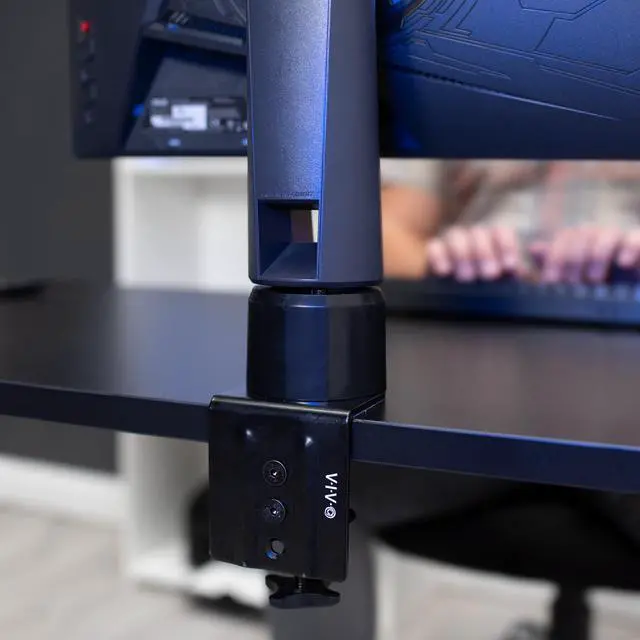
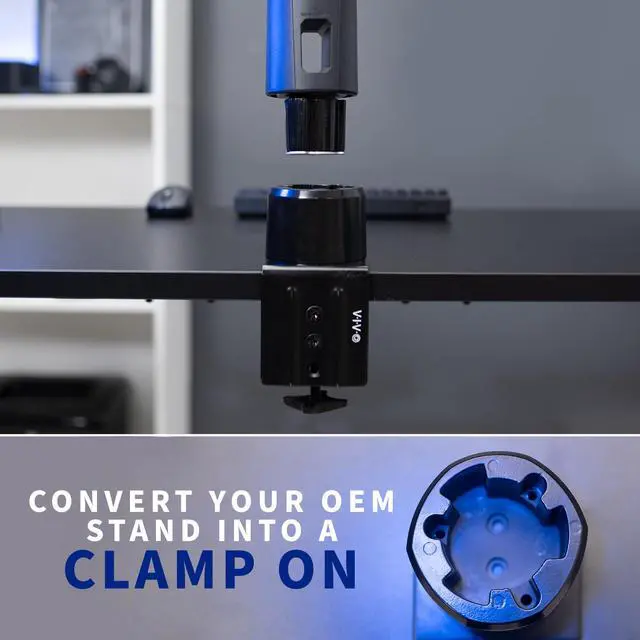
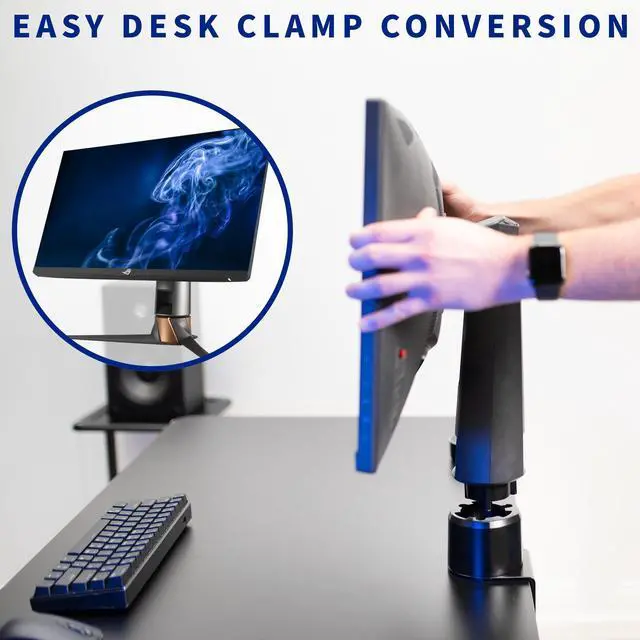
    • Easy Desk Clamp Conversion - Turn your OEM monitor stand into a clamp-on desk mount with this simple, solid steel clamp converter. Designed specifically for ASUS ROG monitors, the clamp works by providing a secure connection to the pole of your OEM stand and then attaching to the edge of your desktop up to 3.25 in thickness.
    • Keep Your Tilt, Swivel, & Height Adjustments - The innovative clamp design makes use of your existing OEM pole, allowing you to continue using the tilt, swivel, and height adjustment features of your stand.
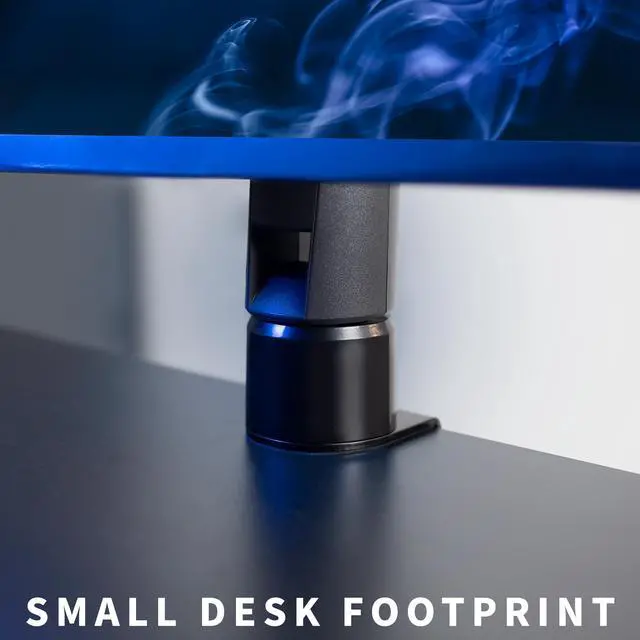
    • Save Desk Space - The sleek clamp adapter provides a sturdy hold with a small desktop footprint, saving you valuable work space while providing excellent support for your monitor.
    +
    +
    Overview
    Specs
    Reviews (1)

    Any questions? Ask CelesteSM will help you find out quickly.

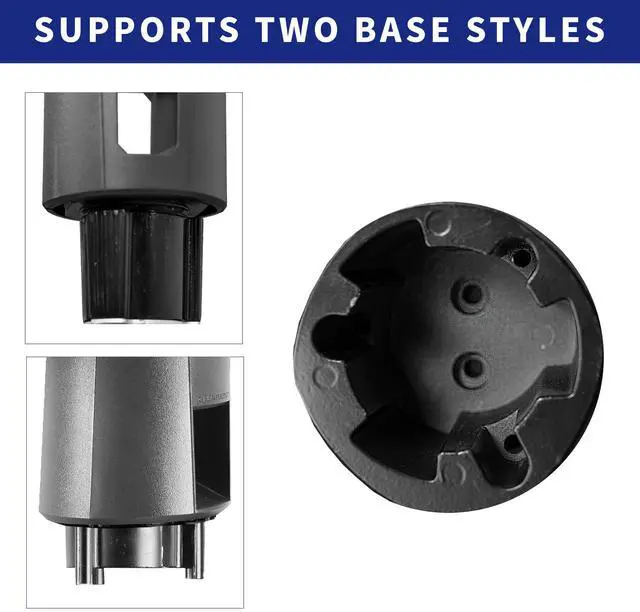
    Convert your compatible monitor stand into a convenient desk clamp setup with the Desk Clamp Designed for ASUS ROG Monitor (MOUNT-ASROG) from VIVO! Enjoy the benefit of a clamp-on monitor mount without sacrificing the innovation and adjustability of your OEM stand. This monitor stand converter makes use of your existing monitor pole, maintaining the flexible tilt, swivel, and height adjustments you already enjoy on your OEM stand. Installation is quick and simple. Just remove the feet from your existing stand, anchor the pole into the converter, and youre ready to roll! Enjoy the benefit of a clamp-on design and save valuable desk space with this easy-to-use converter. Designed for ASUS ROG monitors only and is not compatible with off-brand or alternative models of ASUS monitors.

    Compatibility

    • Fits: Designed for most ASUS ROG monitors

    • Compatible Models: PG258Q, PG259QN, PG279QM, PG27UQ, PG27VQ, PG329Q, PG32UQ, PG35VQ, XG248Q, XG258Q, XG279Q, XG279Q-G, XG27AQ, XG27AQM, XG27UQ, XG27UQR, XG27VQ, XG32VC, XG349C, XG43VQ, XG49VQ

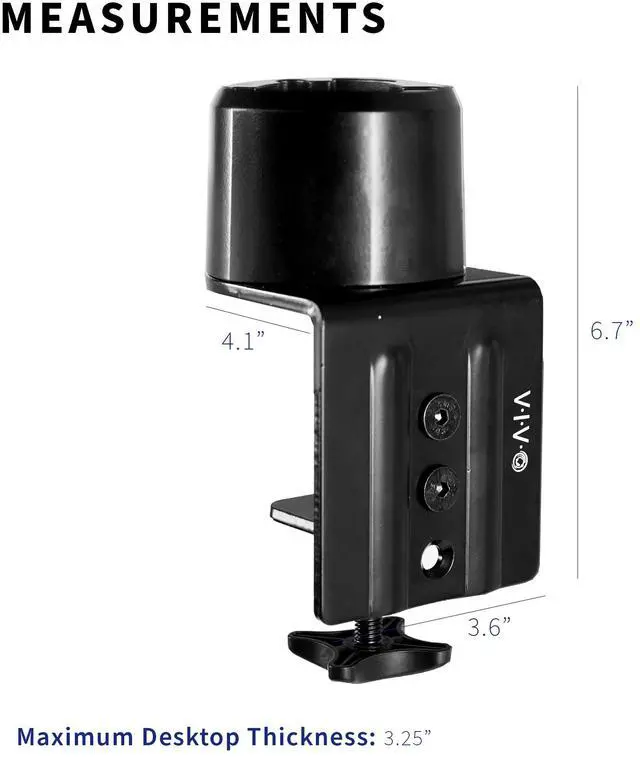
    • Maximum Desktop Thickness: 3.25

    Specifications

    • Color: Black

    • Material: Steel

    • Dimensions: 6.7 x 4.1 x 3.6 (Height x Depth x Width)

    • Package Contents: Casted Base, Upper Clamp, Lower Clamp, Mounting Hardware

    Warranty & Returns

    Warranty, Returns, And Additional Information

    Warranty

    • Please contact the Seller directly for warranty information. Warranty information may also be found on the Manufacturer's website.
    • CONTACT

    Return Policies

    • Return for refund within: 30 days
    • Return for replacement within: 30 days
    • This item is covered by VIVO Return Policy

    Manufacturer Contact Info

    LOADING...

    The VIVO Heavy Duty Desk Clamp Converter is a steel adapter for compatible ASUS ROG monitor stands, letting users attach the stand to a desk edge up to 3.25 inches thick while keeping the monitor’s existing tilt, swivel, and height adjustments.

    Recommended For

    • ROG monitor owners with a specifically listed compatible model who want to clamp the existing stand to the desk instead of using its wide factory feet.
    • Desk-space-conscious gamers or home-office users who want to reclaim surface area while keeping their monitor’s original tilt, swivel, and height adjustments.
    • Users who prefer a clamp-mounted setup but want to keep using their compatible ASUS ROG stand and its existing adjustments rather than replace it with a separate monitor arm.

    Real-World Use Scenarios

    • On a crowded gaming desk, replace the ROG monitor’s wide factory feet with the edge clamp to free up some surface for a keyboard, mouse, or other gear.
    • When you want the monitor positioned at the desk edge rather than set back on its original feet, the clamp anchors the existing stand pole at the edge and leaves more of the desktop open.
    • For gaming or everyday work, keep using the compatible ROG stand’s height, tilt, and swivel adjustments instead of switching to a separate monitor arm.
    • If you already like your monitor’s original stand but want a smaller desktop footprint, reuse its pole and convert the base to a desk clamp rather than replacing the whole stand setup.