SKYESEV Gaming PC Desktop Computer,AMD Ryzen ,16GB DDR4  RAM,512GB SSD M.2 PCIe,ARGB FAN*5,Wi-Fi and BT,Game Design Office console,Sea View Room,Pre installed gaming home computer
  •  
  • $489.99 –
  • Save: 45%
  • $9.99
  • $19.99
  • Save: $10.00 (50%)
  • Free 30-day Returns
  • Sold by Direct from manufacturerVIVO
    Top Rated
    4.7 (2,010 seller ratings)

    Shipped by Direct from manufacturerVIVO

    Price alert
    Shop it at NeweggBusiness.

    Meet Your Seller

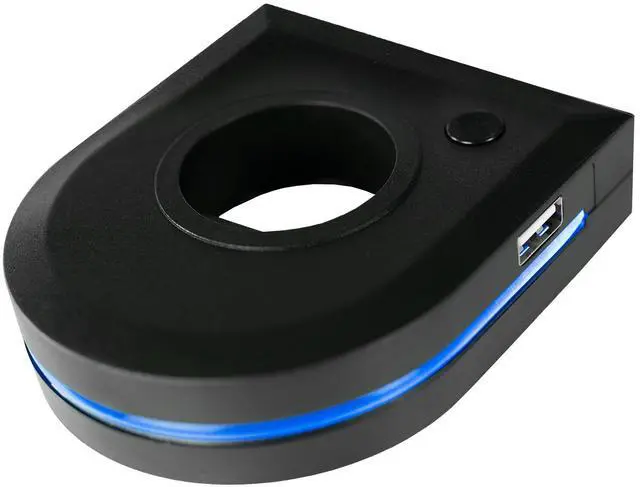
    VIVO Pole-Mounted RGB Stand Accessory with Dual USB-A Hub and Light Strip

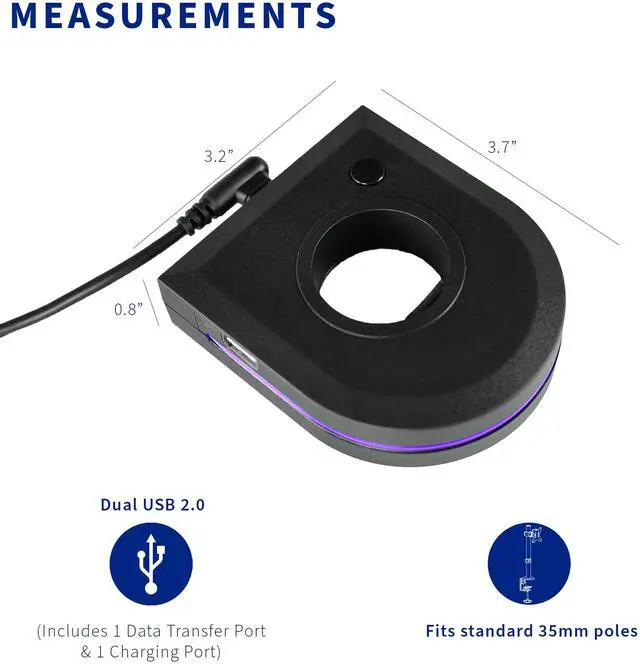
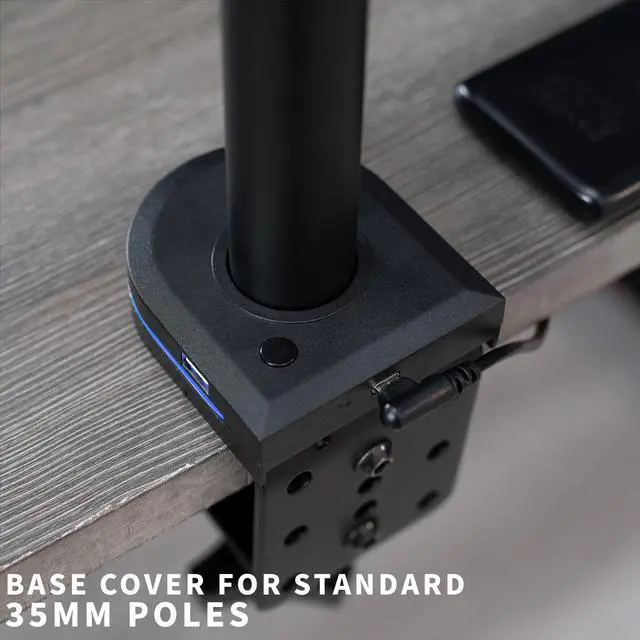
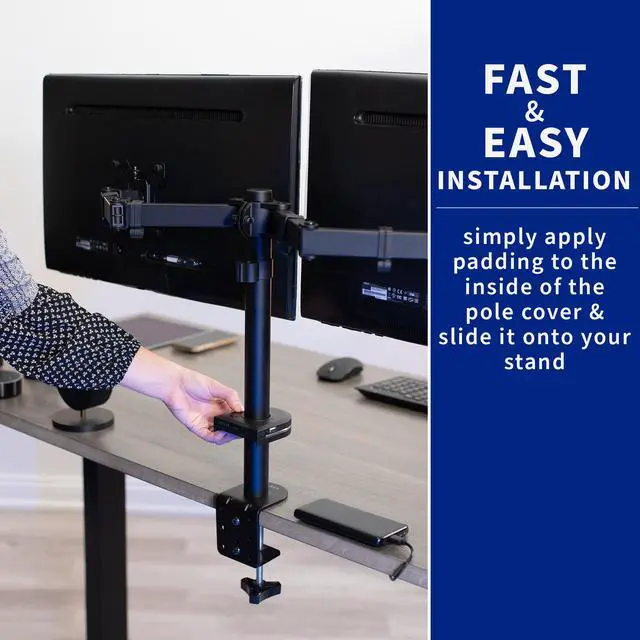
    • Fits Standard 35mm Poles - Designed to fit most standard 35mm diameter monitor stand poles. Easily slides over the top of the pole for a convenient cover that sits at the base of the stand. Perfect for adding a little RGB flare to your setup.
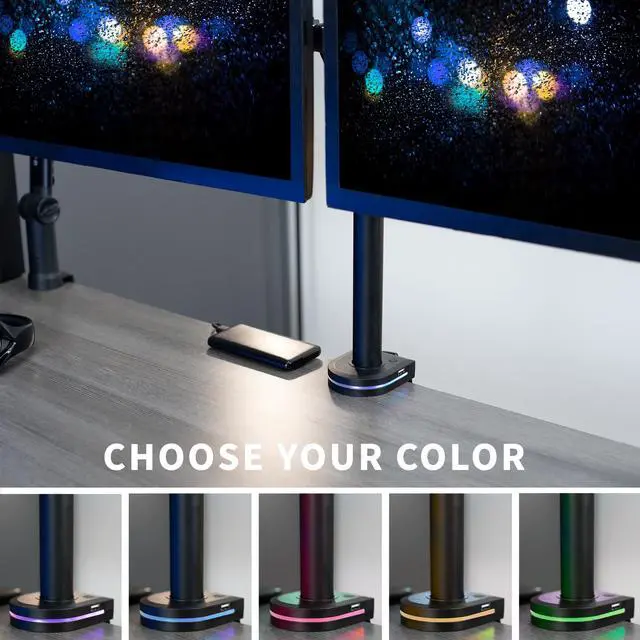
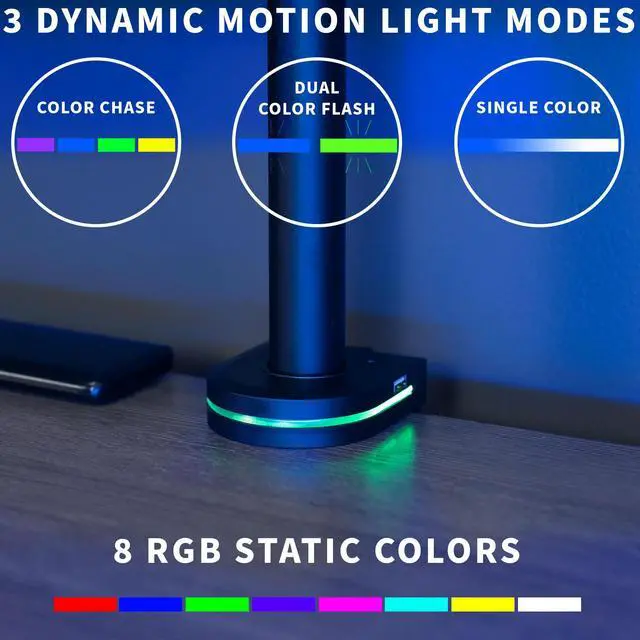
    • 8 Static Colors + 3 Dynamic Motion Settings - Add some RGB to your setup and choose from static color or motion lighting. The cover can easily be set to a color chase, dual color flash, or a slow color fade. Or choose between Red, Blue, Green, Purple, Magenta, Cyan, Yellow, or White to match your mood. Powered by your PC or laptop with included connection power cable.
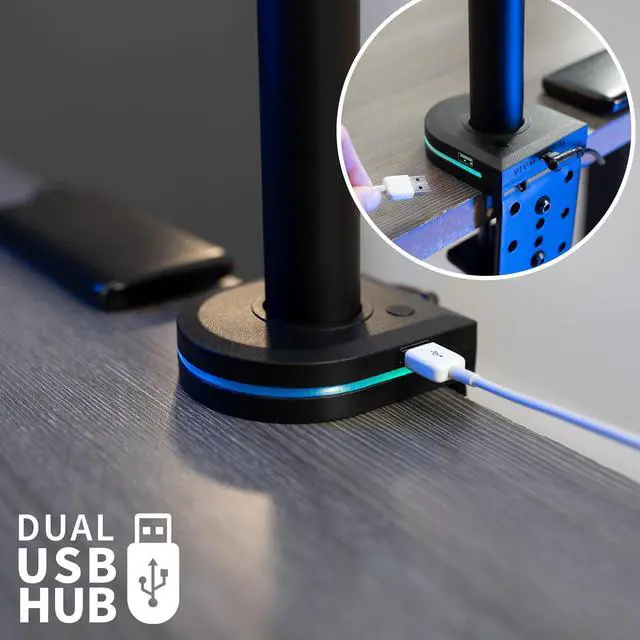
    • Dual USB-A Hub - Free up port space on your PC or laptop with dual USB-A connections on the sides of the cover. Enjoy convenient desktop charging for your phone or other mobile devices with an easy-access charging port. And add extra data transfer with USB-A connection direct to your computer.
    +
    +
    Overview
    Specs
    Reviews

    Any questions? Ask CelesteSM will help you find out quickly.

    Add colorful RGB lighting to your monitor display with the Black Monitor Stand RGB Accessory with USB (STAND-AC02U) from VIVO! Enjoy 3 modes of vibrant RGB motion lighting effects and 8 static color options. Choose from the color chase, dual color flash, or slow color fade lighting effect, or select 1 of 8 brilliant static color options to match your current mood. Powered by your PC or laptop, this dynamic cover also features 2 USB-A hubs for charging and data transfer. The universal design fits 35mm diameter poles.

    Compatibility

    • Input: USB-C (x1)
    • Output: USB-A (x2) (Data Transfer (x1), Charging Only (x1))
    • Compatible Pole Thickness: Fits standard-size poles up to 1.4 thick (35mm)
    • Cable Connection Type: Plug into PC for data transmission and slow charging. Plut into wall outlet for fast charging

    Specifications

    • Color: Black
    • Product Dimensions: 3.7 x 3.2 x 0.8
    • RGB Dynamic Modes: Color Chase, Dual Color Flash, Single Color Fade
    • RGB Static Colors: Red, Blue, Green, Purple, Magenta, Cyan, Yellow, White
    • Operation: 1) Hold power button for 3 seconds to turn on/off lighting 2) Quick press to cycle color options
    • Package Contents: Pole Cover, 1m USB 2.0 Power Cable, Soft Pad

    Warranty & Returns

    Warranty, Returns, And Additional Information

    Warranty

    • Please contact the Seller directly for warranty information. Warranty information may also be found on the Manufacturer's website.
    • CONTACT

    Return Policies

    • Return for refund within: 30 days
    • Return for replacement within: 30 days
    • This item is covered by VIVO Return Policy

    Manufacturer Contact Info

    LOADING...

    The VIVO Pole-Mounted RGB Stand Accessory is a cover for most standard 35 mm monitor stand poles, with eight static colors, three lighting effects, and two USB-A ports. It suits desktop users who want decorative RGB lighting and convenient USB access at their monitor stand.

    Recommended For

    • Monitor-mount owners with a compatible 35 mm pole who want a small RGB accent at the base of the stand without adding a separate light strip.
    • Desk-setup and gaming-space builders who want selectable static colors or simple motion lighting to coordinate with their existing RGB theme.
    • Home-office users who want convenient access to USB-A for one data-connected accessory and a separate charging-only connection near the monitor stand.
    • People tidying a monitor-stand setup who want a low-profile pole cover that combines decorative lighting with a couple of nearby USB-A connections.

    Real-World Use Scenarios

    • When a phone needs charging during desk work or gaming, plug it into the stand-level charging port instead of reaching for a charger elsewhere; charging speed depends on whether the accessory is powered from a PC or a wall outlet.
    • When connecting a USB device at the desk, use the accessory’s data-transfer USB-A port to connect it to the computer without reaching around to the PC; the second USB-A port is for charging only.
    • When finishing a gaming or home-office setup, choose a static color or lighting effect to add a small RGB accent around a compatible monitor-stand pole.
    • When a compatible monitor stand’s pole looks unfinished, slide the accessory over a standard-size pole to cover it and add lighting and USB access at the stand.