AOACE Gaming PC AMD Ryzen 7 5700X [8-Core 4.6GHz], RTX 5060 8GB GDDR7, DLSS 4, VR Ready, WiFi 6E, 32GB DDR4, 1TB PCIe4 NVMe, 6 ARGB, Win11 Home
  •  
  • $1,249.99 –
  • Save: 34%
  • $99.99
  • Free 30-day Returns
  • Sold by Direct from manufacturerVIVO
    Top Rated
    4.7 (2,010 seller ratings)

    Shipped by Direct from manufacturerVIVO

    Price alert
    Shop it at NeweggBusiness.

    Meet Your Seller

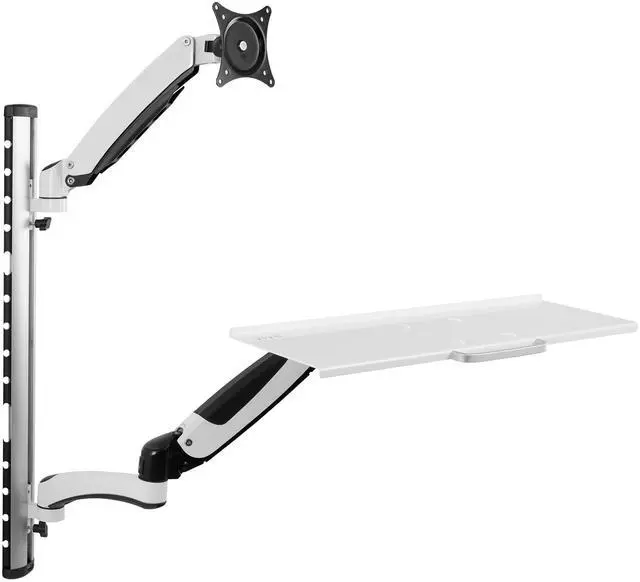
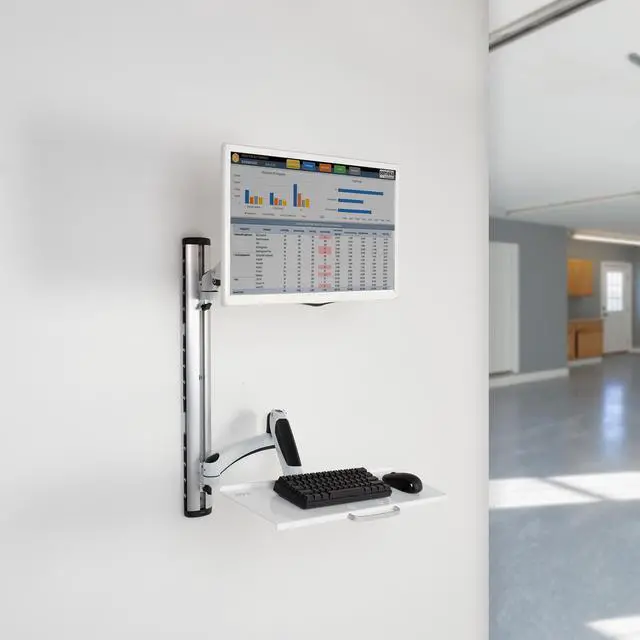
    VIVO White Sit-Stand Wall Mount Counterbalance Monitor Keyboard Workstation

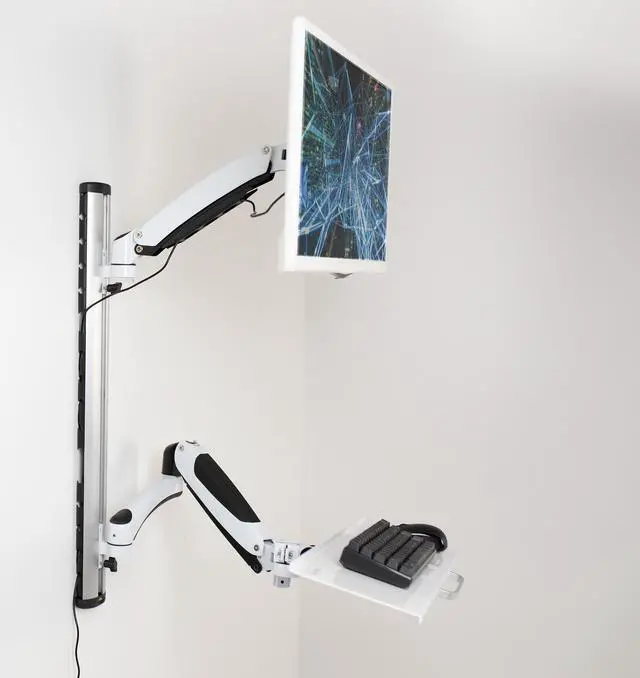
    • Wall Mount Station: For monitor and keyboard setup featuring easy height adjustment using mechanical spring (monitor mount) and pneumatic spring (keyboard tray) technology to accommodate any position
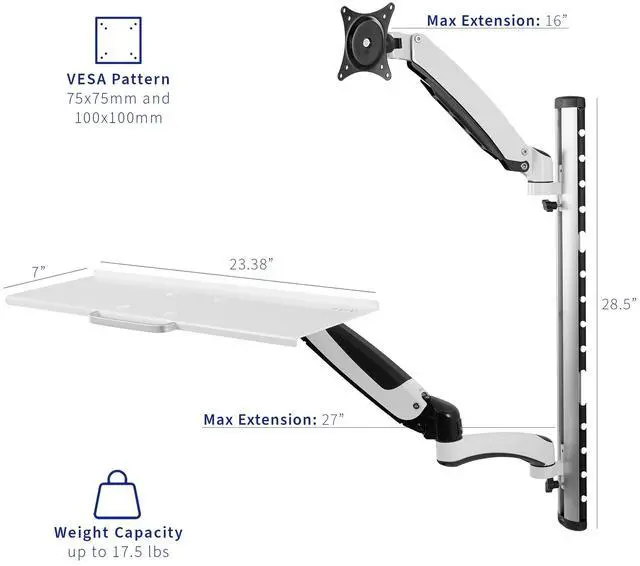
    • Fits 13" to 27" Screens: Wall mount is compatible with monitors 13" to 27" weighing up to 17.5 lbs with 75x75mm or 100x100mm VESA hole patterns and includes a 23" x 7" tray for your keyboard
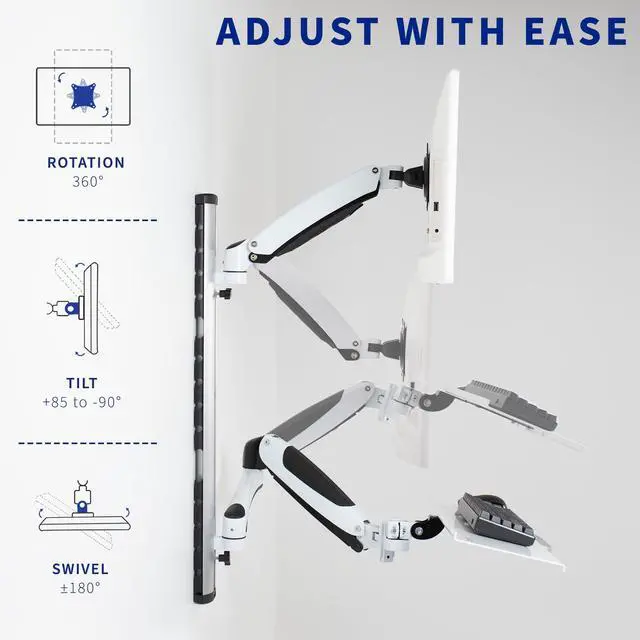
    • Full Articulation: Position your monitor and keyboard tray at comfortable angles that both help screen viewing and typing posture. Features +85° to -90° tilt, 180° swivel, 360° rotation, and additional height adjustment along the center pole
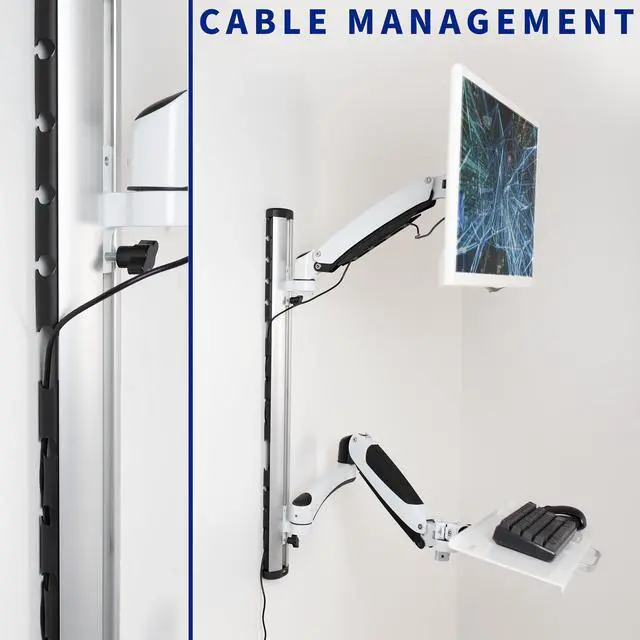
    • Space Saving Design: The arms and tray can both fold against the wall to save space and make hassle-free storage. Includes cable management to keep potentially messy cords neatly routed for a clean and organized appearance
    +
    +
    Overview
    Specs
    Reviews

    Any questions? Ask CelesteSM will help you find out quickly.

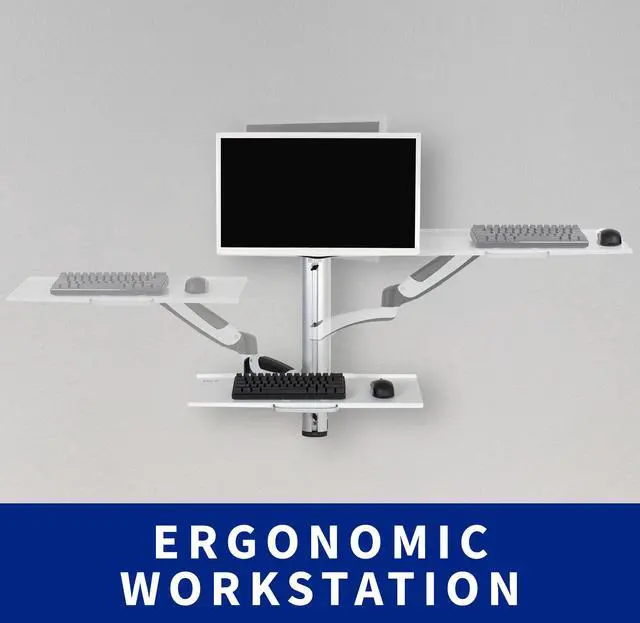
    Introducing the White Single Monitor Sit-Stand Wall Mount Workstation (STAND-SIT1KW) from VIVO, designed to make your work experience more convenient and ergonomic! Instead of being stuck in an uncomfortable position all day with poor posture, our wall mounting station allows you to switch to any position easily with its durable counterbalance adjustability. Standing all day or sitting all day can cause neck and back pains, but with the easy height, swivel, and tilt adjustable STAND-SIT1KW, you can maintain comfort and variety in your posture.

    Compatibility

    • Fits screens 13" to 27" in size

    • Supports screens up to 17.5 lbs

    • Compatible with VESA mounts with 75x75mm and 100x100mm hole patterns

    Features

    • +85 degree to -90 degree tilt

    • 180 degree swivel

    • 360 degree rotation

    • Both arms and tray can be folded up to save space

    • Cable management integrated to keep potentially messy cords clean and organized

    Warranty & Returns

    Warranty, Returns, And Additional Information

    Warranty

    • Please contact the Seller directly for warranty information. Warranty information may also be found on the Manufacturer's website.
    • CONTACT

    Return Policies

    • Return for refund within: 30 days
    • Return for replacement within: 30 days
    • This item is covered by VIVO Return Policy

    Manufacturer Contact Info

    LOADING...

    The VIVO White Sit-Stand Wall Mount Workstation combines an adjustable monitor arm and keyboard tray for people who want to switch between sitting and standing while working. It fits 13–27-inch VESA-compatible monitors up to 17.5 lb and folds against the wall when not in use.

    Recommended For

    • People working in a compact office or room who need a monitor-and-keyboard workstation without using floor space for a desk.
    • Users who want to alternate between seated and standing computer work, with the monitor and keyboard tray adjusting along with their position.
    • Work areas such as offices, workshops, or clinical spaces where a single-screen workstation can be mounted to the wall and folded away when not in use.
    • Users with a compatible, lightweight 13–27-inch monitor who want adjustable screen positioning and a dedicated keyboard tray rather than a full desktop.

    Real-World Use Scenarios

    • In a compact home office without room for a full desk, mount the monitor and keyboard to the wall to create a dedicated work position; the setup keeps the main work surface and floor area open.
    • During a workday that alternates between sitting and standing, raise or lower the monitor and keyboard together so the user can change working posture without moving to another station.
    • In a shared room or multipurpose workspace, fold the monitor arm and keyboard tray toward the wall when work is finished; this helps clear the area for other activities.
    • For a wall-mounted workstation in a small office, position the screen and keyboard at comfortable angles for typing and viewing; the adjustable arms make it easier to tailor the setup to the user.
    • When setting up a computer station where loose cords would clutter the work area, route the cables along the mount so the screen and keyboard area stays more orderly.