Meet Your Seller
VIVO Universal Docking Station Mount, Behind Monitor, Under Desk, or C-clamp
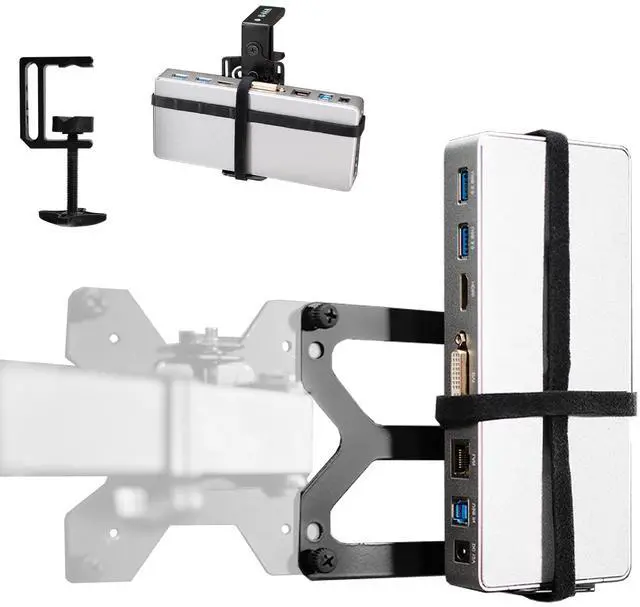
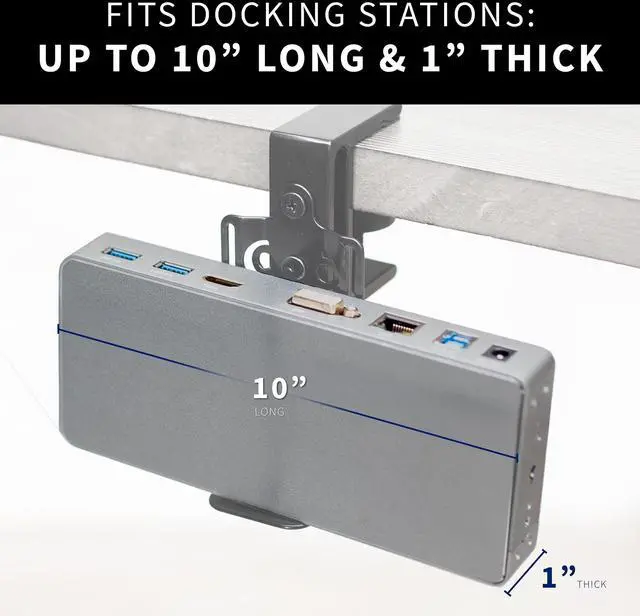
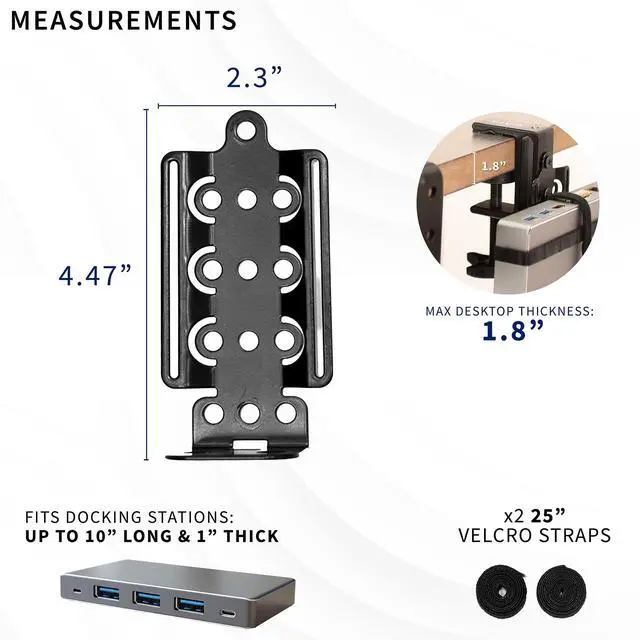
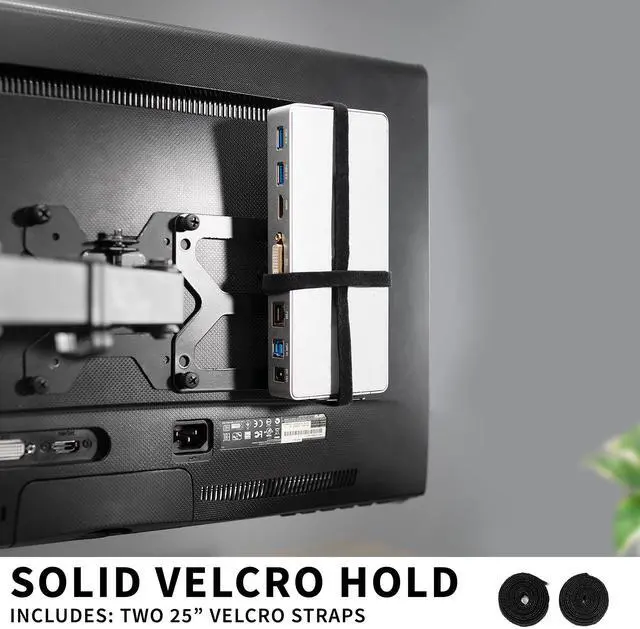
- Universal Docking Station Holder: Reduce clutter by securing your docking station to your computer monitor or desktop. Features 25" long velcro straps to fit a wide range of docking stations up to 10" wide/tall and 1" thick. --Patent Pending--
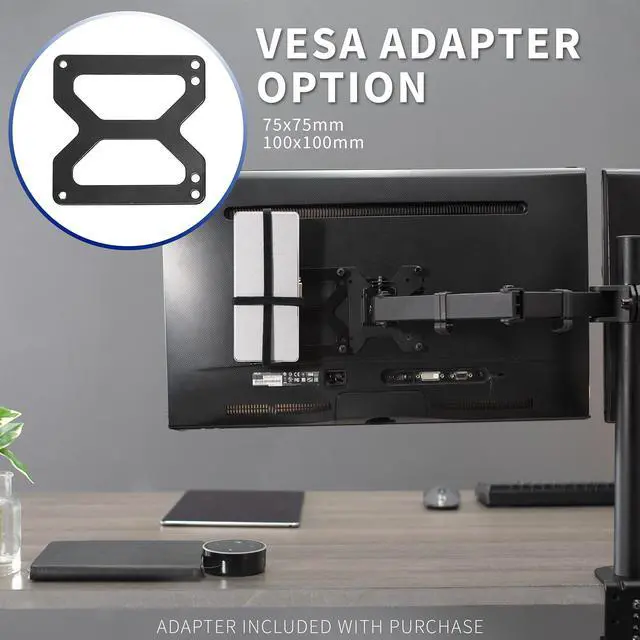
- VESA Compatible Mounting: Comes with a VESA compatible mounting plate that installs to the back of your current VESA plate or monitor screen
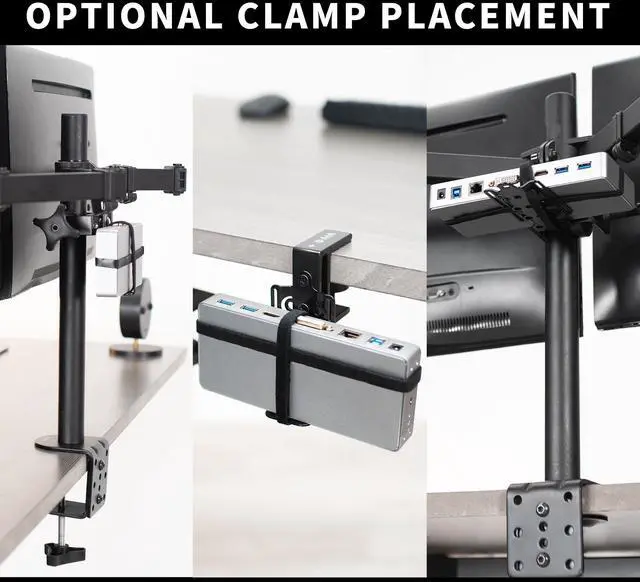
- Additional Mounting Options: Includes heavy-duty C-clamp secures to desktops, monitor arms, and poles (up to 1.8" thick) with 3 mounting orientations for additional adjustability. Installation hardware also included for an under-desk docking solution
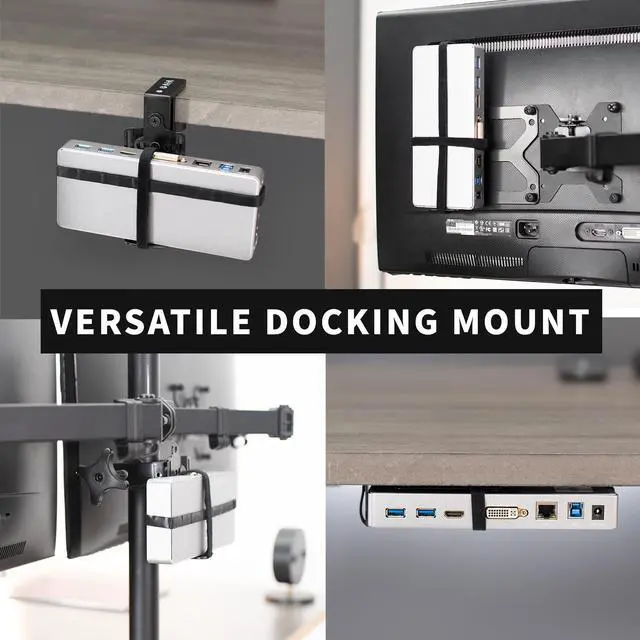
- Clean Workspace Setup: Create a minimalistic, visually pleasing workstation with your docking station mounted securely to your monitor screen, stand, or desk. This helps with cable management, keeping cords clean, organized, and out of sight
Any questions? Ask CelesteSM will help you find out quickly.
Reduce visual clutter at your workstation with the Universal Docking Station Mount (MOUNT-DS01) from VIVO! Conveniently getting your docking station off of the table surface and secured to your desk or monitor VESA pattern, this versatile holder gives you options. Velcro straps fit a variety of docking station brands on the market, and the universal clamp design features 3 mounting orientations for additional flexibility. This sturdy bracket also gives you installation options whether you want your docking station secured to the back of your VESA-compatible monitor screen, mounted under your desk, clamped to the table surface, and more!
Compatibility
- Fits: Docking Stations up to 10 wide/tall and 1 thick
- Mounting Options: VESA Adapter Connection, Under Desk Installation, C-clamp Mounting
- VESA Standard: 75x75mm and 100x100mm
- Maximum Desktop Thickness: 1.8
- Weight Capacity: 17.6 lbs
Specifications
- Color: Black
- Material: Steel, Plastic, Velcro
- Bracket Dimensions: 4.7 x 2.3
- Velcro Strap Length: 25
- Bracket Hole Spacing: 1 for any 2 adjacent holes
- C-clamp Orientation: Multiple through-holes allow 3 mounting orientations with adjustability
- Package Contents: VESA Adapter, Mounting Bracket, Velcro Strap, C-clamp, Hardware
Warranty & Returns
Warranty, Returns, And Additional Information
Warranty
- Please contact the Seller directly for warranty information. Warranty information may also be found on the Manufacturer's website.
- CONTACT
Return Policies
- Return for refund within: 30 days
- Return for replacement within: 30 days
- This item is covered by VIVO Return Policy
Manufacturer Contact Info
- For a directory of all our manufacturers, please click below.
- Manufacturers Directory
The VIVO Universal Docking Station Mount secures a compatible docking station behind a VESA-compatible monitor, under a desk, or with a C-clamp, making it suitable for people who want a tidier workstation and more desk space.
Recommended For
- Desk-based workers who leave a docking station connected at a fixed workstation and want to clear desk space by mounting it behind a compatible monitor or under the desk.
- Users building a monitor-arm or VESA-mounted setup who want to attach a suitably sized dock to the monitor’s VESA mounting area rather than leave it on the desktop.
- Work-from-home users who regularly connect a laptop to a dock at the same desk and want the dock secured near the monitor or desk to help organize cables.
- Users whose desks do not have a suitable VESA mounting setup but can use the included C-clamp or under-desk hardware to place a compatible dock off the work surface.
Real-World Use Scenarios
- In a laptop-based home office, keep a dock connected to the desk peripherals and mount it under the desk; the dock stays off the work surface while its laptop connection can be routed up to the computer. A community setup describes using an under-desk dock this way.
- For a compact or already crowded desk, mount a compatible dock behind a VESA-compatible monitor. This frees the desktop area the dock would otherwise occupy and keeps the dock close to the display and its connected cables.
- When a VESA mount is not a convenient option, use the C-clamp to attach the dock to a suitable desk edge, monitor arm, or pole. This gives the dock a fixed place without using the main desktop surface.
- In a multi-computer workspace, mount the dock under the desk to keep it in one place while switching its host connection between computers. A community workstation example uses an under-desk dock and switches the dock’s single computer cable between machines.


![AOACE Gaming PC AMD Ryzen 7 5700X [8-Core 4.6GHz], RTX 5060 8GB GDDR7, DLSS 4, VR Ready, WiFi 6E, 32GB DDR4, 1TB PCIe4 NVMe, 6 ARGB, Win11 Home AOACE Gaming PC AMD Ryzen 7 5700X [8-Core 4.6GHz], RTX 5060 8GB GDDR7, DLSS 4, VR Ready, WiFi 6E, 32GB DDR4, 1TB PCIe4 NVMe, 6 ARGB, Win11 Home](https://c1.neweggimages.com/ProductImageCompressAll100/C545S2607150J6GDT09.jpg)