Meet Your Seller
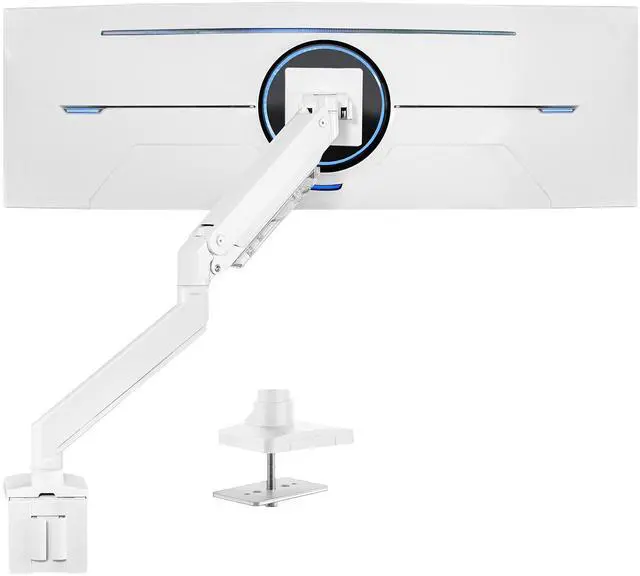
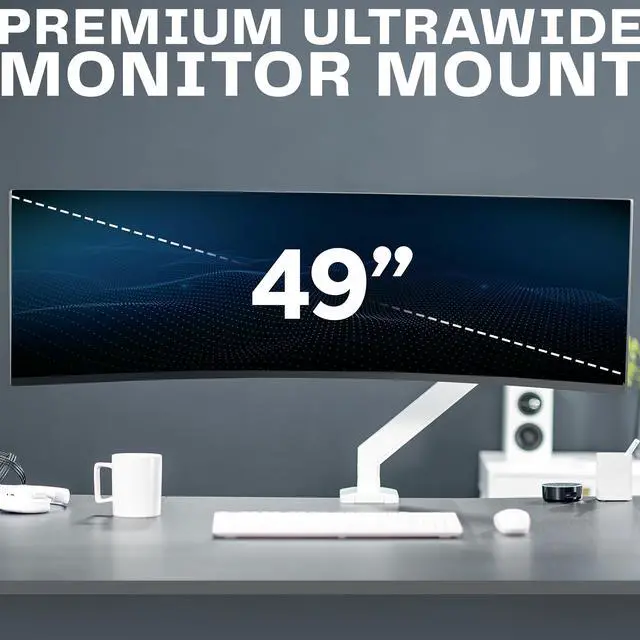
VIVO White Single Pneumatic Monitor Desk Mount, Fits Ultrawides up to 49"
- Ultrawide Compatibility: Fits ultrawide monitors up to 49" and standard flat and curved monitors up to 32 including the 1000R Curved Screens
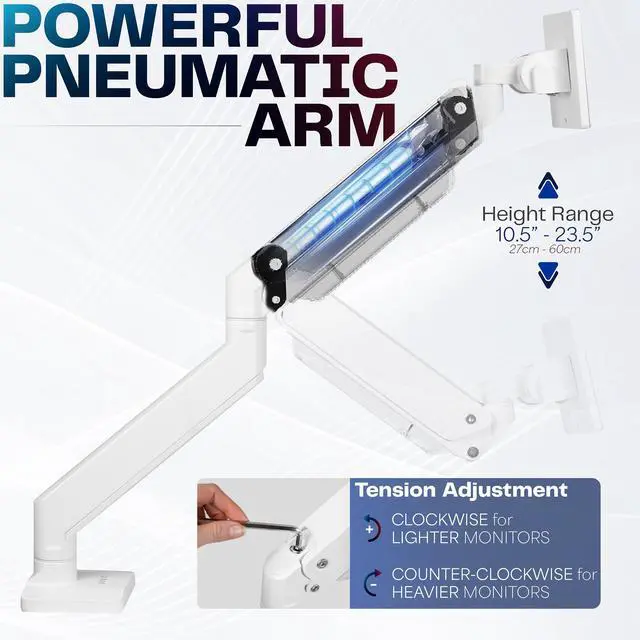
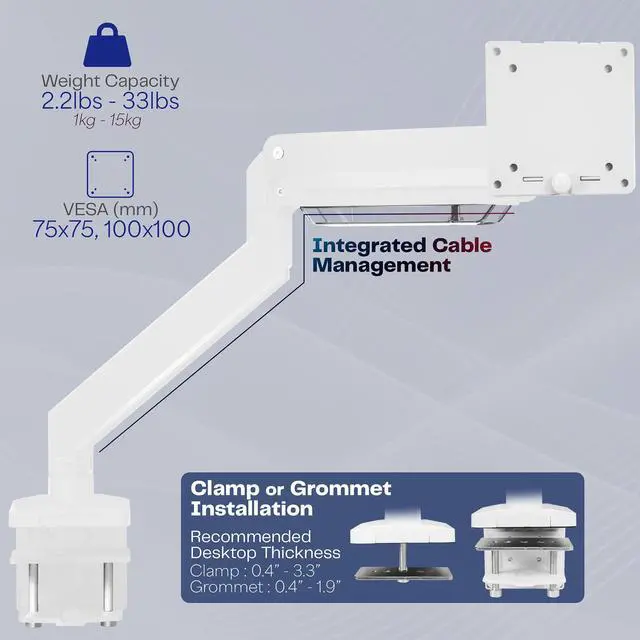
- Premium Aluminum Arm Mount: Securely holds one screen weighing up to 33 lbs. Features an elbow spring gauge for perfect weight adjustment, clear cable management, and a quick-release VESA plate for simple monitor installation
- Quick Release VESA Bracket: Has 75x75mm and 100x100mm mounting capability. Please Note: If your monitor does not have VESA holes, it will require an adapter that is not included with this stand
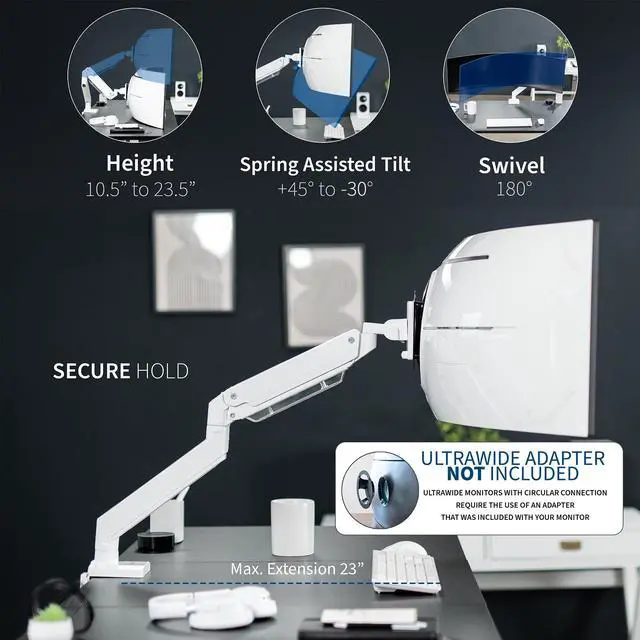
- Fully Adjustable: Mount offers a range of flexible motion featuring +45° to -30° tilt, 180° swivel, 180° rotation, and 13 inches of smooth height adjustment with pneumatic spring lift
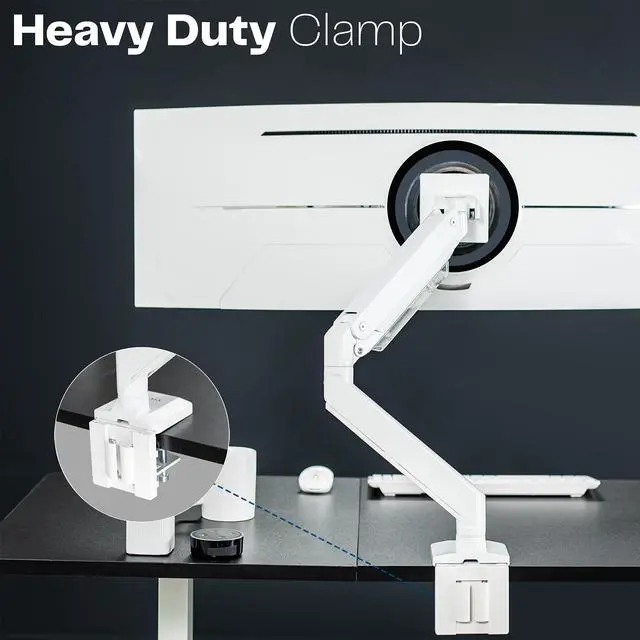
- Mounting Options: Sturdy desk clamp provides excellent support, and an equally secure grommet mount is provided to accommodate a variety of desk layouts. Fits desks 0.4 to 3.3 thick with clamp and 0.4 to 1.9 with grommet
Any questions? Ask CelesteSM will help you find out quickly.
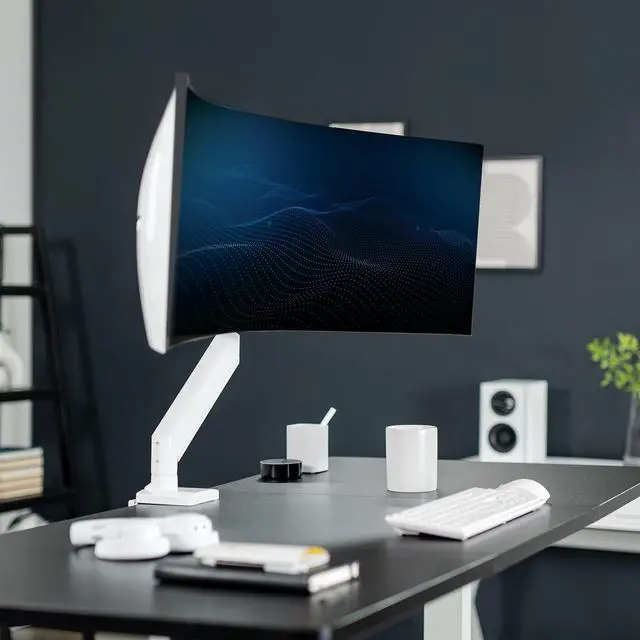
Reclaim your desk space and enjoy comfortable viewing angles with Premium Single Monitor Arm (STAND-V101G1W) from VIVO! Elevate your ultrawide monitor to an ergonomic height and adjust the viewing angle with just the touch of a hand. Featuring high-quality aluminum construction, flexible joints, smooth height adjustment, a sturdy desk clamp and grommet mount, integrated cable management, and more, this stand is ready to transform your workspace. The versatility of screen placement encourages comfortable viewing that aids in decreased muscle strain on the neck, back, and shoulders. The classy appearance adds a modern look to any office while providing excellent support for your ultrawide monitor (up to 49"). All hardware and instructions are provided for easy assembly, so you can get your stand secured and monitor mounted in no time!
Compatibility
- Monitor Screen Size: Ultrawide screens up to 49"
- Screen Types: Flat, Curved, and 1000R Curved Screens
- VESA Standard: 75x75mm and 100x100mm
- Suggested Desktop Thickness with Clamp: 0.4" (minimum) to 3.3" (maximum)
- Suggested Desktop Thickness with Grommet: 0.4" (minimum) to 1.9" (maximum)
- Weight Capacity: 2.2 lbs (minimum) to 33 lbs (maximum)
Specifications
- Color: White
- Maximum Arm Extension: 23"
- Articulation: +45° to -30° tilt, 180° swivel, and 180° rotation
- Height Adjustment Range: 10.5" to 23.5" (center of screen)
- Mounting Options: Sturdy Desk Clamp and Grommet Mount
- Screen Placement: Portrait or Landscape Orientation
Warranty & Returns
Warranty, Returns, And Additional Information
Warranty
- Please contact the Seller directly for warranty information. Warranty information may also be found on the Manufacturer's website.
- CONTACT
Return Policies
- Return for refund within: 30 days
- Return for replacement within: 30 days
- This item is covered by VIVO Return Policy
Manufacturer Contact Info
- For a directory of all our manufacturers, please click below.
- Manufacturers Directory
The VIVO White Single Pneumatic Monitor Desk Mount is an adjustable arm for one ultrawide monitor up to 49 inches or a standard flat or curved monitor up to 32 inches, suited to users who want flexible screen positioning at a desk.
Recommended For
- Desk users replacing a bulky stand with a single large ultrawide: the arm is positioned for one monitor up to 49 inches and can free up space beneath the screen.
- People who adjust their viewing position during desk work: its pneumatic lift and adjustable tilt and swivel support changing a single screen’s position without relying on the monitor’s stock stand.
- Users building a clean single-monitor setup around a curved or 1000R ultrawide: VIVO lists these screen types as compatible, and the arm includes cable management.
- Budget-conscious 49-inch monitor owners seeking a desk-mounted alternative to higher-priced heavy-duty arms: community users report using this VIVO model with 49-inch displays, though experiences are individual.
Real-World Use Scenarios
- For a home-office desk with a large stock monitor stand, mount the screen on the arm to free the space underneath for a keyboard, notebook, or other desk items.
- For work on a single ultrawide, position the display to suit a side-by-side window layout; check the monitor’s weight and VESA pattern before mounting.
- When a screen sits too low or at an awkward angle for desk work, adjust its height and tilt to bring it into a more comfortable viewing position.
- For a desk with limited usable edge space or a suitable cable grommet, choose the clamp or grommet installation that fits the desk; the arm keeps the monitor supported without a wide stand base on the work surface.
- In a gaming setup, swivel or tilt the screen to adjust its viewing angle from the seated position, then return it to the preferred desk-work position.
![AOACE Gaming PC AMD Ryzen 7 5700X [8-Core 4.6GHz], RTX 5060 8GB GDDR7, DLSS 4, VR Ready, WiFi 6E, 32GB DDR4, 1TB PCIe4 NVMe, 6 ARGB, Win11 Home AOACE Gaming PC AMD Ryzen 7 5700X [8-Core 4.6GHz], RTX 5060 8GB GDDR7, DLSS 4, VR Ready, WiFi 6E, 32GB DDR4, 1TB PCIe4 NVMe, 6 ARGB, Win11 Home](https://c1.neweggimages.com/ProductImageCompressAll60/C545S2607150J6GDT09.jpg)