Meet Your Seller
VIVO Dual 13" to 27" Monitor Mount with Laptop Holder, Tall Adjustable Stand
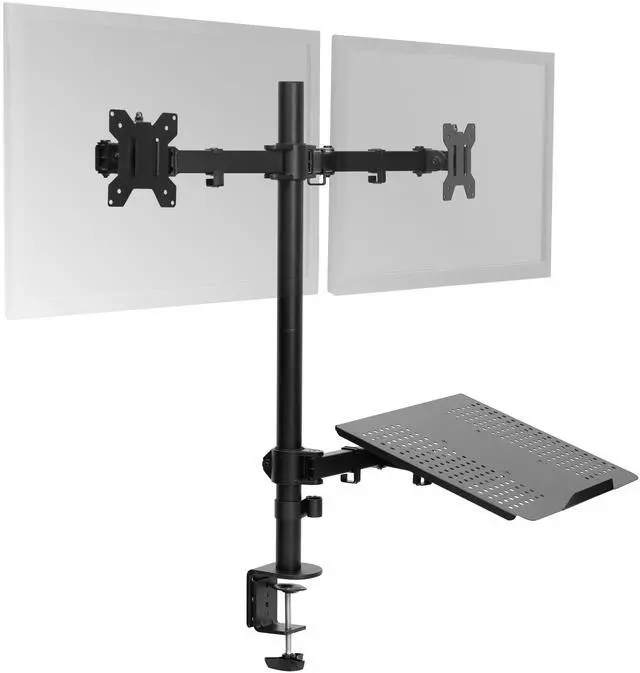
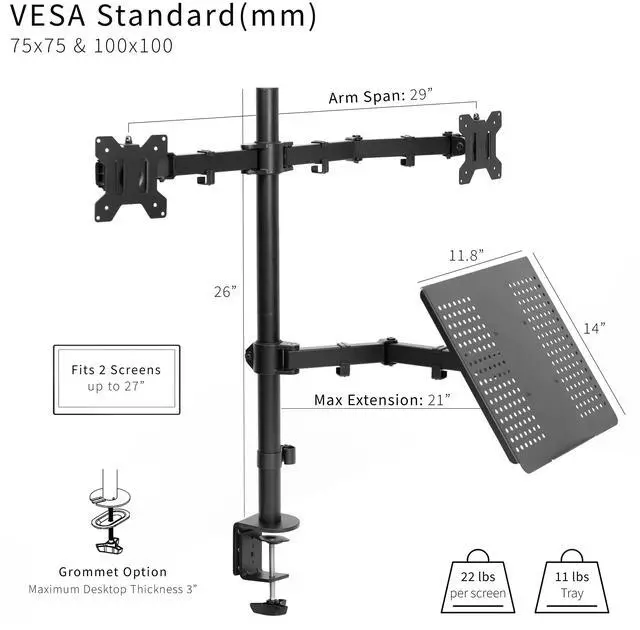
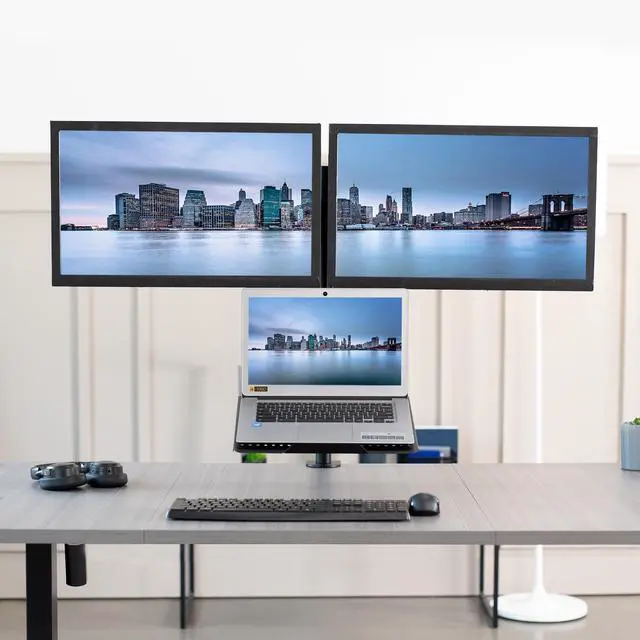
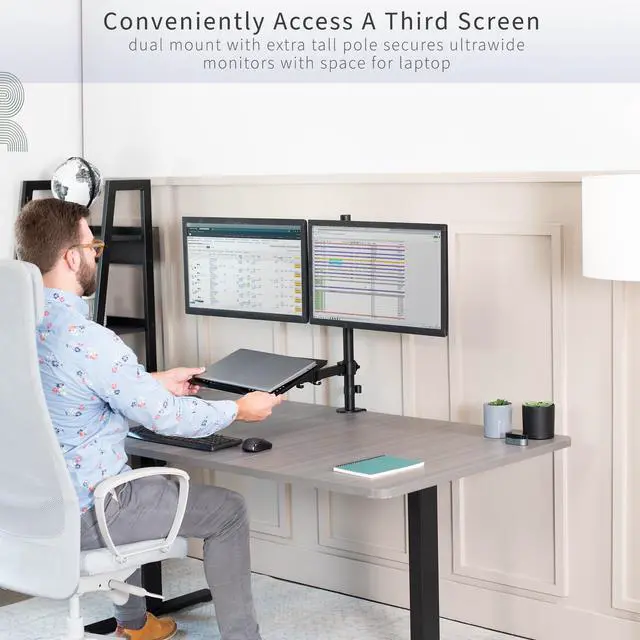
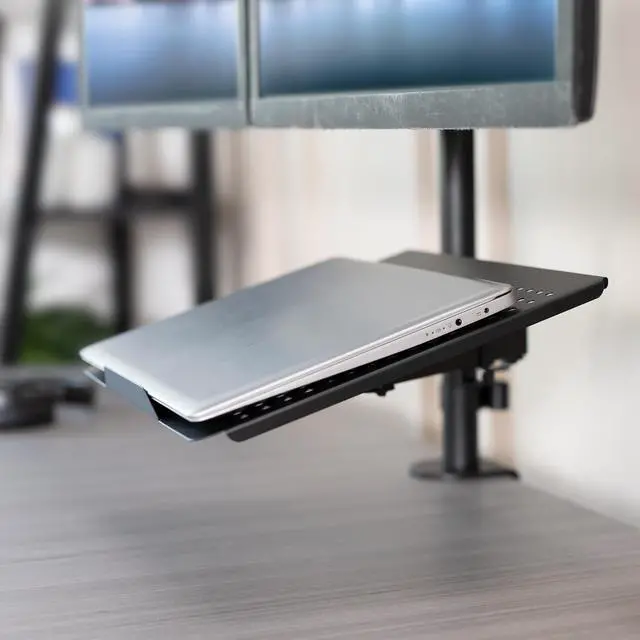
- Fits 13" to 27" Screens: 3-monitor display is designed to hold two 13 to 27 monitors up to 22 lbs each with 75x75mm and 100x100mm VESA patterns. The ventilated tray holds laptops up to 17, creating a triple screen display for maximum efficiency
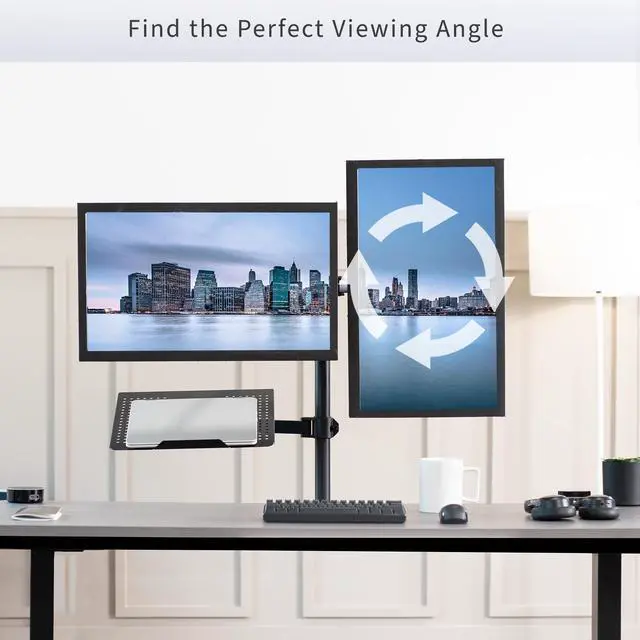
- Full Articulation: Enjoy optimal viewing angles with +90° to -90° tilt, 180° swivel, 360° rotation, and height adjustment along the tall center pole. The monitors can be placed in portrait or landscape orientation
- Integrated Cable Management: Keep your power and AV cables clean and organized with detachable cable clips on the arms and center pole
- Drill-Free Mounting: This product secures to your surface of choice up to 3.25 thick via a heavy-duty C-clamp, or use the equally sturdy optional grommet mount (up to 3 thick) to suit your preferred layout
- Easy Installation: Mounting your monitors is a simple process with detachable VESA plates. We provide all the hardware and step-by-step instructions for easy assembly
Any questions? Ask CelesteSM will help you find out quickly.
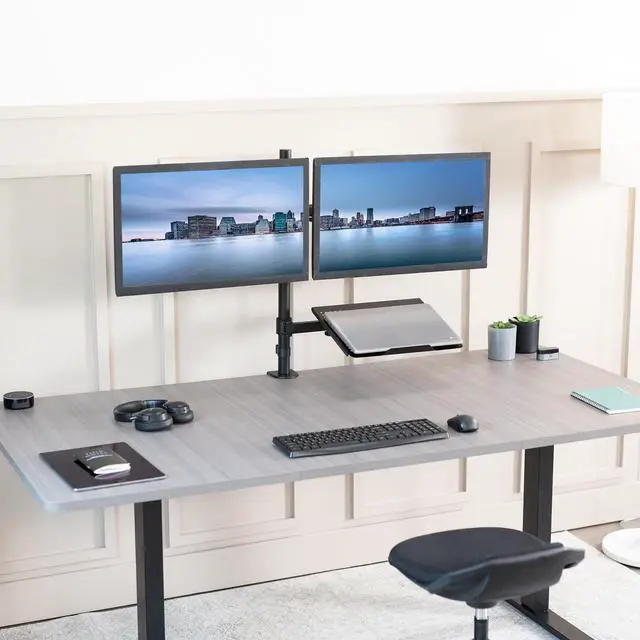
Increase productivity and save desk space with Dual Monitor Desk Mount with Laptop Holder (STAND-V012J) from VIVO! Designed for 13 to 27 screens with VESA 75x75mm or 100x100mm hole patterns, this versatile desk mount fits the majority of monitors on the market. The ventilated laptop tray holds laptops and notebooks up to 17 in size. Elevate your work to a more comfortable and ergonomic position so you can enjoy ending the day without soreness. With this stand's tall pole for more height options, articulating arms for flexible screen positioning, and 2 + 1 screen layout for triple the viewing capability, this product is ready to change your work experience! High-grade steel construction along with the heavy-duty C-clamp and optional grommet ensure your monitors and laptop will be kept secure.
Compatibility
- Setup: 2 Monitors + 1 Laptop
- Screen Sizes: 13 to 27
- VESA Standard: 75x75mm and 100x100mm
- Mounting Options: C-clamp and Grommet
- Desk Thickness: (C-clamp): 0.4 to 3.25
- Desk Thickness: (Grommet): 0.4 to 3
- Laptop Tray: Holds laptops up to 17
- Monitor Weight Capacity: 22 lbs per arm
- Laptop Tray Weight Capacity: 11 lbs
Specifications
- Color: Black
- Material: Steel, Plastic
- Pole Height: 26
- Arm Span: 29
- Screen Extension: 16.3 (from the pole)
- Height Adjustment: Provided along the center pole
- Articulation: +90° to -90° tilt, 180° swivel, and 360° rotation
- Screen Placement: Portrait or Landscape Orientation
- Laptop Tray Dimensions: 14 x 11.8
- Laptop Tray Extension: 21 (with tray horizontal)
Warranty & Returns
Warranty, Returns, And Additional Information
Warranty
- Please contact the Seller directly for warranty information. Warranty information may also be found on the Manufacturer's website.
- CONTACT
Return Policies
- Return for refund within: 30 days
- Return for replacement within: 30 days
- This item is covered by VIVO Return Policy
Manufacturer Contact Info
- For a directory of all our manufacturers, please click below.
- Manufacturers Directory
The VIVO STAND-V012L is a tall desk mount for two 13–27-inch monitors and a laptop up to 17 inches, suited to users who want a space-saving three-screen workstation for multitasking, work, or study.
Recommended For
- Laptop-based workers who want to keep their laptop open as a third screen alongside two external monitors, such as for video calls, email, or reference material.
- Desk-based multitaskers who regularly compare information across screens—for example, working in spreadsheets while keeping documents or communication apps visible— and want the displays raised off the desk.
- People setting up a tall or vertically stacked monitor workspace who need a long center pole to position screens higher; community discussions describe using this mount family for stacked-monitor layouts.
- Users with a compatible desk who want a clamp- or grommet-mounted setup instead of monitor stands occupying the work surface.
Real-World Use Scenarios
- For a work-from-home or office setup, keep two external monitors and a laptop screen together as one three-screen workstation; this makes it easier to keep separate work, communication, and reference windows in view while clearing desk space.
- For coding, research, or other reference-heavy work, use one monitor for the main task, another for supporting material, and the laptop display for an additional app; the screens can be repositioned to suit the workflow.
- For a crowded desk, mount the laptop and monitors above the work surface to free room for a keyboard, mouse, and paperwork; using an external keyboard and mouse also avoids relying on the mounted laptop for frequent typing.
- For reading long documents or code, rotate a compatible monitor to portrait while keeping another screen in landscape; this can make tall pages easier to view without repeatedly scrolling.
- For a sit-stand desk or a workstation used by people with different seating positions, adjust the screens along the center pole to bring them to a more suitable viewing height; check the desk and mount setup for stability before changing positions.