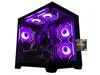
AOACE Gaming PC AMD Ryzen 7 5700X [8-Core 4.6GHz], RTX 5060 8GB GDDR7, DLSS 4, VR Ready, WiFi 6E, 32GB DDR4, 1TB PCIe4 NVMe, 6 ARGB, Win11 Home
  •  
  • $1,249.99 –
  • Save: 34%
  • $29.99
  • Free 30-day Returns
  • Sold by Direct from manufacturerVIVO
    Top Rated
    4.7 (2,010 seller ratings)

    Shipped by Direct from manufacturerVIVO

    Price alert
    Add to Wish List(Found on 1 wish list)
    Shop it at NeweggBusiness.

    Meet Your Seller

    VIVO Behind Monitor VESA Mount Designed for Mac Mini CPU, 2010-2023 Models

    • VESA Mount Designed for Mac Mini: This mount is designed to fit 2010-2023 Mac Mini models only. Does not fit Mac Mini M4. Compatible model numbers include A1347, A1993, A2330, A2348, A2686, and A2816 --Patent Pending--
    • Behind Monitor Design: Install between a monitor stand VESA plate (100x100mm) and monitor screen or to the back of a freestanding monitor with OEM stand using VESA 75x75mm or 100x100mm. This installation has no footprint, saving valuable work space
    • Versatile: This VESA-compatible CPU holder can be installed to a VESA monitor arm, freestanding monitor, or secured to desks 0.4 to 2 in thickness with the heavy-duty C-clamp. The versatile design neatly conceals your Mac Mini behind your screen
    • C-clamp Mounting: The optional C-clamp design secures your Mac Mini to the desk for easy docking and features 3 clamp configurations to give you flexibility in PC placement relative to your desk surface
    +
    +
    Overview
    Specs
    Reviews (1)

    Any questions? Ask CelesteSM will help you find out quickly.

    Securely mount and conceal your Mac Mini with the VESA Mount Designed for the Mac Mini (MOUNT-MINI1) from VIVO! Made for mid-2010 to 2023, this VESA-compatible mount makes mounting and protecting your mini PC a breeze. The open, ventilated frame increases airflow to your PC and helps prevent overheating. Setup options include mounting between a monitor and VESA arm, installing to the back of your monitor with an OEM stand, or clamping to your desktop to help declutter your workstation. All placement options provide easy access to your Mac in a safe, out-of-the-way location. All hardware and instructions are provided for installation, so you can create your preferred layout in no time!

    Compatibility

    • Fits: All Mac Mini Models 2010-2023

    • Model Numbers: A1347, A1993, A2330, A2348, A2686, A2816

    • Display Options: Monitor Arm Compatible, Freestanding Monitor Compatible, Desk Clamp

    • VESA Standard: 75x75mm and 100x100mm

    • Monitor Arm VESA Compatibility: 100x100mm

    • Desktop Thickness: 0.4 to 2

    • Weight Capacity: 4.4 lbs

    Specifications

    • Color: Black

    • Material: Steel, Velcro

    • Product Dimensions: 8 x 1.7 x 7.8

    Warranty & Returns

    Warranty, Returns, And Additional Information

    Warranty

    • Please contact the Seller directly for warranty information. Warranty information may also be found on the Manufacturer's website.
    • CONTACT

    Return Policies

    • Return for refund within: 30 days
    • Return for replacement within: 30 days
    • This item is covered by VIVO Return Policy

    Manufacturer Contact Info

    LOADING...

    The VIVO Behind Monitor VESA Mount holds compatible 2010–2023 Mac mini models behind a monitor, making it a space-saving choice for people who want to keep their desktop clear. It supports 75x75mm or 100x100mm VESA mounting and does not fit Mac mini M4.

    Recommended For

    • People with a compatible 2010–2023 Mac mini who want to clear desk space by mounting the computer behind a VESA-compatible monitor.
    • Fixed-desk Mac mini users who want a tidier workstation and are comfortable keeping the computer mounted rather than moving it around; community setups commonly put the Mini behind a monitor or under a desk to keep it out of the way.
    • Users with a compatible monitor arm or VESA-equipped display—or a suitable desk edge for the included clamp—who want several placement options for their Mac mini.

    Real-World Use Scenarios

    • In a small home-office setup, a user mounts a compatible 2010–2023 Mac mini behind the monitor to clear the desk surface; the computer stays out of the main work area while the monitor remains the focus.
    • At a desk using a VESA monitor arm, a user places the Mac mini between the arm plate and monitor; this keeps the computer attached to the display setup instead of taking up a separate spot on the desk.
    • For a freestanding monitor with a compatible VESA pattern, a user attaches the mount to the back of the screen; the Mac mini is kept out of sight without needing a monitor arm.
    • When a user wants the Mac mini close at hand but not loose on the desktop, the C-clamp option secures it to the desk edge; the computer stays accessible while the center of the desk remains open.
    • In a clean-desk setup, a user hides the Mac mini behind the display to make the computer less visually prominent; the screen and peripherals stay in view, while cables still need to be managed separately.