IPASON Ryvex-Gaming Desktop PC , Ryzen7 5700X, AMD Radeon RX9060XT,16GB DDR4, 1TB NVMe SSD, 550W PSU, Wi-Fi,ARGB Fans , Windows 11 Home 64-bit ,Prebuilt Gaming Pc New compute
  •  
  • $1,299.00 –
  • Save: 27%
  • $59.99
  • Free 30-day Returns
  • Sold by Direct from manufacturerVIVO
    Top Rated
    4.7 (2,010 seller ratings)

    Shipped by Direct from manufacturerVIVO

    Price alert
    Shop it at NeweggBusiness.

    Meet Your Seller

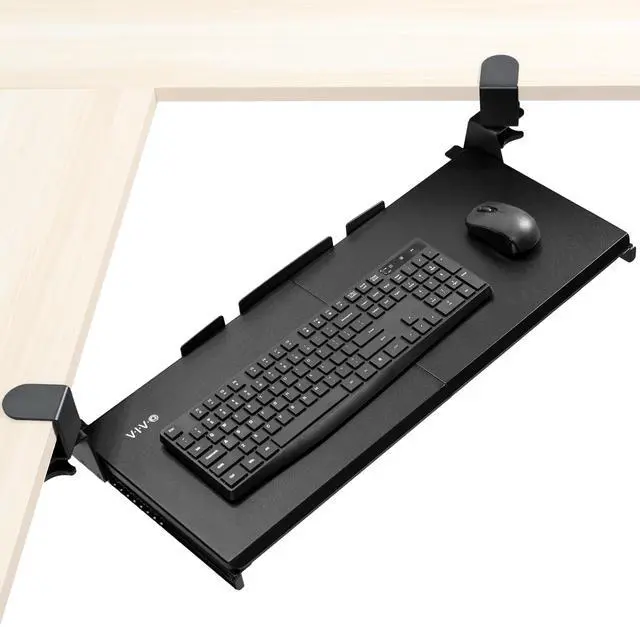
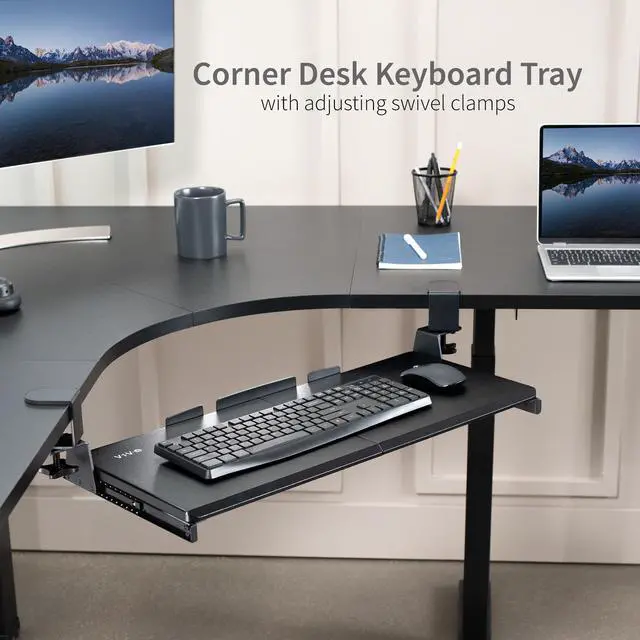
    VIVO Clamp-on Computer Keyboard & Mouse Under Desk Slider Tray for Corner Desks

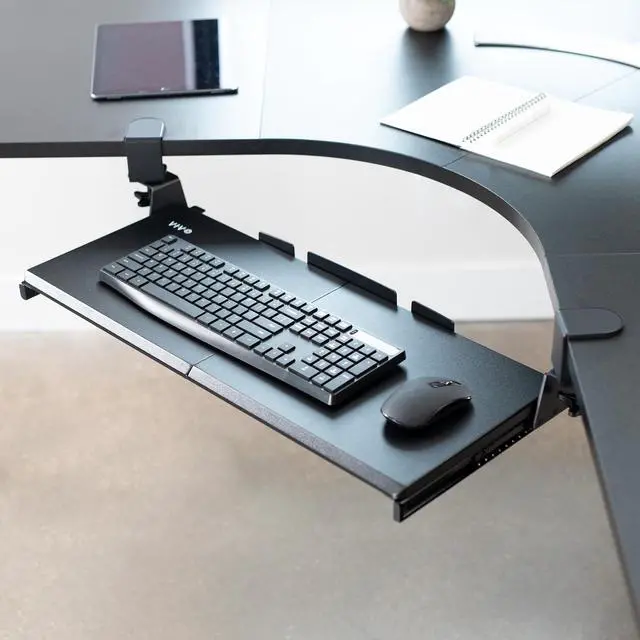
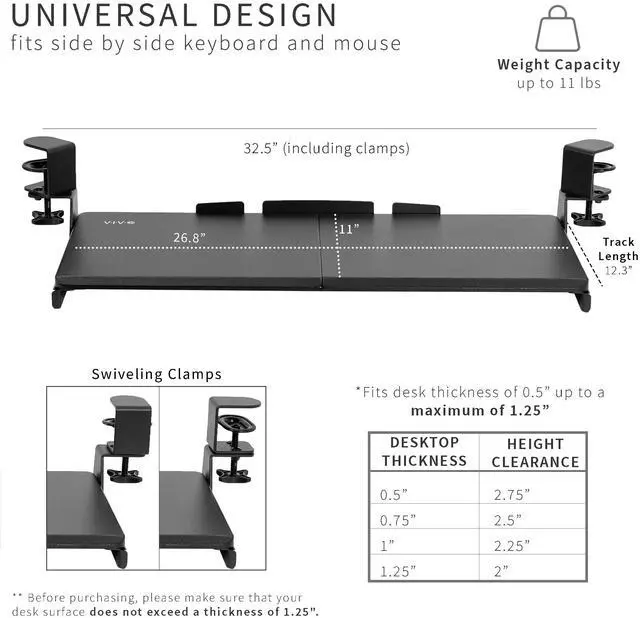
    • Save Desk Space: This 26.8" (32.5" including clamps) x 11" clamp-on keyboard tray holds your keyboard, mouse, and other small accessories below the desktop for added work space
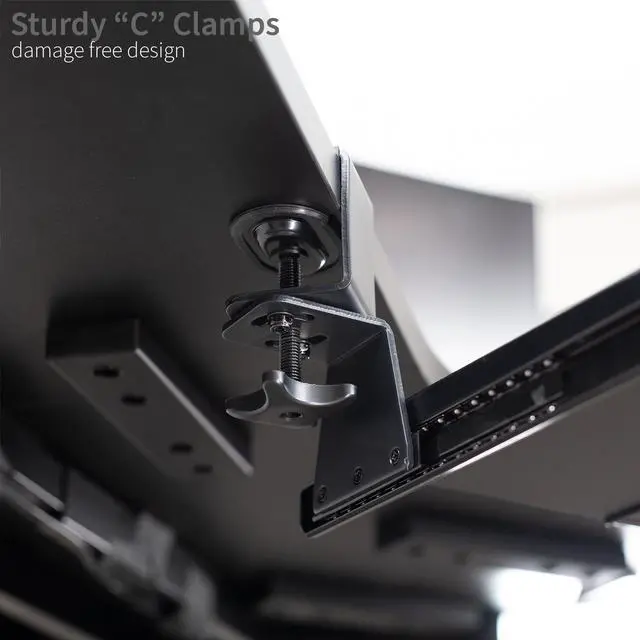
    • Designed for Corner Desks: Swiveling C-clamps secure to L-shaped workstations (up to 1.25" thick) without causing damage to the desktop. Clamps rotate 90° independently for custom placement on corner desk setups and easily tighten for a secure hold
    • Comfortable Typing Angles: Easily slide the tray in and out, and enjoy ergonomic typing angles that relieve stress on your wrists and shoulders
    • Desktop Compatibility: Before purchasing, please make sure that your desk surface does not exceed a thickness of 1.25". Not compatible with desktops that have beveled edges
    • Easy Installation: Hardware and instructions are provided for simple assembly, and mounting your keyboard tray to the desk is an easy process with the adjustable clamps. The tray holds weights up to 11 lbs
    +
    +
    Overview
    Specs
    Reviews

    Any questions? Ask CelesteSM will help you find out quickly.

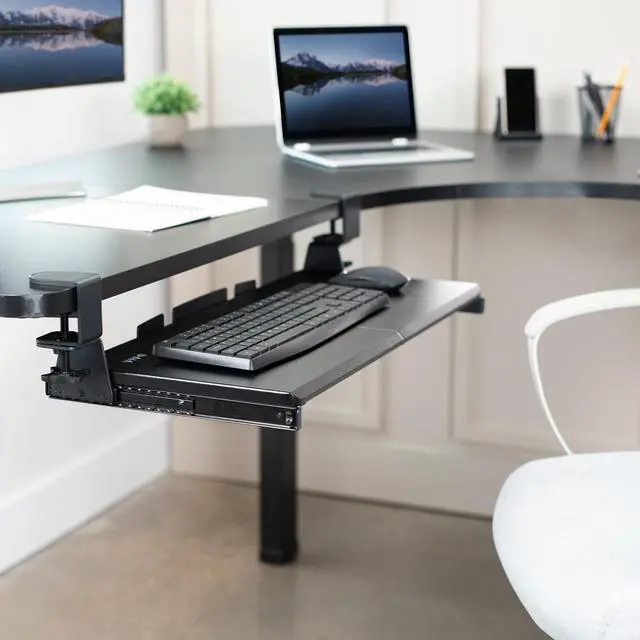
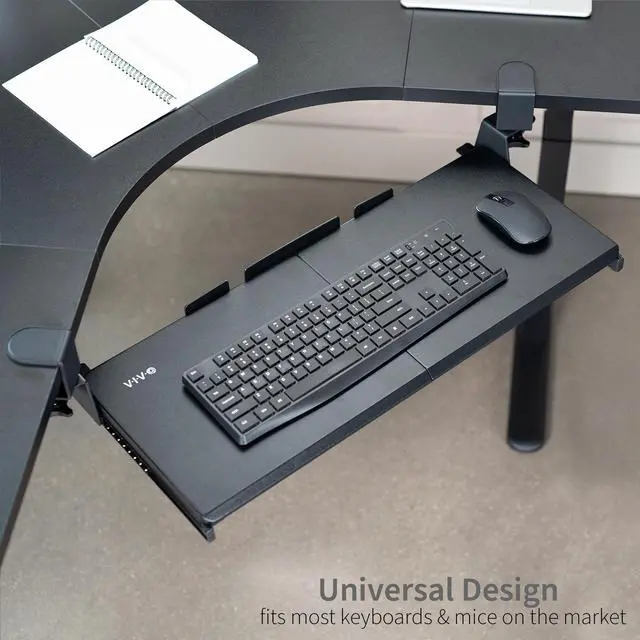
    Enjoy the benefits of ergonomic typing angles with the Black Clamp-on Keyboard Tray for Corner Desk (MOUNT-KB10C) from VIVO! Win back valuable desk space by adding a lower-tier surface for the keyboard, mouse, and other small items. Featuring smooth gliding motion for easy placement, swiveling C-clamps for corner desk mounting, and anti-skid padding for scratch resistance, this tray was built to perform! Under-desk placement creates an ergonomic setup that decreases fatigue and muscle strain on the neck, back, and shoulders. The modern appearance complements any office setup while providing ample support for your keyboard and accessories. All hardware is provided for easy installation, so you can get your tray mounted and organized in no time!

    Compatibility

    • Universal Design: Fits most keyboards and mice on the market
    • Desk Thickness: 0.5 to 1.25 (Desktop thickness must not exceed 1.25)
    • Weight Capacity: 11 lbs

    Specifications

    • Color: Black
    • Material: Steel, Particle Board
    • Tray Dimensions: 26.8 (32.5 including clamps) x 11
    • Keyboard Tray Thickness: 0.6
    • C-clamp Swivel: 90°
    • Extension: Tray sits 15.3 from the corner and slides out a total of 23.3 (when used with a 90-degree corner desk)
    • Orientation: Tray sits 3.1 to 3.8 below the desk surface
    • Track Length: 12.3

    Warranty & Returns

    Warranty, Returns, And Additional Information

    Warranty

    • Please contact the Seller directly for warranty information. Warranty information may also be found on the Manufacturer's website.
    • CONTACT

    Return Policies

    • Return for refund within: 30 days
    • Return for replacement within: 30 days
    • This item is covered by VIVO Return Policy

    Manufacturer Contact Info

    LOADING...

    The VIVO clamp-on keyboard and mouse tray is an under-desk slider designed for compatible corner desks, helping users free up desktop space while keeping their keyboard and mouse within reach.

    Recommended For

    • People who type at the inside corner of an L-shaped desk and want a lower keyboard-and-mouse surface positioned for that workspace.
    • Users with crowded or shallow desktops who want to move their keyboard and mouse below the work surface when they need more room for other tasks.
    • Renters or desk owners who want an under-desk keyboard tray without drilling mounting holes, provided their desktop edge and thickness work with the clamps.
    • Home-office or study users who want to slide a keyboard and mouse out of the way between typing sessions while keeping the main desktop available.

    Real-World Use Scenarios

    • When an L-shaped desk’s corner is being used for typing, the tray gives the keyboard and mouse a lower surface in front of the user, helping keep the main desktop available for monitors, notes, or other work items.
    • When a desk feels crowded during work or study, users can move the keyboard and mouse below the desktop and slide the tray out when it is time to type, freeing the main surface for other tasks between sessions.
    • When a user wants to add a keyboard tray without drilling into an L-shaped desk, the adjustable clamps provide a way to attach it at the desk edge; the setup still depends on having a compatible, flat edge and enough underside clearance.
    • For a home-office setup where the desktop is too high for comfortable keyboard placement, moving the keyboard and mouse onto a lower tray can bring them closer to the user’s seated typing position; comfort will depend on the desk, chair, and individual fit.
    • When switching between typing and using the desktop for writing or other activities, users can slide the tray back under the desk to clear the immediate work area, though it remains attached beneath the desk.