Meet Your Seller
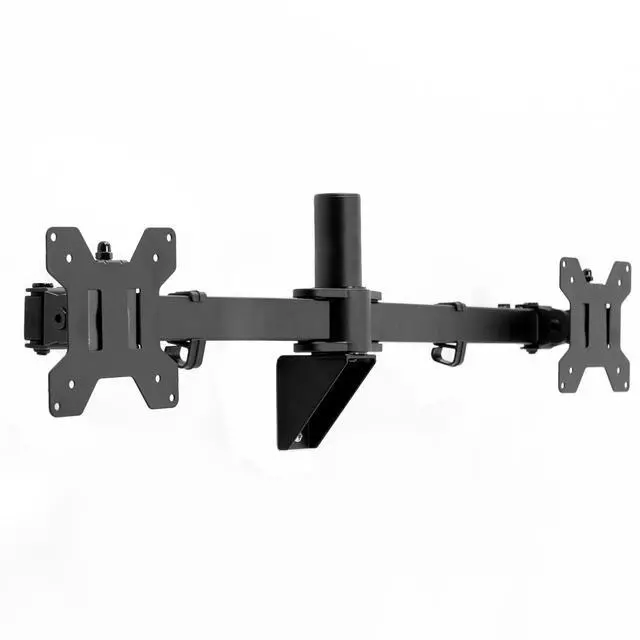
VIVO Steel Telescoping Flush Wall Mount for Dual 21" to 32" Monitors
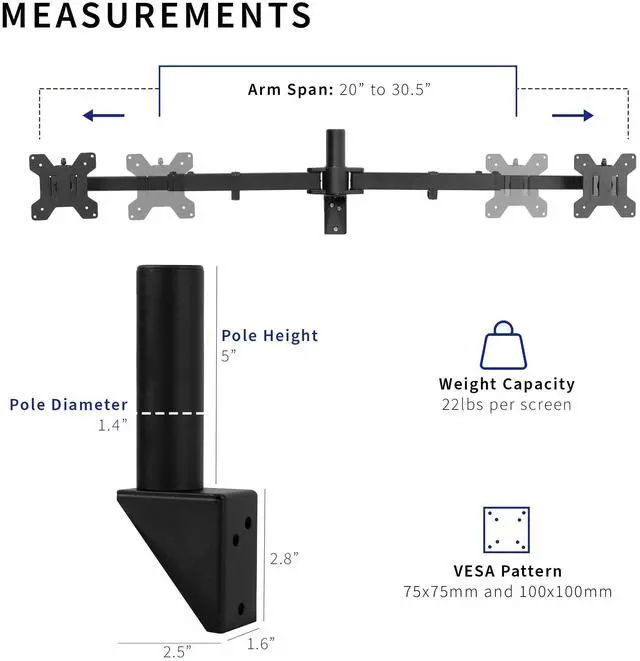
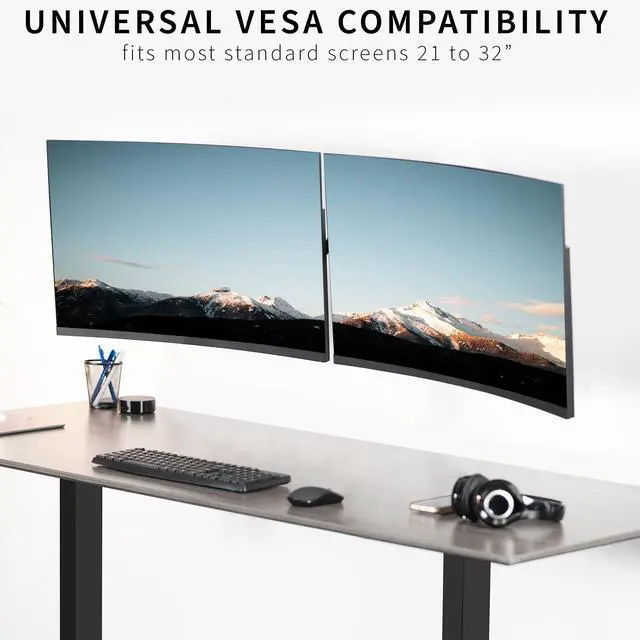
- Fits 21" to 32" Screens: Dual monitor mount fitting two computers up to 32" in size and 22 lbs in weight (each) with VESA 75x75mm or 100x100mm mounting holes --Patented--
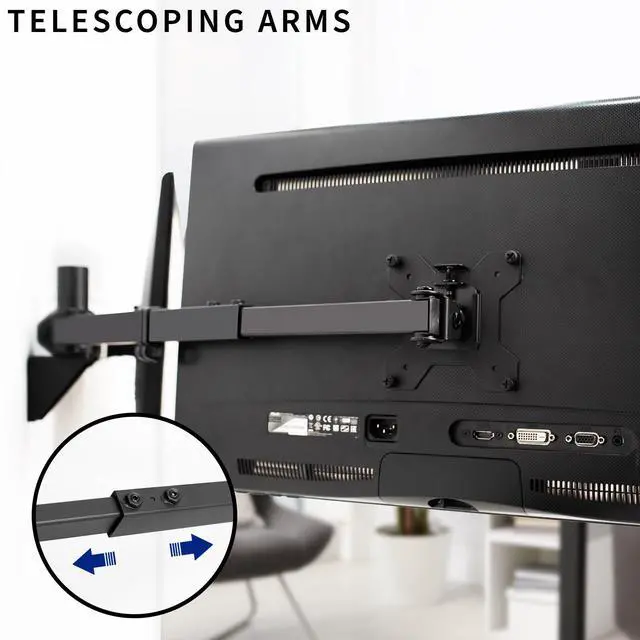
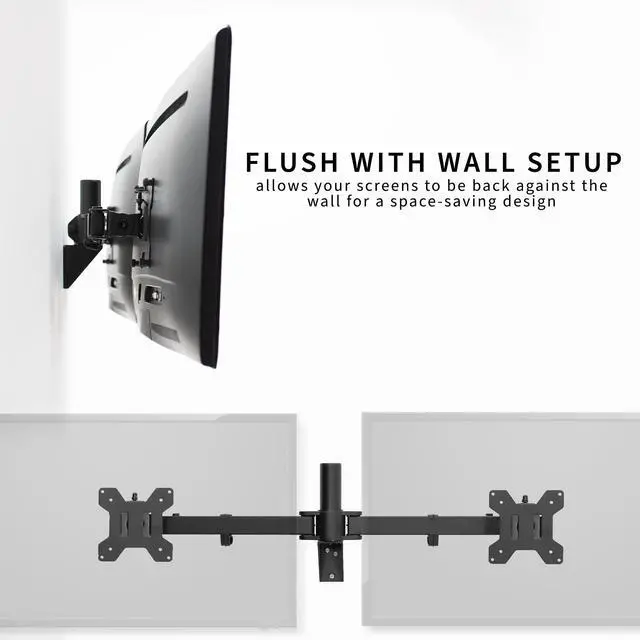
- Premium Telescoping Arms for Flush Wall Setup: Unique telescoping design expands arms straight outwards, creating a clean, flush-to-wall setup. The arms slide into each other for added strength and stability
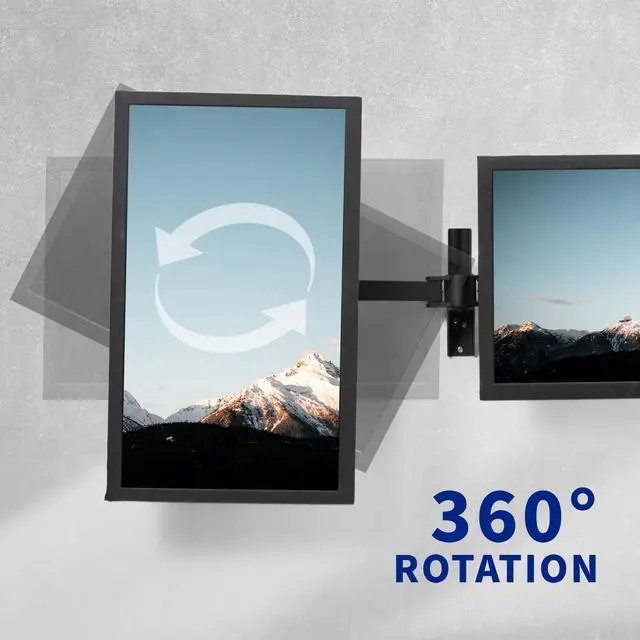
- Articulation and Height Adjustment: Adjustable mount offers +90° to -90° tilt, 180° swivel, and 360° rotation for comfortable viewing angles. Monitors can be placed in portrait or landscape orientation
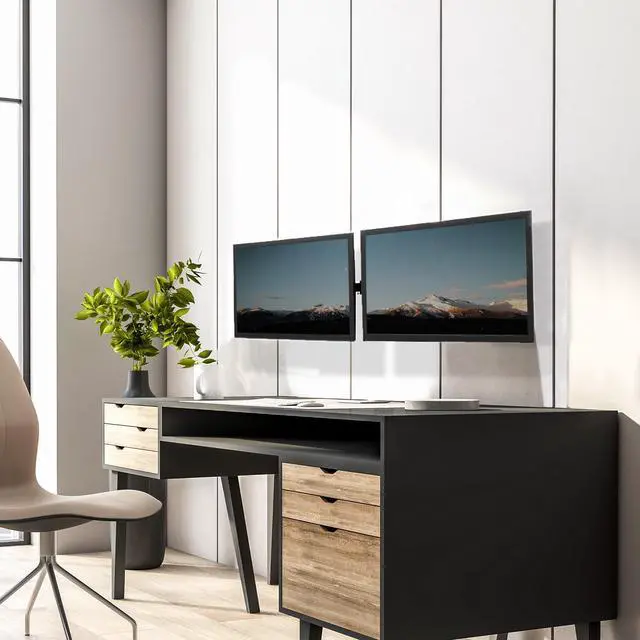
- Save Desk Space: Protect your equipment and clear room on your desktop by getting your screens conveniently mounted to the wall at an ideal height. Cable clips are provided to route cords for an organized appearance
- Easy Installation: Installing your monitors is a simple process with detachable VESA brackets. Included hardware for wood stud mounting
Any questions? Ask CelesteSM will help you find out quickly.
Enjoy a truly flush floating wall setup with the Telescoping Dual Monitor Wall Mount (MOUNT-TS32B) from VIVO! Premium telescoping arms adjust in length to fit your monitors, accommodating 21 to 32 screens with ease. The adaptable nature allows a snug side-by-side monitor positioning thats flush with the wall for a clean appearance. Heavy-duty arms overlap and feature fewer joints than typical mounts with a stronger, more durable hold. Additional features include sleek cable management for organization and screen articulation for ergonomic viewing angles. All hardware and instructions are provided so you can enjoy a space-saving monitor wall setup in no time!
Compatibility
- Screen Sizes: 21 to 32
- VESA Standard: 75x75mm and 100x100mm
- Mounting Hardware: Provided for Wood Stud Installation
- Weight Capacity: 22 lbs per screen
Specifications
- Color: Black
- Material: Steel
- Pole Height: 5
- Mounting Base Dimensions: 1.6 x 2.5 x 2.8
- Arm Length Adjustment: 10 to 15.5
- Arm Span: 20 to 30.5 (center of bracket)
- Screen Articulation: +90° to -90° tilt, 180° swivel, and 360° rotation
- Height Adjustment: Provided along the center pole
- Screen Orientation: Portrait or Landscape
Warranty & Returns
Warranty, Returns, And Additional Information
Warranty
- Please contact the Seller directly for warranty information. Warranty information may also be found on the Manufacturer's website.
- CONTACT
Return Policies
- Return for refund within: 30 days
- Return for replacement within: 30 days
- This item is covered by VIVO Return Policy
Manufacturer Contact Info
- For a directory of all our manufacturers, please click below.
- Manufacturers Directory
The VIVO Steel Telescoping Flush Wall Mount is a dual-monitor wall mount for users who want two 21–32-inch screens positioned close to the wall while freeing desk space; it supports monitors up to 22 lb each with VESA 75x75mm or 100x100mm mounting holes.
Recommended For
- People with a fixed, space-limited workstation who want two monitors off the desk and close to the wall; the wall-mounted design and telescoping arms are intended for a flush setup.
- Home-office or work-desk users who keep two compatible monitors in a side-by-side layout and want to reclaim the desk space taken by monitor stands.
- Users who occasionally change viewing angles or switch a monitor between portrait and landscape, while keeping the overall workstation in a fixed wall-mounted position.
- People setting up a lasting dual-monitor station who can securely mount the bracket to a suitable wall structure; the product includes hardware for wood-stud installation.
Real-World Use Scenarios
- For a compact home-office desk, mount both screens on the wall to free the desktop from monitor stands, leaving more room for a keyboard, mouse, or paperwork.
- When a desk sits close to a wall, use the telescoping arms to position two monitors side by side without a desk-mounted arm extending behind the desk; the screens can sit close to the wall for a tidier setup.
- For work that involves switching between documents, a browser, and video calls, keep two displays set up together and adjust their positions for a more convenient viewing angle.
- For reading long documents or code beside a main screen, rotate one compatible display to portrait and leave the other in landscape, so each screen suits a different task.
- In a dedicated workstation where the monitor position can stay in place, wall mounting keeps the support off the desk; installation uses the included hardware for wood-stud mounting.