AOACE Gaming PC AMD Ryzen 7 5700X [8-Core 4.6GHz], RTX 5060 8GB GDDR7, DLSS 4, VR Ready, WiFi 6E, 32GB DDR4, 1TB PCIe4 NVMe, 6 ARGB, Win11 Home
  •  
  • $1,249.99 –
  • Save: 34%
  • $79.99
  • $89.99
  • Save: $10.00 (11%)
  • Free 30-day Returns
  • Sold by Direct from manufacturerVIVO
    Top Rated
    4.7 (2,010 seller ratings)

    Shipped by Direct from manufacturerVIVO

    Price alert
    Shop it at NeweggBusiness.

    Meet Your Seller

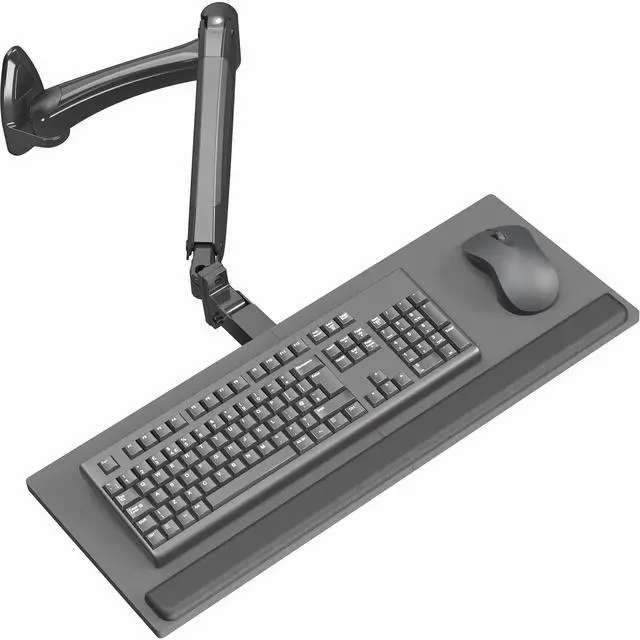
    VIVO Pneumatic Keyboard & Mouse Platform Wall Mount, Keyboard Tray Arm

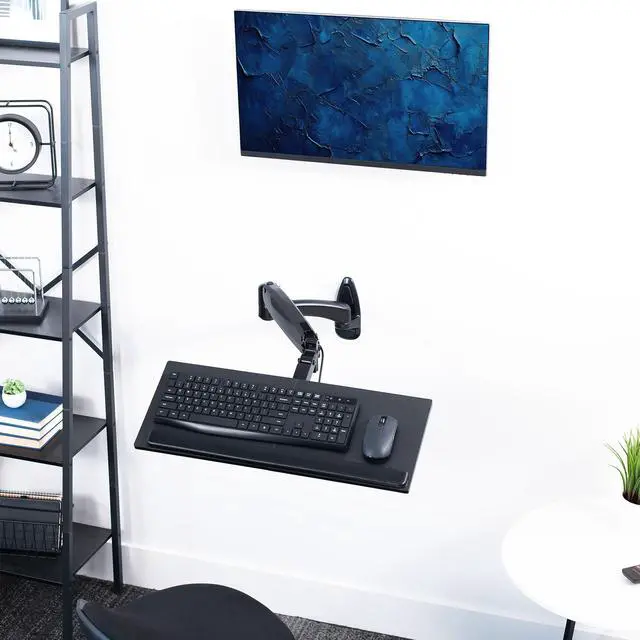
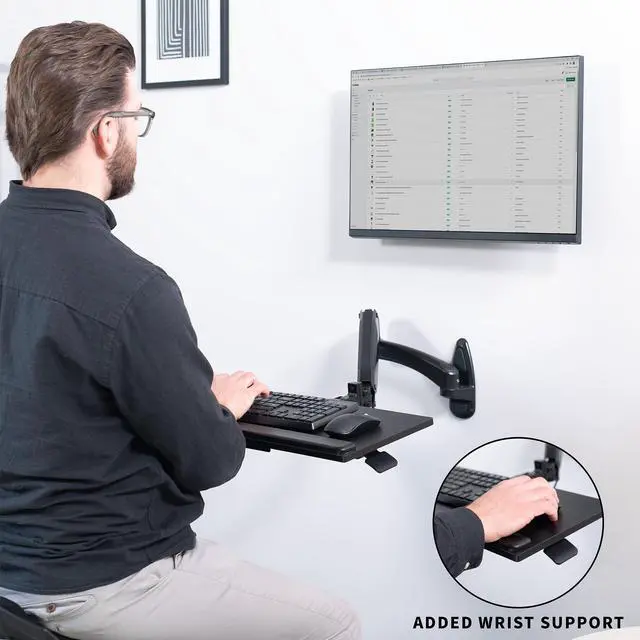
    • Great for Floating Workstations: Adjustable wall-mounted 23.6 x 9.3 keyboard tray is the perfect addition to a wall monitor mount (sold separately) to create a floating workstation for quick-standing access.
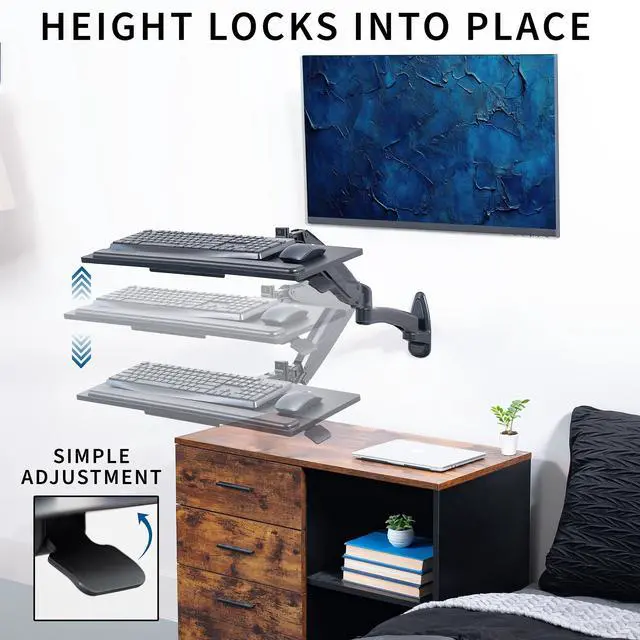
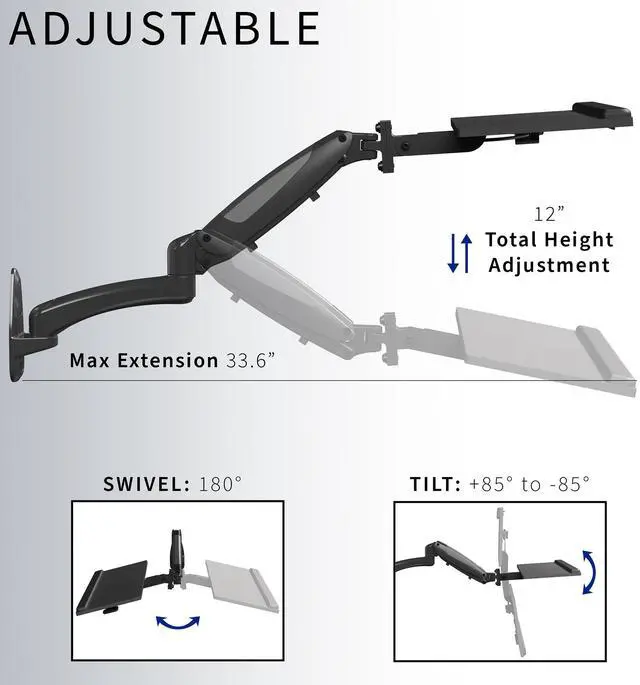
    • Pneumatic Spring Lift: Powerful pneumatic arm makes adjustments smooth and simple. Easily raise or lower your keyboard surface a total of 12 for a custom setup, and lock your desired height in place when you want the tray to remain stationary.
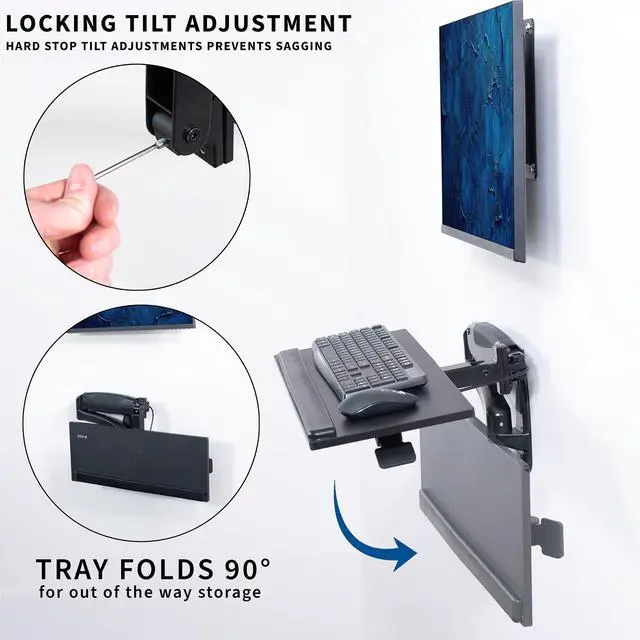
    • Comfortable Typing Angles: Tray features +90° to -90° tilt, 180° swivel, and 20° rotation for flexible placement, helping you obtain the most ergonomic typing position. Wrist padding is included for additional comfort.
    • Easy Assembly: All hardware and instructions are provided to get your new counterbalance keyboard tray assembled in no time!
    • Mounting Options: Mount supports wood stud and concrete/brick wall installation and holds up to 4.4 lbs with ease.
    +
    +
    Overview
    Specs
    Reviews

    Any questions? Ask CelesteSM will help you find out quickly.

    Create a flexible floating workstation with the Black Pneumatic Wall Mounted Keyboard Tray (MOUNT-KB35B) from VIVO! Designed to make your workstation more comfortable and ergonomic, this floating keyboard tray provides adjustable tilt, swivel, and height for a personalized typing experience. Instead of being stuck in an uncomfortable position all day with poor posture, our wall-mounted station lets you easily switch to any position with its durable counterbalance adjustability. Built-in pneumatic spring assist makes height adjustments possible at the touch of a hand, and the locking mechanism will hold your desired setting securely in place. Combine this product with a monitor wall mount (sold separately) to create a completely customizable floating wall setup.

    Compatibility

    • Mounting Options: Wood Stud Installation, Concrete/Brick Wall
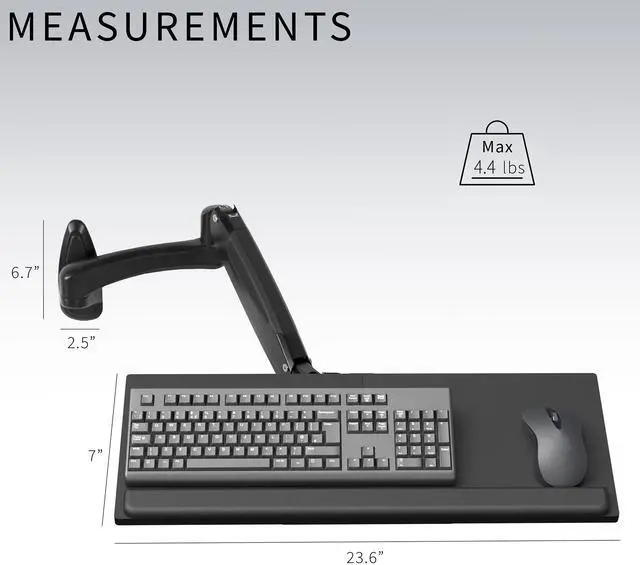
    • Weight Capacity: 4.4 lbs

    Specifications

    • Color: Black
    • Material: Steel, Particle Board, Foam, Plastic
    • Keyboard Tray Dimensions: 23.6 x 9.3 x 0.5
    • Wrist Pad Dimensions: 22.2 x 1.6 x 0.5
    • Mounting Base Dimensions: 6.7 x 2.8
    • Extension: 15.2 to 35
    • Profile (when folded against the wall): 6.8
    • Tray Articulation: +90° to -90° tilt, 180° swivel, 20° rotation
    • Pneumatic Arm Height Adjustment: 12 total

    Warranty & Returns

    Warranty, Returns, And Additional Information

    Warranty

    • Please contact the Seller directly for warranty information. Warranty information may also be found on the Manufacturer's website.
    • CONTACT

    Return Policies

    • Return for refund within: 30 days
    • Return for replacement within: 30 days
    • This item is covered by VIVO Return Policy

    Manufacturer Contact Info

    LOADING...

    The VIVO Pneumatic Keyboard & Mouse Platform Wall Mount is an adjustable wall-mounted keyboard tray for people creating a floating workstation with quick-standing access. Its pneumatic arm provides 12 inches of height adjustment, while the tray tilts, swivels, and rotates for flexible positioning.

    Recommended For

    • People building a compact workstation without a conventional desk: the wall-mounted tray can hold a keyboard and mouse and can be paired with a separate wall-mounted monitor.
    • Users who alternate between seated and standing typing and want to reposition the keyboard surface without moving a desk; the pneumatic arm provides 12 inches of height adjustment.
    • People fitting a typing station into a small office or shared room who want the keyboard platform to swivel or fold back toward the wall when it is not in use.
    • Users who need to adjust keyboard tilt and position to suit a particular typing posture, rather than keep the tray fixed in one orientation.

    Real-World Use Scenarios

    • In a compact home office without room for a conventional desk, mount the tray beside a wall-mounted monitor to create a keyboard-and-mouse work surface while keeping the floor and desktop clear.
    • When alternating between seated and standing work, raise or lower the keyboard surface to a comfortable typing position; pair it with a separately adjustable wall-mounted monitor so the screen can be repositioned too.
    • In a shared workstation, adjust the tray height and angle for different users, then lock the selected position so it stays set during a typing session.
    • For a seated setup where the keyboard is off-center, swivel and rotate the tray toward the user to make typing and mouse use easier to reach without moving the wall-mounted workstation.
    • At a workstation used for both typing and other tasks, tilt the tray for a preferred typing angle and move it aside when keyboard access is not needed; keep the load to a keyboard and mouse within the 4.4 lb capacity.