Meet Your Seller
VIVO Behind Monitor VESA Mount Designed for Dell OptiPlex Micro CPU
- VESA Mount Designed for Dell OptiPlex Micro: Please be sure and check the model of your mini CPU before ordering. This mount is designed to fit Dell OptiPlex Micro models only
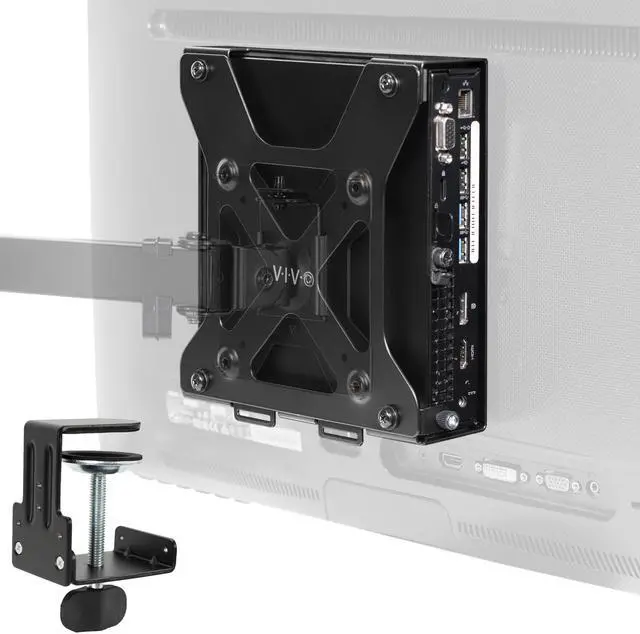
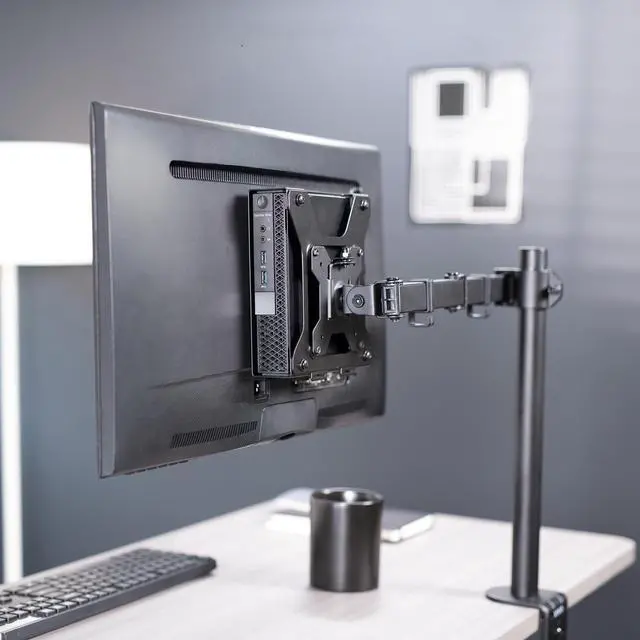
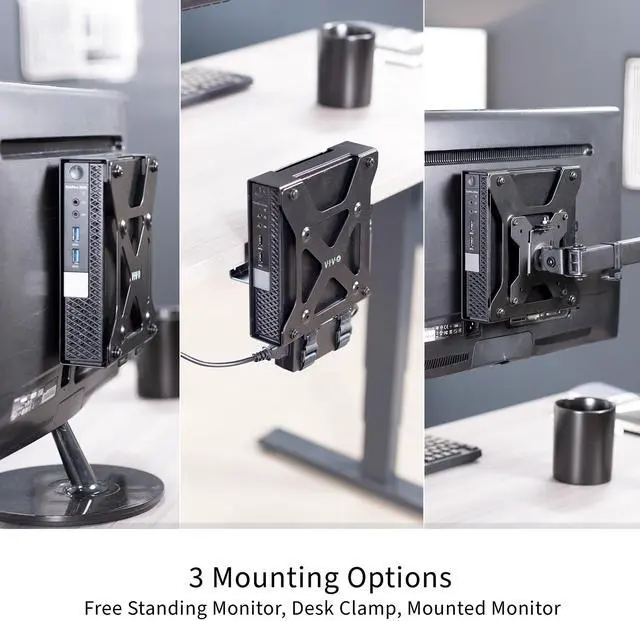
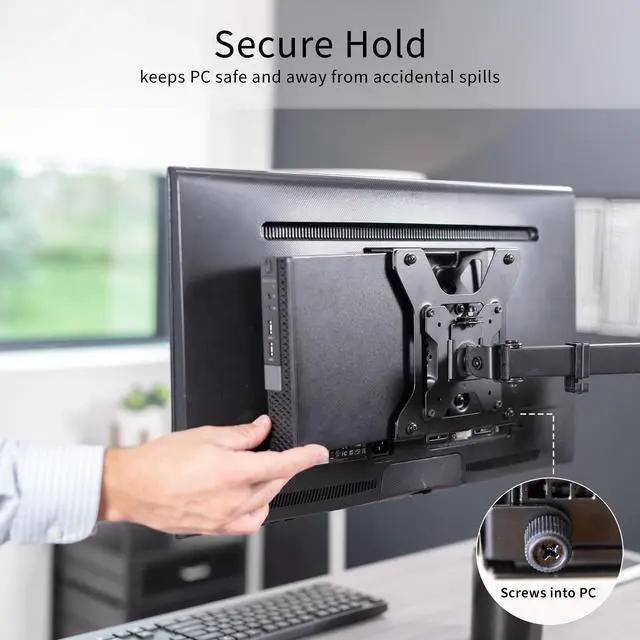
- Behind Monitor Design: Neatly conceal your Dell OptiPlex Micro behind your screen with this VESA compatible CPU holder. It can also be installed to a VESA monitor arm, freestanding monitor, or secured to desks 0.4" to 2" thick with the heavy-duty C-clamp
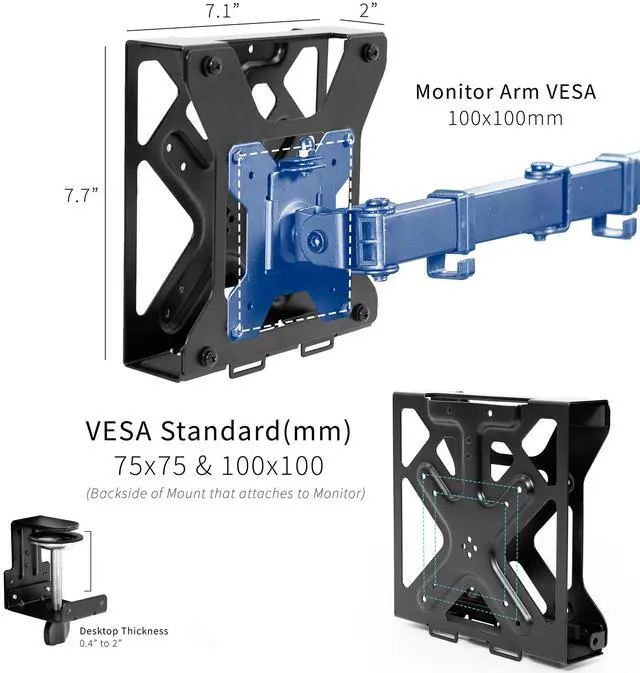
- Mounting Options: Install between a monitor stand VESA plate (100x100mm) and monitor screen, or to the back of a freestanding monitor with OEM stand using VESA 75x75mm or 100x100mm. Behind-screen installation has no footprint, saving valuable work space
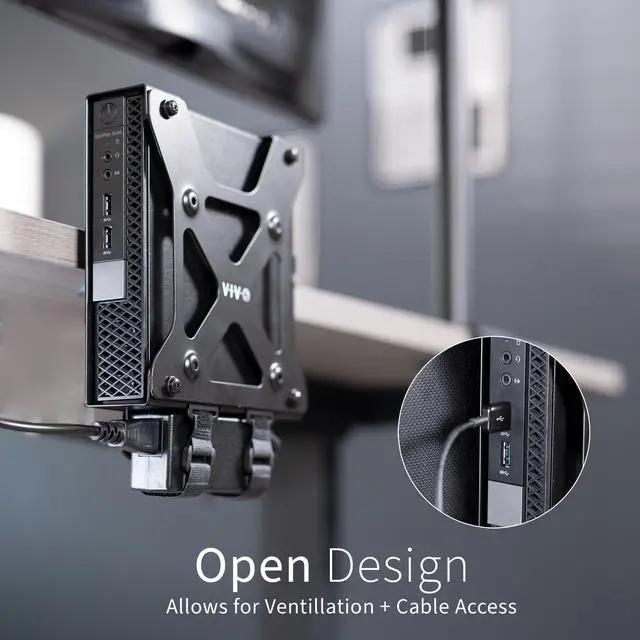
- C-clamp Mounting: The optional C-clamp design secures your mini CPU to the desk for easy docking and features 3 clamp configurations to give you flexibility in PC placement relative to your desk surface
Any questions? Ask CelesteSM will help you find out quickly.
Securely mount and conceal your small PC with the VESA Mount Designed for Dell OptiPlex Micro (MOUNT-DLMM1) from VIVO! This VESA compatible mount makes displaying and protecting your mini PC a breeze. The open, ventilated frame increases airflow to your PC and helps prevent overheating. Setup options include mounting between a monitor and VESA arm, installing to the back of your monitor with an OEM stand, or clamping to your desktop to help declutter your workstation. All placement options provide easy access to your Dell OptiPlex in a safe, out-of-the-way location. All hardware and instructions are provided for installation, so you can create your preferred layout in no time!
Compatibility
- Designed For: Dell OptiPlex Micro
- Display Options: Monitor Arm Compatible, Freestanding Monitor Compatible, Desk Clamp
- VESA Standard: 75x75mm and 100x100mm
- Monitor Arm VESA Compatibility: 100x100mm
- Desktop Thickness: 0.4 to 2
- Weight Capacity: 5 lbs
Specifications
- Color: Black
- Material: Steel, Plastic
- Product Dimensions: 7.1 x 2 x 7.7
- Inside Width: 1.5
Warranty & Returns
Warranty, Returns, And Additional Information
Warranty
- Please contact the Seller directly for warranty information. Warranty information may also be found on the Manufacturer's website.
- CONTACT
Return Policies
- Return for refund within: 30 days
- Return for replacement within: 30 days
- This item is covered by VIVO Return Policy
Manufacturer Contact Info
- For a directory of all our manufacturers, please click below.
- Manufacturers Directory
The VIVO MOUNT-DLMM1 is a behind-monitor VESA mount for Dell OptiPlex Micro PCs, suited to users who want to conceal a compatible mini PC and free up desk space. It supports 75x75mm or 100x100mm VESA mounting on compatible monitors, with a 100x100mm option for monitor arms.
Recommended For
- Desk-space-conscious office users with a Dell OptiPlex Micro who want to move the PC off the desktop and keep it behind the monitor.
- Users with a 100×100 mm VESA monitor arm who want to mount their OptiPlex Micro between the arm plate and display.
- Users with a freestanding monitor that has rear 75×75 mm or 100×100 mm VESA holes, who want to attach the PC without replacing the monitor’s OEM stand.
- Users who prefer securing the OptiPlex Micro to a desk edge for easier docking, provided the desktop is 0.4–2 inches thick.
Real-World Use Scenarios
- In a home-office setup with a compatible VESA monitor, mount the OptiPlex Micro behind the screen to free desk space for a keyboard, notebook, or other work essentials.
- When a monitor is already on a VESA arm, attach the mount between the arm’s VESA plate and the monitor so the PC stays with the display instead of occupying the desktop.
- With a freestanding monitor that has compatible VESA holes, attach the OptiPlex behind the display while keeping the monitor’s original stand in use.
- If the monitor’s VESA mount is unavailable or already in use, secure the PC to the edge of a compatible desk with the C-clamp to move it off the work surface while leaving the monitor setup unchanged.
- For a compact office workstation, place the OptiPlex behind the monitor to keep the small PC out of the way while retaining access to its connections for routine use.