ABS Cyclone Aqua Prebuilt Gaming PC - Windows 11 - Intel Core i7-14700F - GeForce RTX 5060 8GB - DLSS 4 - 32GB DDR5 - 1TB NVMe SSD
  •  
  • $1,599.99 –
  • Save: 11%
  • $59.99
  • Free 30-day Returns
  • Sold by Direct from manufacturerVIVO
    Top Rated
    4.7 (2,010 seller ratings)

    Shipped by Direct from manufacturerVIVO

    Price alert
    Shop it at NeweggBusiness.

    Meet Your Seller

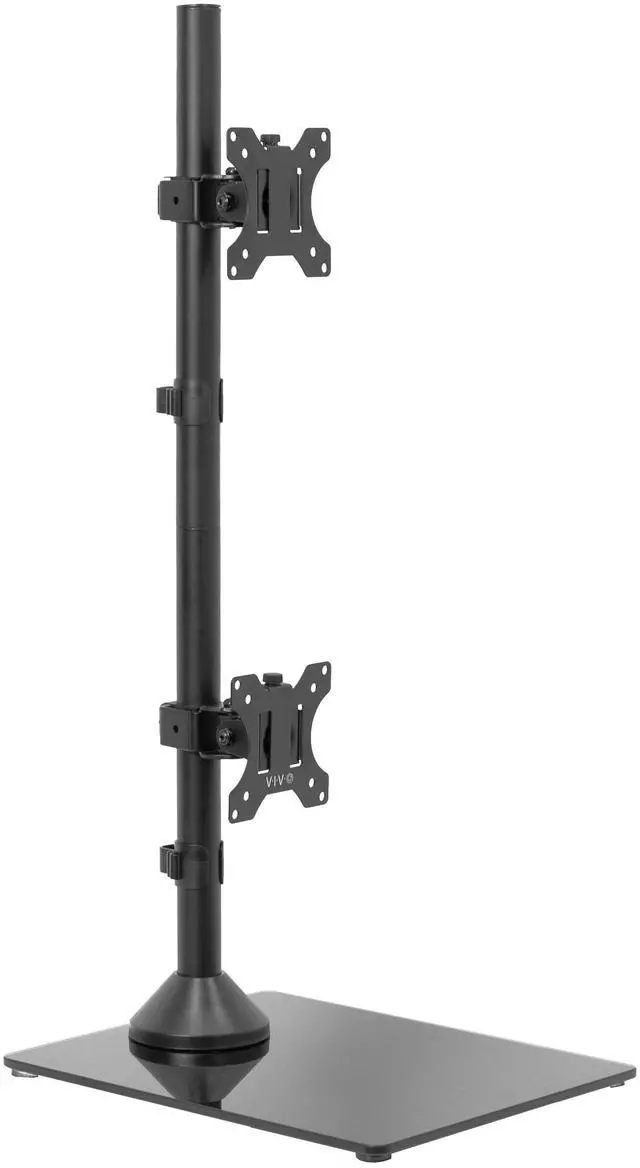
    VIVO Dual Monitor Vertical Stand, Glass Base, Fits 2 Ultrawide Screens up to 34"

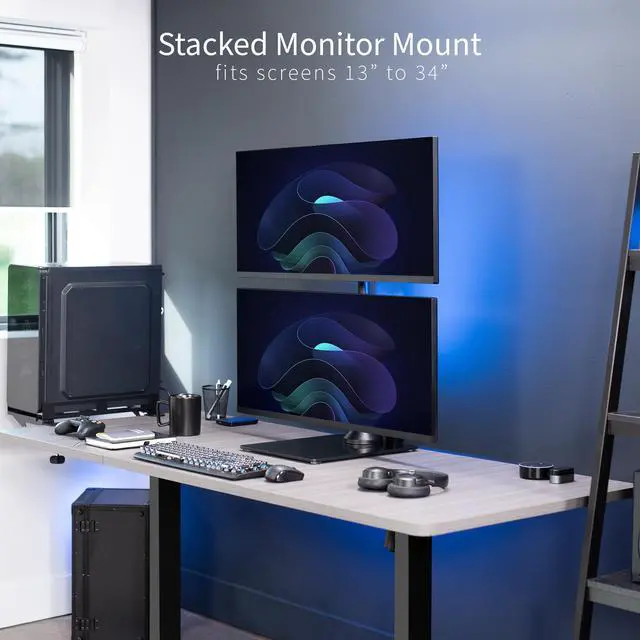
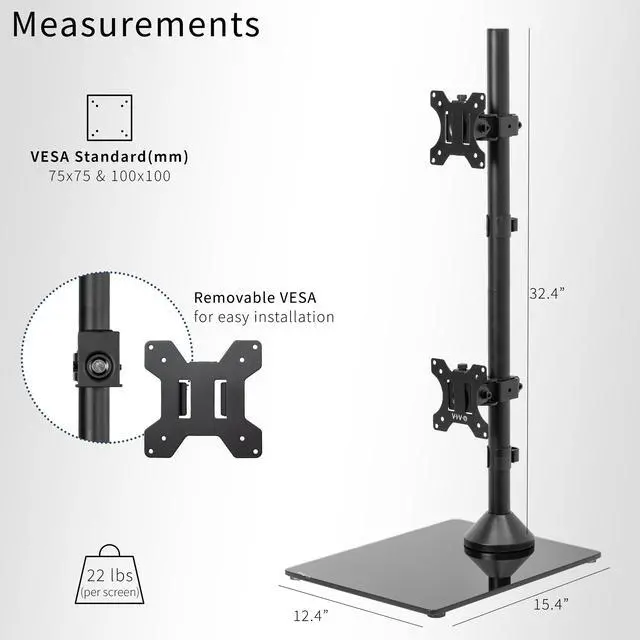
    • Ultrawide Compatibility: Vertical dual monitor freestanding mount holds two ultra-wide screens 13 to 34 in size and 22 lbs in weight (each) with 75x75mm or 100x100mm backside mounting holes
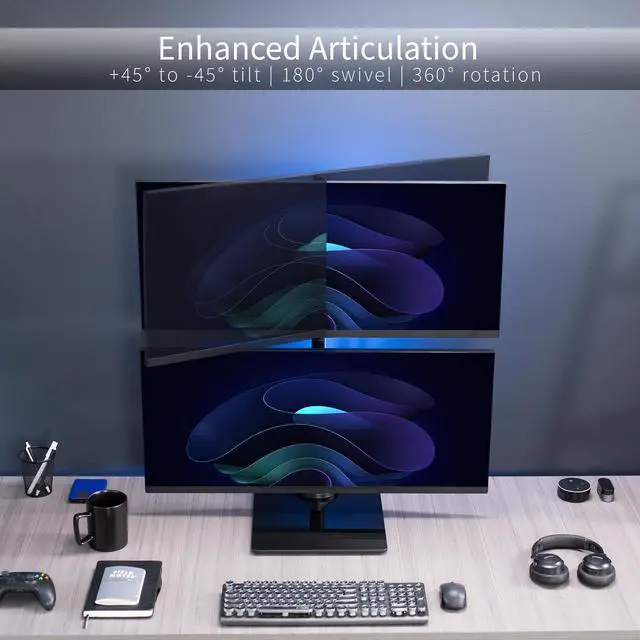
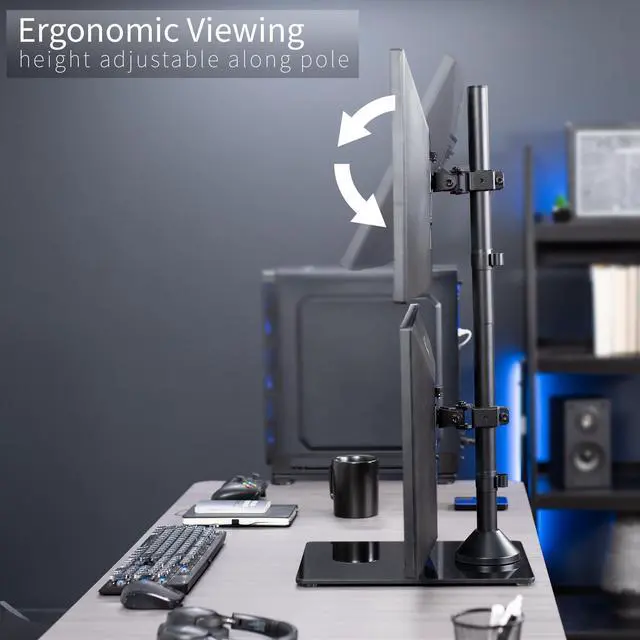
    • Articulation and Height Adjustment: Adjustable brackets offer +45° to -45° tilt, 180° swivel, 360° rotation, and height adjustment along the center pole. Monitors can be placed in portrait or landscape orientation
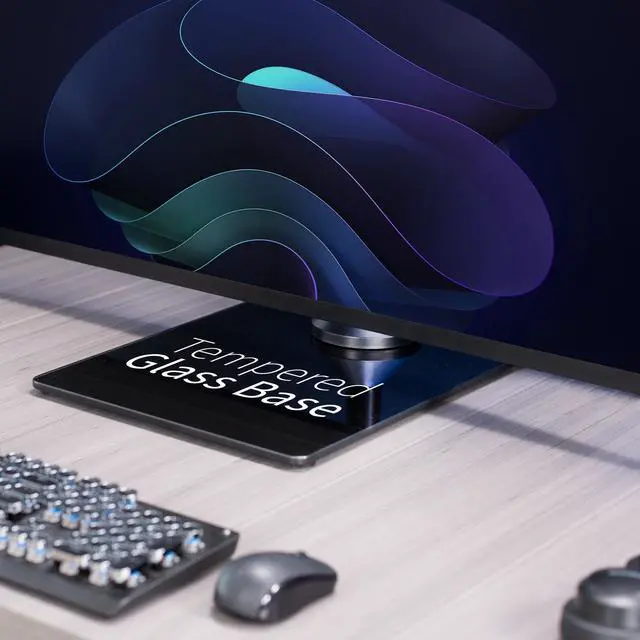
    • Elegant Tempered Glass Base: Measures 12.4 x 15.4 and provides excellent stability for 2 monitors. The bottom of the base features padding to protect your desk from scratches
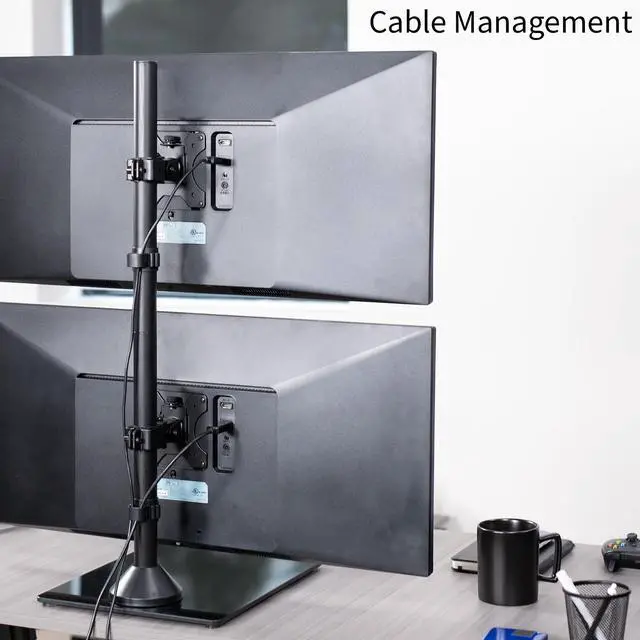
    • Cable Management: An integrated cable management system keeps cords organized to give your workspace a clean appearance
    • Easy Installation: Mounting your monitors is a simple process with removable VESA plates. We provide all the hardware and instructions for hassle-free assembly
    +
    +
    Overview
    Specs
    Reviews (1)

    Any questions? Ask CelesteSM will help you find out quickly.

    Clear up desk space by consolidating 2 monitors on a single stand in a vertically stacked array using Dual Vertical Monitor Desk Stand with Glass Base (STAND-V002LG) from VIVO! Features include smooth articulation for comfortable viewing angles, integrated cable management for neatly routed cords, an elegant tempered glass base for stability, and height adjustment along the center pole for customized screen placement. Made of high-grade steel and aluminum, this stand fits regular and ultrawide monitors up to 34 in size and 22 lbs in weight each. Each joint is able to be tightened, so you can make your screen setup as fluid or stationary as desired.

    Compatibility

    • Screen Size: 13 to 34 Regular and Ultrawide Monitors (x2)
    • Screen Types: Flat and Curved
    • VESA Standard: 75x75mm and 100x100mm
    • Weight Capacity: 22 lbs per screen

    Specifications

    • Color: Black
    • Material: Aluminum, Steel, Plastic, Tempered Glass
    • Pole Height: 32.4
    • Base Dimensions: 12.4 x 15.4
    • Articulation: +45° to -45° tilt, 180° swivel, 360° rotation
    • Height Adjustment: Provided along the center pole
    • Screen Placement: Portrait or Landscape Orientation

    Warranty & Returns

    Warranty, Returns, And Additional Information

    Warranty

    • Please contact the Seller directly for warranty information. Warranty information may also be found on the Manufacturer's website.
    • CONTACT

    Return Policies

    • Return for refund within: 30 days
    • Return for replacement within: 30 days
    • This item is covered by VIVO Return Policy

    Manufacturer Contact Info

    LOADING...

    The VIVO Dual Monitor Vertical Stand is a freestanding mount for stacking two 13–34-inch monitors, including ultrawide models, and suits users who want a vertically arranged workstation with adjustable screen positioning. Each screen must weigh no more than 22 lb and have 75×75mm or 100×100mm VESA mounting holes.

    Recommended For

    • Desk users who want two monitors stacked vertically to free up side-to-side workspace, especially when a wide desk layout is not practical.
    • People building a stacked dual-ultrawide setup who want one freestanding stand for screens up to 34 inches, provided each monitor meets the weight and VESA limits.
    • Multitaskers who keep a primary screen in front and use the upper display mainly for occasional reference material, chat, or status windows.
    • Users whose desks cannot use a clamp mount and who prefer a freestanding glass-base stand rather than attaching a mount to the desk edge.

    Real-World Use Scenarios

    • On a desk that is too narrow for two large monitors side by side, stack them to reduce the setup’s side-to-side footprint and leave more room beside the screens for other desk tasks.
    • For office work, keep the main task on the lower screen and place chat, email, or meeting windows on the upper screen for occasional checks without crowding the primary workspace.
    • While gaming, use the lower screen for the game and the upper one for Discord, chat, or a guide, keeping secondary information available without placing another monitor beside the main display.
    • For livestreaming, keep the game or main production view on one screen and put stream chat or OBS controls on the other, so you can check stream activity while keeping the main view centered.