Meet Your Seller
VIVO Single Monitor Pegboard Panel Mount, Fits up to 32" Screens
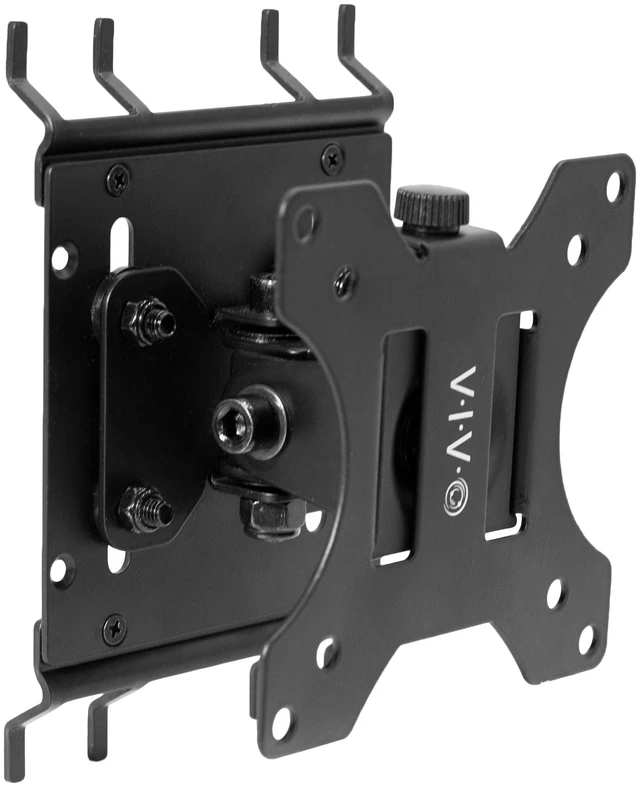
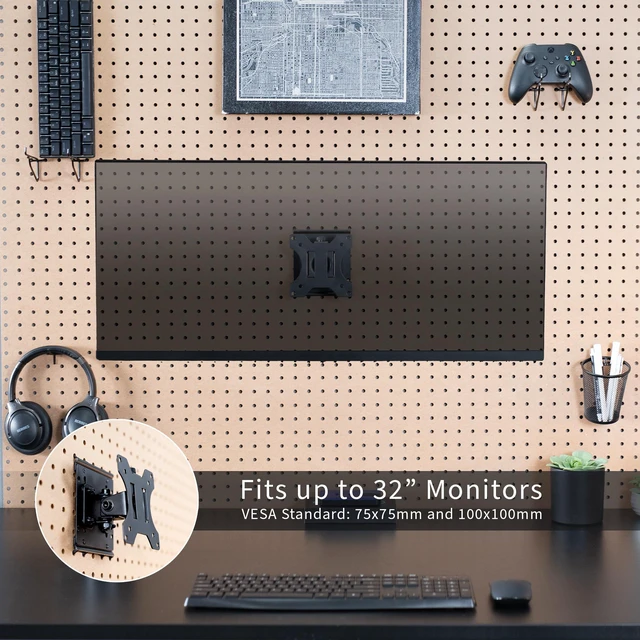
- Pegboard Monitor Mount: Attach a monitor screen directly to your pegboard with this innovative mounting bracket! Fits screens up to 32 in size and 17.6 lbs in weight with VESA 75x75mm or 100x100mm hole patterns
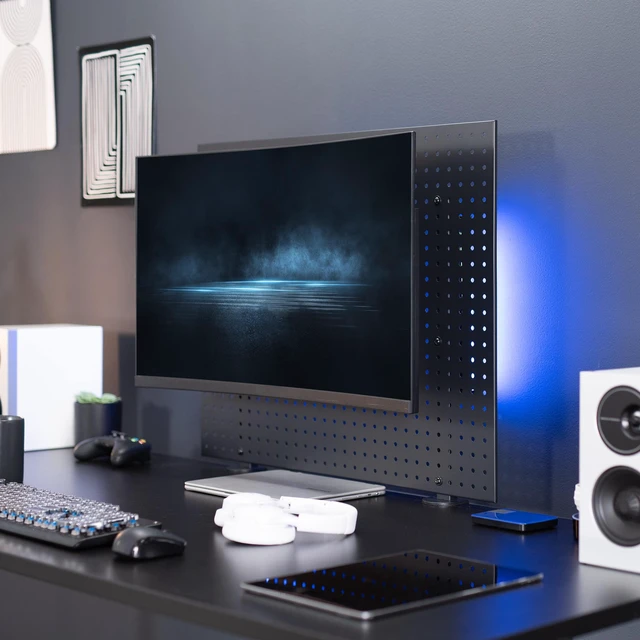
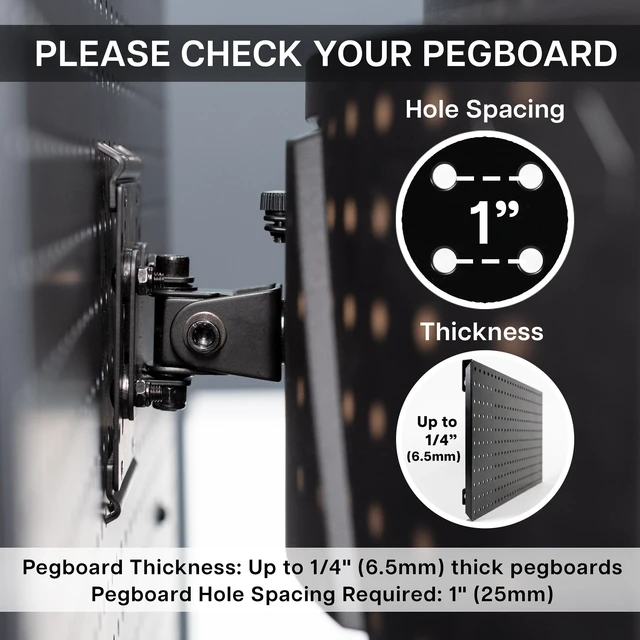
- Versatile Use: Fits any pegboard up to 0.25 thick with 1 hole spacing. This includes both metal and wooden peg boards with freestanding or desk-mounted styles, allowing you to create your own setup!
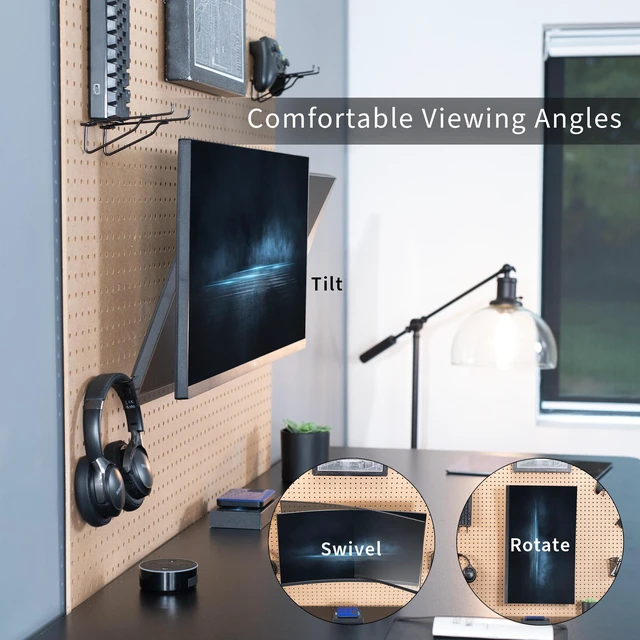
- Screen Articulation: Experience comfortable viewing angles with tilt, swivel, and 360° rotation (tilt and swivel ranges will vary depending on the size of your screen)
- Sturdy Construction: Solid steel mounting bracket will keep your monitor safe and secure in an elevated position for ergonomic viewing
- Minimal Assembly: Includes 4 simple steps with hassle-free pegboard mounting. The metal prongs secure to the holes of your pegboard, and a removable VESA plate makes screen mounting fast and easy
Any questions? Ask CelesteSM will help you find out quickly.
Expand your screen mounting capability with the Single Monitor Pegboard Panel Mount (MOUNT-PB1) from VIVO! Whether you have a clamp-on desk pegboard divider or a freestanding pegboard panel, if it doesnt exceed 0.25 in thickness and has 1 hole spacing, you can install this monitor mount anywhere on the pegboard! The solid steel bracket holds 1 screen up to 32 in size and 17.6 lbs in weight with VESA 75x75mm or 100x100mm hole patterns. Once your screen is secured in place, the mount also features tilt and swivel capability for comfortable viewing angles. We provide all the hardware and simple 4-step instructions for assembly, and a removable VESA plate makes mounting and unmounting your screen a fast and easy process.
Compatibility
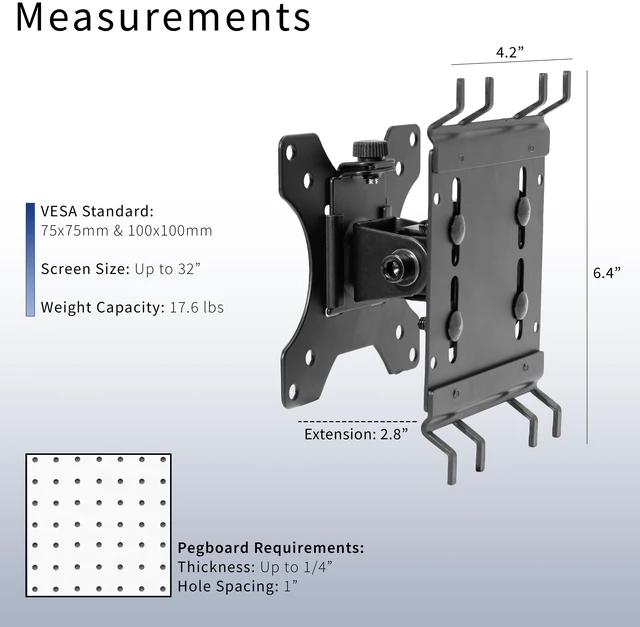
- Screen Size: Fits up to 32 Monitors
- VESA Standard: 75x75mm and 100x100mm
- Pegboard Thickness: Up to 1/4" (6.5mm) thick pegboards
- Pegboard Hole Spacing Required: 1" (25mm)
- Weight Capacity: 17.6 lbs
Specifications
- Color: Black
- Material: Steel
- Articulation: Tilt, Swivel (will vary depending on screen size), and 360° Rotation
- Product Dimensions: 4.2 x 3.2 x 6.4
- Extension: 2.8
Warranty & Returns
Warranty, Returns, And Additional Information
Warranty
- Please contact the Seller directly for warranty information. Warranty information may also be found on the Manufacturer's website.
- CONTACT
Return Policies
- Return for refund within: 30 days
- Return for replacement within: 30 days
- This item is covered by VIVO Return Policy
Manufacturer Contact Info
- For a directory of all our manufacturers, please click below.
- Manufacturers Directory
The VIVO Single Monitor Pegboard Panel Mount attaches a compatible monitor to a pegboard and suits users who want to free up desk space or build a customized workstation. It supports screens up to 32 inches and 17.6 pounds with 75x75mm or 100x100mm VESA patterns.
Recommended For
- Desk users with a compatible pegboard panel who want to lift one monitor off the desktop and keep the screen mounted close to the panel.
- Home-office or gaming setup builders who already use a pegboard divider or freestanding pegboard and want to place one screen within that organized workspace.
- Users who mainly need a set-and-stay monitor position, with tilt, swivel, or rotation for occasional viewing-angle adjustments rather than frequent arm movement.
- People mounting a single VESA 75x75mm or 100x100mm display weighing no more than 17.6 lb on a pegboard up to 1/4 inch thick with 1-inch hole spacing.
Real-World Use Scenarios
- On a desk with a compatible pegboard divider, mounting the monitor on the panel instead of its stand frees up desktop space for a keyboard, notebook, or other work items.
- For a home-office setup, attaching the display to a compatible desk-mounted or freestanding pegboard lets the user adjust its viewing angle without relying on a monitor stand.
- In a compact gaming or general-purpose desk setup, the mount keeps the display attached to the pegboard while leaving more of the desk surface open for peripherals and controls.
- When a user wants a portrait-oriented screen for reading long documents or code, the monitor can be rotated to change its orientation, provided the display and setup allow it.
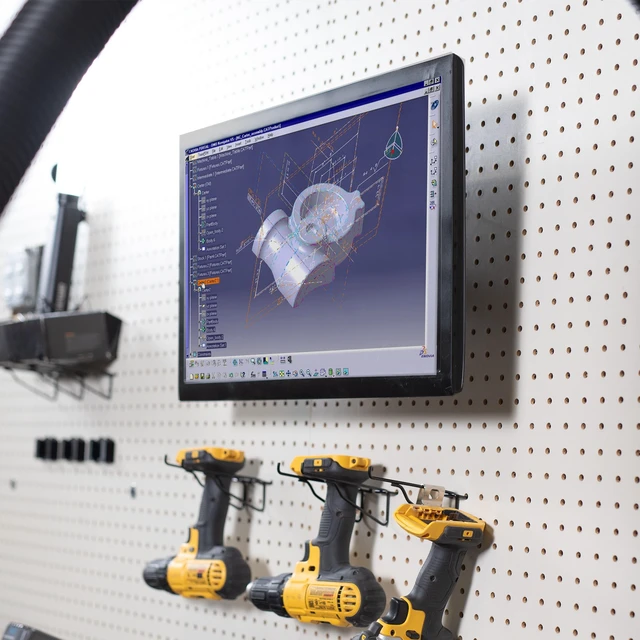
- At a workshop or hobby bench with a compatible freestanding pegboard, mounting a monitor can keep instructions or reference material visible without using bench space for a display stand.
![AOACE Gaming PC AMD Ryzen 7 5700X [8-Core 4.6GHz], RTX 5060 8GB GDDR7, DLSS 4, VR Ready, WiFi 6E, 32GB DDR4, 1TB PCIe4 NVMe, 6 ARGB, Win11 Home AOACE Gaming PC AMD Ryzen 7 5700X [8-Core 4.6GHz], RTX 5060 8GB GDDR7, DLSS 4, VR Ready, WiFi 6E, 32GB DDR4, 1TB PCIe4 NVMe, 6 ARGB, Win11 Home](https://c1.neweggimages.com/ProductImageCompressAll60/C545S2607150J6GDT09.jpg)