




 here!
I’m your shopping assistant for PC builds, upgrades, and everything tech.
Got questions? Ask away!
Start a conversation
here!
I’m your shopping assistant for PC builds, upgrades, and everything tech.
Got questions? Ask away!
Start a conversation



Any questions? Ask CelesteSM will help you find out quickly.
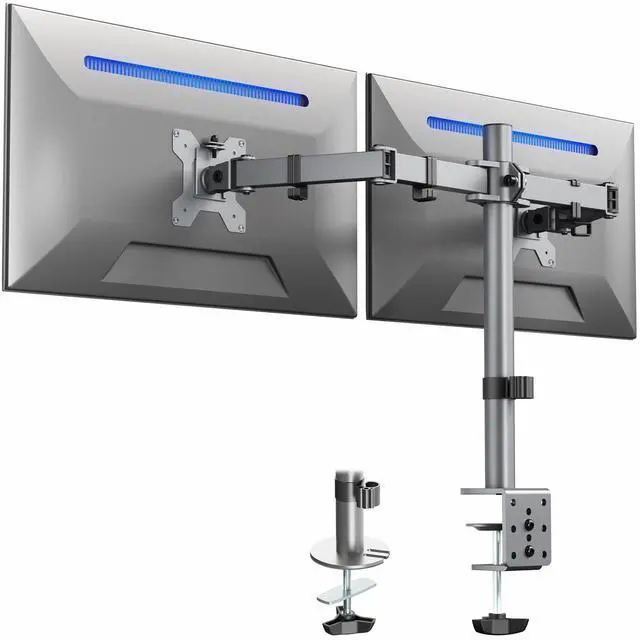
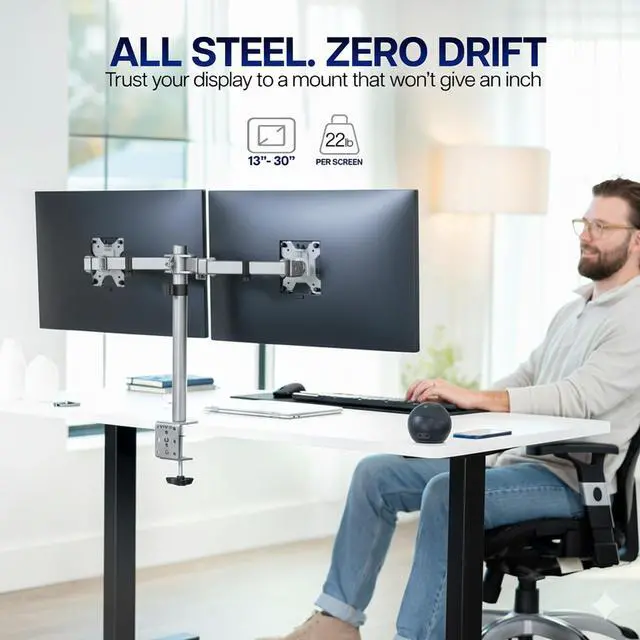
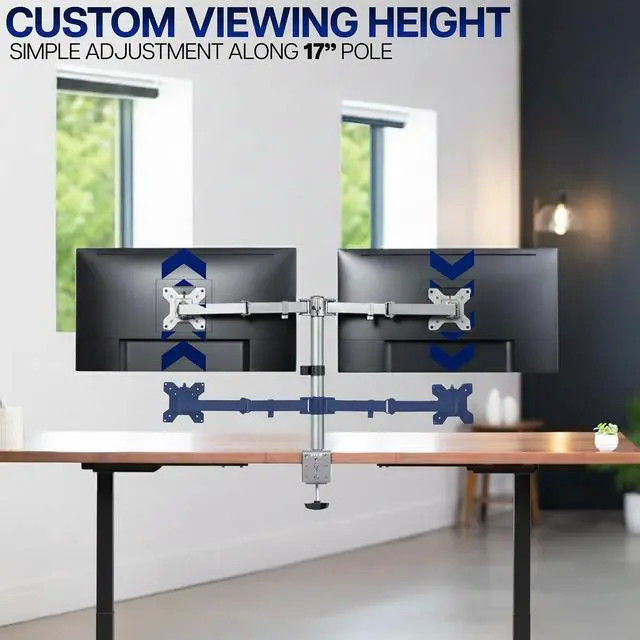
Enjoy double the viewing with the Gray Dual Monitor Desk Mount (STAND-V002-GY) from VIVO! Made of high-grade steel and aluminum, this stand fits most LCD monitors 13 to 30 in size and supports up to 22 lbs per monitor. Every joint is able to be tightened, so you can adjust exactly how fluid/stationary you want everything to be. Special features include the ability for each individual VESA plate to be adjusted up and down by 0.5 so your monitors will be perfectly aligned. We also make mounting your screens easy with detachable VESA plates that screw into your monitors and then slide back onto the frame of the stand. Heavy duty C-clamp and grommet mounting options are included. All hardware and instructions are provided so you can get your new stand assembled and providing comfortable viewing angles in no time!
Compatibility
Specifications
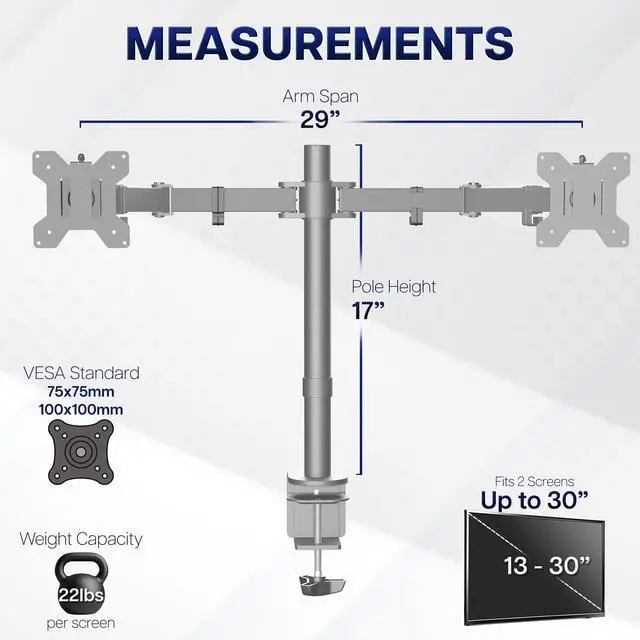
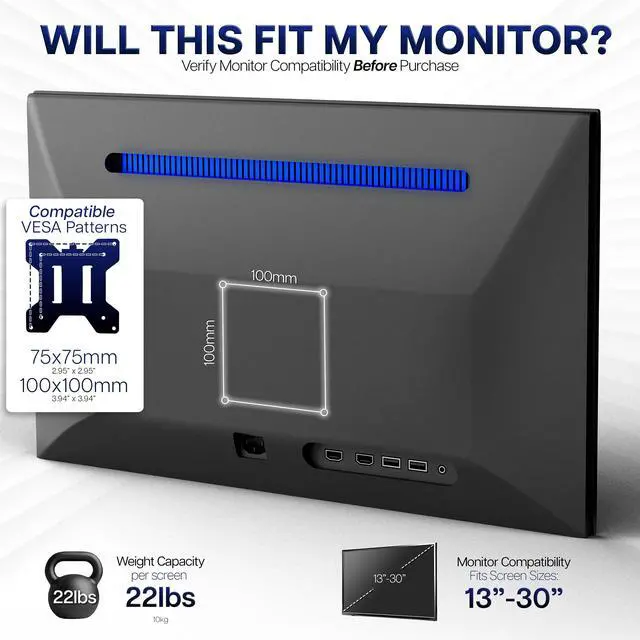
The VIVO Gray Dual Monitor Desk Mount is an adjustable two-screen stand for people who want a more flexible, organized desk setup, supporting 13–30-inch monitors up to 22 lb each with VESA 75x75mm or 100x100mm mounting holes.
| Attribute | Value |
|---|---|
| Best For | Dual-monitor tabletop setups using compatible 13–30-inch monitors |
| Monitor Compatibility And Mounting | For monitors weighing up to 22 pounds with a 100 × 100 mm VESA hole pattern; mounts to a tabletop |
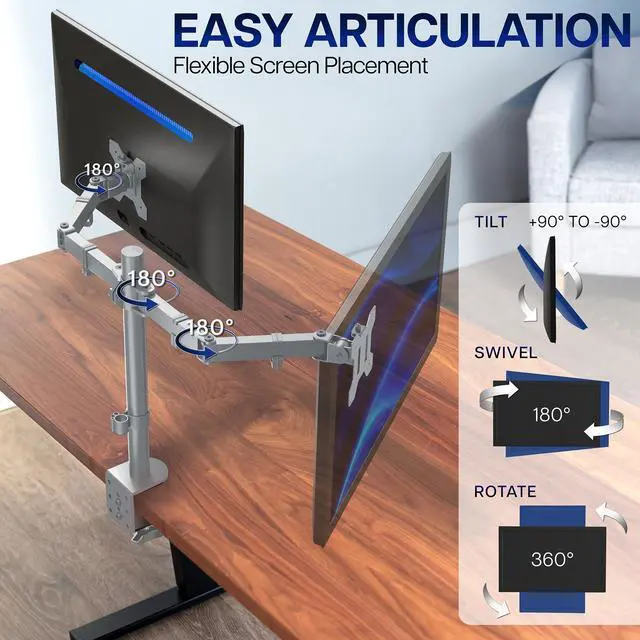
| Adjustment | Articulating movement with up to 90° of tilt |
| Color And Materials | Gray finish with steel and plastic construction |
| Dimensions And Weight | 34 × 3.8 × 20.5 inches; weighs 7.9 pounds |
| Model Identifiers | VIVO STAND-V002-GY |
Q: VIVO STAND-V002 or STAND-V002O: which is better for two monitors?
A: Choose the gray STAND-V002 for two 13–30-inch monitors weighing up to 22 lb each, with height adjustment along the center pole. Choose the STAND-V002O if you want counterbalanced mechanical arms and tool-free height adjustment; it supports 17–32-inch monitors weighing up to 19.8 lb each.
Q: Should I get the VIVO STAND-V002 or the vertical STAND-V002T?
A: Choose the gray STAND-V002 for a side-by-side dual-monitor arrangement with height adjustment along a center pole. Choose the STAND-V002T for a vertically stacked arrangement; it supports monitors up to 34 inches and 22 lb each.
Q: VIVO STAND-V002 or STAND-V024 for 24-inch monitors?
A: Both VIVO mounts support two monitors weighing up to 22 lb each and provide tilt, swivel, rotation, and center-pole height adjustment. Choose the STAND-V002 for monitors up to 30 inches; choose the STAND-V024 for a setup sized for monitors up to 24 inches.
Q: Which VIVO STAND-V002 size should I choose: 30, 32, or 38 inches?
A: Choose the gray 30-inch STAND-V002 for monitors up to 30 inches. VIVO also offers 32-inch and 38-inch size options in the STAND-V002 series, so select the size option that matches your monitors; the listed capacity is up to 22 lb per monitor.
Q: Will this mount fit my two monitors?
A: It supports two 13–30-inch monitors, up to 22 lb each, with 75×75 mm or 100×100 mm VESA mounting holes. Check each monitor’s weight and VESA pattern before buying; also allow for the space the two screens need side by side.
Q: Will the clamp fit my desk?
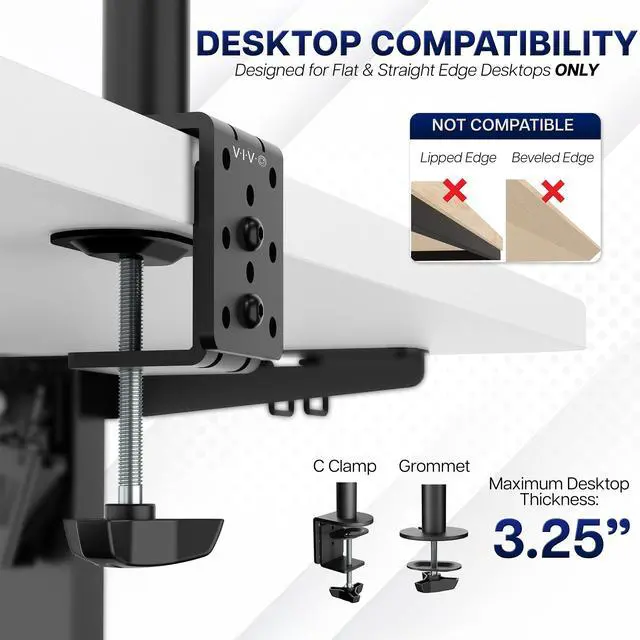
A: The C-clamp fits desk surfaces up to 3.25 inches thick. A grommet mounting option is also included. Check that your desk edge provides room for the clamp, or that your desk has a suitable grommet hole for that installation method.
Q: Can I use the monitors in portrait orientation?
A: Yes. The mount supports 360-degree screen rotation, so each monitor can be positioned in portrait or landscape orientation.
Q: Who is this dual monitor mount suitable for?
A: It suits desk users who want to mount two compatible monitors, adjust their height and viewing angles, and free up space beneath the screens. It is not a fit for monitors over 30 inches, over 22 lb each, or without a supported VESA hole pattern unless a compatible adapter is used.
Q: Will this mount work with two 27-inch monitors?
A: The product is specified for screens up to 30 inches and 22 lb per monitor, so two 27-inch screens are within its listed limits if they have compatible VESA holes. Reddit users report using the STAND-V002 with 27-inch monitors, but note that screen spacing and angling can be restrictive depending on the monitors and desk.
Q: Is it a good choice for a basic dual-monitor setup?
A: It may suit a setup where two monitors can stay in a mostly fixed position: the product provides height, tilt, swivel, and rotation adjustments, while Reddit users describe the STAND-V002 as functional but somewhat limited in configuration. Check that your desk can accommodate the clamp or grommet mount and that each monitor is within the weight and VESA limits.
Q: Does the mount feel sturdy enough for two monitors?
A: A Reddit user described the STAND-V002 as sturdy for their monitors, while another discussion says the mount was sturdy when installed correctly. That is user experience, not a guarantee: keep each monitor at or below 22 lb and secure the clamp or grommet mount to a suitable desk surface.
Q: Is installation straightforward?
A: The mount uses a desk clamp or grommet mount and detachable VESA plates; hardware and instructions are included. A YouTube video specifically covers setup and review of the STAND-V002, making it a useful reference before installation.


