




 here!
I’m your shopping assistant for PC builds, upgrades, and everything tech.
Got questions? Ask away!
Start a conversation
here!
I’m your shopping assistant for PC builds, upgrades, and everything tech.
Got questions? Ask away!
Start a conversation



Any questions? Ask CelesteSM will help you find out quickly.
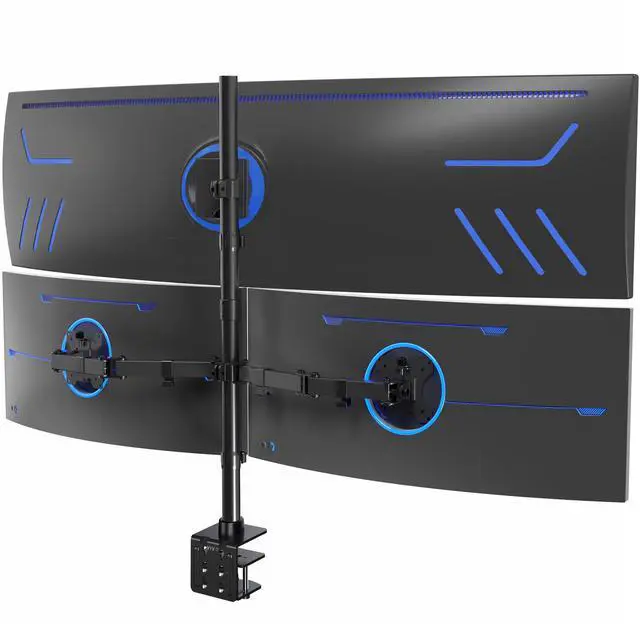
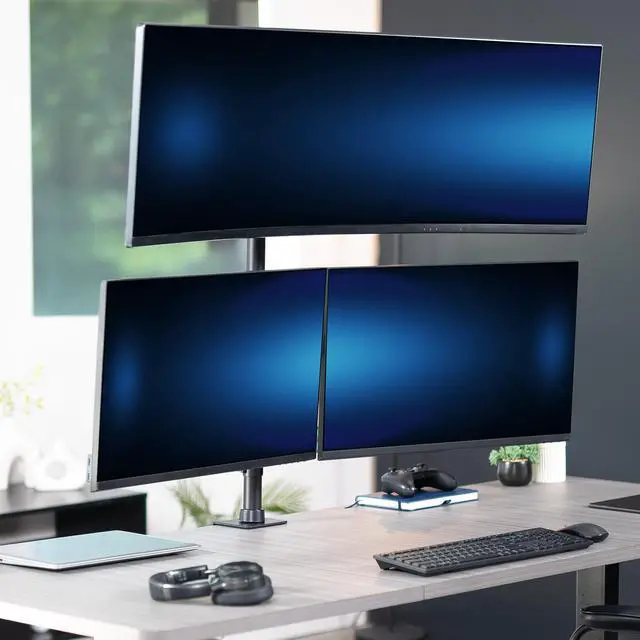
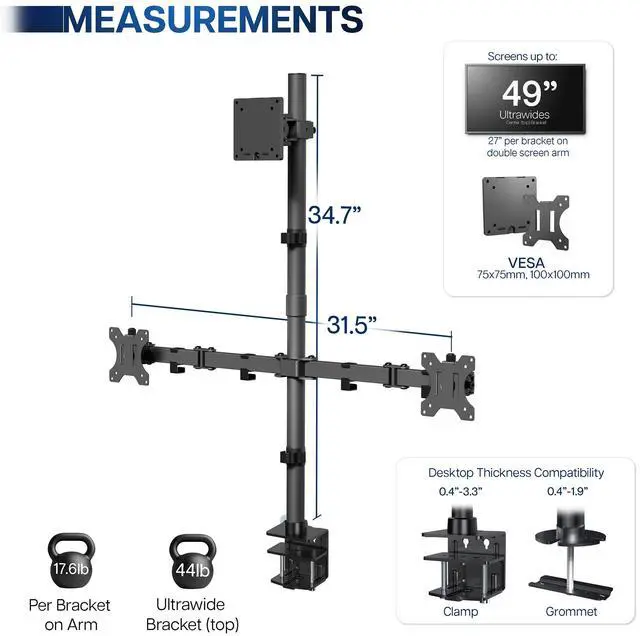
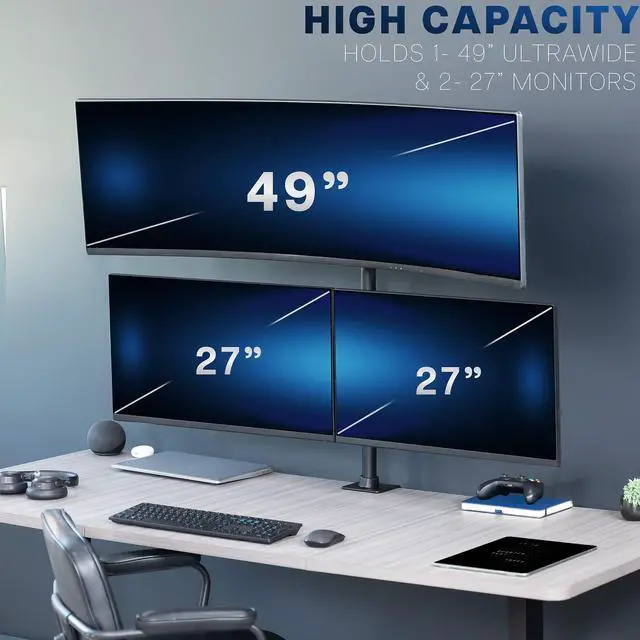
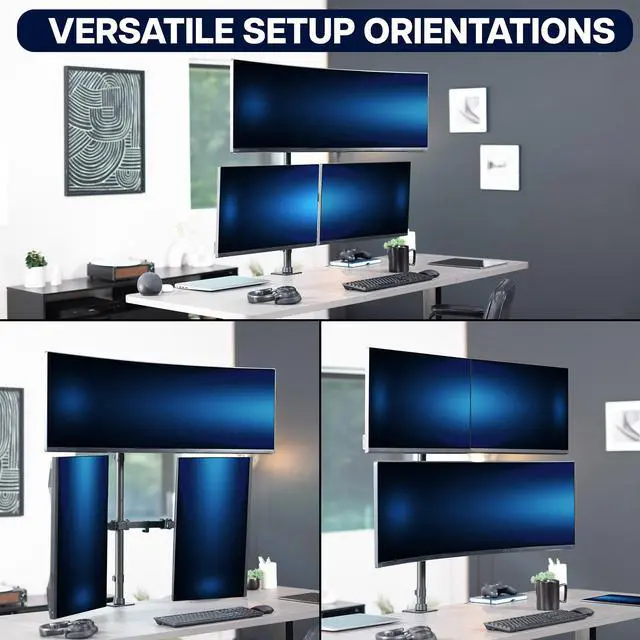
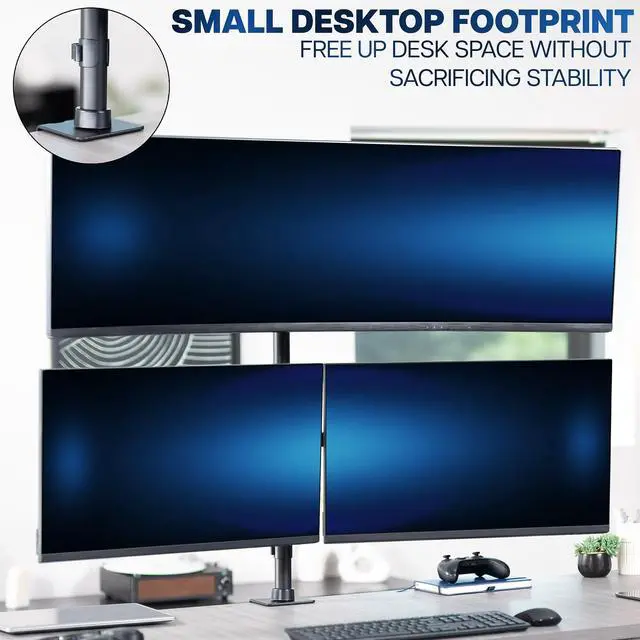
Save desk space and elevate three large screens on one stand with the Triple Monitor Desk Mount - 1 Ultrawide + 2 Standard (STAND-V103T) from VIVO! This heavy-duty mount supports up to one 49 ultrawide on the center bracket and up to two 27 standard screens on the arm brackets. Heavy-duty C-clamp or optional grommet mount holds everything tightly in place. The advanced center VESA plate with high capacity tilt joint is designed specifically for heavy screens (up to 44 lbs), providing the support needed while maintaining flexibility. The side VESA plates hold up to 17.6 lbs each with excellent stability. Articulating joints create screen alignment, comfortable viewing angles, and glare reduction. All hardware and instructions are provided so you can enjoy a space-saving monitor display in no time!
Compatibility:
Specifications:
The VIVO Triple Computer Monitor Desk Mount holds one ultrawide monitor up to 49 inches in the center and two standard monitors up to 27 inches on the sides, making it suitable for multitasking workstations with compatible VESA 75x75mm or 100x100mm displays.
| Attribute | Value |
|---|---|
| Best For | Desk-based multi-monitor setups using 13–49-inch monitors, with articulating positioning for viewing-angle adjustments |
| Monitor Compatibility And Capacity | Compatible with monitors and 100 × 100 mm VESA mounting holes; supports a compatible screen weight of up to 44 lb |
| Mounting And Adjustment | Tabletop desk mount with articulating movement and a maximum tilt angle of 90° |
| Materials And Finish | Aluminum, steel, and plastic construction in black |
| Physical Specifications | 14.25 lb; 31.5 × 31.5 × 34.7 inches |
| Model And Manufacturer | VIVO model STAND-V103T |
Q: VIVO STAND-V103T vs. STAND-V103: which fits a 49-inch ultrawide with two side monitors?
A: Choose the STAND-V103T for a setup with one ultrawide up to 49 inches in the center and two standard monitors up to 27 inches on the sides. Its center bracket supports flat ultrawides up to 44 lb or curved ultrawides up to 33 lb. The STAND-V103 is configured for three standard monitors up to 32 inches, with a 22 lb capacity per screen.
Q: VIVO STAND-V103T vs. STAND-TS03C: which supports a larger center ultrawide?
A: Choose the STAND-V103T when the center display is larger than 38 inches, up to 49 inches, and the side displays are up to 27 inches. Choose the STAND-TS03C for a center ultrawide up to 38 inches with telescoping arms and a 22 lb capacity per monitor; it also supports three standard monitors up to 32 inches each.
Q: VIVO STAND-V103T vs. STAND-V300D: which has pneumatic height adjustment?
A: Choose the STAND-V103T for a 49-inch center ultrawide with two standard side monitors up to 27 inches and articulated brackets. Choose the STAND-V300D when pneumatic height adjustment is a priority: its arms raise and lower three screens, supports displays up to 49 inches in the center and 38 inches on the sides, and is rated for up to 44 lb per arm.
Q: Will this mount fit my monitors, including a curved ultrawide?
A: It supports one center ultrawide up to 49 inches and two side monitors up to 27 inches each. The center bracket holds flat screens up to 44 lb or curved screens up to 33 lb; each side bracket holds up to 17.6 lb. All screens need VESA 75x75 mm or 100x100 mm mounting holes, so check each monitor’s size, weight, and VESA pattern before buying.
Q: How thick can my desk be for the clamp?
A: The clamp fits desktops up to 3.3 inches thick. Before purchasing, check that your desk is within that limit and has a sturdy, accessible edge for the clamp.
Q: Can I adjust the screens for different viewing angles or portrait orientation?
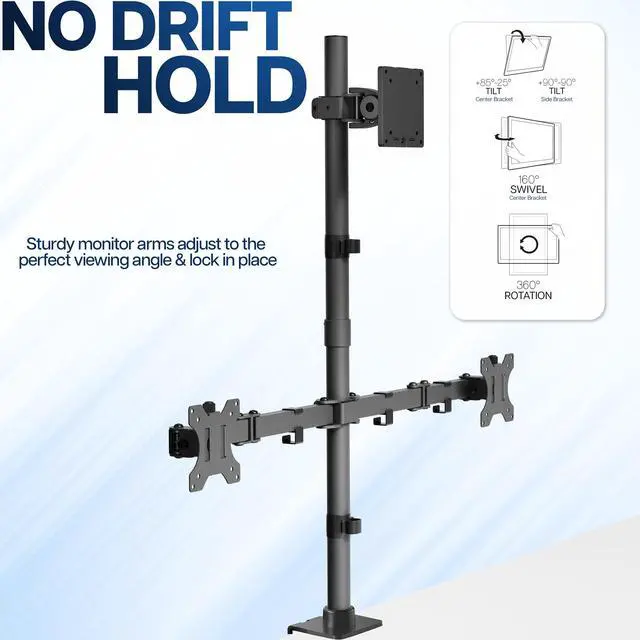
A: Yes. The center bracket tilts from +85° to -25° and swivels 160°. The side brackets tilt from +90° to -90° and swivel 180°. All three brackets rotate 360°, allowing portrait or landscape orientation.
Q: Who is this triple monitor mount suitable for?
A: It suits a desk setup that needs one ultrawide center screen alongside two standard monitors, such as a home-office or multi-screen workstation. Confirm that the center and side screens meet their separate size, weight, and VESA limits, and that the desk can accommodate the clamp.
Q: Will this mount fit a 49-inch ultrawide with two 27-inch monitors?
A: It is specified for one ultrawide up to 49 inches on the center bracket and two standard monitors up to 27 inches on the side brackets. Check that each monitor also meets its bracket’s weight limit and has VESA 75×75 mm or 100×100 mm mounting holes.
Q: Could the mount wobble when the desk moves?
A: A Reddit user reported noticeable wobble from an older VIVO triple-mount setup when moving around the desk. That report concerns a different model, so it does not establish how this mount performs; a steady desk and installation within the stated limits are sensible considerations.
Q: Is this a suitable option for a setup with one ultrawide and two side monitors?
A: It is designed for that layout, and a Reddit user described using an older VIVO triple mount with an ultrawide and two 27-inch monitors. The Reddit post concerns a different model, so confirm this mount’s listed limits and dimensions for your screens before buying.


