




 here!
I’m your shopping assistant for PC builds, upgrades, and everything tech.
Got questions? Ask away!
Start a conversation
here!
I’m your shopping assistant for PC builds, upgrades, and everything tech.
Got questions? Ask away!
Start a conversation



Any questions? Ask CelesteSM will help you find out quickly.
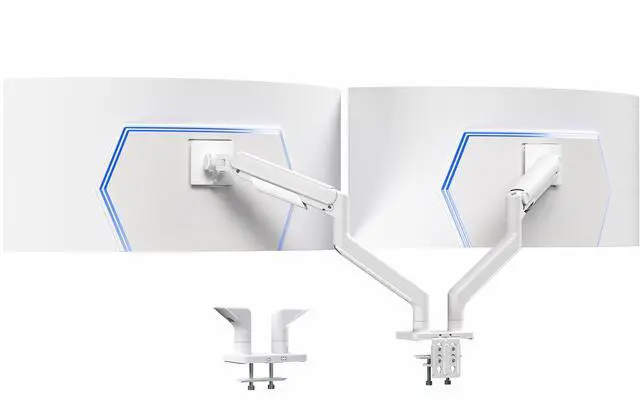
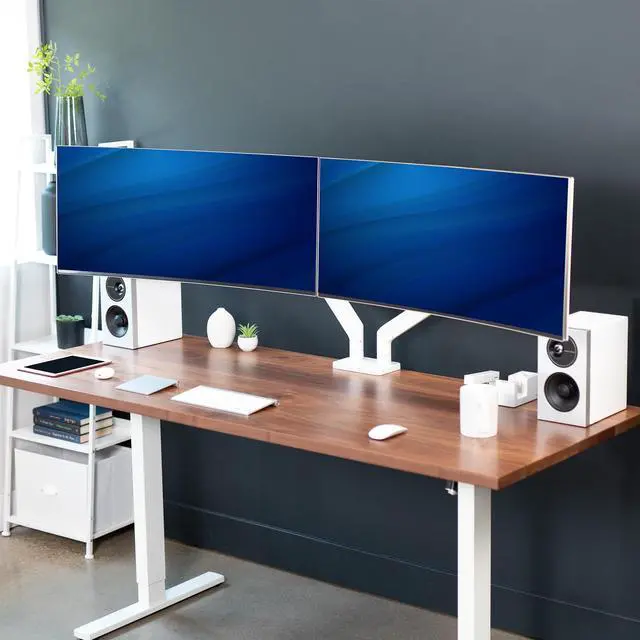
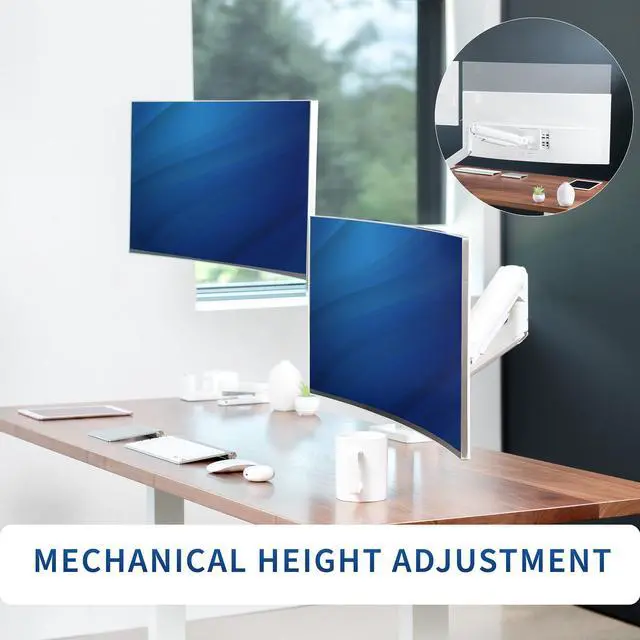
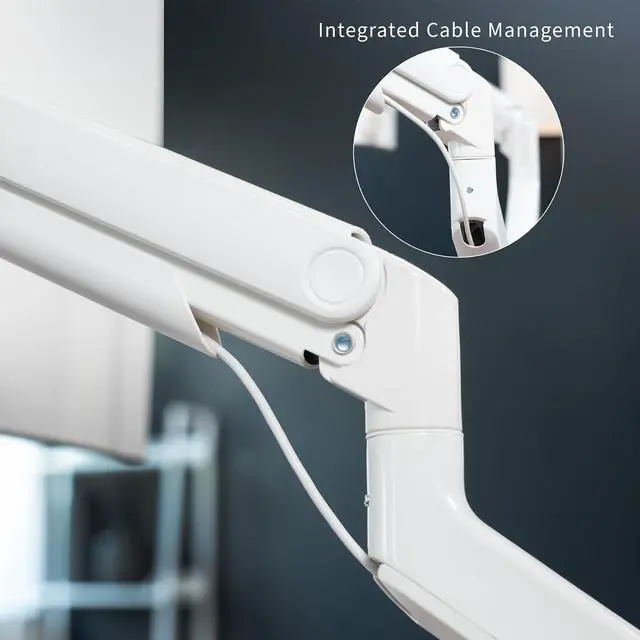
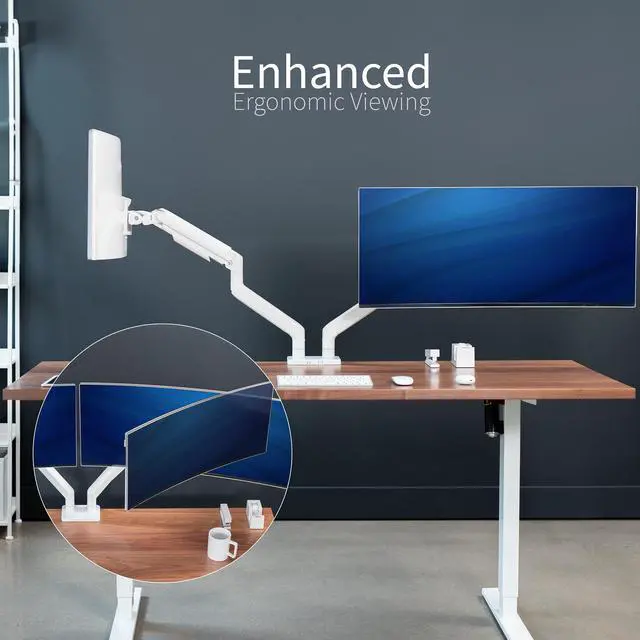
Increase screen flexibility by consolidating 2 ultrawide monitors on a single stand with the White Tension Spring Arm Dual Ultrawide Monitor Desk Mount (STAND-V200DW) from VIVO! This premium stand perfectly counterbalances the weight of your 17 to 45 monitors (up to 44 lbs per arm) for optimal ergonomic positioning. Featuring high-quality aluminum construction, flexible joints, screen articulation, smooth height adjustment, a sturdy desk clamp and grommet mount, integrated cable management, and more, these monitor arms are ready to transform your workspace. All hardware and instructions are provided for assembly, so you can get your stand secured and ultra wide monitors mounted in no time!
Compatibility
Specifications
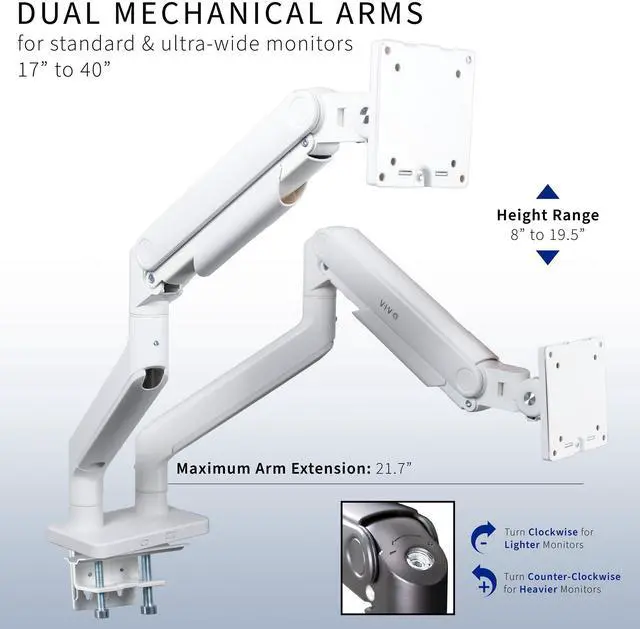
The VIVO Tension Spring Dual Ultra Wide Monitor Mount holds two monitors up to 45 inches and 44 lb per arm, making it suitable for users who want an adjustable, ergonomic setup for large screens. Spring-assist arms provide 11.5 inches of height adjustment, with tilt, swivel, and rotation for repositioning.
| Attribute | Value |
|---|---|
| Best For | Dual ultra-wide monitor setups using compatible VESA mounts |
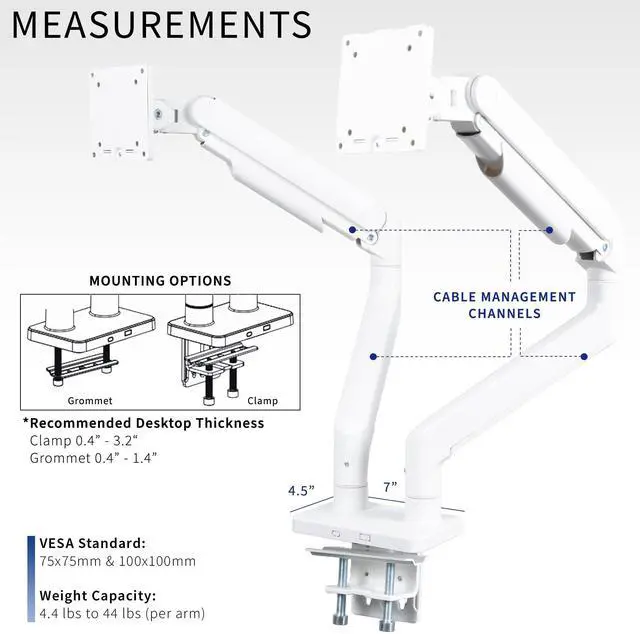
| Screen Compatibility | Supports screens up to 45 inches and 44 pounds, with a 100 × 100 mm VESA hole pattern |
| Adjustment And Movement | Articulating movement with up to 50° of tilt |
| Mounting | Tabletop mount |
| Color And Materials | White finish with a plastic enclosure |
| Model Identifiers | VIVO model STAND-V200DW |
Q: Should I choose the VIVO STAND-V200V or STAND-V002 for two monitors?
A: Choose the VIVO STAND-V200V for two ultrawide screens up to 45 inches each and spring-assisted positioning. Choose the STAND-V002 series for a traditional pole-style setup with monitors up to 30, 32, or 38 inches depending on the version, and a capacity of up to 22 lb per screen.
Q: How does the VIVO STAND-V200V compare with the PRO-ST245B for dual ultrawides?
A: Both support two ultrawide screens up to 45 inches with spring-assisted arms. The STAND-V200V supports up to 44 lb per arm and offers up to 23 inches of extension; the PRO-ST245B supports up to 59.4 lb per arm and adds a wider tilt and swivel range. Choose the STAND-V200V for screens within its 44 lb capacity and extended reach, or the PRO-ST245B for heavier screens and its additional adjustment range.
Q: Is the VIVO STAND-V200V or STAND-V120T better for two large ultrawides?
A: Both support two ultrawides weighing up to 44 lb each. Choose the STAND-V200V for spring-assisted arm repositioning and support for screens up to 45 inches. Choose the STAND-V120T for screens up to 49 inches and its extra-tall center pole with 29 inches of height adjustment.
Q: Will this mount support two 45-inch ultrawide monitors?
A: It is rated for two screens up to 45 inches, with a maximum weight of 44 lb per arm. Each monitor must also have a 75 × 75 mm or 100 × 100 mm VESA pattern and stay within its arm’s weight limit.
Q: Will the clamp fit my desk?
A: The C-clamp supports desks up to 3.2 inches thick. An optional grommet mount is listed for desks up to 1.4 inches thick; check that your desk has a suitable hole and that the mounting area can support the setup.
Q: Can I adjust the monitors after mounting them?
A: Yes. The spring-assisted arms provide 11.5 inches of height adjustment, with +50° to −20° tilt, 180° swivel, and 360° rotation. The spring mechanism is designed to help counterbalance monitor weight during repositioning.
Q: Will it work with curved monitors?
A: The product details do not explicitly confirm curved-screen compatibility. Check that each monitor is within the 45-inch and 44 lb-per-arm limits and has a 75 × 75 mm or 100 × 100 mm VESA pattern before buying.
Q: Would two separate monitor arms be better if I often reposition my screens?
A: Separate arms may offer more independent positioning. In a Reddit discussion about dual arms, users noted that two screens on one dual mount can have limited room to adjust horizontally. This VIVO mount is a better fit if you prefer a single combined mount and its stated adjustment range suits your setup.
Q: What should I check before using this mount with two 45-inch ultrawides?
A: Check each monitor’s weight without its original stand, VESA pattern, and your desk’s mounting compatibility. The product is rated for screens up to 45 inches and 44 lb per arm, with VESA 75×75 or 100×100 mm; the C-clamp fits desks up to 3.2 inches thick. Reddit discussions about large VIVO-supported screens also highlight checking the exact monitor and mount limits rather than relying on screen size alone.
Q: Is a spring-assisted VIVO mount a good choice if I’m concerned about sagging?
A: The spring arms are designed to counterbalance monitor weight, but they must be adjusted for the monitors being used. Reddit reports about other VIVO spring-arm models include both successful long-term use and reports of sagging or failures, so those anecdotes do not establish this model’s reliability. Stay within the per-arm weight limit and check that each arm holds its position after adjustment.


