here!
I’m your shopping assistant for PC builds, upgrades, and everything tech.
Got questions? Ask away!
Start a conversation
here!
I’m your shopping assistant for PC builds, upgrades, and everything tech.
Got questions? Ask away!
Start a conversation



Any questions? Ask CelesteSM will help you find out quickly.
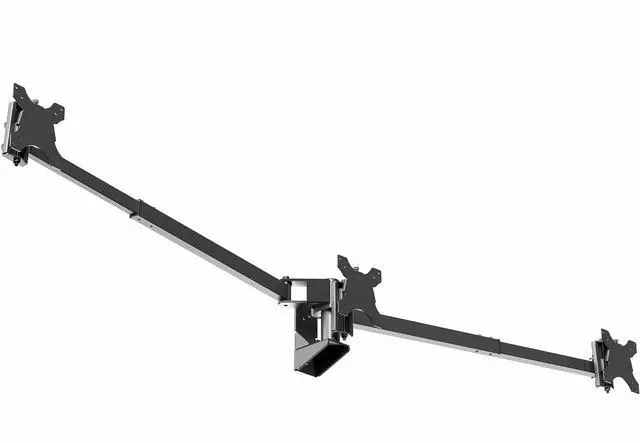
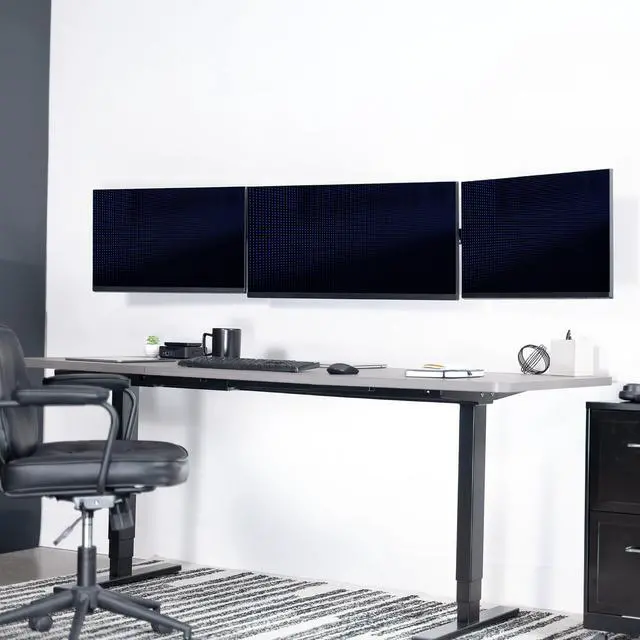
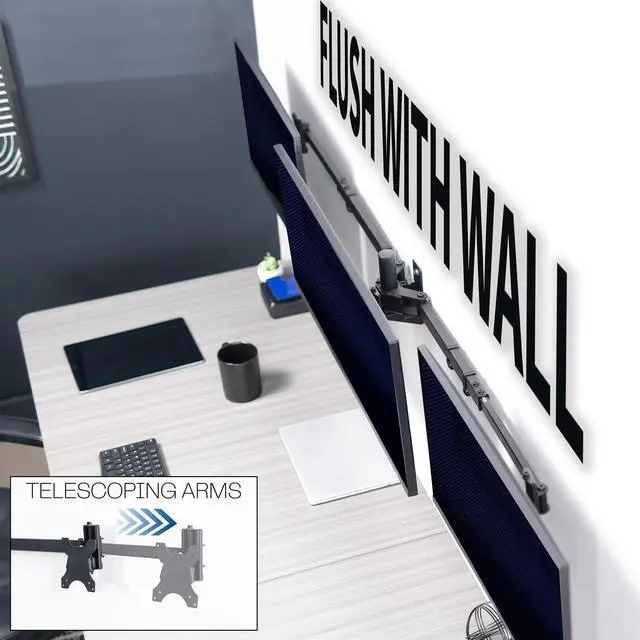
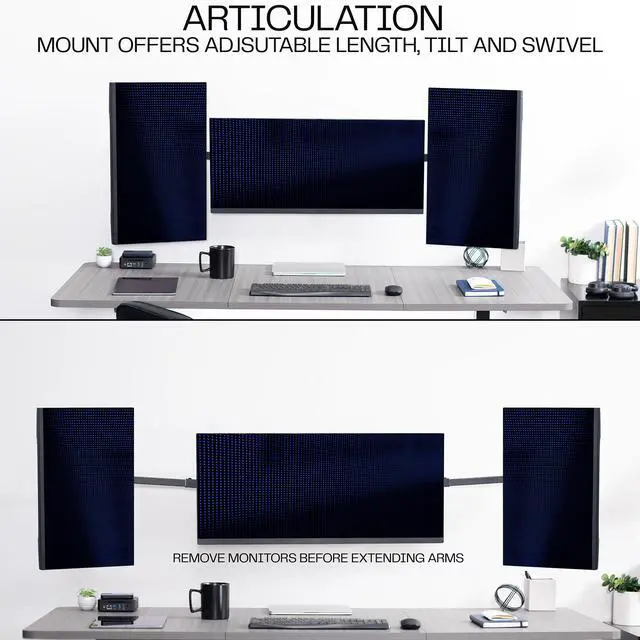
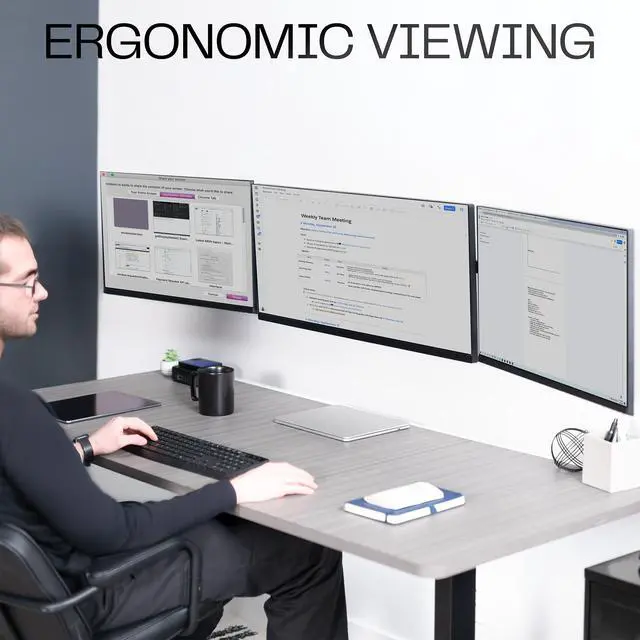
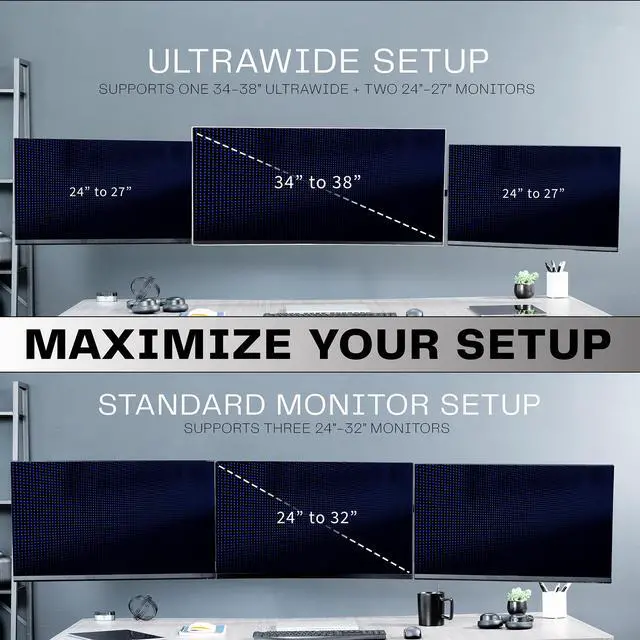
Elevate your screens to a comfortable viewing height with the Telescoping Triple Monitor Wall Mount (MOUNT-TS03C) from VIVO! This heavy-duty mount supports both ultrawide + dual screen setups or standard screen setups with monitors not exceeding 22 lbs each. Premium telescoping arms adjust in length to fit 2 monitors while 1 screen is fixed in the center. If all screens are standard size, this mount fits up to 32 monitors. If the center screen is an ultrawide (up to 38), it fits up to 27 monitors on the outsides. The adaptable nature creates a snug side-by-side positioning for a low-profile appearance on your wall. All hardware and instructions are provided so you can get your new mount assembled and installed in no time!
Compatibility
Specifications
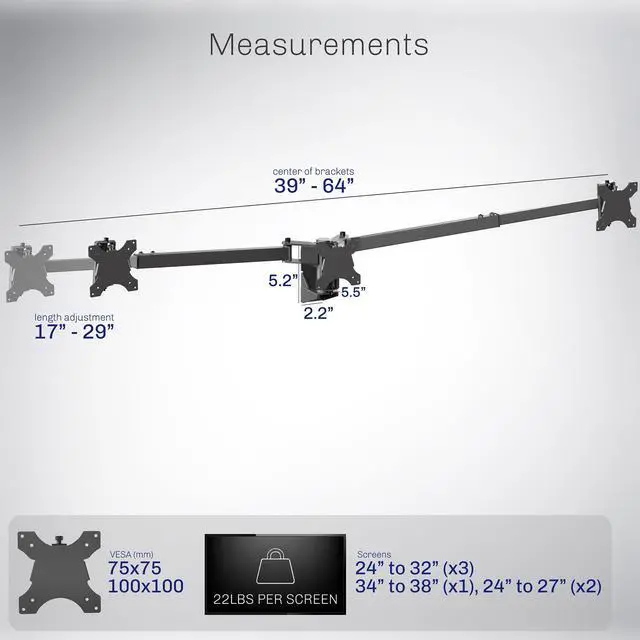
The VIVO Premium Telescoping Triple Monitor Wall Mount holds three monitors up to 22 lbs each and is suited to users who want an adjustable, flush-to-wall setup for either three 24–32-inch screens or a 34–38-inch ultrawide with two 24–27-inch monitors.
| Attribute | Value |
|---|---|
| Best For | Triple-monitor wall-mounted setups using compatible monitors up to 38 inches |
| Mounting And Compatibility | Wall mount for monitors with 100 × 100 mm VESA holes, rated for screens up to 22 lb each |
| Articulation And Adjustment | Articulating movement with up to 90° tilt |
| Construction And Dimensions | Black alloy steel construction; mount dimensions are 64 × 5.5 × 5.2 in |
| Model Identifiers | VIVO MOUNT-TS03C |
Q: VIVO MOUNT-TS03C wall mount or STAND-TS03C desk mount—which should I choose?
A: Choose the MOUNT-TS03C if you want to attach the three-screen setup to wood studs; choose the STAND-TS03C if you want to attach it to a desk with a clamp or grommet. Both support up to 22 lb per screen and offer the same ultrawide-plus-two-standard or three-standard-screen layouts.
Q: VIVO MOUNT-TS03C or STAND-V103 for three monitors?
A: Choose the MOUNT-TS03C for a wood-stud wall installation, telescoping arms, or a 34–38-inch center ultrawide with two 24–27-inch side screens. Choose the STAND-V103 for a desk-mounted setup with three 23–32-inch monitors. Both support up to 22 lb per screen.
Q: VIVO MOUNT-TS03C or STAND-V103C for a flush-to-wall setup?
A: Choose the MOUNT-TS03C for a wall-mounted setup that supports up to 22 lb per screen and can accommodate a center ultrawide up to 38 inches. Choose the STAND-V103C for a desk-mounted flush-to-wall arrangement with three 21.5–27-inch screens; it supports up to 15.4 lb per screen.
Q: Should I use the MOUNT-TS03C with a center ultrawide or three standard monitors?
A: The MOUNT-TS03C supports either layout: one 34–38-inch center ultrawide with two 24–27-inch side monitors, or three 24–32-inch standard monitors. Choose the ultrawide layout to center a wider main display, or the standard layout when all three screens are within the listed 24–32-inch range.
Q: Will this mount fit my three monitors?
A: It supports three monitors with VESA 75×75 mm or 100×100 mm mounting holes, up to 22 lb per screen. The listed setups are three 24–32-inch monitors, or one 34–38-inch ultrawide with two 24–27-inch monitors. Check each monitor’s weight, VESA pattern, and size before buying.
Q: Can I use a large center ultrawide with smaller monitors on the sides?
A: Yes. The listed mixed-screen setup is one 34–38-inch center ultrawide with two 24–27-inch side monitors. Each screen must also meet the 22 lb per-monitor limit and use a 75×75 mm or 100×100 mm VESA pattern.
Q: Can I rotate the monitors between portrait and landscape?
A: Yes. The mount supports 360-degree screen rotation, so compatible monitors can be positioned in portrait or landscape orientation. It also offers tilt and swivel adjustment for changing viewing angles.
Q: Is this a good choice if I want to keep my desk clear?
A: It is designed for wall mounting rather than attaching to a desk, so it can keep the monitor support off the desktop. The product information specifies installation into wood studs; confirm the wall structure and mounting location are suitable before installation.
Q: Can this mount hold an ultrawide with two side monitors?
A: Yes. It supports a 34–38-inch center ultrawide with two 24–27-inch side monitors, provided each screen weighs no more than 22 lb and has 75×75 mm or 100×100 mm VESA holes.
Q: Can I place the three monitors close to the wall?
A: The mount is designed for a low-profile, flush-to-wall setup, and its telescoping arms adjust outward. It attaches to wood studs, so check stud placement and the intended screen positions before installation.
Q: Would three separate monitor mounts give me more positioning flexibility?
A: Reddit users discussing triple-monitor setups note that separate mounts can offer more flexibility. This mount provides tilt, swivel, and rotation, but uses a fixed center position with telescoping side arms; choose it for a unified, close-to-wall arrangement rather than maximum independent placement.