




 here!
I’m your shopping assistant for PC builds, upgrades, and everything tech.
Got questions? Ask away!
Start a conversation
here!
I’m your shopping assistant for PC builds, upgrades, and everything tech.
Got questions? Ask away!
Start a conversation



Any questions? Ask CelesteSM will help you find out quickly.
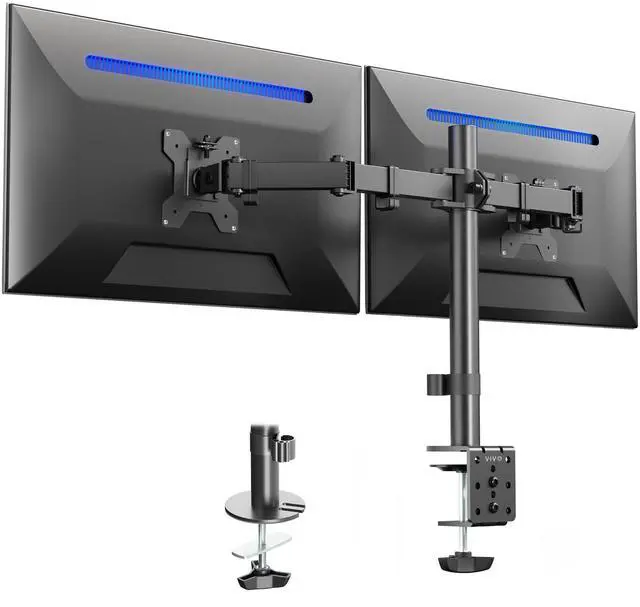
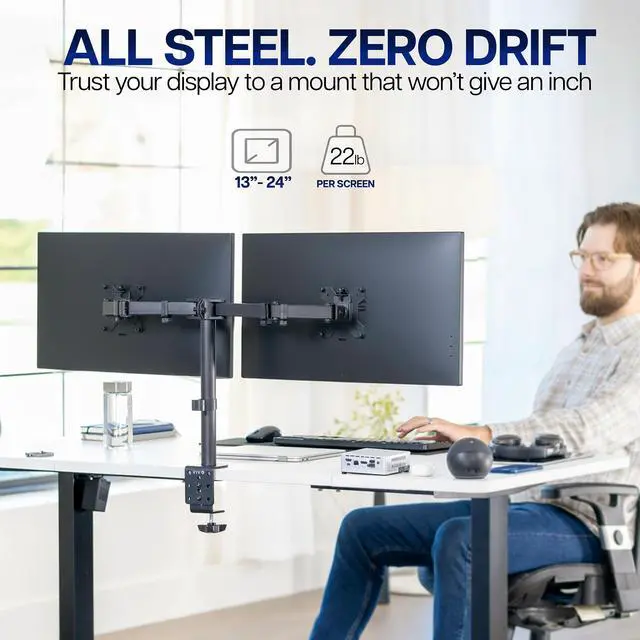
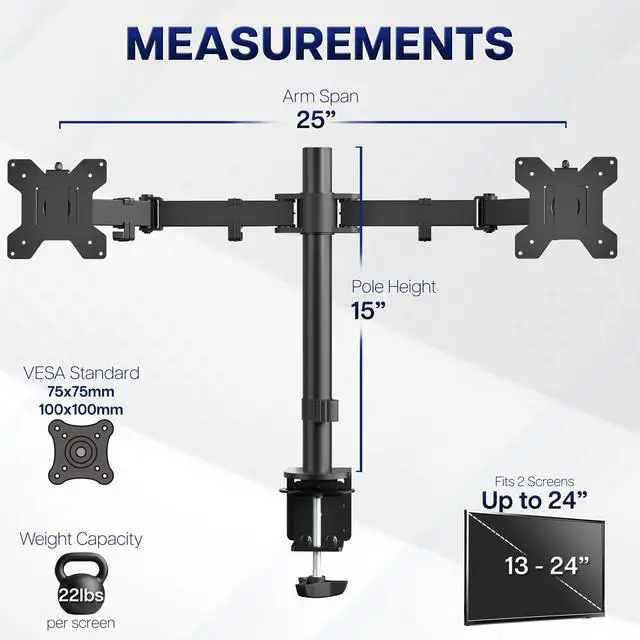
Enjoy double the viewing with the Dual Monitor Desk Mount (STAND-V024) from VIVO! Made of high-grade steel and aluminum, this stand fits most screens up to 24 in size and supports up to 22 lbs per monitor. Every joint can be tightened to adjust exactly how fluid/stationary you want everything to be. Special features include the ability for each VESA plate to be adjusted up and down by 0.5 so your monitors will be perfectly aligned. We also make mounting your screens easy with detachable VESA plates that screw into your monitors and then slide back onto the frame of the stand. Heavy duty C-clamp and grommet mounting options are included. All hardware and instructions are provided so you can get your new stand assembled and providing comfortable viewing angles in no time!
Compatibility:
Specifications:
The VIVO Black Dual Monitor Adjustable Desk Mount holds two 13–24-inch monitors weighing up to 22 lb each, making it suitable for home or office users who want adjustable, side-by-side displays with tilt, swivel, rotation, and height adjustment.
| Attribute | Value |
|---|---|
| Best For | Dual-monitor desk setups with 13–24-inch monitors |
| Monitor Compatibility And Capacity | For monitors up to 22 lb with a 100 × 100 mm VESA mount |
| Movement And Adjustment | Articulating mount with up to 90° tilt |
| Mounting And Construction | Tabletop mount with a metal enclosure |
| Color And Weight | Black; weighs 7.41 lb |
| Model Identifiers | VIVO STAND-V024 |
Q: VIVO STAND-V024 or STAND-V002 for two monitors?
A: Choose the STAND-V024 for two 13–24-inch screens: it supports up to 22 lb per screen and offers side-by-side positioning. Choose a STAND-V002 size variant when you want support for larger screens; the series offers configurations for screens up to 38 inches, with the same 22 lb per-screen capacity.
Q: Should I choose the VIVO STAND-V024 or STAND-V002K?
A: Choose the STAND-V024 for 13–24-inch monitors and adjustable joints with height adjustment along the center pole. Choose the STAND-V002K for 17–32-inch monitors and mechanical spring arms that provide height adjustment. The STAND-V002K supports up to 19.8 lb per monitor; the STAND-V024 supports up to 22 lb per monitor.
Q: VIVO STAND-V024 or STAND-V002T for a dual-monitor setup?
A: Choose the STAND-V024 for side-by-side placement of two 13–24-inch monitors. Choose the STAND-V002T for a vertically stacked arrangement and screens up to 34 inches. Both support up to 22 lb per screen and include height adjustment along a center pole.
Q: Is the VIVO STAND-V024 a good fit for two 24-inch monitors?
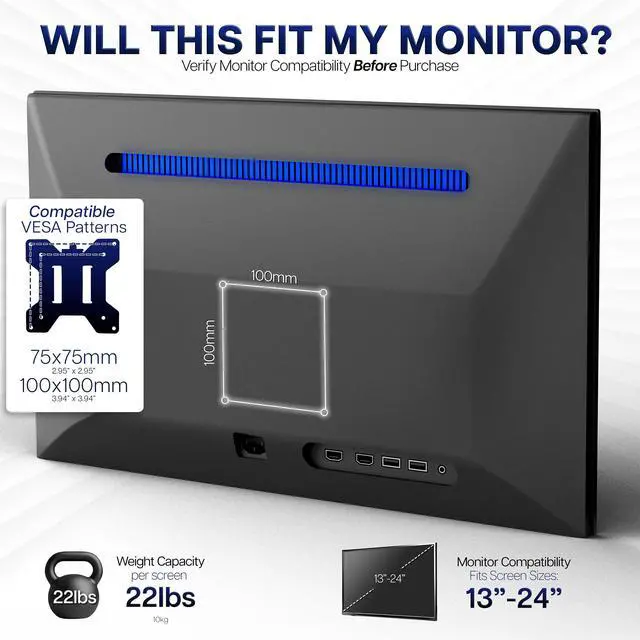
A: Yes. The STAND-V024 is specified for two 13–24-inch monitors, up to 22 lb each, with VESA 75×75 mm or 100×100 mm mounting patterns. Its arms support tilt, swivel, and rotation, and the monitors can be set in portrait or landscape orientation.
Q: Will this mount fit my two monitors?
A: It fits two monitors, each 13–24 inches and up to 22 lb, with 75 × 75 mm or 100 × 100 mm VESA mounting holes. Check each monitor’s weight and VESA pattern before buying.
Q: Will the clamp fit my desk, and can I use a grommet mount instead?
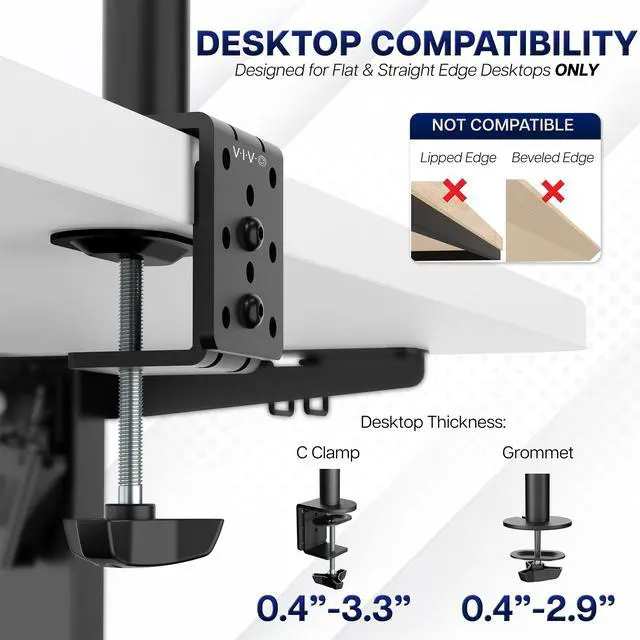
A: The C-clamp fits desk surfaces 0.4–3.3 inches thick. A grommet mounting option is also included and supports desk thicknesses of 0.4–2.9 inches; check your desk’s thickness and grommet setup before installing.
Q: Can I adjust the screens or turn them to portrait orientation?
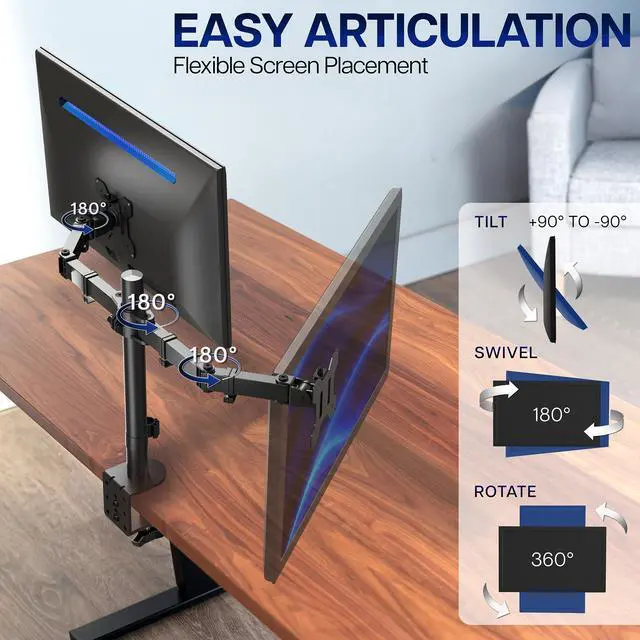
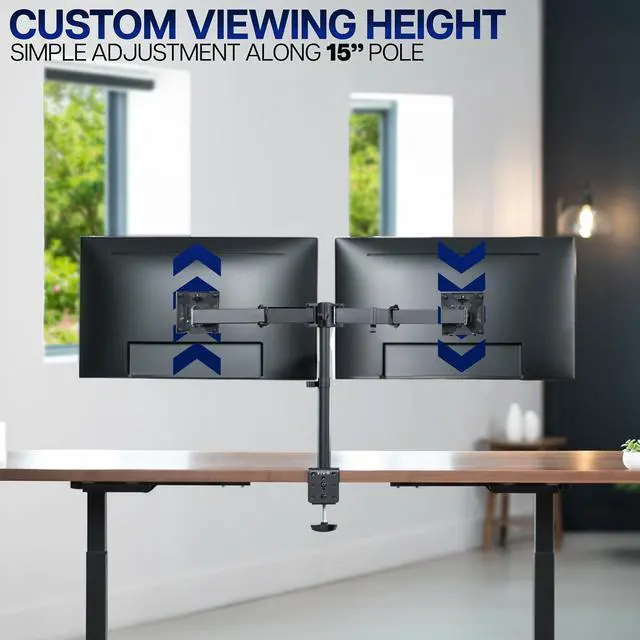
A: Yes. The mount offers height adjustment along its center pole, +90° to −90° tilt, 180° swivel, and 360° rotation. The monitors can be positioned in portrait or landscape orientation.
Q: Who is this dual monitor mount suitable for?
A: It suits people setting up two compatible monitors on one desk who want adjustable screen positioning and cable clips for organizing cords. It is not suitable for screens larger than 24 inches, heavier than 22 lb each, or without a supported VESA pattern.
Q: Will this mount work with two 24-inch monitors?
A: It is specified for two 13–24-inch monitors, up to 22 lb each, with 75×75 mm or 100×100 mm VESA holes. Check each monitor’s weight and mounting pattern before buying. Reddit users also discuss using VIVO dual mounts with two 24-inch screens, though those discussions may refer to different VIVO models.
Q: Can I adjust each monitor independently, or position them side by side?
A: The mount offers tilt, swivel, rotation, and height adjustment along the center pole. The product information does not specify independent height adjustment for each monitor. Reddit users report that positioning and lining up screens can be a limitation with some VIVO dual-mount designs, so consider two separate arms if independent placement is essential.
Q: Will the clamp fit my desk or the space behind it?
A: The C-clamp is specified for desk surfaces up to 3.3 inches thick, and a grommet mount is also included. Measure the desk edge and any nearby shelf, cable tray, or wall clearance: Reddit users raise fit and clearance as practical concerns, and the listed thickness limit alone does not confirm that the clamp will fit every desk layout.


