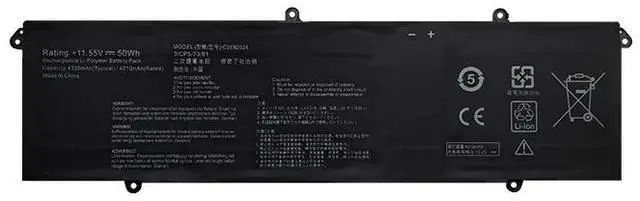
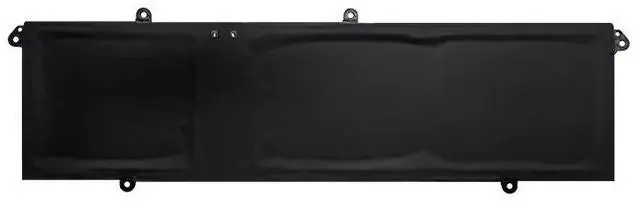
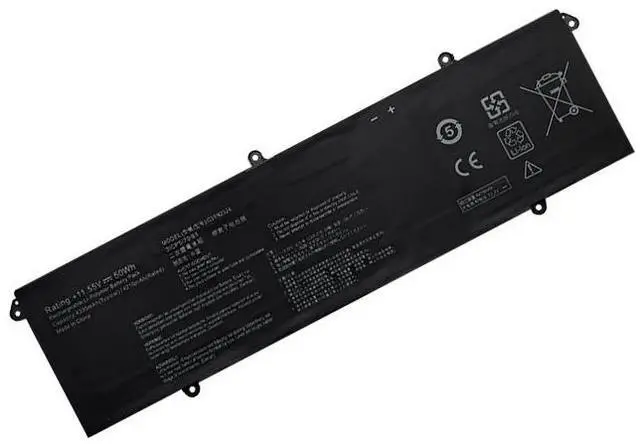
Guaranteed Compatibility: For ASUS VivoBook Pro 14 OLED Models
This battery is precision-designed for specific ASUS VivoBook Pro 14 models featuring OLED displays, ensuring perfect fit and optimal performance.
Replaces OEM Part Numbers:
C31N2024
0B200-04070000
Compatible Laptop Series & Models:
ASUS VivoBook Pro 14 OLED M3401QC Series
ASUS VivoBook Pro 14 OLED X3400PA Series
ASUS VivoBook Pro 14 OLED X3400PH Series
ASUS VivoBook Pro 14 OLED K3400PA Series
ASUS VivoBook Pro 14 OLED K3400PH Series
Pro Tip: For absolute compatibility assurance, locate your laptop's model number on the bottom cover (e. g., M3401QC or X3400PA) or find it in Windows Settings > System > About. Verify the part number on your original battery is C31N2024.
Premium Battery
Specifications
Voltage: 11.55V (Matches OEM Specification)
Capacity: 50Wh / 4335mAh (Matches OEM Specification)
Battery Type: Lithium-ion (Li-ion) - Premium Grade A Cells
Color: Black
Condition: 100% Brand New. Not refurbished or reconditioned.
Why Choose This Battery for Your ASUS VivoBook Pro 14 OLED?
OEM-Identical Performance: Precisely matches the original 11.55V and 50Wh specifications for stable power delivery, essential for the high-performance CPU/GPU and vibrant OLED display.
Optimized for OLED Displays: Provides consistent power to maintain the brilliant color and contrast of your OLED screen without compromising performance.
Perfect Fit & Easy Installation: Designed as a direct drop-in replacement for a hassle-free install with no modifications required.
Built-in Safety Protections: Advanced circuitry provides comprehensive protection against overcharging, over-discharging, short circuits, and overheating.
Restore Creative Mobility: Effectively revives your laptop's battery life, allowing for cord-free creative work, design, and entertainment.
Installation & Support
Professional Installation Recommended: Modern ASUS laptops often have internal batteries secured with adhesive. We recommend seeking professional repair service for installation to avoid damaging your device.
Calibration Tip: After installation, for the most accurate battery life indicator, fully charge the battery to 100% and then allow it to drain completely before recharging.
Dedicated Support: Our customer service team is available to assist with pre-purchase compatibility questions.
Important Notes
Disclaimer: This is a high-quality replacement battery. ASUS and VivoBook are trademarks of ASUS
TeK Computer Inc. This product is not affiliated with or endorsed by the original manufacturer.
Battery Care: For optimal battery health and longevity, avoid extreme temperatures and try not to keep the battery consistently at 0% or 100% charge.





 here!
here!
 Top Rated