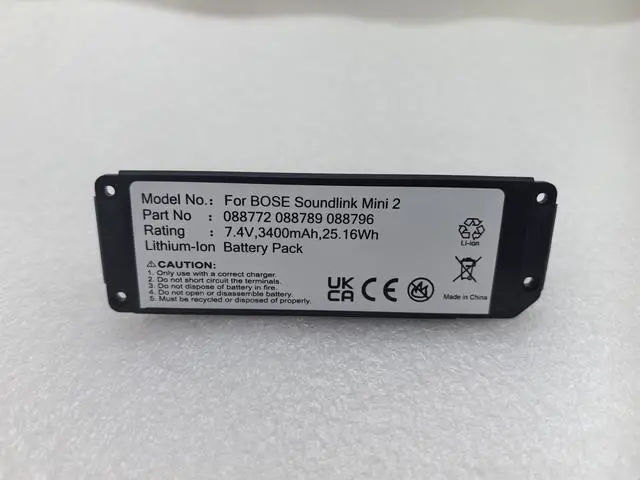
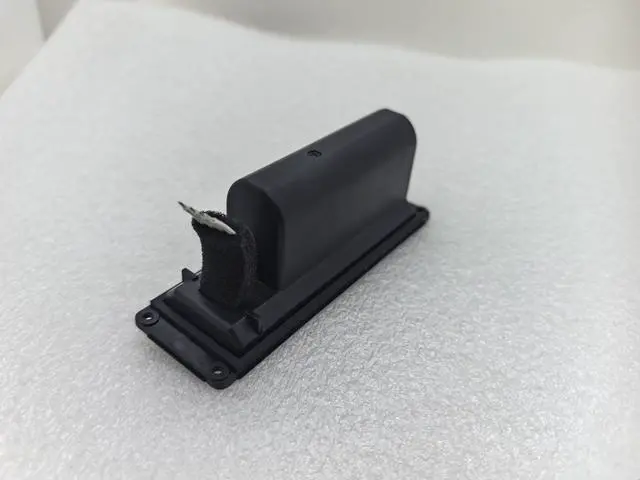
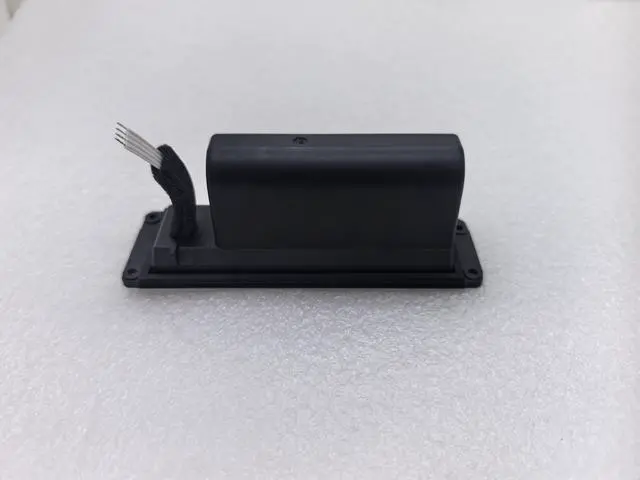
Why You Need This Battery for Your Bose SoundLink Mini 2
Your Bose SoundLink Mini 2 is a beloved portable speaker great sound, compact design. But after years of use, the
original battery degrades: shorter playtime, red light flashing, or the speaker wont power on at all. Replacing it is far cheaper than buying a new speaker.
CRITICAL Read Before Ordering
Soldering Required This battery requires soldering for installation. It is NOT a plugandplay dropin replacement. If you do not have soldering skills, please do not order this battery have a professional install it, or do not purchase.
For Original Bose Speakers Only Please ensure your Bose SoundLink Mini 2 is an original unit. This battery is designed for original Bose hardware only clones or counterfeit units may not work.
Designed for Bose SoundLink Mini 2 / II
Compatible with:
Bose SoundLink Mini 2
Bose SoundLink Mini II
Replaces OEM part numbers: 088789, 088796, 088772
Specifications
You Can Trust
Specification Detail
Compatible Models Bose SoundLink Mini 2 / II
Chemistry Liion
Voltage 7.4V
Capacity 2230mAh / 17Wh (true capacity)
Color Black
Condition Brand new Grade A cells
Warranty 30day return + 12 months
Installation & Troubleshooting Guide
After installing the new battery, you
may encounter the following:
LED Status What It Means What To Do
Yellow or Blue light, but speaker won't start Firmware needs to be updated Update the Bose firmware from the official Bose website. If the speaker is recognized by the updater tool, the battery is good just update and restart.
Red light (after flashing once) Possible motherboard issue or failed battery
Step 1: Try updating the firmware once.
Step 2: If still red after one attempt, do not keep trying the motherboard likely has a problem. Please have the speaker diagnosed by a professional.
No light at all / won't power on Check soldering connections or motherboard failure Verify all solder points are clean and secure. If connections are good, the motherboard may be faulty.
Important Tips from Our Team
If the speaker has a red light try updating the firmware once. If it still shows red, the motherboard is likely the issue stop trying and have it repaired.
If the speaker lights up yellow or blue it usually indicates the battery is working, but the firmware needs an update. Update via the Bose website.
All batteries are fully tested before shipping we guarantee they arrive in good working condition.
What a Cheap or Failing Battery Costs You
Short playtime Music stops after 3060 minutes.
Swelling Dangerous bulging that can damage the speaker enclosure.
False capacity Label says 2230mAh, but actual is 15001800mAh.
Wasted time Cheap batteries fail quickly, requiring another replacement.
What Our Battery Delivers
Feature Cheap Generic Our Premium Battery
True Capacity Often 15001800mAh 2230mAh (tested)
Cells Recycled or lowgrade Brand new Grade A
Swelling Risk High within months Low, proper BMS
Warranty None or 30 days 30day return + 12 months
Whats Included
1 x Replacement Battery for Bose SoundLink Mini 2
Before You Order Final Checklist
I have an original Bose SoundLink Mini 2 (not a clone/counterfeit).
I have soldering skills or will have a professional install this battery.
I understand that yellow/blue light after installation requires a firmware update.
I understand that red light may indicate a motherboard issue (try updating firmware once, then stop).
I understand this is NOT a plugandplay dropin replacement.
If all boxes are checked, order with confidence.





 here!
here!