here!
here!
I’m your shopping assistant for PC builds, upgrades, and everything tech.
Got questions? Ask away!
Start a conversation
here!
I’m your shopping assistant for PC builds, upgrades, and everything tech.
Got questions? Ask away!
Start a conversation Top Rated Top Rated



Any questions? Ask CelesteSM will help you find out quickly.


Your Premier Source for Laptop and Tablet Batteries. As a distinguished manufacturer, we have honed our expertise in producing an array of specialized laptop and tablet batteries.
Our foundation rests on a core product philosophy of unwavering commitment to high-quality, safety, and reliability. With over a decade of dedicated experience in laptop battery production and research, UGXKNAE Laptop Batteries have evolved to stand at the forefront of innovation.
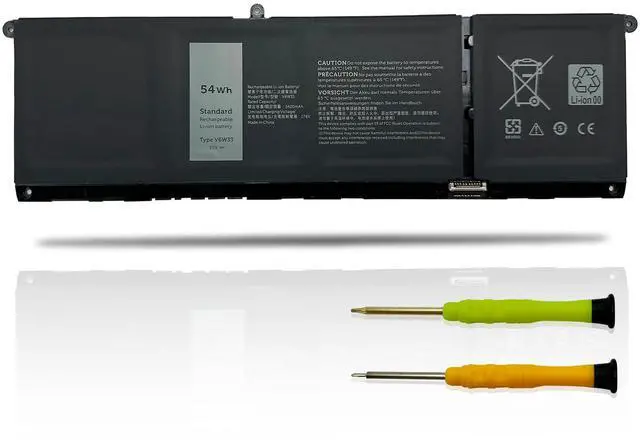
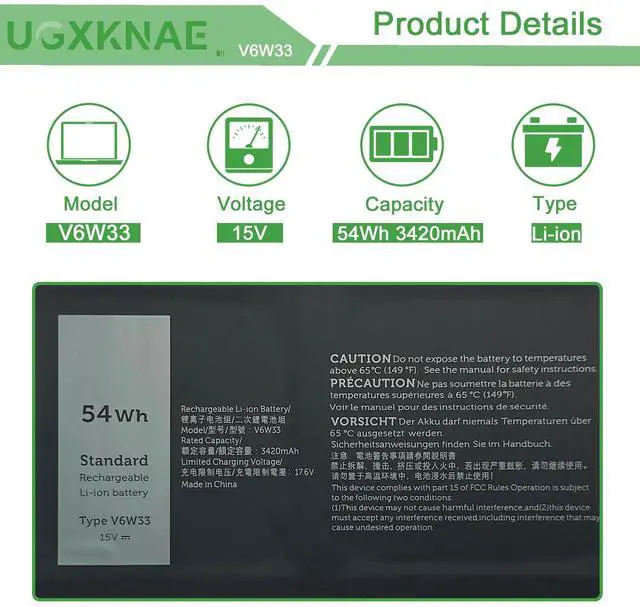
Battery Model: V6W33
Voltage: 15V
Capacity: 54Wh 3420mAh
Battery Type: Li-ion
Condition: 100% New from Manufacturer, Grade A Cell
REPLACEMENT PART NUMBER:
V6W33 G91J0 0WV3K8 0VKYJX 0XDY9K 0MVK11 0PG8YJ 0927N5 0FH3K2 0MGCM5

For purchasing the correct replacement battery, please check your original battery and also the specific laptop model. (combine Method 1 & 2)
Method 1.Check your original battery's type model and shape by removing the laptop back cover. Then search the part number to find the replacment battery.
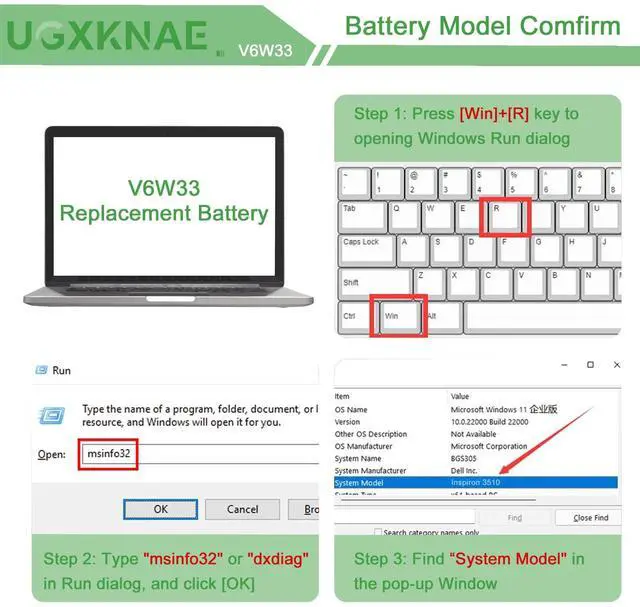
Method 2. Check your specific laptop model name by pressing [Win] + [R] key and entering [msinfo32] or [dxdiag]. Then click OK to find your system model. Find the replacement battery base on your laptop model name.
Compatible with Dell Laptop Models:(Use "Ctrl"+"F" to find your laptop model)
for Dell Inspiron 13 5330 5320 5310 Series,
for Dell Inspiron 14 5410 5415 5418 5420 5425 5435 5430 Series
for Dell Inspiron 14 Plus 7420 Series
for Dell Inspiron 15 3510 3511 3515 3520 3525 3535 3530 Series
for Dell Inspiron 15 5510 5518 5515 Series
for Dell Inspiron 16 5625 5635 5630 Series
for Dell Inspiron 14 5410 2-in-1 Series
for Dell Inspiron 14 7415 2-in-1 Series
for Dell Inspiron 14 7420 2-in-1 Series
for Dell Inspiron 14 7425 2-in-1 Series
for Dell Inspiron 14 7435 2-in-1 Series
for Dell Inspiron 14 7430 2-in-1 Series
for Dell Inspiron 16 7620 2-in-1 Series
for Dell Latitude 3320 3330 3520 3420 Series
for Dell Vostro 15 3510 3511 3515 3525 3520 Series
for Dell Vostro 13 5320 5310 Series
for Dell Vostro 14 3420 3425 5415 5410 Series
for Dell Vostro 15 5515 5510 Series
for Dell Vostro 5620 5625 Series

All UGXKNAE batteries meet or exceed all OEM specifications for safety and efficiency. All the batteries are 100% brand new.
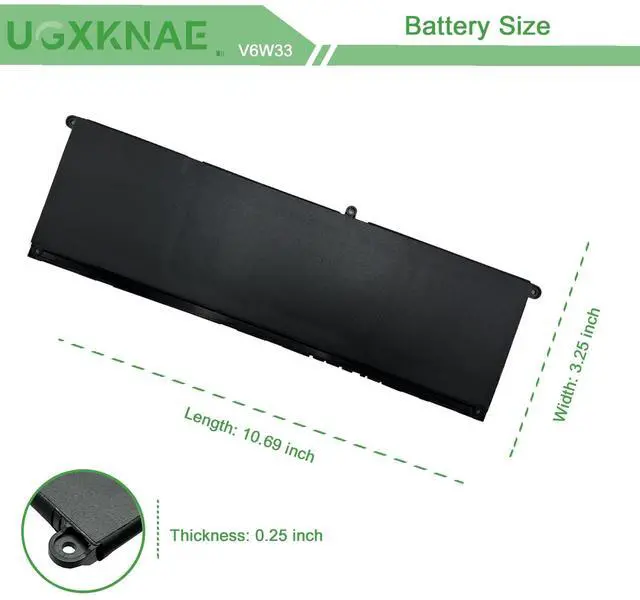
Same dimensions as the original battery, no need to concern yourself with assembly or compatibility problems.

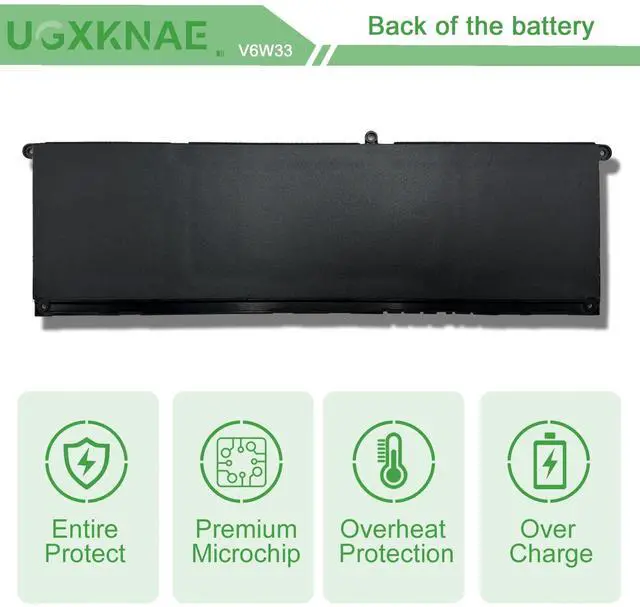
Each battery contains built in multi-protection functions, including safeguards against short circuits, overheating, and overloads, ensuring maximum safety.

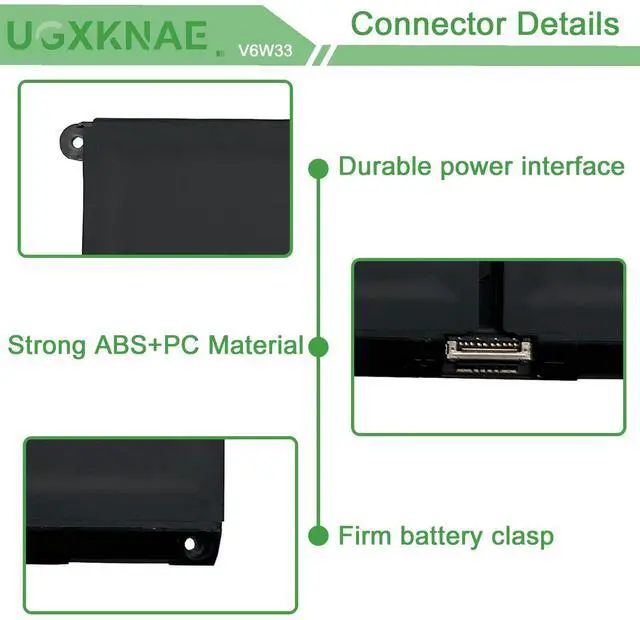
Power Interface: Gold-plated connector points ensure outstanding current conductivity and stable performance.
Enclosure: Made from premium ABS + PC materials, this enclosure offers exceptional heat resistance, protecting your laptop from overheating.
Battery Buckle: The battery buckle firmly attaches to the laptop, guaranteeing a stable power connection via its metal interface.

Lost Battery Connection: Ensure that the battery cable is securely attached and that the motherboard connector is tightly plugged in. A loose connection can prevent the laptop from detecting the battery.
Damage to Motherboard Contacts: Damage to the conductive material on the laptop's motherboard, particularly at the points where it connects with the battery's anode and cathode, could be the culprit. You can verify this by testing with your original battery.
Battery Driver Issues: Check the functionality of the battery driver. If it's not working correctly, consider downloading and installing the appropriate driver software to update it, which may resolve the recognition problem.
By addressing these potential causes, you can troubleshoot and potentially resolve the issue of your laptop not recognizing the battery.
Your Premier Source for Laptop and Tablet Batteries. As a distinguished manufacturer, we have honed our expertise in producing an array of specialized laptop and tablet batteries.
Our foundation rests on a core product philosophy of unwavering commitment to high-quality, safety, and reliability. With over a decade of dedicated experience in laptop battery production and research, UGXKNAE Laptop Batteries have evolved to stand at the forefront of innovation.
Battery Model: V6W33
Voltage: 15V
Capacity: 54Wh 3420mAh
Battery Type: Li-ion
Condition: 100% New from Manufacturer, Grade A Cell
REPLACEMENT PART NUMBER:
V6W33 G91J0 0WV3K8 0VKYJX 0XDY9K 0MVK11 0PG8YJ 0927N5 0FH3K2 0MGCM5
For purchasing the correct replacement battery, please check your original battery and also the specific laptop model. (combine Method 1 & 2)
Method 1.Check your original battery's type model and shape by removing the laptop back cover. Then search the part number to find the replacment battery.
Method 2. Check your specific laptop model name by pressing [Win] + [R] key and entering [msinfo32] or [dxdiag]. Then click OK to find your system model. Find the replacement battery base on your laptop model name.
Compatible with Dell Laptop Models:(Use "Ctrl"+"F" to find your laptop model)
for Dell Inspiron 13 5330 5320 5310 Series,
for Dell Inspiron 14 5410 5415 5418 5420 5425 5435 5430 Series
for Dell Inspiron 14 Plus 7420 Series
for Dell Inspiron 15 3510 3511 3515 3520 3525 3535 3530 Series
for Dell Inspiron 15 5510 5518 5515 Series
for Dell Inspiron 16 5625 5635 5630 Series
for Dell Inspiron 14 5410 2-in-1 Series
for Dell Inspiron 14 7415 2-in-1 Series
for Dell Inspiron 14 7420 2-in-1 Series
for Dell Inspiron 14 7425 2-in-1 Series
for Dell Inspiron 14 7435 2-in-1 Series
for Dell Inspiron 14 7430 2-in-1 Series
for Dell Inspiron 16 7620 2-in-1 Series
for Dell Latitude 3320 3330 3520 3420 Series
for Dell Vostro 15 3510 3511 3515 3525 3520 Series
for Dell Vostro 13 5320 5310 Series
for Dell Vostro 14 3420 3425 5415 5410 Series
for Dell Vostro 15 5515 5510 Series
for Dell Vostro 5620 5625 Series
All UGXKNAE batteries meet or exceed all OEM specifications for safety and efficiency. All the batteries are 100% brand new.
Same dimensions as the original battery, no need to concern yourself with assembly or compatibility problems.
Each battery contains built in multi-protection functions, including safeguards against short circuits, overheating, and overloads, ensuring maximum safety.
Power Interface: Gold-plated connector points ensure outstanding current conductivity and stable performance.
Enclosure: Made from premium ABS + PC materials, this enclosure offers exceptional heat resistance, protecting your laptop from overheating.
Battery Buckle: The battery buckle firmly attaches to the laptop, guaranteeing a stable power connection via its metal interface.
Lost Battery Connection: Ensure that the battery cable is securely attached and that the motherboard connector is tightly plugged in. A loose connection can prevent the laptop from detecting the battery.
Damage to Motherboard Contacts: Damage to the conductive material on the laptop's motherboard, particularly at the points where it connects with the battery's anode and cathode, could be the culprit. You can verify this by testing with your original battery.
Battery Driver Issues: Check the functionality of the battery driver. If it's not working correctly, consider downloading and installing the appropriate driver software to update it, which may resolve the recognition problem.
By addressing these potential causes, you can troubleshoot and potentially resolve the issue of your laptop not recognizing the battery.
Specification:
Model: V6W33
Voltage: 15V
Capacity: 54Wh 3600mAh
Battery Type: Li-ion
Battery Condition: Brand New
Warranty: 12 Months. If you have any issue, please contact us through the seller's after-sales service, we will help you resolve the problem.
Replace Part Number:
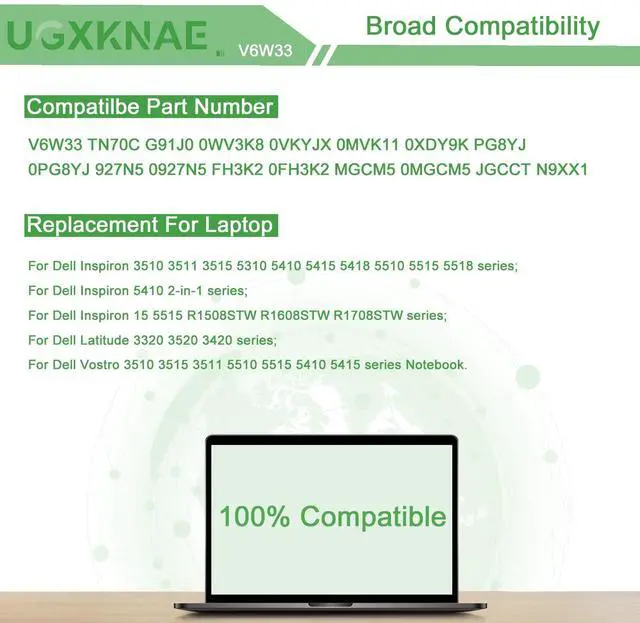
V6W33 TN70C G91J0 0WV3K8 0VKYJX 0XDY9K 0MVK11 PG8YJ 0PG8YJ 927N5 0927N5 FH3K2 0FH3K2 0MGCM5 MGCM5 JGCCT N9XX1
Compatible NoteBook:
for Dell Latitude 3320 3420 3520 Inspiron 5310 5410 5418 5415 Inspiron 5410 2-in-1 Inspiron 3510 3511 3515 5510 5518 5515 Vostro 5310 5410 5415 5515 5510 3515 3510 Series Notebook.
| Number of Batteries | 1 Lithium Ion batteries required. (included) |
| Brand | UGXKNAE |
| Battery Cell Composition | Lithium Ion |
| Battery Capacity | 54 Watt Hours |
| Recommended Uses For Product | Laptop |
| Package Dimensions | 14.17 x 3.94 x 1.26 inches |
| Item Weight | 12.3 ounces |
| Item model number | V6W33 |
| Batteries | 1 Lithium Ion batteries required. (included) |
| Date First Available | July 8, 2023 |
| Manufacturer | UGXKNAE |