You’re seeing this ad based on the product’s relevance to your search query. If you are a seller and want to participate in this program click here to learn more.
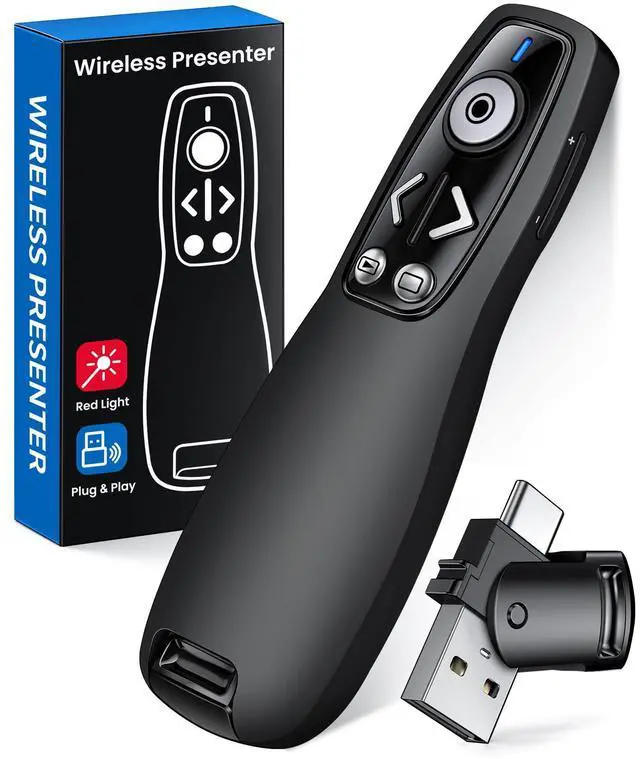
Presentation Clicker Wireless Presenter Remote for PowerPoint, Powerpoint Clicker with Volume Control PowerPoint Slide Advancer for Mac, Computer, Laptop-E600
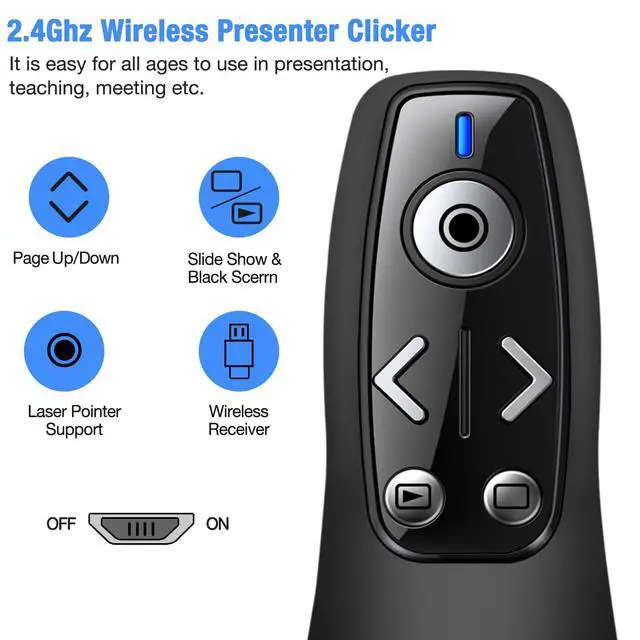
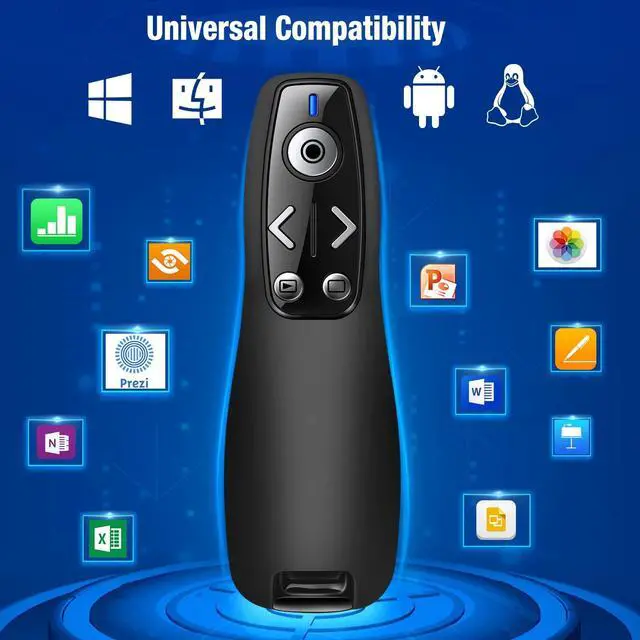
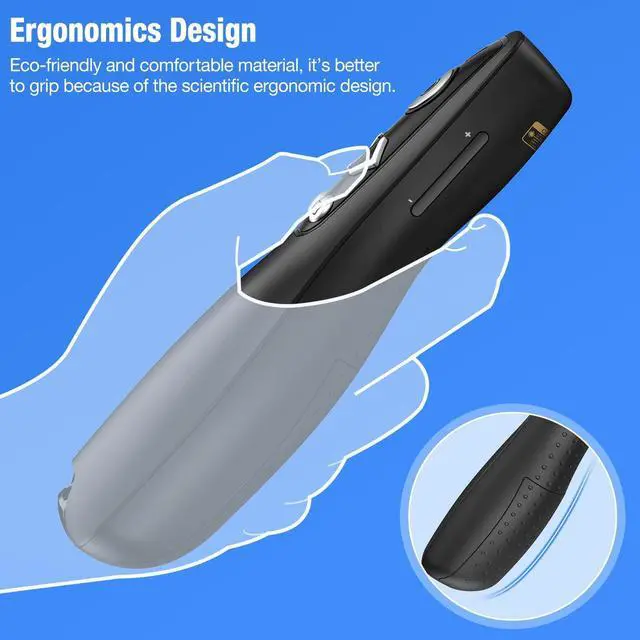
PRESENTATION CLICKERPresentation pointer supports Volume Control, Switch Windows, Full/Black Screen, Page Up/Down. One button is one function, The contoured keys are located in just the right place and easy to find by touch. So your show goes smoothly, even in the darkest room
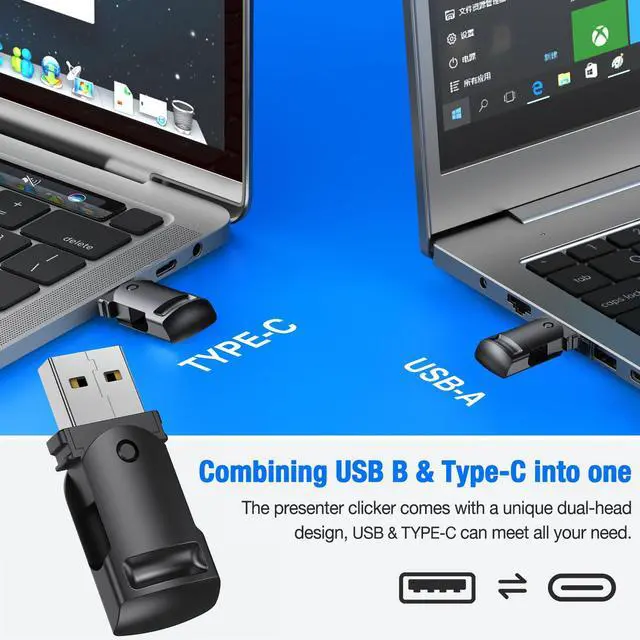
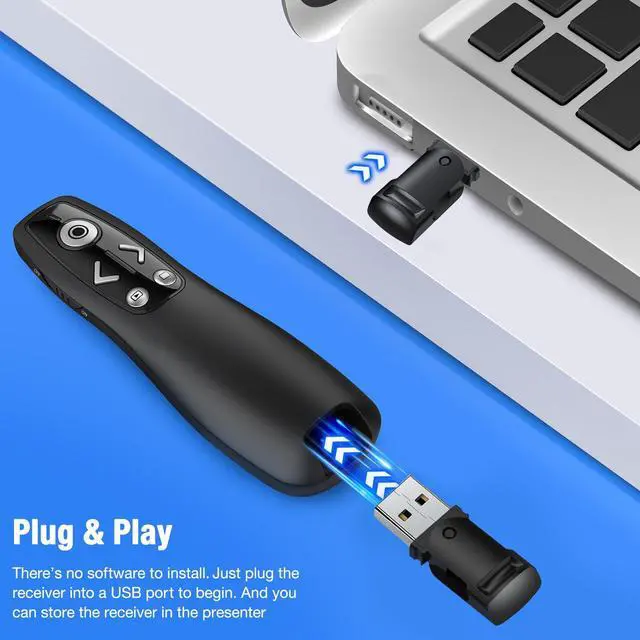
USB Type C PRESENTATION CLICKERThe presenter clicker comes with a unique dual-head design, USB & TYPE-C can meet all your need. You can smoothly switch between different port devices such as Mac, laoptop and pc, one for multiple computers. At the bottom of the slide clicker there is a magnet which can hold your USB dongle securely. (Powered by 2pcs AAA Battery are not included)
BRIGHT RED LIGHTWireless clicker for PowerPoint presentations, easy to see against most any background, can be used to highlight key parts of a presentation, then you can be sure they won't miss the point
EASY TO USEPlug the 2.4 GHz receiver into your computer's USB port and you're ready to start the show. You needn't have to set up anything and no software to install. The clicker for powerpoint presentation is suitable for all ages, when your presentation is over, simply store the receiver inside the presenter
Sponsored
You’re seeing this ad based on the product’s relevance to your search query. If you are a seller and want to participate in this program click here to learn more.
Any questions? Our AI beta will help you find out quickly.
Try me now
Presentation Clicker Wireless Presenter Remote for PowerPoint, Powerpoint Clicker with Volume Control PowerPoint Slide Advancer for Mac, Computer, Laptop-E600
Learn more about the Detailed Specifications
Additional Information
First Listed on Newegg
March 19, 2026
There are no reviews yet.
Do you own this product?
Warranty & Returns
Warranty, Returns, And Additional Information
Warranty
Please contact the Seller directly for warranty information. Warranty information may also be found on the Manufacturer's website.