Your Browsing History
Meet Your Seller
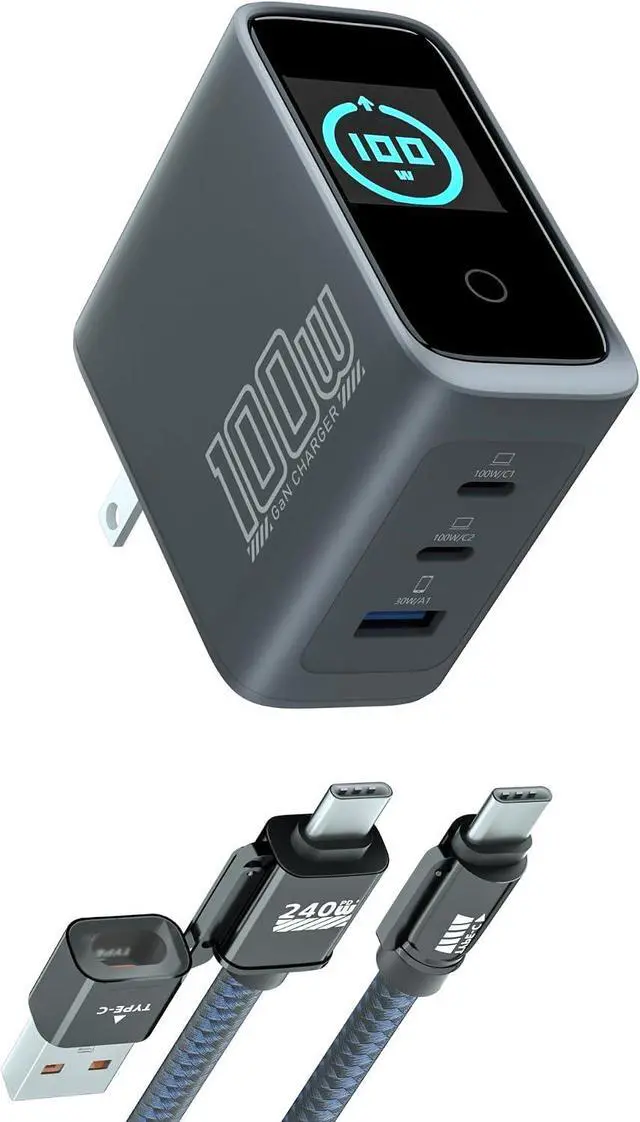
100W USB C Charger Block, GaN, 3-Port, PD 3.0 Fast Charger
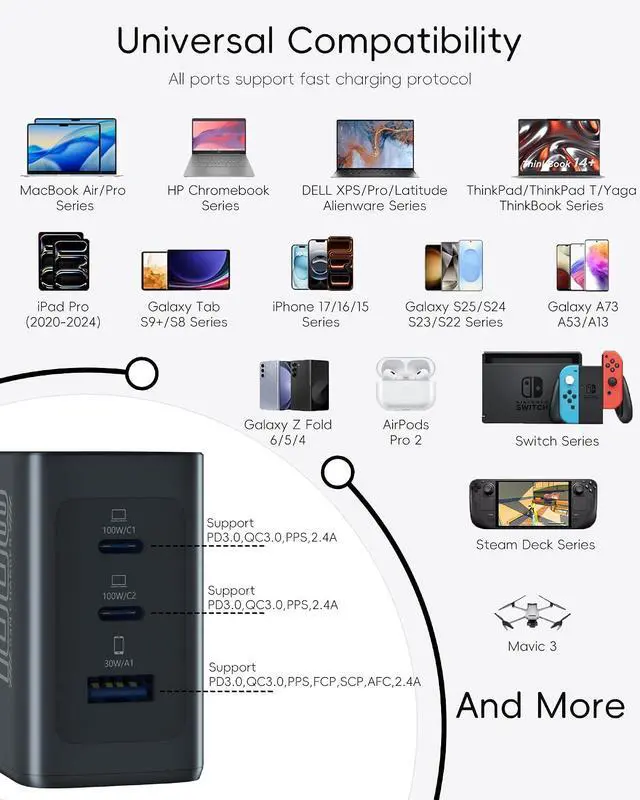
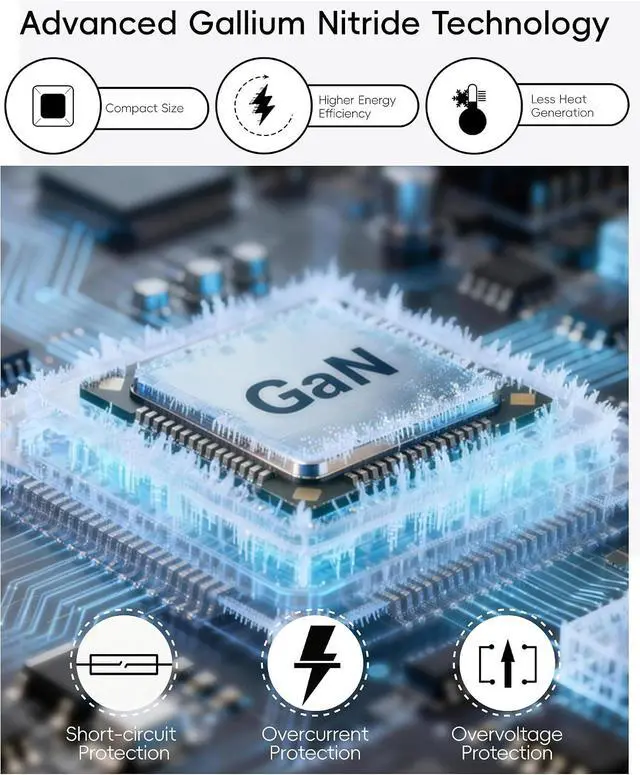
- 100W Fast GaN ChargingPowered by advanced GaN tech, this 100W USB C charger delivers single-port 100W max output,Charge MacBook Pro 16 "to 70% in one hour, 3x faster than standard chargers. Supports PD 3.0,PPS for wide compatibility
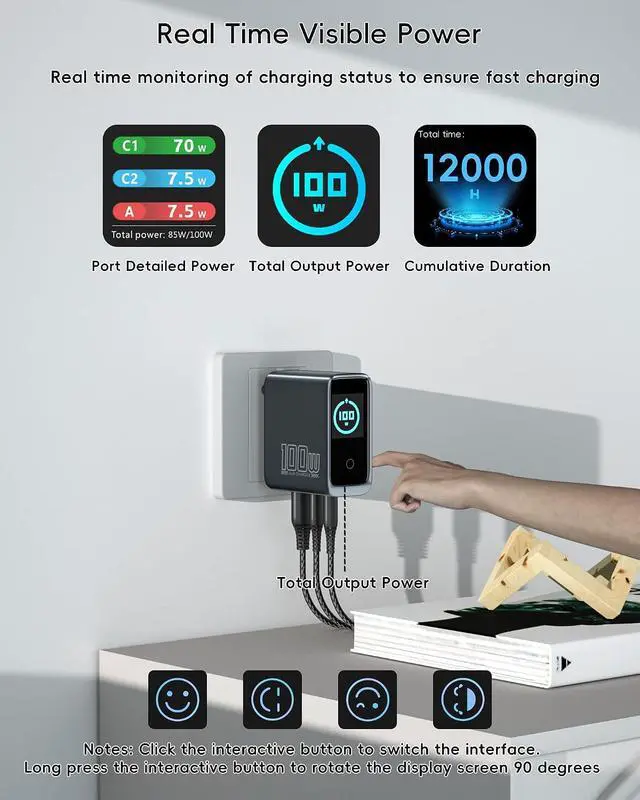
- Smart Digital Display & Safe ChargingBuilt-in intelligent digital display shows real-time power,Port power, charger usage duration Auto-adjusts power distribution for 3 devices simultaneously, with over-voltage, over-current, over-heat, and short-circuit protection for safe daily use
- 3-Port Multi-Device ChargingFeatures 2 USB-C ports + 1USB-A ports to charge 3 devices at once, ideal for laptops, tablets, phones, earbuds, and more. Perfect for home, office, travel, and desktop charging stations
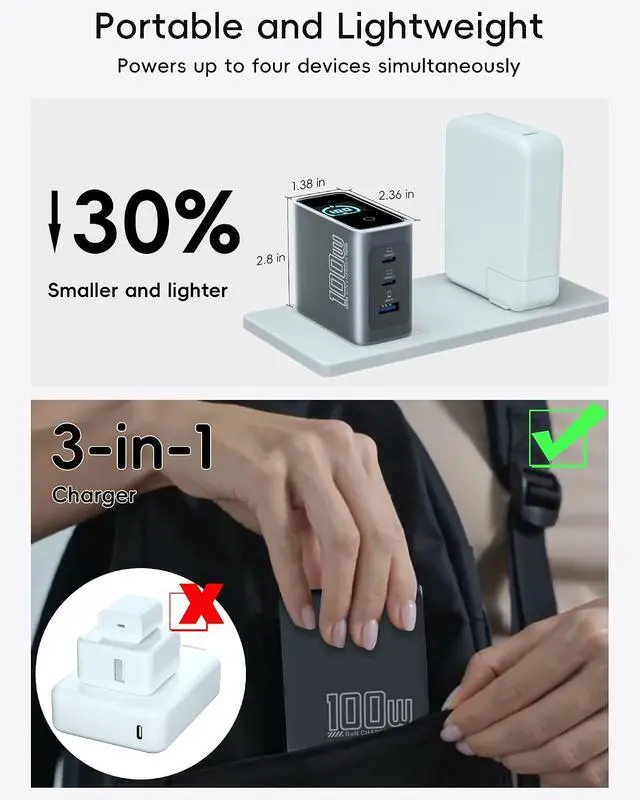
- Compact Foldable Plug & Travel-ReadyLightweight design, foldable AC plug, easy to store and carry. Wide voltage 100-240V makes it a global travel companion, replacing multiple bulky chargers
- What You Get100W,3-Port,PD 3.0 Fast Charger,5.9 ft 240W USB-C to U
+
+
Overview
Specs
Reviews
Any questions? Our AI mode will help you find out quickly.
Try me now
13 Ports Charging 22 Ports Charging 3Single Ports Charging 4Stress-Free Travel1Real Time Display2Smart Features3100W Super Fast Charging4Securely Fastened5Advanced GaN Technology1Superior compatibility2Two-in-One Perfect Cable3Excellent quality Model Number LP-100W-2C1A-US Total Wattage 100W Max Input 110-240V~ 2.5A Max, 50/60Hz Output (One Port in Use) USB-C 1: 5 V3A, 9V3A, 12V3A, 15V3A, 20V5A (100W Max); USB-C 2: 5 V3A, 9V3A, 12V3A, 15V3A, 20V5A (100W Max); USB-A 1: 5 V3A, 9V3A, 10V 2.25A, 12V 2.5A, 20V 1.5A (30W Max) Output (Two Port in Use) USB-C1 + USB-C 2: 65 W + 30W; USB-C1 + USB-A 1: 65 W + 30W; USB-C2 + USB-A 1:15 W Max; Output (Three Port in Use) USB-C1 + USB-C2 + USB-A 1:70 W+15W; Dimensions 2.36 in X 1.39 in X 2.83 in Weight 192 g / 6.78 oz Note 1 Due to Dell's proprietary charging protocol, some products may display a slow charging notification.
Note 2 When a port is not in use, unplug the cable to avoid affecting the maximum output power of other ports. Note 3 To achieve a charging speed of over 100W, an E-Marker cable is required. Additionally, your device must support this power level. Note 4 This product features over-temperature protection. To prevent damage, the charger will automatically reduce output power when high temperatures are detected. Note 5 Due to the MacBook's charging recognition mechanism, it is normal for the battery icon to display a plug symbol. It will return to normal after approximately one minute of charging.
Note 6 It is normal for high-power chargers to operate at higher temperatures than low-power models. This charger employs AI-driven intelligent temperature control technology to ensure temperatures consistently meet international safety standards, safeguarding device reliability and security. Note 7 It is normal for the displayed power to be lower than the rated power of devices such as smartphones and laptops. This occurs because the charging process for these devices follows a fluctuating power curve, typically reaching maximum power when the battery level is low and the screen is off. Factors like battery charge level, screen status, and temperature protection mechanisms all influence the actual charging power.
This phenomenon can occur even when using the device's original charger.

Note 2 When a port is not in use, unplug the cable to avoid affecting the maximum output power of other ports. Note 3 To achieve a charging speed of over 100W, an E-Marker cable is required. Additionally, your device must support this power level. Note 4 This product features over-temperature protection. To prevent damage, the charger will automatically reduce output power when high temperatures are detected. Note 5 Due to the MacBook's charging recognition mechanism, it is normal for the battery icon to display a plug symbol. It will return to normal after approximately one minute of charging.
Note 6 It is normal for high-power chargers to operate at higher temperatures than low-power models. This charger employs AI-driven intelligent temperature control technology to ensure temperatures consistently meet international safety standards, safeguarding device reliability and security. Note 7 It is normal for the displayed power to be lower than the rated power of devices such as smartphones and laptops. This occurs because the charging process for these devices follows a fluctuating power curve, typically reaching maximum power when the battery level is low and the screen is off. Factors like battery charge level, screen status, and temperature protection mechanisms all influence the actual charging power.
This phenomenon can occur even when using the device's original charger.
Warranty & Returns
Warranty, Returns, And Additional Information
Warranty
- Please contact the Seller directly for warranty information. Warranty information may also be found on the Manufacturer's website.
- CONTACT
Return Policies
- Return for refund within: 30 days
- Return for replacement within: 30 days
- This item is covered by LionTech Direct Return Policy
Manufacturer Contact Info
- For a directory of all our manufacturers, please click below.
- Manufacturers Directory
LOADING...