Your Browsing History
Meet Your Seller
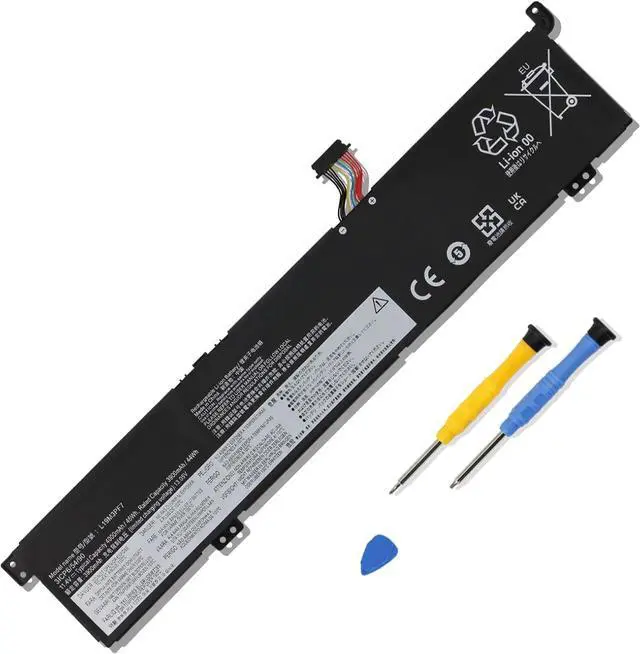
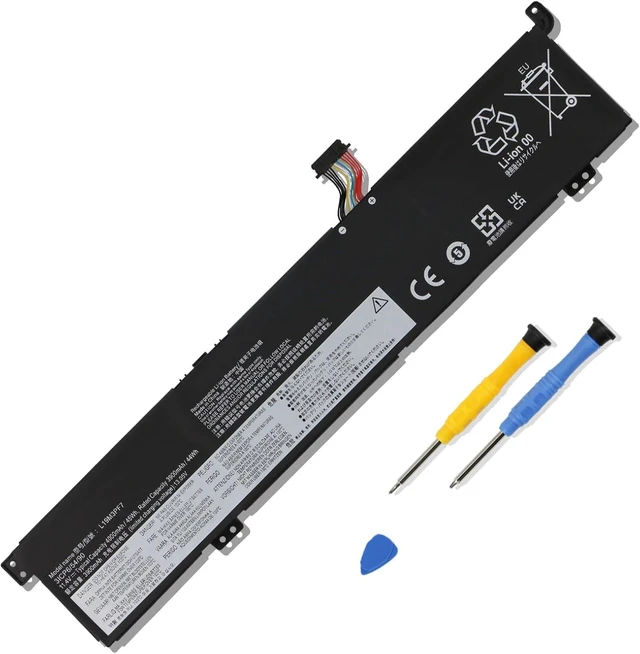
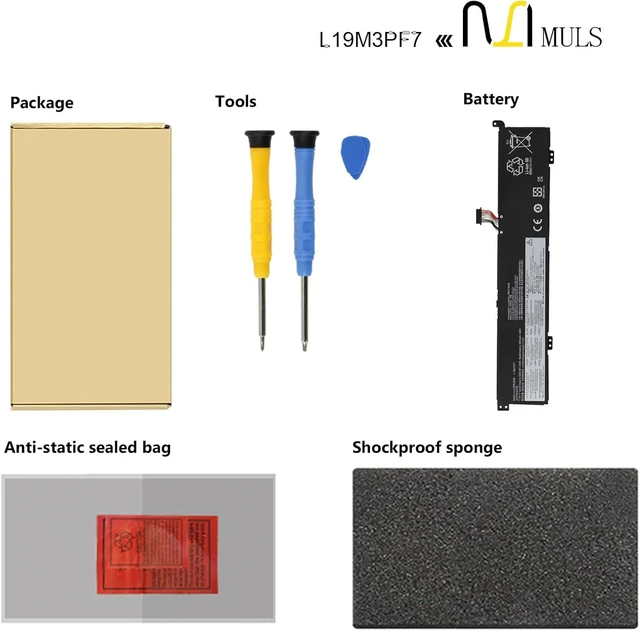
L19M3PF7 L19M3PD9 Battery for Lenovo ThinkBook 15P IMH 20V3 G2 ITH 21B1
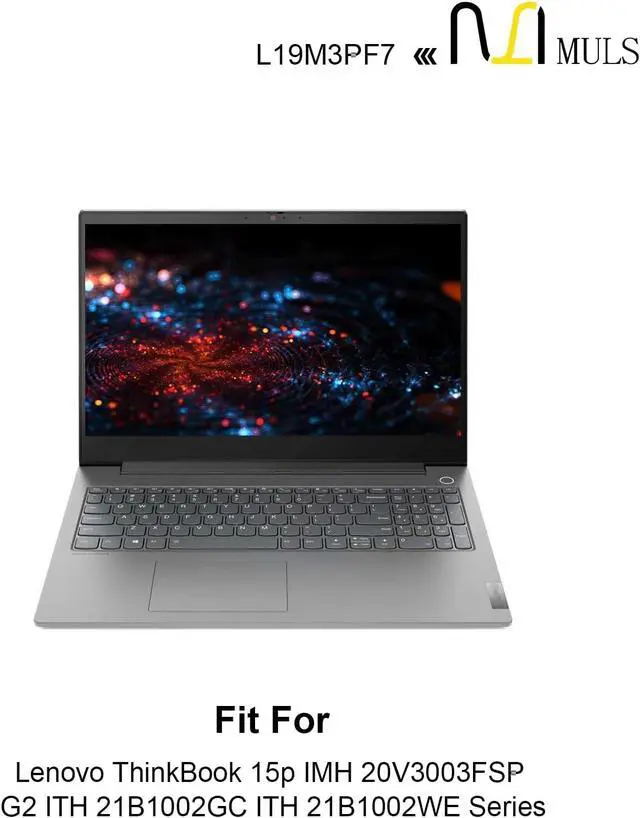
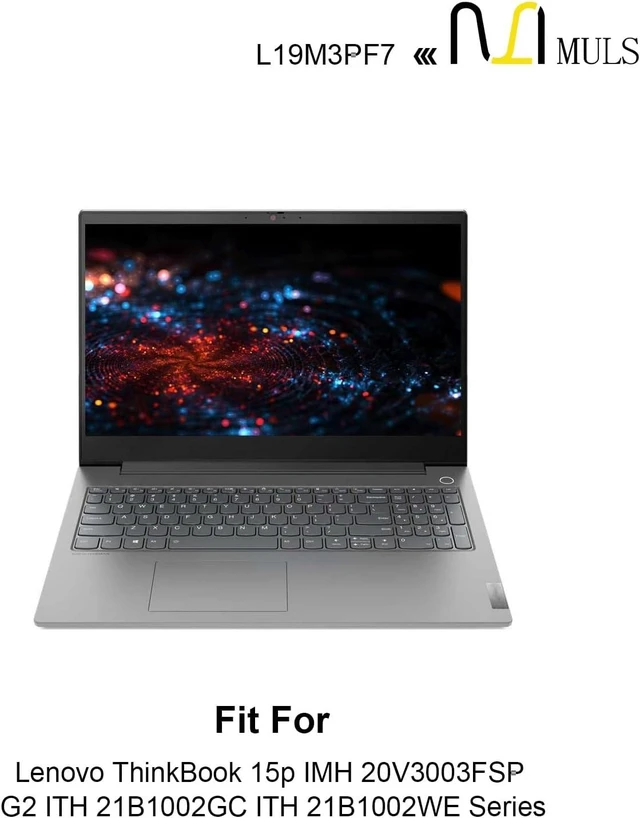
- Replacement For Laptop: Fit for Lenovo ThinkBook 15P IMH Type: 20V3 Series; Fit for Lenovo ThinkBook 15P G2 ITH Type: 21B1 Series; Fit for Lenovo Thinkbook 15P IMH L350 Series; Fit for Lenovo Ideapad Gaming 3-15IMH05 Type: 81Y4 82CG Series; Fit for Lenovo Ideapad Gaming 3-15ARH05 Type: 82EY Series; Fit for Lenovo Ideapad Creator 5-15IMH05 Type: 82D4 Series.
- Compatible with Part Number: L19M3PF7 SB10W89840 5B10W89843 L19M3PD9 5B10Z19320 5B10Z19319 L19L3PF3 SB10W89844 5B10W89841 L19D3PF4 SB10W89842 5B10W89836.
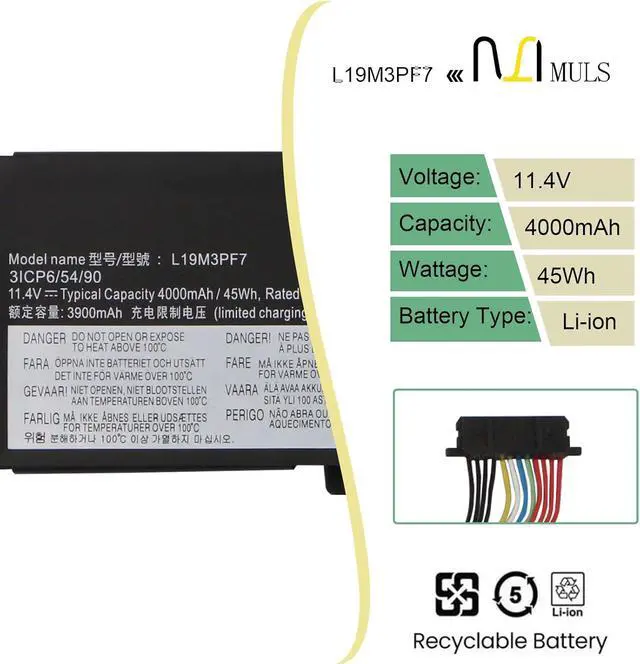
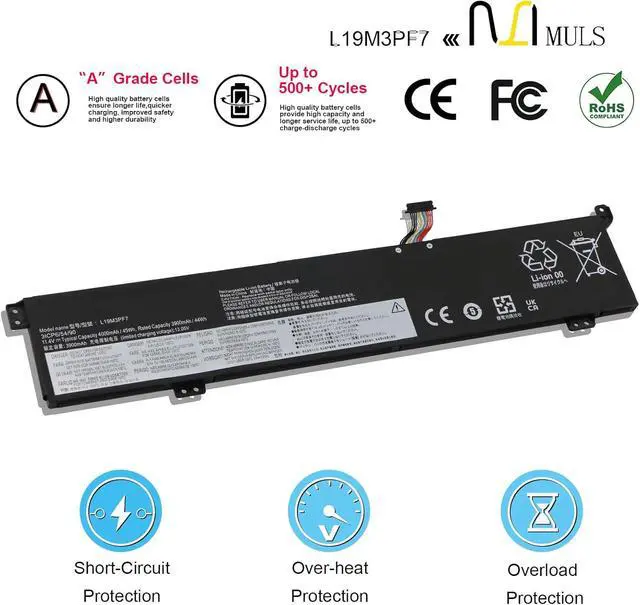
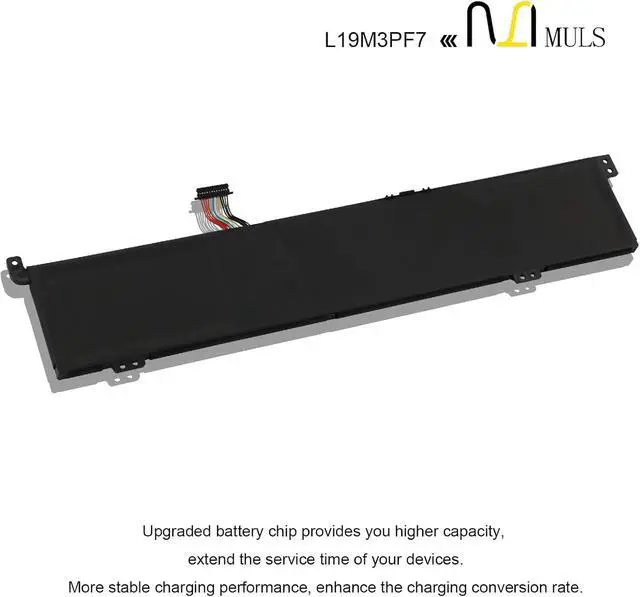
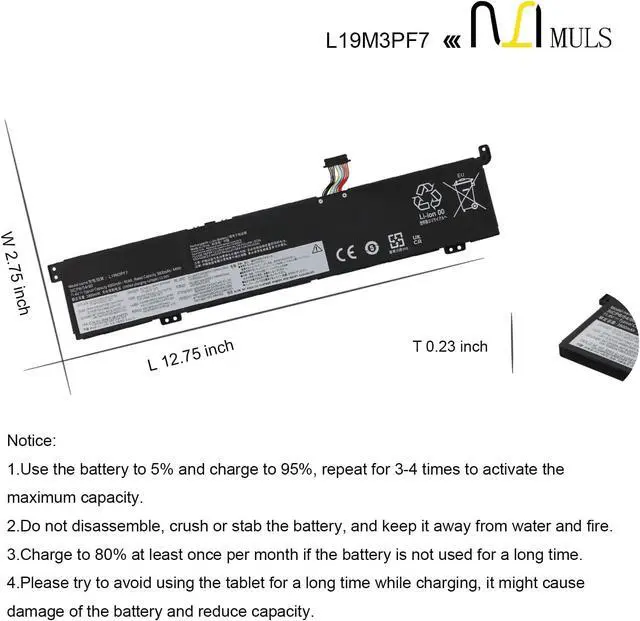
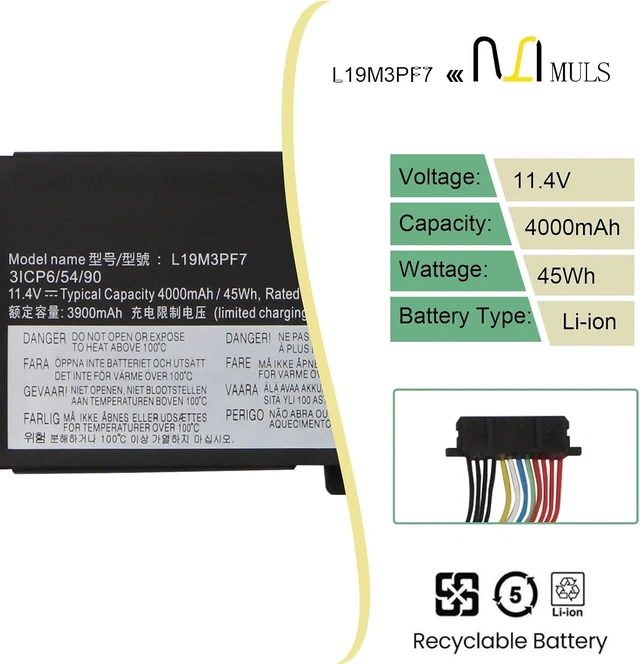
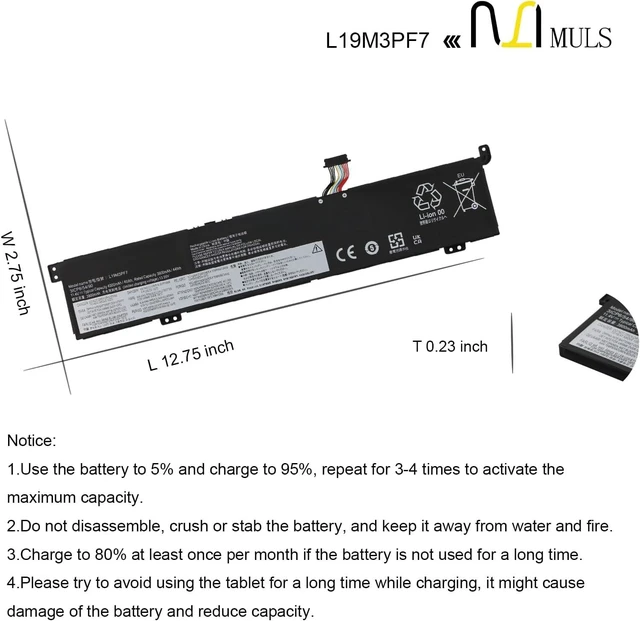
- Battery Specification: Capacity: 45Wh 4000mAh 3-Cell Voltage: 11.4V. Brand new. Up to 500 recharge cycles over the life of the battery. High-quality materials and circuit board.
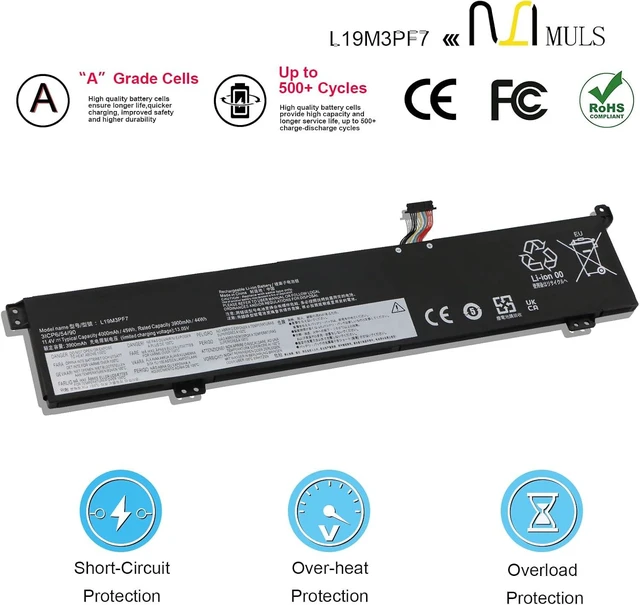
- Safety Above All: Our batteries are certified by CE, FCC and RoHS to ensure your safety, and packed with prevention measures like short circuit, overheat and overcharge protection.Our laptop batteries are made with premium materials and circuit boards to ensure performance and durability.
- Give Customer
+
+
Overview
Specs
Reviews
Any questions? Our AI mode will help you find out quickly.
Try me now
Specification:
Voltage:11.4V
Capatity: 45Wh 4000mAh 3-Cell
Condition: Brand new from the manufacturer, Grade A cell
Replacement for Part Number
L19M3PF7 SB10W89840 5B10W89843
L19M3PD9 5B10Z19320 5B10Z19319
L19L3PF3 SB10W89844 5B10W89841
L19D3PF4 SB10W89842 5B10W89836
Compatible Laptop Models:
Replacement for Lenovo ThinkBook 15P IMH Type: 20V3 Series:
20V3000AMZ, 20V3003KAK, 20V3000KFR, 20V3000PFR, 20V3000XRM, 20V3000AFE, 20V30025AK, 20V30026PE, 20V3003FLT, 20V3003KMX, 20V30007MH, 20V3000RSC, 20V30007IU, 20V30038AX, 20V30006FE, 20V3000RKG, 20V3000PCY, 20V3003FSP, 20V30008PB, 20V3003KRA, 20V30008CK, 20V3000QRA, 20V3A00EVN, 20V30008RU, 20V3000QAK, 20V30006FE, 20V30007UA, 20V3000KPE, 20V30009AD, 20V30008AX, 20V3003UFR, 20V3000JPS, 20V3003FGM, 20V3000LAK, 20V3002SIH, 20V3000XAT, 20V30038FG
Replacement for Lenovo ThinkBook 15P G2 ITH Type: 21B1 Series:
21B1000MP, 21B10016I, 21B1000YS, 21B1000VB, 21B1000XA, 21B10019Y, 21B1002GG, 21B10022P, 21B10019H, 21B1000LU, 21B1002GU, 21B10022F, 21B1000PF, 21B1002GC, 21B1002WE, 21B10018U, 21B10016M, 21B10017A, 21B1000WH, 21B10023Y, 21B1000XP, 21B1000JS, 21B10016C, 21B10007P, 21B1000XE, 21B1000GP, 21B10018P, 21B10016I, 21B1000JA, 21B1002YT, 21B1000RP, 21B1000KF
Replacement for Lenovo Thinkbook 15P IMH L350 Series;
Replacement for Lenovo Ideapad Gaming 3-15IMH05 Type: 81Y4 82CG Series:
81Y400F4GE 81Y400F5GE 81Y400F6GE 81Y4004DGE 81Y4004EGE 81Y4004FGE 81Y4CTO1WW 81Y400CMAU 81Y400M1AU 81Y400M2AU 81Y400MWAU 81Y4005FAU 81Y400W8AU
Replacement for Lenovo Ideapad Gaming 3-15ARH05 Type: 82EY Series:
82EY00J5GE 82EY006EAU 82EY003NGE 82EY004LGE
Replacement for Lenovo Ideapad Creator 5-15IMH05 Type: 82D4 Series:
82D4002NAU 82D4003GGE
Note: Please open the back cover of your laptop to check the original battery size and capacity before placing an order. Please scroll down to the list to purchase.
What should I be mindful of when charging the battery?
1. Use a compatible charger: Always use a charger that matches your laptop's original specifications (same voltage and current parameters).
2. Charging environment requirements: When charging, place your laptop in a well-ventilated, cool area away from direct sunlight and heat sources. Keep it distant from flammable or explosive items (such as paper or alcohol) to prevent battery overheating, swelling, or fire.
3. Charging rhythm management: For new batteries, there is no need to deliberately charge for 12 hours during the first charge. Charge to 100% and then continue charging for 30 minutes. For subsequent charges, unplug the charger promptly after reaching full capacity to avoid prolonged charging while the battery is fully charged.
Note: If the battery exhibits severe heating, unusual odors, bulging, or other abnormalities during charging, immediately unplug the charger, shut down the laptop, stop using the battery. Do not continue charging or using the battery.
How to extend your laptop battery's lifespan during daily use?
1. Maintain optimal charge levels: Keep battery levels between 20% and 80% during regular use. Avoid prolonged deep discharges (below 10%) or storing at full charge for extended periods. For long-term storage, charge to around 50% and recharge monthly.
2. Minimize Heavy Loads: Avoid running resource-intensive software (e.g., video editing, gaming) or connecting multiple external devices for extended periods while on battery power. This reduces high-power discharge and minimizes wear.
3. Calibrate the battery periodically: Every 1-2 months, drain the battery until the device shuts down automatically (recommended to start around 10% charge to avoid over-discharge), then fully charge it to 100%. This completes one calibration cycle, helping the laptop accurately recognize the battery capacity.
4. Avoid Extreme Environments: Do not use the battery in high-temperature (above 40°C) or low-temperature (below 0

Voltage:11.4V
Capatity: 45Wh 4000mAh 3-Cell
Condition: Brand new from the manufacturer, Grade A cell
Replacement for Part Number
L19M3PF7 SB10W89840 5B10W89843
L19M3PD9 5B10Z19320 5B10Z19319
L19L3PF3 SB10W89844 5B10W89841
L19D3PF4 SB10W89842 5B10W89836
Compatible Laptop Models:
Replacement for Lenovo ThinkBook 15P IMH Type: 20V3 Series:
20V3000AMZ, 20V3003KAK, 20V3000KFR, 20V3000PFR, 20V3000XRM, 20V3000AFE, 20V30025AK, 20V30026PE, 20V3003FLT, 20V3003KMX, 20V30007MH, 20V3000RSC, 20V30007IU, 20V30038AX, 20V30006FE, 20V3000RKG, 20V3000PCY, 20V3003FSP, 20V30008PB, 20V3003KRA, 20V30008CK, 20V3000QRA, 20V3A00EVN, 20V30008RU, 20V3000QAK, 20V30006FE, 20V30007UA, 20V3000KPE, 20V30009AD, 20V30008AX, 20V3003UFR, 20V3000JPS, 20V3003FGM, 20V3000LAK, 20V3002SIH, 20V3000XAT, 20V30038FG
Replacement for Lenovo ThinkBook 15P G2 ITH Type: 21B1 Series:
21B1000MP, 21B10016I, 21B1000YS, 21B1000VB, 21B1000XA, 21B10019Y, 21B1002GG, 21B10022P, 21B10019H, 21B1000LU, 21B1002GU, 21B10022F, 21B1000PF, 21B1002GC, 21B1002WE, 21B10018U, 21B10016M, 21B10017A, 21B1000WH, 21B10023Y, 21B1000XP, 21B1000JS, 21B10016C, 21B10007P, 21B1000XE, 21B1000GP, 21B10018P, 21B10016I, 21B1000JA, 21B1002YT, 21B1000RP, 21B1000KF
Replacement for Lenovo Thinkbook 15P IMH L350 Series;
Replacement for Lenovo Ideapad Gaming 3-15IMH05 Type: 81Y4 82CG Series:
81Y400F4GE 81Y400F5GE 81Y400F6GE 81Y4004DGE 81Y4004EGE 81Y4004FGE 81Y4CTO1WW 81Y400CMAU 81Y400M1AU 81Y400M2AU 81Y400MWAU 81Y4005FAU 81Y400W8AU
Replacement for Lenovo Ideapad Gaming 3-15ARH05 Type: 82EY Series:
82EY00J5GE 82EY006EAU 82EY003NGE 82EY004LGE
Replacement for Lenovo Ideapad Creator 5-15IMH05 Type: 82D4 Series:
82D4002NAU 82D4003GGE
Note: Please open the back cover of your laptop to check the original battery size and capacity before placing an order. Please scroll down to the list to purchase.
What should I be mindful of when charging the battery?
1. Use a compatible charger: Always use a charger that matches your laptop's original specifications (same voltage and current parameters).
2. Charging environment requirements: When charging, place your laptop in a well-ventilated, cool area away from direct sunlight and heat sources. Keep it distant from flammable or explosive items (such as paper or alcohol) to prevent battery overheating, swelling, or fire.
3. Charging rhythm management: For new batteries, there is no need to deliberately charge for 12 hours during the first charge. Charge to 100% and then continue charging for 30 minutes. For subsequent charges, unplug the charger promptly after reaching full capacity to avoid prolonged charging while the battery is fully charged.
Note: If the battery exhibits severe heating, unusual odors, bulging, or other abnormalities during charging, immediately unplug the charger, shut down the laptop, stop using the battery. Do not continue charging or using the battery.
How to extend your laptop battery's lifespan during daily use?
1. Maintain optimal charge levels: Keep battery levels between 20% and 80% during regular use. Avoid prolonged deep discharges (below 10%) or storing at full charge for extended periods. For long-term storage, charge to around 50% and recharge monthly.
2. Minimize Heavy Loads: Avoid running resource-intensive software (e.g., video editing, gaming) or connecting multiple external devices for extended periods while on battery power. This reduces high-power discharge and minimizes wear.
3. Calibrate the battery periodically: Every 1-2 months, drain the battery until the device shuts down automatically (recommended to start around 10% charge to avoid over-discharge), then fully charge it to 100%. This completes one calibration cycle, helping the laptop accurately recognize the battery capacity.
4. Avoid Extreme Environments: Do not use the battery in high-temperature (above 40°C) or low-temperature (below 0
Warranty & Returns
Warranty, Returns, And Additional Information
Warranty
- Please contact the Seller directly for warranty information. Warranty information may also be found on the Manufacturer's website.
- CONTACT
Return Policies
- Return for refund within: 30 days
- Return for replacement within: 30 days
- This item is covered by LionTech Direct Return Policy
Manufacturer Contact Info
- For a directory of all our manufacturers, please click below.
- Manufacturers Directory
LOADING...