Your Browsing History
Meet Your Seller
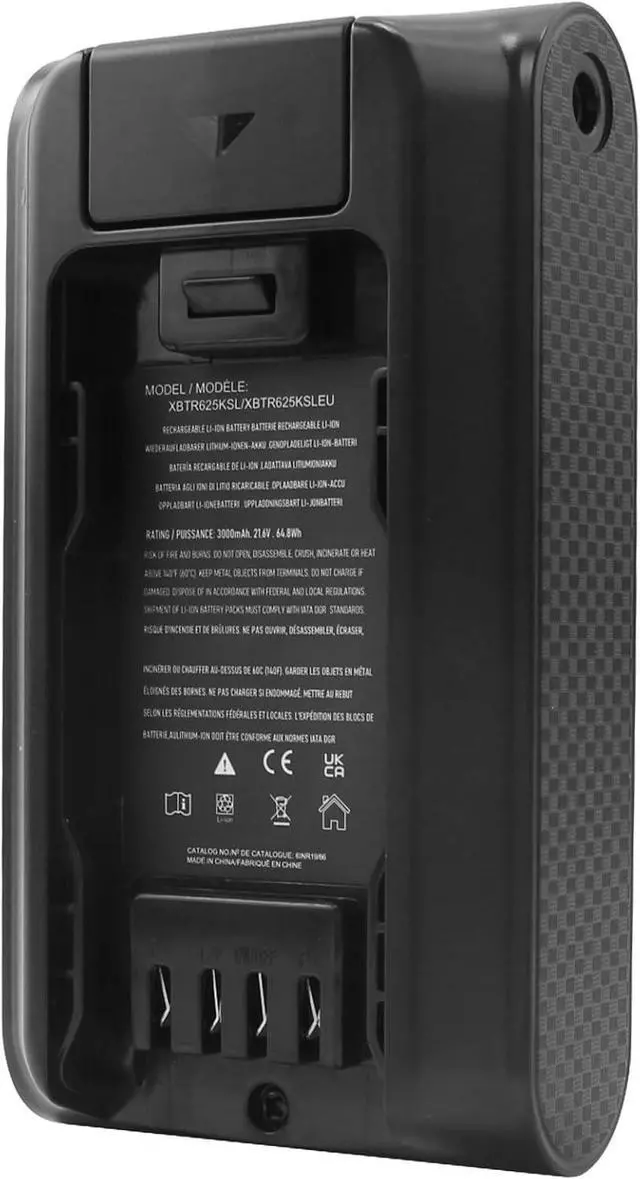
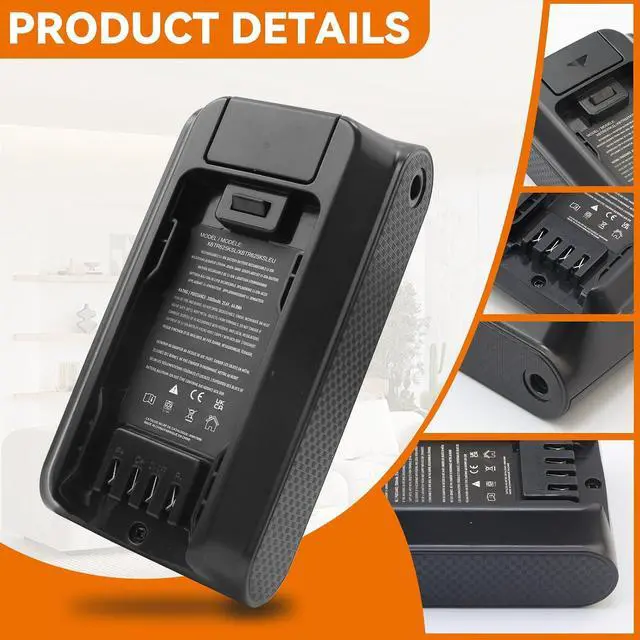
Replacement for Shark Ninja XBTR625KSL XBTR625KSLN XBTR625KSLEUN Battery
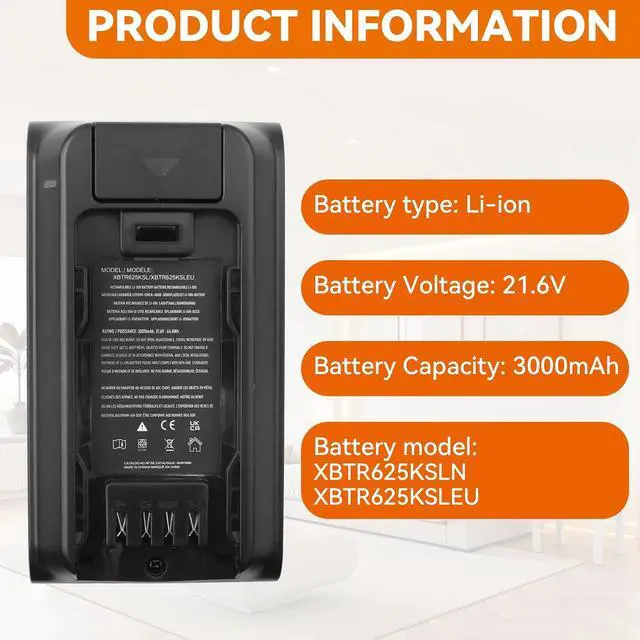
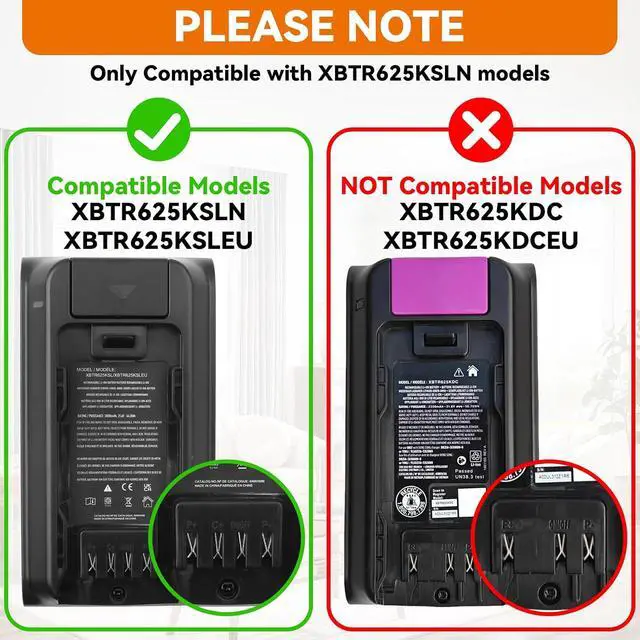
- Specification: Battery type: Li-ion; Battery Voltage: 21.6V; Capacity: 3000mAh; Please check that the connector for this battery is suitable. Replacement for Part Number: XBTR625KSLN XBTR625KSLEUN XBTR625KSLEU XBTR625KSL. Not Compatible with Models: XBTR625KDC XBTR625KDCEU
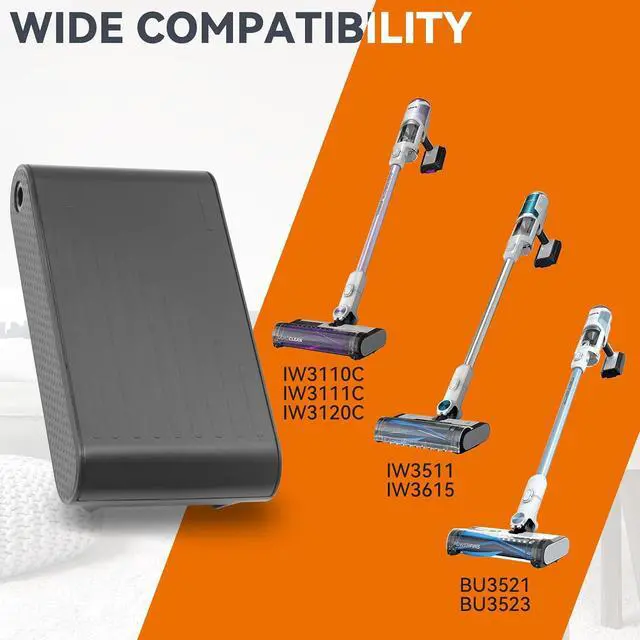
- Compatible with Vacuum Model: Replacement for Shark IW3110C IW3111CIW3120C IW3511 IW3615 BU3521 BU3523 Series Cordless Vacuum Cleaners
- 100% Pre-Installation Comprehensive Testing: Every battery undergoes strictpre-delivery testing to verify optimal capacity, stable performance, and compliance with all safety standards. You can use it with confidence, knowingit meets the same reliability requirements as OEM batteries
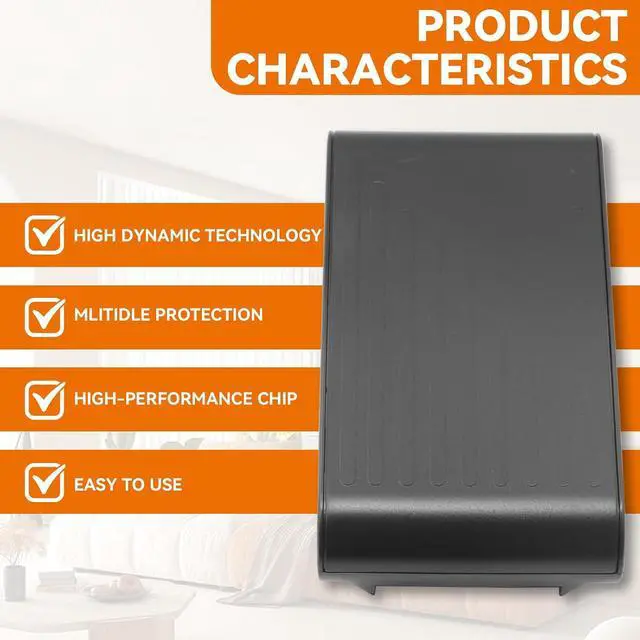
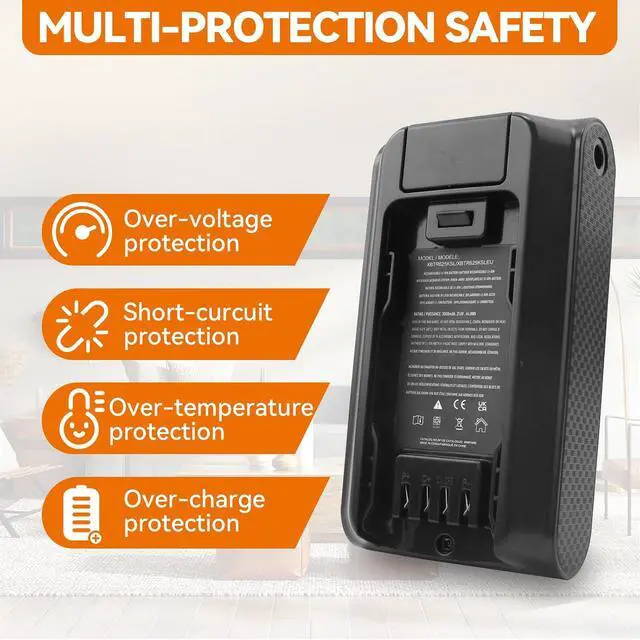
- Multi-Layer Safety Protection & Durable Design: Equipped with built-in safeguards against over-charge, over-discharge, over-voltage, over-current, and over-heating, ensuring safe operation for both the battery and your vacuum. Features lower power consumption IC design and high-capacity circulatory fu
+
+
Overview
Specs
Reviews
Any questions? Our AI mode will help you find out quickly.
Try me now
Compatible Part Number XBTR625KSLN XBTR625KSLEUN XBTR625KSLEU XBTR625KSL Compatible Model Replacement for Shark IW3110C IW3111C IW3120C IW3511 IW3615 Series Cordless Vacuum Cleaner; Compatible Model Replacement for Shark BU3521 BU3523 Series Cordless Vacuum Cleaner. Note This batery do not compatible with Models: XBTR625KDC XBTR625KDCEU. Not Compatible with IZ840H IZ862H UZ865H. Note If you install the battery, you find that the device cannot detect the battery or the battery level cannot be displayed normally. Please check whether the battery cable is installed properly. Sometimes the battery cannot be charged because the cable is not fixed properly. 1. Use the sweeper often, try to use it at least 2 to 3 times a week.
2. Keep the sweeper powered on when not applicable. Keep the sweeper on the charging base station. If there is no charging base station, keep the sweeper powered on. If it is not suitable for a long time, such as more than 2 weeks, remove the battery and place it.
3. Place the sweeper in a dry and cool place. Avoid exposure to sunlight and keep away from heat sources such as heating equipment, hot exhaust vents, etc.
4. Remove the battery and store it for a long time. If you do not use the sweeper for a few weeks or more, remove the battery after it is fully charged and store it in a cool and dry place. When you need to use it again, install the battery and fully charge it. The battery power that is idle outside will gradually decrease. Generally, The battery can be fully charged once every 3 months to obtain good performance.
5. Keep the brushes of the sweeper clean. If the roller brush of the sweeper is stuck with too much hair and garbage, it will consume more power, and the machine cannot be used lightly.
6. When the battery is in normal operation, if the battery is discharged to 5-10%, it must be shut down or recharged. If the battery is discharged to 0%, the battery will be damaged and its life will be attenuated.
7. Charge the robot vacuum battery for the first time. Due to the instability of voltage and current, when the battery is half charged (sometimes more, sometimes less), the robot vacuum may stop charging the battery. If this happens, don't worry, just remove the battery from the robot vacuum and recharge it. It may take several iterations for a new battery to charge for the first time. Don't worry, this is normal.
Compatible Vacuum Cleaner Models: Press [Ctrl + F] to search for your type How to effectively extend the battery famous and maintain high performance:

2. Keep the sweeper powered on when not applicable. Keep the sweeper on the charging base station. If there is no charging base station, keep the sweeper powered on. If it is not suitable for a long time, such as more than 2 weeks, remove the battery and place it.
3. Place the sweeper in a dry and cool place. Avoid exposure to sunlight and keep away from heat sources such as heating equipment, hot exhaust vents, etc.
4. Remove the battery and store it for a long time. If you do not use the sweeper for a few weeks or more, remove the battery after it is fully charged and store it in a cool and dry place. When you need to use it again, install the battery and fully charge it. The battery power that is idle outside will gradually decrease. Generally, The battery can be fully charged once every 3 months to obtain good performance.
5. Keep the brushes of the sweeper clean. If the roller brush of the sweeper is stuck with too much hair and garbage, it will consume more power, and the machine cannot be used lightly.
6. When the battery is in normal operation, if the battery is discharged to 5-10%, it must be shut down or recharged. If the battery is discharged to 0%, the battery will be damaged and its life will be attenuated.
7. Charge the robot vacuum battery for the first time. Due to the instability of voltage and current, when the battery is half charged (sometimes more, sometimes less), the robot vacuum may stop charging the battery. If this happens, don't worry, just remove the battery from the robot vacuum and recharge it. It may take several iterations for a new battery to charge for the first time. Don't worry, this is normal.
Compatible Vacuum Cleaner Models: Press [Ctrl + F] to search for your type How to effectively extend the battery famous and maintain high performance:
Warranty & Returns
Warranty, Returns, And Additional Information
Warranty
- Please contact the Seller directly for warranty information. Warranty information may also be found on the Manufacturer's website.
- CONTACT
Return Policies
- Return for refund within: 30 days
- Return for replacement within: 30 days
- This item is covered by LionTech Direct Return Policy
Manufacturer Contact Info
- For a directory of all our manufacturers, please click below.
- Manufacturers Directory
LOADING...