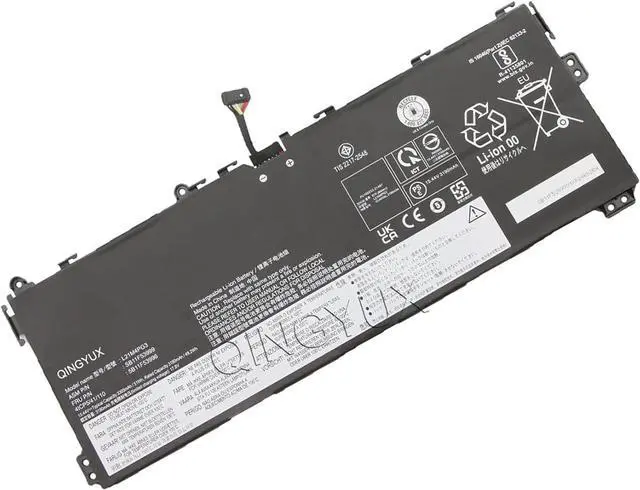
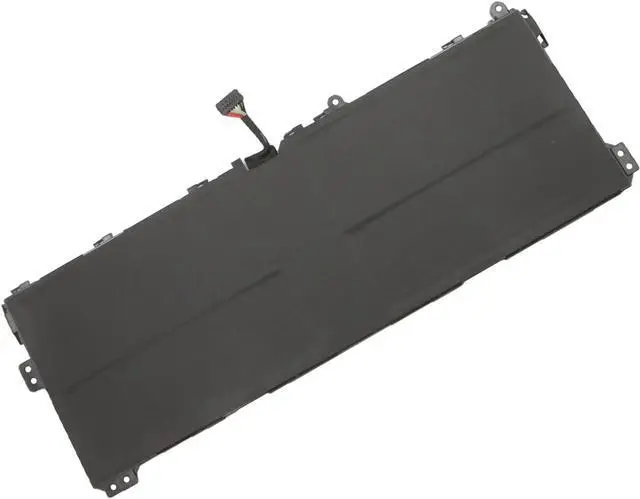
We are a manufacturer specializing in various laptop batteries andtablet batteries. QINGYUX Laptop batteries are 100%DIRECT from Manufacturer with over 10 years' Laptop Battery Productionexperience.
Condition: New
Voltage: 15.44V
Capacity: 51Wh/3305mAh
Color: Black
Replace Part Number:
L21M4PG3 SB11F53999 5B11F53996 L21D4PG3 SB11F54002 5B11F54001
Fit for Laptop Models:
Lenovo Yoga 13W Series Notebook.
The Package Includes:
1X L21M4PG3 battery. Before purchasing, please open the back cover of the laptop to confirm the battery model and capacity.
Raise the battery life:
1:After receiving the battery,Please charge it fully, then discharge it to around 10% ,and do it as three times.
2:If you don't use the battery for a long time, please charge and discharge it once a month.
1. Unplug all external devices from the laptop.
2. Remove the old battery.
3. Insert the battery and restart the computer.
4. Connect the AC adapter and check if your machine can detect the battery again.
5. If you don't understand the above steps, you can search for thevideo about laptop battery installation on YouTube. Maybe it will helpyou.
1. When you get the new battery, discharge the battery to 5% (not0%), then charge and cycle 3-4 times to wake up the new battery.
2. Charging when the amount of power remains around 20-30%
3. The battery is not filled with power, as far as possible around 40%; the battery temperature should not be too high.
4. If you don't use your computer for a long time, you can remove the battery from the laptop for storage.
The stability of a battery and the length of its battery life -it allboils down to the battery cells inside. we will strive to providecustomers with a more stable and safer battery.That's why our batterypacks are comprised of grade "A+" cells with top quality ion batterymaterials.
Help others learn more about this product by uploading a video!QINGYUX L21M4PG3 L21D4PG3 SB11F54002 5B11F54001 SB11F53999 5B11F53996 Battery Compatible with Lenovo 13W Yoga Series Notebook 15.44V 51Wh 3305mAh
Share:
Found a lower price? Let us know. Although we can't match every price reported, we'll use your feedback to ensure that our prices remain competitive.
Fields with an asterisk * are required
**