

Your Browsing History

- $103.99
- Free 30-day Returns


Meet Your Seller


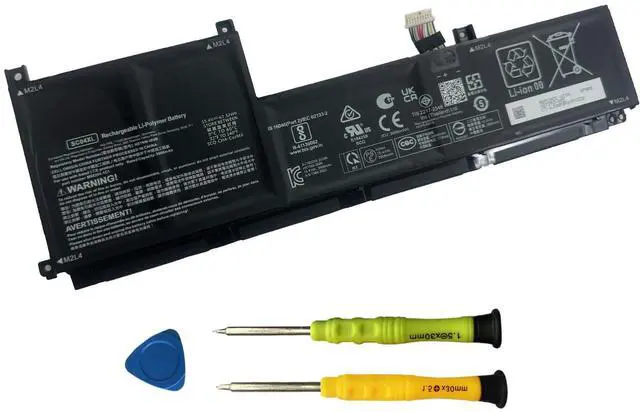


SC04XL Laptop Battery Replacement for HP Envy 14-EB 14-EB0376NG 14-EB0010NR 14-EB0775NG Series Laptop HSTNN-IB9R M07392-005 M08254-1C1 L777034-005 SC04063XL 3906mAh 15.4V
Limited time offer, ends 09/14 By PurePick
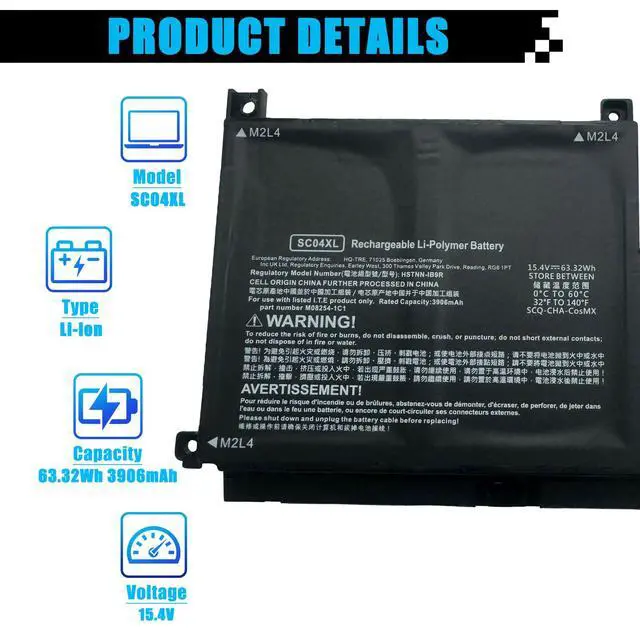
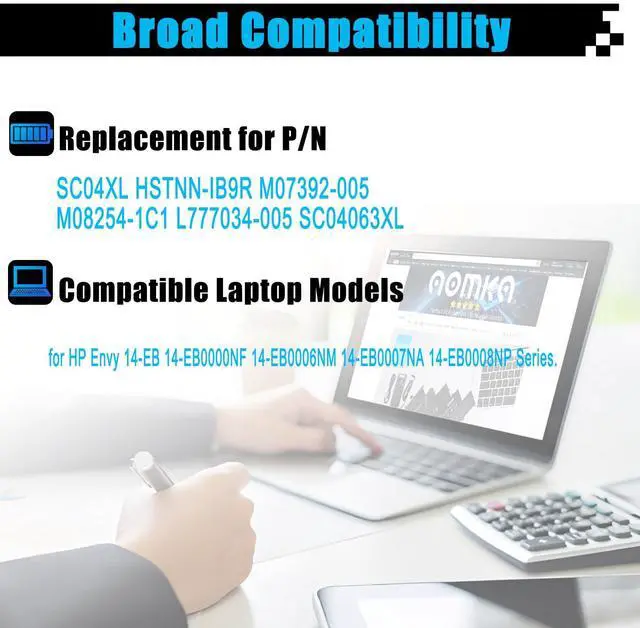
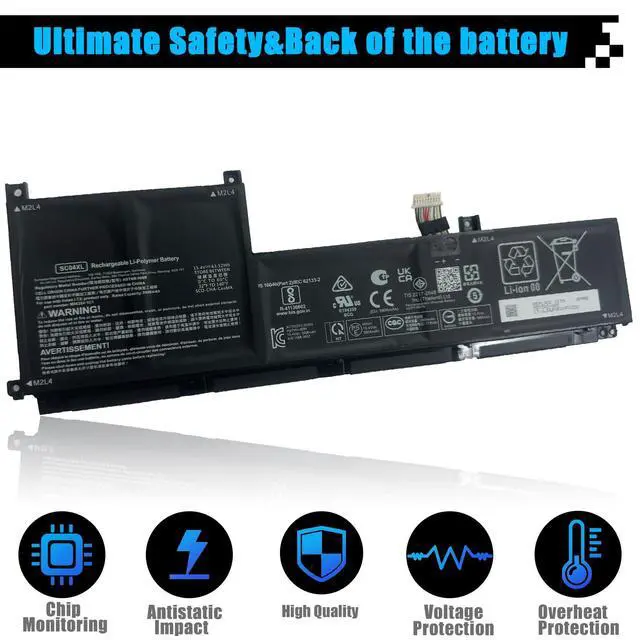
- Specifications: Item Model: SC04XL Battery Type: Li-ion Voltage: 15.4V Capacity: 63.32Wh 3906mAh Battery Condition: Brand New Replacement for Part Numbers: SC04XL, HSTNN-IB9R, M07392-005, M08254-1C1, L777034-005, SC04063XL Compatible Laptop Models: This battery is a suitable replacement for the HP Envy 14-EB series, including models: 14-EB0000NF, 14-EB0006NM, 14-EB0007NA, 14-EB0008NP, 14-EB0009NC, 14-EB0010CA, 14-EB0010NR, 14-EB0012UR, 14-EB0014NL, 14-EB0015NQ, 14-EB0019NL, 14-EB1020CA, 14-EB0021TX, 14-EB0021NF, 14-EB0212NW, 14-EB0001NL, 14-EB1000NV, 14-EB1007NQ, 14-EB0103NW, 14-EB1777NG, 14-EB1000TU, 14-EB0609NZ, 14-EB0010TX, 14-EB1004NX, 14-EB0041NM, 14-EB1350ND, 14-EB0002TX, 14-EB0515TX, 14-EB1003NX, 14-EB0006NJ, 14-EB0020NL, 14-EB1028NF, 14-EB0304NW, 14-EB0002NQ, 14-EB1001TX, 14-EB0376NG, and 14-EB1010CA. Important Note: Before purchase, please remove the back cover of your laptop to confirm that the original battery model matches the part numbers provided above. After installation, ensure the battery connector is firmly attached to the laptop's motherboard. Use the original charger to power the laptop. For best initial performance, discharge the new battery to around 5% (avoid 0%), then charge it fully. Repeat this charge and discharge process 3-4 times to condition the new battery
+
+
Overview
Specs
Reviews

Any questions? Our AI mode will help you find out quickly.
Try me now
Specifications: Item Model: SC04XL Battery Type: Li-ion Voltage: 15.4V Capacity: 63.32Wh 3906mAh Battery Condition: Brand New Replacement for Part Numbers: SC04XL, HSTNN-IB9R, M07392-005, M08254-1C1, L777034-005, SC04063XL Compatible Laptop Models: This battery is a suitable replacement for the HP Envy 14-EB series, including models: 14-EB0000NF, 14-EB0006NM, 14-EB0007NA, 14-EB0008NP, 14-EB0009NC, 14-EB0010CA, 14-EB0010NR, 14-EB0012UR, 14-EB0014NL, 14-EB0015NQ, 14-EB0019NL, 14-EB1020CA, 14-EB0021TX, 14-EB0021NF, 14-EB0212NW, 14-EB0001NL, 14-EB1000NV, 14-EB1007NQ, 14-EB0103NW, 14-EB1777NG, 14-EB1000TU, 14-EB0609NZ, 14-EB0010TX, 14-EB1004NX, 14-EB0041NM, 14-EB1350ND, 14-EB0002TX, 14-EB0515TX, 14-EB1003NX, 14-EB0006NJ, 14-EB0020NL, 14-EB1028NF, 14-EB0304NW, 14-EB0002NQ, 14-EB1001TX, 14-EB0376NG, and 14-EB1010CA. Important Note: Before purchase, please remove the back cover of your laptop to confirm that the original battery model matches the part numbers provided above. After installation, ensure the battery connector is firmly attached to the laptop's motherboard. Use the original charger to power the laptop. For best initial performance, discharge the new battery to around 5% (avoid 0%), then charge it fully. Repeat this charge and discharge process 3-4 times to condition the new battery
Warranty & Returns
Warranty, Returns, And Additional Information
Warranty
- Please contact the Seller directly for warranty information. Warranty information may also be found on the Manufacturer's website.
- CONTACT
Return Policies
- Return for refund within: 30 days
- Return for replacement within: 30 days
- This item is covered by PurePick Return Policy
Manufacturer Contact Info
- For a directory of all our manufacturers, please click below.
- Manufacturers Directory
LOADING...