

Your Browsing History



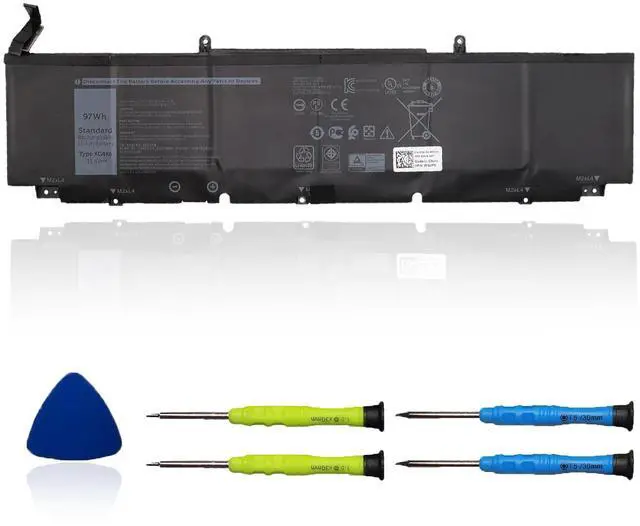


XG4K6 Laptop Battery Compatible with DELL XPS 17 9700 9710 9720 9730 Precision 5750 5760 5770 Series Notebook 0XG4K6 11.4V 97Wh
Limited time offer, ends 08/03 By Eristy shop
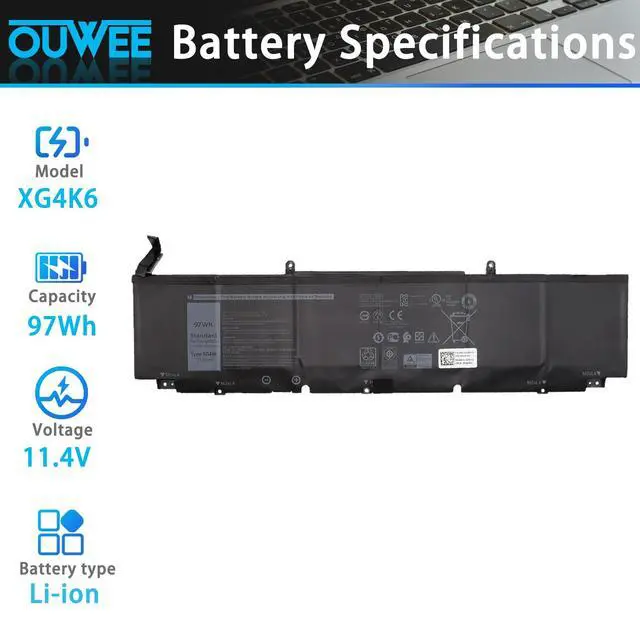
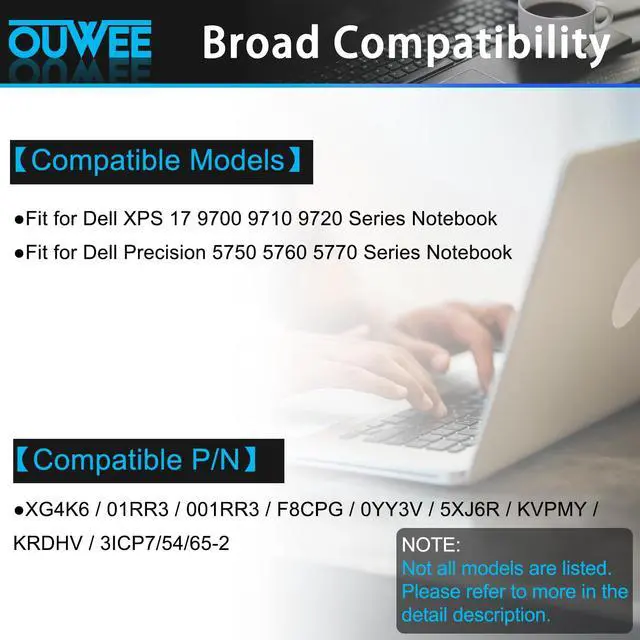
- Specifications: - Type: Li-ion - Voltage: 11.4V - Capacity: 97Wh - Color: Black - Condition: New This is a standard XG4K6 rechargeable li-ion battery, designed as a replacement for the DELL XPS battery. Fully compatible and high stability: - Fits for Dell XPS 17 9700, 9710, 9720, 9730 Series Notebook. - Fits for Dell Precision 5750, 5760, 5770 Series Notebook. Replacement Battery Part Numbers: Battery for XG4K6, 01RR3, 001RR3, 3ICP7/54/65-2, F8CPG, 0YY3V, 5XJ6R, KVPMY, KRDHV. Safe to Use: All products are certified by UL, CE, FCC, and RoHS for safety. Strict guidelines for compatibility and quality control ensure true capacity, stable current, low self-discharge, and compliance with environmental safety standards. Advice: If the new battery is not recognized upon initial installation, reinstall it and verify the interface is fully connected. Next, discharge the new battery to 5% (do not discharge to 0%). Then, charge the battery and perform 3 - 4 charge-discharge cycles to "wake up" the new battery
+
+
Overview
Specs
Reviews

Any questions? Our AI beta will help you find out quickly.
Try me now
Specifications: - Type: Li-ion - Voltage: 11.4V - Capacity: 97Wh - Color: Black - Condition: New This is a standard XG4K6 rechargeable li-ion battery, designed as a replacement for the DELL XPS battery. Fully compatible and high stability: - Fits for Dell XPS 17 9700, 9710, 9720, 9730 Series Notebook. - Fits for Dell Precision 5750, 5760, 5770 Series Notebook. Replacement Battery Part Numbers: Battery for XG4K6, 01RR3, 001RR3, 3ICP7/54/65-2, F8CPG, 0YY3V, 5XJ6R, KVPMY, KRDHV. Safe to Use: All products are certified by UL, CE, FCC, and RoHS for safety. Strict guidelines for compatibility and quality control ensure true capacity, stable current, low self-discharge, and compliance with environmental safety standards. Advice: If the new battery is not recognized upon initial installation, reinstall it and verify the interface is fully connected. Next, discharge the new battery to 5% (do not discharge to 0%). Then, charge the battery and perform 3 - 4 charge-discharge cycles to "wake up" the new battery
Warranty & Returns
Warranty, Returns, And Additional Information
Warranty
- Please contact the Seller directly for warranty information. Warranty information may also be found on the Manufacturer's website.
- CONTACT
Return Policies
- Return for refund within: 30 days
- Return for replacement within: 30 days
- This item is covered by Eristy shop Return Policy
Manufacturer Contact Info
- For a directory of all our manufacturers, please click below.
- Manufacturers Directory
LOADING...