

Your Browsing History

- Free 30-day Returns
$39.65
Most customers receive within 5-9 days.

Meet Your Seller

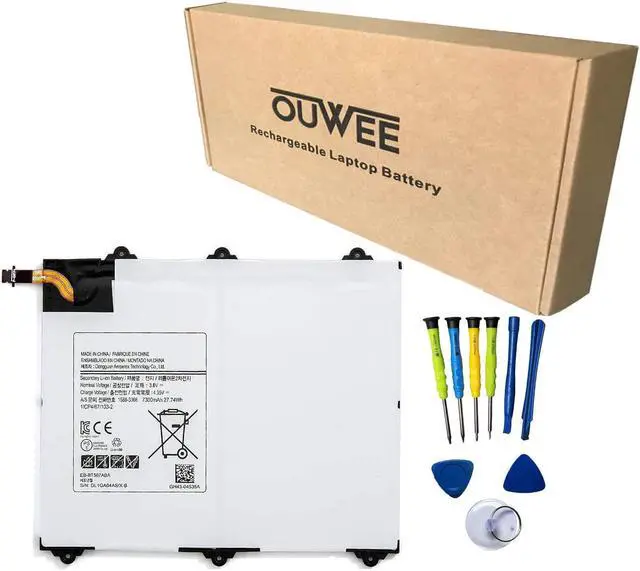
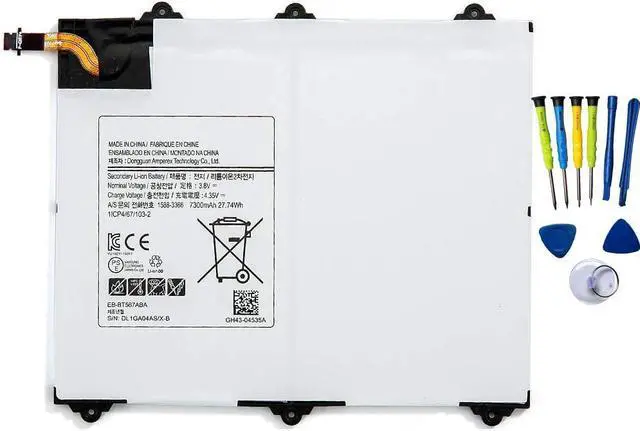
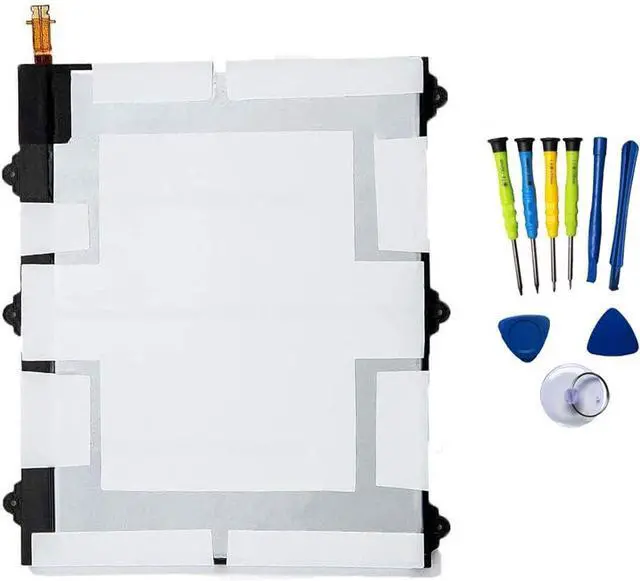


EB-BT567ABA Tablet Battery Compatible with Samsung Galaxy Tab E 9.6 XLTE SM-T567 SM-T567V SM-T560NU Series Notebook EB-BT567ABE 3.8V 7300mAh 27.74Wh Free Tools
- Battery typeLi-ion. Voltage: 3.8V. Capacity: 7300mAh 27.74Wh .
- Compatible Part NumberEB-BT567ABA EB-BT567ABE .
- Replacement For LaptopSamsung Galaxy Tab E 9.6 XLTE SM-T567 SM-T567V SM-T560NU Series .
- ConnectorBefore placing your order,Please refer to the picture and check it.Because the products produced by different factories will have differences, such as size, cable length, interface, etc.
- Use SkillsIf the new battery is not recognized during the initial installation, please reinstall and check if the interface is fully connected.Discharge the new battery to 5% (not 0%), then charge and cycle 3-4 times to wake up the new battery.
+
+
Overview
Specs
Reviews

Any questions? Our AI mode will help you find out quickly.
Try me now
Battery typeLi-ion.
Voltage: 3.8V.
Capacity: 7300mAh 27.74W h.
Compatible Part NumberEB-BT567ABA EB-BT567ABE.
Replacement For LaptopSamsung Galaxy Tab E 9.6 XLTE SM-T567 SM-T567V SM-T560NU Series.
ConnectorBefore placing your order, Please refer to the picture and check it. Because the products produced by different factories will have differences, such as size, cable length, interface, etc.
Use SkillsIf the new battery is not recognized during the initial installation, please reinstall and check if the interface is fully connected. Discharge the new battery to 5% (not 0%), then charge and cycle 3-4 times to wake up the new battery.
Voltage: 3.8V.
Capacity: 7300mAh 27.74W h.
Compatible Part NumberEB-BT567ABA EB-BT567ABE.
Replacement For LaptopSamsung Galaxy Tab E 9.6 XLTE SM-T567 SM-T567V SM-T560NU Series.
ConnectorBefore placing your order, Please refer to the picture and check it. Because the products produced by different factories will have differences, such as size, cable length, interface, etc.
Use SkillsIf the new battery is not recognized during the initial installation, please reinstall and check if the interface is fully connected. Discharge the new battery to 5% (not 0%), then charge and cycle 3-4 times to wake up the new battery.
Warranty & Returns
Warranty, Returns, And Additional Information
Warranty
- Please contact the Seller directly for warranty information. Warranty information may also be found on the Manufacturer's website.
- CONTACT
Return Policies
- Return for refund within: 30 days
- Return for replacement within: 30 days
- This item is covered by DHKtechnologies Return Policy
Manufacturer Contact Info
- For a directory of all our manufacturers, please click below.
- Manufacturers Directory
LOADING...