• $74.24
  • Free 45-day Returns
  • Ships from China.
    Price alert
    Shop it at NeweggBusiness.

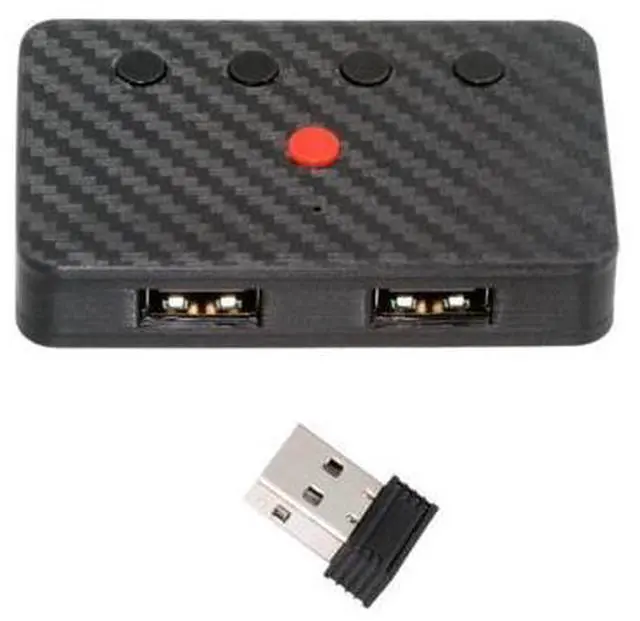
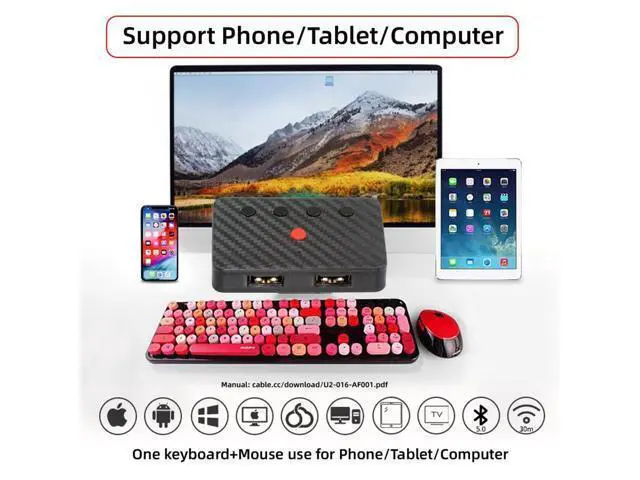
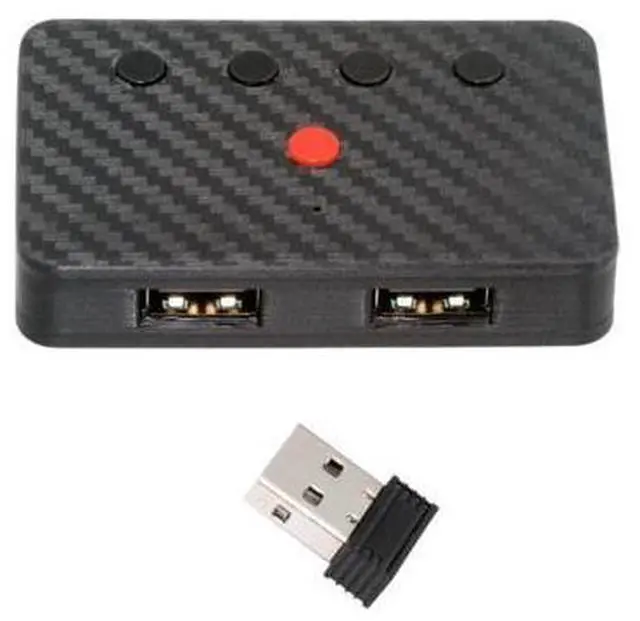
    Dual Port USB to Bluetooth 5.3 Adapter with 2.4G Receiver for Conversion Wired Keyboard and Mouse to Wireless for Phone/Tablet/Computer

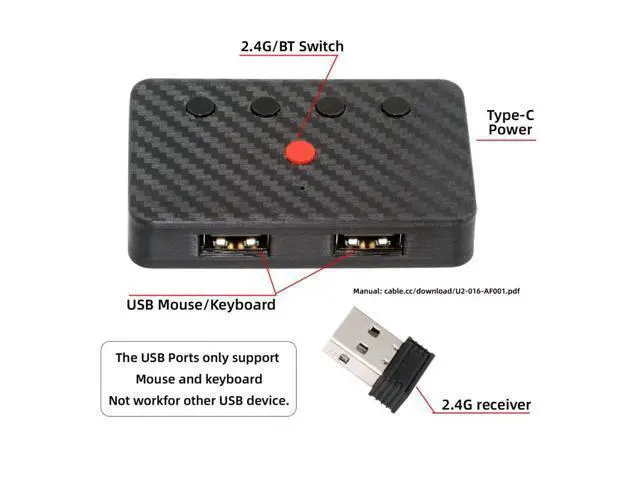
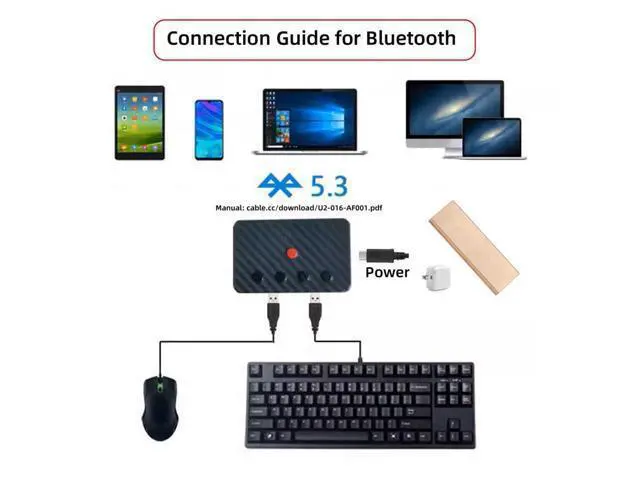
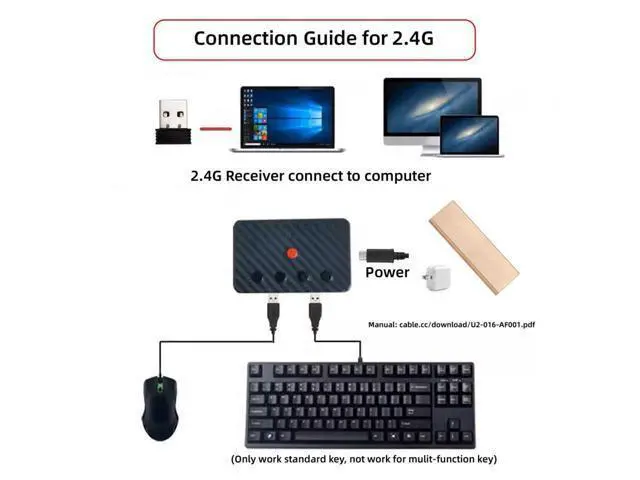
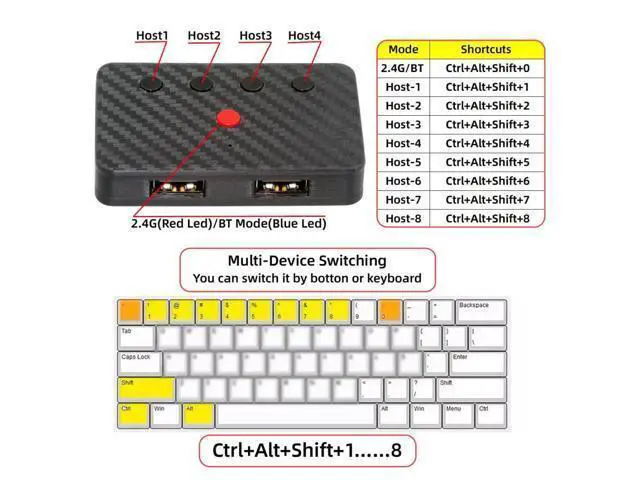
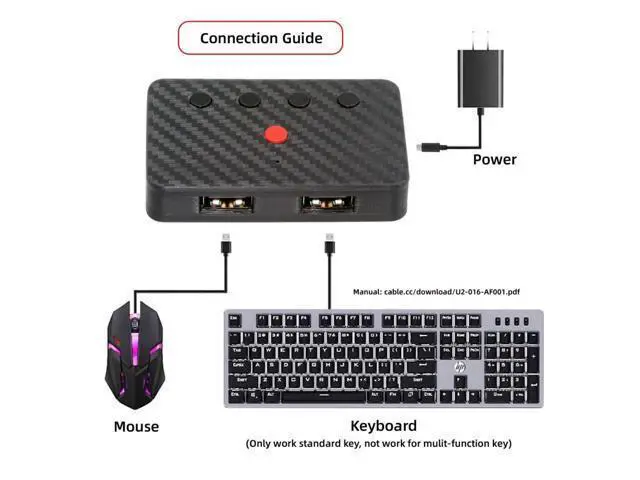
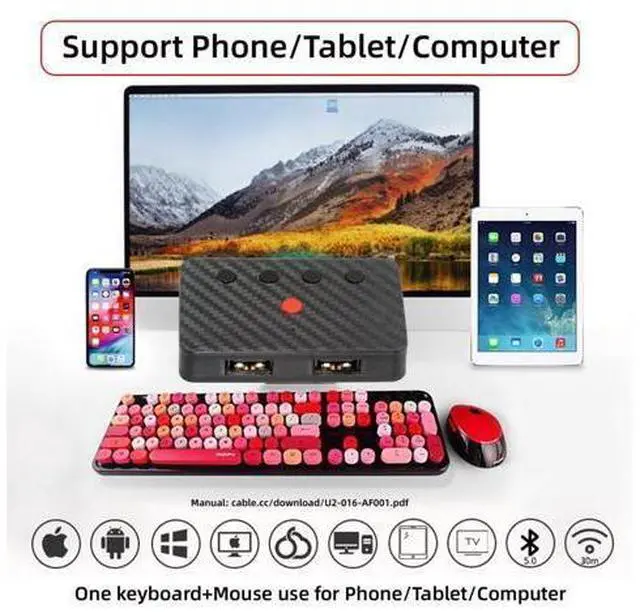
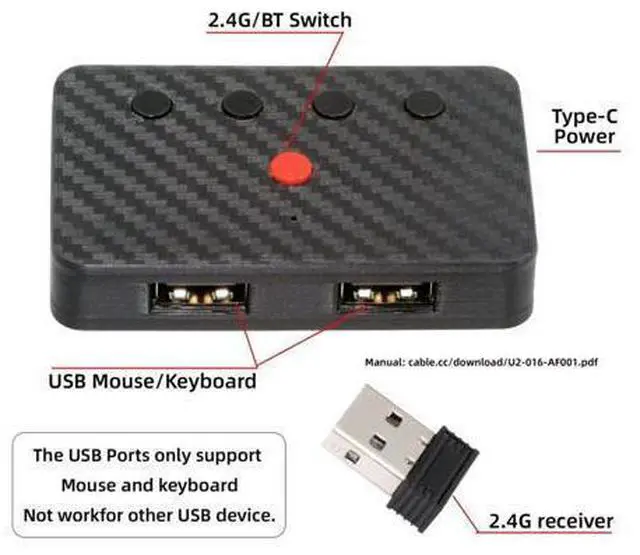
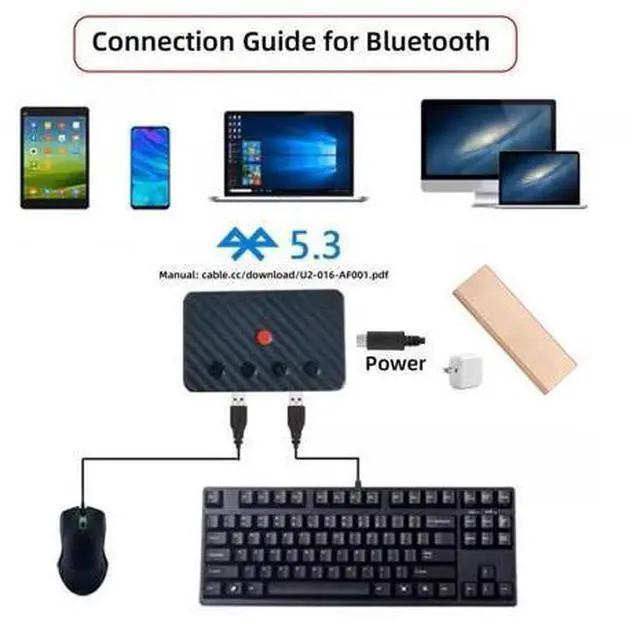
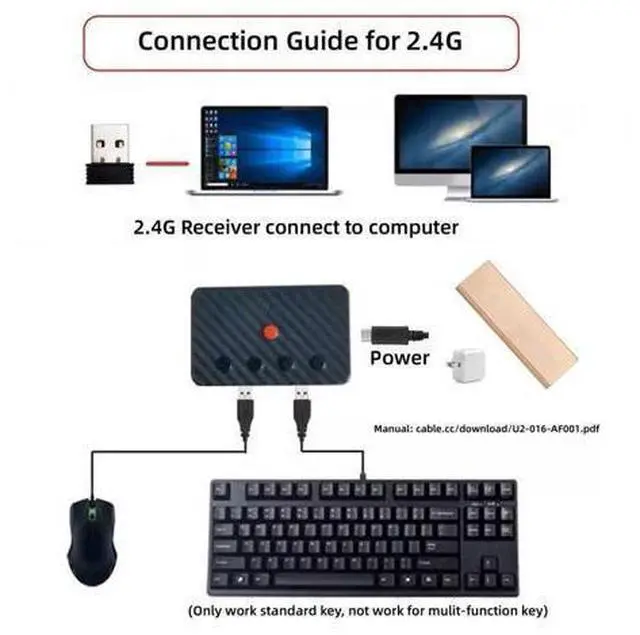
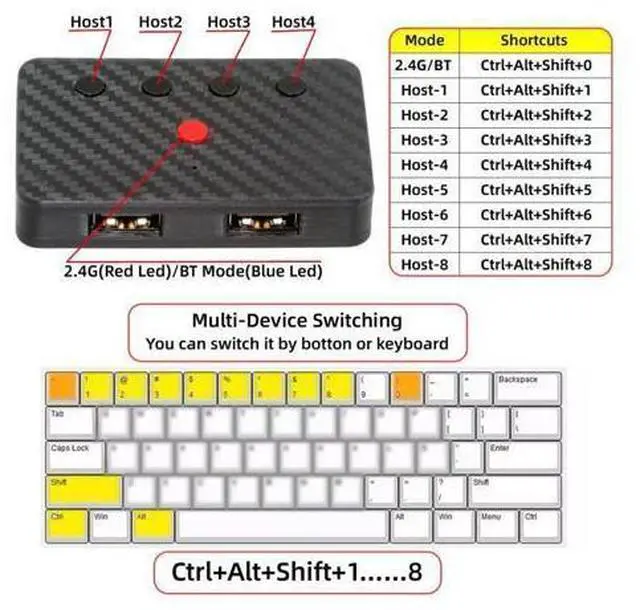
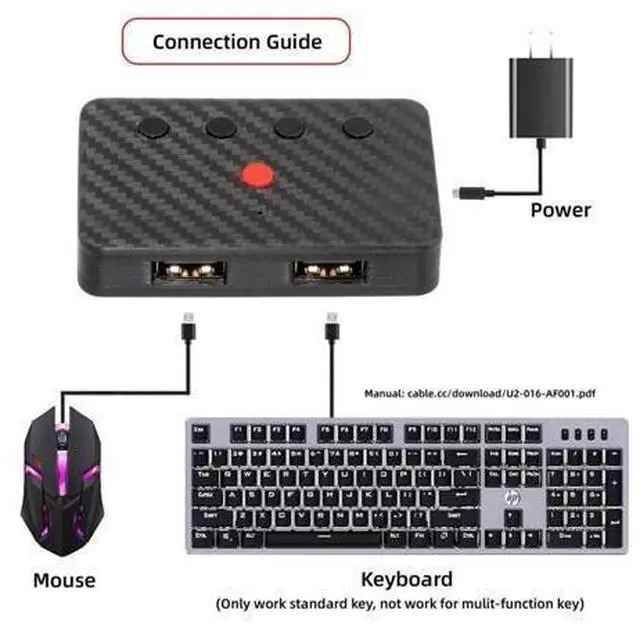
    • 1) Note: Only supports mice and standard keyboards; special keyboards, multi-function keyboards, or other USB devices are not supported.; 2) This product does not include a built-in battery and requires a 5V power supply. Please provide your own power cord (a standard TVPE-C power cord is sufficient).; 3) You can convert wired keyboards and mice to Bluetooth or 2.4G wireless connections. Bluetooth mode supports switching between 8 devices; simply connect our adapter via Bluetooth. 2.4G wireless mode also supports switching between 8 devices, but a 2.4G receiver needs to be purchased separately (only one receiver is included in the package).; 4) You can use keyboard shortcuts to switch between 8 computers. The shortcuts are Ctrl+Alt+Shift+1...8 (and so on). After pressing the shortcut, the switching will be completed immediately, taking approximately 1-3 seconds.; 5) You can push the botton to switch between BT and 2.4G, Also can use keyboard shortcuts "Ctrl+Alt+Shift+0". The blue LED is BT mode and the Red LED is 2.4G Mode.

    +
    +
    Overview
    Specs
    Reviews
    avatar

    Any questions? Our AI beta will help you find out quickly.

    1)
    Note: Only supports mice and standard keyboards; special keyboards, multi-function keyboards, or other USB devices are not supported.; 2) This product does not include a built-in battery and requires a 5V power supply. Please provide your own power cord (a standard TVPE-C power cord is sufficient).; 3) You can convert wired keyboards and mice to Bluetooth or 2.4G wireless connections. Bluetooth mode supports switching between 8 devices; simply connect our adapter via Bluetooth. 2.4G wireless mode also supports switching between 8 devices, but a 2.4G receiver needs to be purchased separately (only one receiver is included in the package).; 4) You can use keyboard shortcuts to switch between 8 computers. The shortcuts are Ctrl+Alt+Shift+1... 8 (and so on). After pressing the shortcut, the switching will be completed immediately, taking approximately 1-3 seconds.; 5) You can push the botton to switch between BT and 2.4G, Also can use keyboard shortcuts "Ctrl+Alt+Shift+0". The blue LED is BT mode and the Red LED is 2.4G Mode.

    Warranty & Returns

    Warranty, Returns, And Additional Information

    Warranty

    • Please contact the Seller directly for warranty information. Warranty information may also be found on the Manufacturer's website.
    • CONTACT

    Return Policies

    Manufacturer Contact Info

    LOADING...