

Your Browsing History


Meet Your Seller

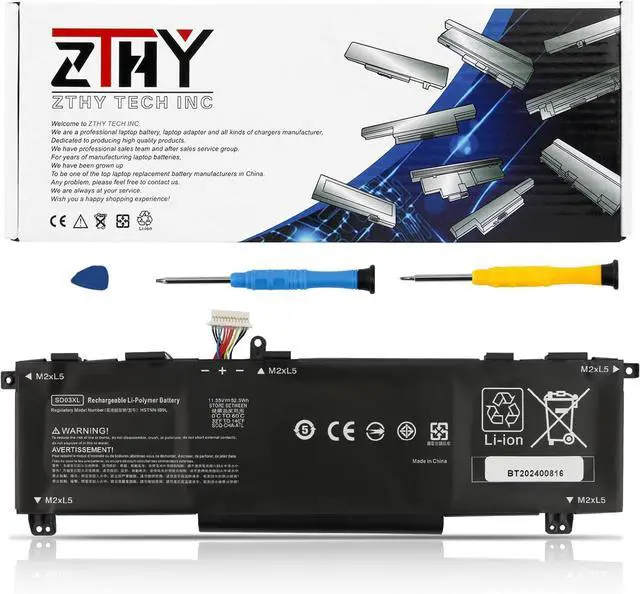
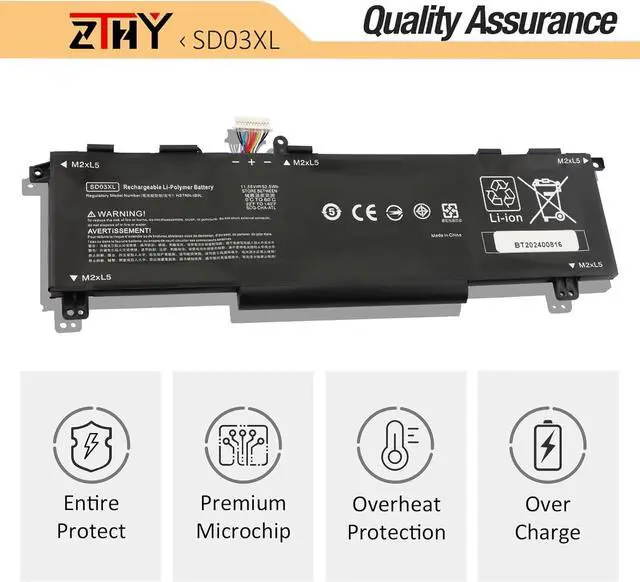
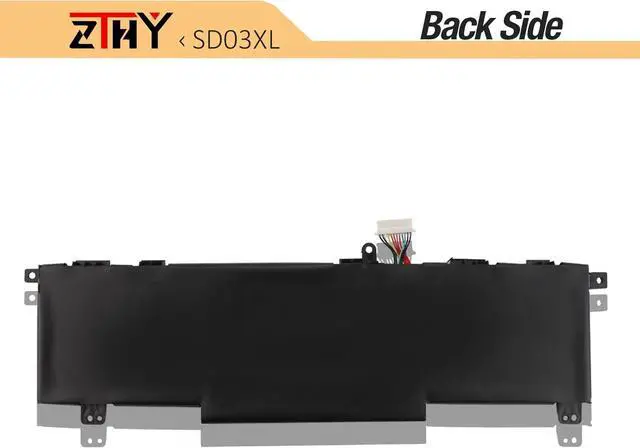
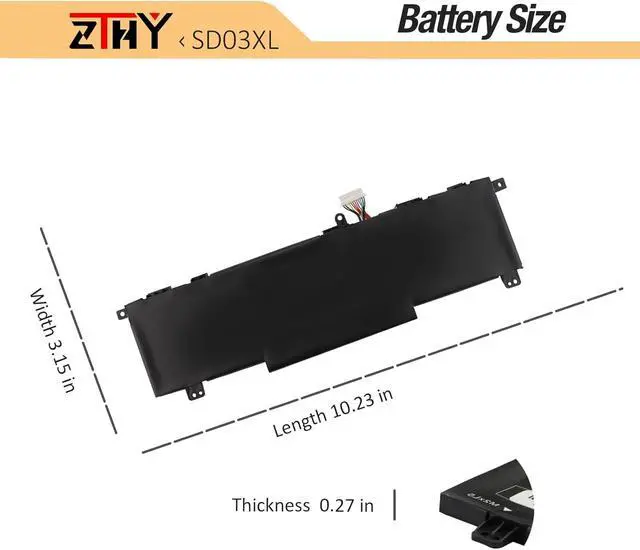


52.5Wh SD03XL Laptop Battery Replacement for HP Omen 15 2020 15-EK 15-EK0000/ Omen 15-EN 15-EN0000 15-ek0013dx 15-ek1013dx 15-ek0xxx 15-ek1xxx 15-ek1075cl 15-en0023dx 15-en1075cl 15-en0xxx 15-en1xxx
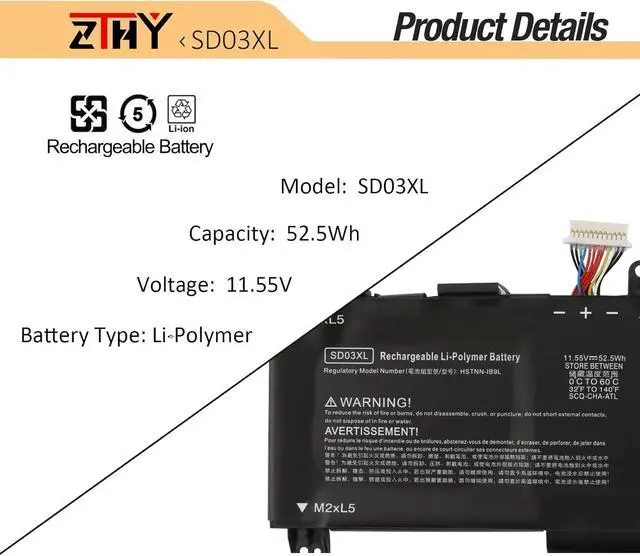
- Specifications: Battery type: Li-Polymer. Color: Black. Voltage: 11.55V. Capacity: 52.5Wh. New from Manufacturer
- Compatible Part Number: SD03XL SD06XL SDO6XL HSTNN-089U HSTNN-DB9U HSTNN-OB1R L84356-2C1 L84357-AC1 L84392-005 L84394-005 LB4392-005
- Compatible with Laptop Models: Replacement for HP Omen 15 2020 15-EK 15-EK0000 Series: 15-EK0008CA 15-EK0010CA 15-EK0018CA 15-EK0020CA 15-EK0013DX 15-EK0023DX 15-ek0025tx 15-EK0003na 15-EK0071ng 15-EK0277ng 15-EK0456ng 15-EK0019NR 15-EK0026NR 15-EK0001TX 15-EK0004TX 15-EK0007TX 15-EK0009TX 15-ek0010TX 15-ek0011TX 15-ek0013TX 15-ek0014TX 15-EK0018TX 15-EK0010TX 15-EK0011TX 15-EK0013TX 15-EK0014TX 15-ek0018TX 15-EK0019TX 15-EK0023TX 15-EK0025tx 15-EK0031TX 15-ek0038TX 15-ek0051TX 15-EK0056TX 15-EK0058TX 15-EK0059TX 15-ek0080TX 15-ek0081TX 15-ek0082TX 15-ek0085TX 15-ek0086TX 15-ek0111TX 15-EK1017TX 15-EK1035TX 15-EK0026NR 15-EK0031TX 15-EK0038TX 15-EK0051TX
- Compatible with Laptop Models: Replacement for HP Omen 15-EN 15-EN0000 Series: 15-EN000

+
+
Overview
Specs
Reviews

Any questions? Our AI beta will help you find out quickly.
Try me now
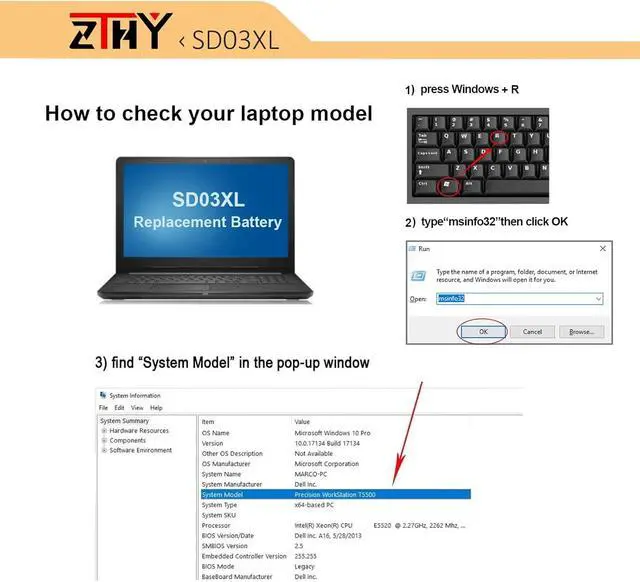
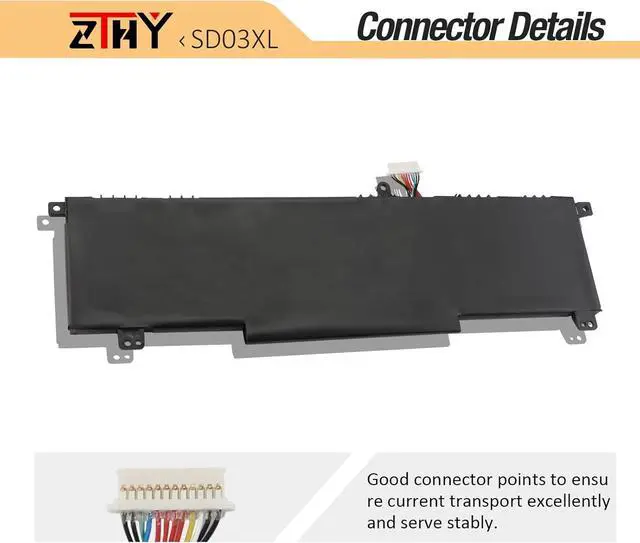
Compatible Part Number SD03XL HSTNN-OB1R L84357-AC1 L84394-005 Compatible Model Replacement for HP Omen 15 2020 15-EK 15-EK0000 Series: 15-EK0008CA 15-EK0010CA 15-EK0018CA 15-EK0020CA 15-EK0013DX 15-EK0023DX 15-ek0025tx 15-EK0003na 15-EK0071ng 15-EK0277ng 15-EK0456ng 15-EK0019NR 15-EK0026NR 15-EK0001TX 15-EK0004TX 15-EK0007TX 15-EK0009TX 15-ek0010TX 15-ek0011TX 15-ek0013TX 15-ek0014TX 15-EK0018TX 15-EK0010TX 15-EK0011TX 15-EK0013TX 15-EK0014TX 15-ek0018TX 15-EK0019TX 15-EK0023TX Compatible Model 15-EK0025tx 15-EK0031TX 15-ek0038TX 15-ek0051TX 15-EK0056TX 15-EK0058TX 15-EK0059TX 15-ek0080TX 15-ek0081TX 15-ek0082TX 15-ek0085TX 15-ek0086TX 15-ek0111TX 15-EK1017TX 15-EK1035TX 15-EK0026NR 15-EK0031TX 15-EK0038TX 15-EK0051TX Compatible Model Replacement for HP Omen 15-EN 15-EN0000 Series: 15-EN0002AX 15-EN0002LA 15-EN0007AX 15-EN0010CA 15-EN0013AX 15-EN0013DX 15-EN0014AX 15-EN0023AX 15-EN0023DX 15-EN0024AX 15-EN0025AX 15-EN0026AX 15-EN0029NR 15-EN0036AX 15-EN0036NR Attention SD03XL has two types of different sizes, which are incompatible with each other, we recommend you purchase after confirming the original battery. Attention If you install the battery, you find that the laptop cannot detect the battery or the battery level cannot be displayed normally. Please check whether the battery cable is installed properly. Sometimes the battery cannot be charged because the cable is not fixed properly. What do I need to be aware of when I receive a new laptop battery?
Check appearance, model, manual. Do 5-6 full charge-discharge cycles to activate. Store long-term at 50%-60% in cool dry place; check every 2-3 months & recharge if needed. These steps extend battery life & reliability.
What should I do if laptop won't boot up after installing a new battery?
1. Check battery seated & contacts clean. 2. Run laptop on charger alone (battery out). 3. If charger works, charge new battery 30 mins then boot with battery. 4. Reset BIOS/EC (hold power 30s). 5. Reinstall old battery to verify laptop hardware.
How should I do if the battery is not recognised?
Update BIOS to latest version. Power off, disconnect battery (and adapter), hold power button 20s, reconnect battery and adapter, reboot. If still not recognised, reseat battery and clean contacts.
What should I do if the battery expands?
1. Power off & unplug laptop. 2. Do not charge or use. 3. In ventilated area, remove swollen battery carefully, avoid pressing or puncturing.
What can you do if you are not satisfied with the battery?
Please use Amazon's messaging system with your order details. We are committed to your satisfaction and will do our best to help resolve any issue.
ZTHY laptop battery instruction:
1. First check if the battery is the same size as your original battery after receiving it. When installing the battery, pay attention to whether the battery cable is fixed. If the battery cable is not installed correctly, the battery may not be charged.
2. If you use the battery for the first time after installing the battery, please do not charge the battery immediately, first use the battery to 10-20%, and then charge the battery, and cycle charging 5-6 times to activate the maximum use of the battery space.
3. We recommend that you search for battery removal tutorials on the Internet in advance, or seek help from a professional technician. We won't responsible for any damage due to improper operation.
Install A New Battery:
1, You need to turn off your laptop and disconnect the power.
2, Disconnect the connection between the old battery and the motherboard to avoid unnecessary damage caused by disassembling the battery. Then unscrew the old battery screws one by one and carefully save each screw.
3, Remove the old battery, carefully install the new battery on the battery case, screw in the screw, and connect the wiring of the new battery.
4, If you d
Check appearance, model, manual. Do 5-6 full charge-discharge cycles to activate. Store long-term at 50%-60% in cool dry place; check every 2-3 months & recharge if needed. These steps extend battery life & reliability.
What should I do if laptop won't boot up after installing a new battery?
1. Check battery seated & contacts clean. 2. Run laptop on charger alone (battery out). 3. If charger works, charge new battery 30 mins then boot with battery. 4. Reset BIOS/EC (hold power 30s). 5. Reinstall old battery to verify laptop hardware.
How should I do if the battery is not recognised?
Update BIOS to latest version. Power off, disconnect battery (and adapter), hold power button 20s, reconnect battery and adapter, reboot. If still not recognised, reseat battery and clean contacts.
What should I do if the battery expands?
1. Power off & unplug laptop. 2. Do not charge or use. 3. In ventilated area, remove swollen battery carefully, avoid pressing or puncturing.
What can you do if you are not satisfied with the battery?
Please use Amazon's messaging system with your order details. We are committed to your satisfaction and will do our best to help resolve any issue.
ZTHY laptop battery instruction:
1. First check if the battery is the same size as your original battery after receiving it. When installing the battery, pay attention to whether the battery cable is fixed. If the battery cable is not installed correctly, the battery may not be charged.
2. If you use the battery for the first time after installing the battery, please do not charge the battery immediately, first use the battery to 10-20%, and then charge the battery, and cycle charging 5-6 times to activate the maximum use of the battery space.
3. We recommend that you search for battery removal tutorials on the Internet in advance, or seek help from a professional technician. We won't responsible for any damage due to improper operation.
Install A New Battery:
1, You need to turn off your laptop and disconnect the power.
2, Disconnect the connection between the old battery and the motherboard to avoid unnecessary damage caused by disassembling the battery. Then unscrew the old battery screws one by one and carefully save each screw.
3, Remove the old battery, carefully install the new battery on the battery case, screw in the screw, and connect the wiring of the new battery.
4, If you d
Warranty & Returns
Warranty, Returns, And Additional Information
Warranty
- Please contact the Seller directly for warranty information. Warranty information may also be found on the Manufacturer's website.
- CONTACT
Return Policies
- Return for refund within: 45 days
- Return for replacement within: 45 days
- This item is covered by Xalvion E-Commerce Limited Return Policy
Manufacturer Contact Info
- For a directory of all our manufacturers, please click below.
- Manufacturers Directory
LOADING...