

Your Browsing History


Meet Your Seller

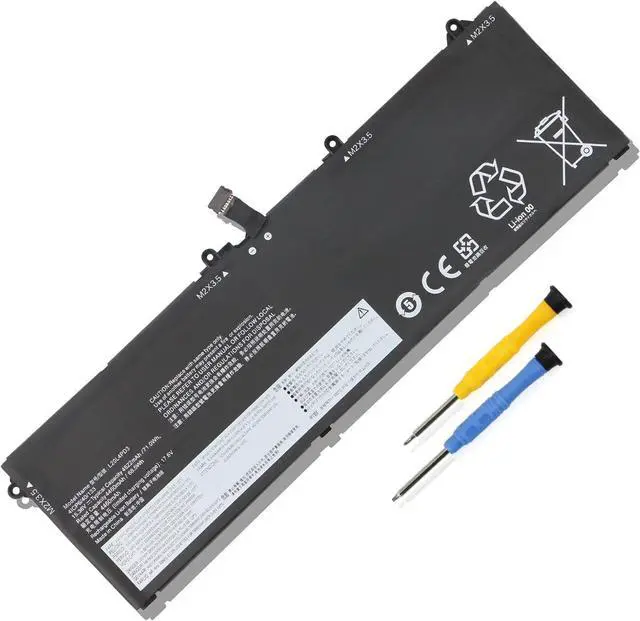
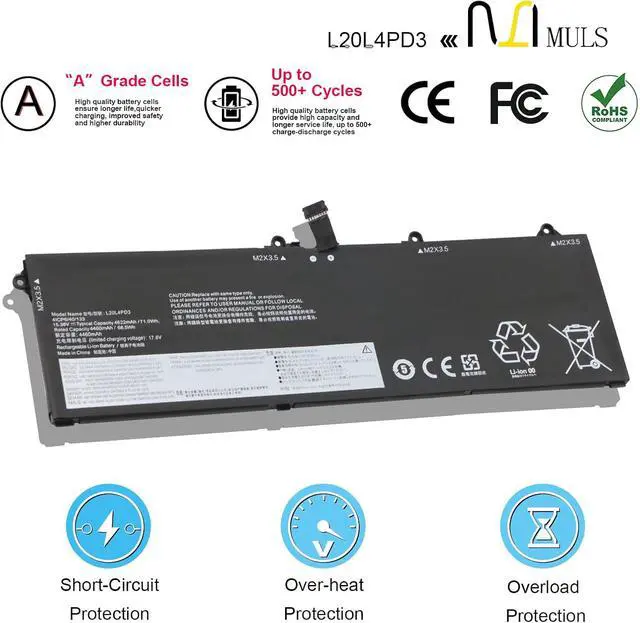
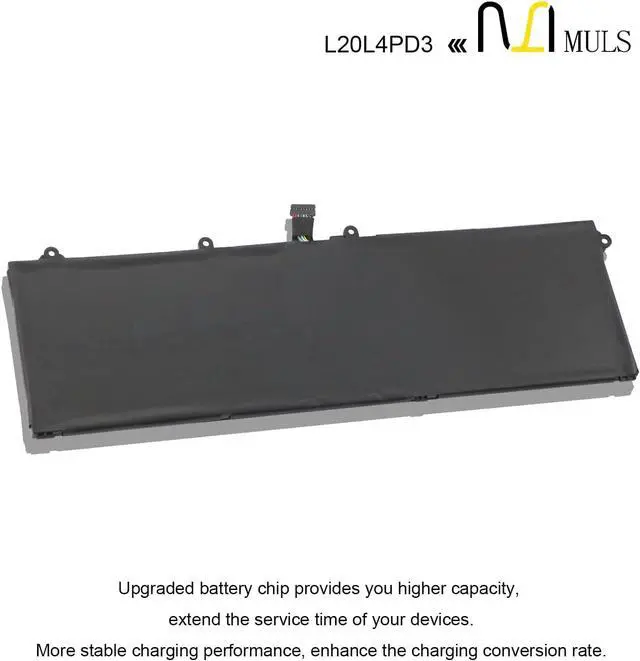
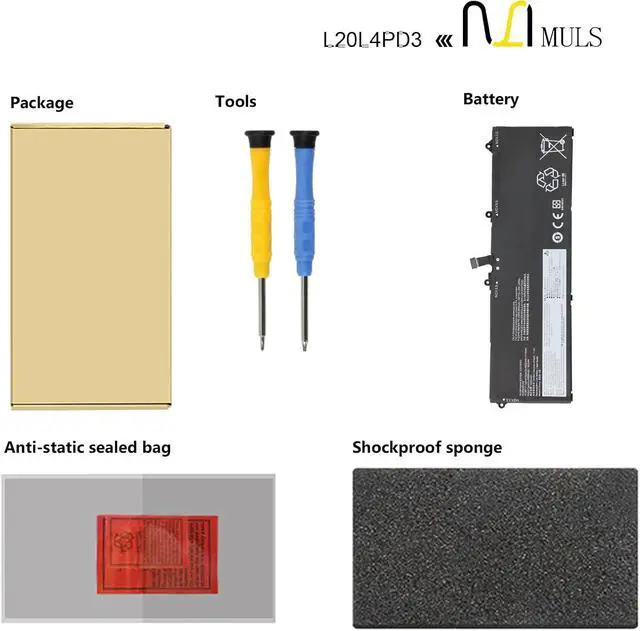
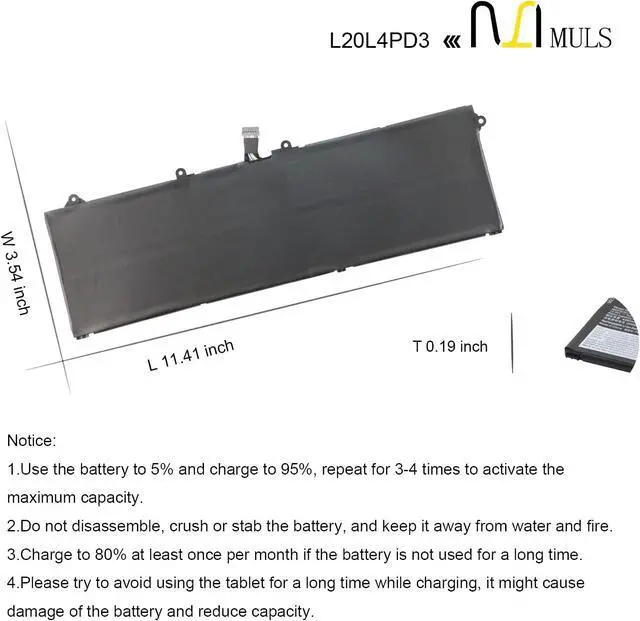


MULS L20L4PD3 L20M4PD3 Laptop Battery for Lenovo Legion S7-15ACH6 S7-16ARHA7 S7-16IAH7 82K8 82TF 82UG Slim 7-15ACH6 7-16IAH7 Gen 6 Gaming ThinkBook 16P G2 ACH G3 ARH 20YM 21EK L20C4P73 L20D4P73 71Wh
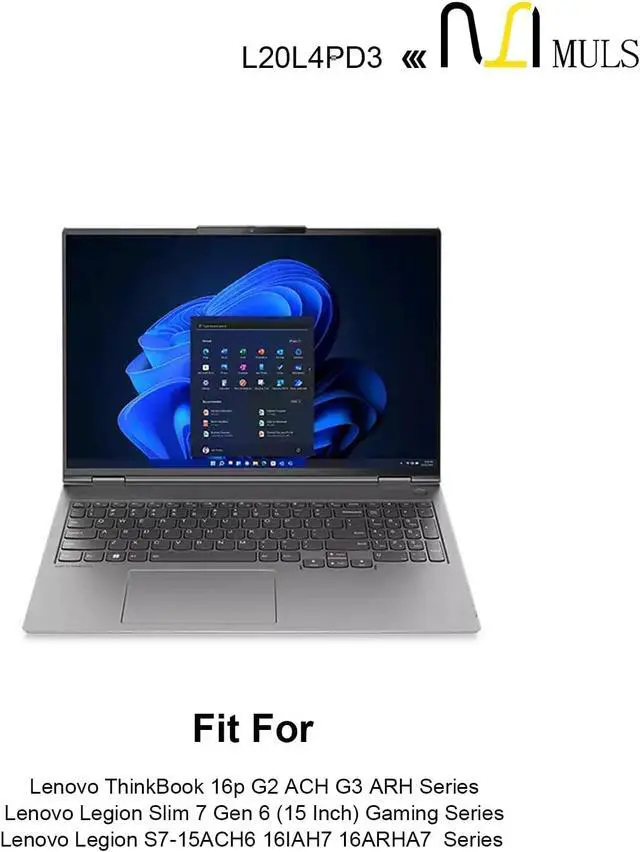
- Replacement For Laptop: Fit for Lenovo Legion S7-15ACH6 (Type: 82K8) Series; Fit for Lenovo Legion S7-16IAH7 (Type: 82TF) Series; Fit for Lenovo Legion S7-16ARHA7 (Type: 82UG) Series; (Note: There have two types of batteries for Lenovo Legion S7-16IAH7 S7-16ARHA7 laptop, please open the back cover of your laptop to confirm that the battery is the same as the picture before ordering.) Fit for Lenovo ThinkBook 16p G2 ACH (Type: 20YM) Series; Fit for Lenovo ThinkBook 16p G3 ARH (Type 21EK) Series.
- Compatible with Part Number: L20M4PD3 SB11C04262 5B11C04261 SB11N51737 5B11N51735 L20L4PD3 SB11C04260 5B11C04256 SB11N51751 5B11N51749. Note: Please kindly open your laptop back cover to confirm your original battery model is the same as listed here.
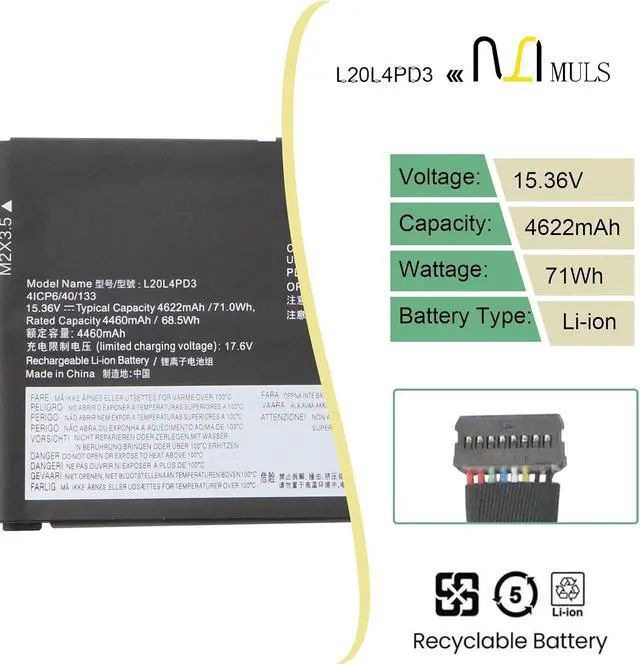
- Battery Specification: Capacity: 71Wh 4622mAh Voltage: 15.36V. Brand new. Up to 500 recharge cycles over the life of the battery. High-quality materials and circuit board.
- Safety Above All: Our batteries are certified by CE, FCC and RoHS to ensu
+
+
Overview
Reviews

Any questions? Our AI beta will help you find out quickly.
Try me now
With the launch of its dedicated laptop battery line, MULS emerged as a professional brand focused on addressing the growing demand for reliable, high-performance replacement laptop batteries worldwide. We have expanded our product range over the years to include premium tool batteries for robotic vacuums while extending our global market reach, all with an unwavering core focus on precision compatibility, strict quality control and long-lasting power performance. The rising global demand for durable replacement batteries that restore device performance has fueled MULSs steady growth and built a trusted reputation among users across key markets worldwide.
MULS is dedicated to crafting top-tier replacement batteries, covering a wide range of laptop models and robotic vacuum tools alike. Our batteries are all engineered with high-quality materials and integrated multiple safety protections, effectively solving common issues like short battery life, sudden shutdowns and aging power cells for your devices. Every MULS battery is precisely calibrated to match the original devices power needs, delivering a seamless, hassle-free user experience.
Power your laptops lasting performance, and keep your robotic vacuum running strongwith MULS!
Specification
Voltage:15.36V
Capatity:71Wh 4622mAh
Condition: Brand new from manufacture, Grade A cell
Replacement for Part Number:
L20M4PD3 SB11C04262 5B11C04261 SB11N51737 5B11N51735
L20L4PD3 SB11C04260 5B11C04256 SB11N51751 5B11N51749
Compatible With Laptop Models:
Fit for Lenovo ThinkBook 16p G2 ACH (Type 20YM) Series
Fit for Lenovo ThinkBook 16p G3 ARH (Type 21EK) Series
Fit for Lenovo Legion Slim 7 15ACH6 (Type 82K8) Series
Fit for Lenovo Legion Slim 7 16IAH7 (Type 82VB) Series
Fit for Lenovo Legion Slim 7 Gen 6 (15 inch) Gaming Series
Fit for Lenovo Legion S7-15ACH6 (Type 82K8) Series
Fit for Lenovo Legion S7-16IAH7 (Type 82TF) Series
Fit for Lenovo Legion S7-16ARHA7 Series -(Type 82UG)
Note: There are two types of batteries for Lenovo Legion S7-16IAH7 and S7-16ARHA7 laptops. Please open the back cover of your laptop to confirm that the battery matches the picture before ordering. Please open the back cover of your laptop to check the original battery size and capacity before placing an order. Please scroll down to the list to purchase.
1. Turn off your laptop and disconnect the power.
2. Disconnect the connection between the old battery and the motherboard to avoid unnecessary damage caused by disassembling the battery. Then unscrew the old battery screws one by one and carefully save each screw.
3. Remove the old battery, carefully connect the new battery to the mainboard, reinstall all the parts that have been removed earlier, and connect the wiring of the new battery.
4. If you don't understand the above steps, you can search the relevant installation tutorial video on YouTube for help.
1. New battery: Discharge the new battery to 10% (not 0%), then charging up to 95% and repeat 3-4 times to activate the maximum capacity.
2. Overuse: Do not always run out of a battery to 0%, that would damage the battery or shorten the usage life.
3. Charging sequence: when charging, first install the battery, then turn on the power, when fully charged, first cut off the power, then pull the power plug.
4. Fully charge the battery before long-term storage, and keep charging once a month.
Do not store the battery at low power circumstances.
Could be caused by battery loose. Please re-install the battery and make sure that the battery cable and the motherboard interface are tightly inserted.
Maybe due to conductive material damaged which the laptop motherboard and battery anode and cathode contact position, you can try to confirm it with your original battery.
Check whether the battery drive is in normal condition, if not, download the corresponding dr
MULS is dedicated to crafting top-tier replacement batteries, covering a wide range of laptop models and robotic vacuum tools alike. Our batteries are all engineered with high-quality materials and integrated multiple safety protections, effectively solving common issues like short battery life, sudden shutdowns and aging power cells for your devices. Every MULS battery is precisely calibrated to match the original devices power needs, delivering a seamless, hassle-free user experience.
Power your laptops lasting performance, and keep your robotic vacuum running strongwith MULS!
Specification
Voltage:15.36V
Capatity:71Wh 4622mAh
Condition: Brand new from manufacture, Grade A cell
Replacement for Part Number:
L20M4PD3 SB11C04262 5B11C04261 SB11N51737 5B11N51735
L20L4PD3 SB11C04260 5B11C04256 SB11N51751 5B11N51749
Compatible With Laptop Models:
Fit for Lenovo ThinkBook 16p G2 ACH (Type 20YM) Series
Fit for Lenovo ThinkBook 16p G3 ARH (Type 21EK) Series
Fit for Lenovo Legion Slim 7 15ACH6 (Type 82K8) Series
Fit for Lenovo Legion Slim 7 16IAH7 (Type 82VB) Series
Fit for Lenovo Legion Slim 7 Gen 6 (15 inch) Gaming Series
Fit for Lenovo Legion S7-15ACH6 (Type 82K8) Series
Fit for Lenovo Legion S7-16IAH7 (Type 82TF) Series
Fit for Lenovo Legion S7-16ARHA7 Series -(Type 82UG)
Note: There are two types of batteries for Lenovo Legion S7-16IAH7 and S7-16ARHA7 laptops. Please open the back cover of your laptop to confirm that the battery matches the picture before ordering. Please open the back cover of your laptop to check the original battery size and capacity before placing an order. Please scroll down to the list to purchase.
1. Turn off your laptop and disconnect the power.
2. Disconnect the connection between the old battery and the motherboard to avoid unnecessary damage caused by disassembling the battery. Then unscrew the old battery screws one by one and carefully save each screw.
3. Remove the old battery, carefully connect the new battery to the mainboard, reinstall all the parts that have been removed earlier, and connect the wiring of the new battery.
4. If you don't understand the above steps, you can search the relevant installation tutorial video on YouTube for help.
1. New battery: Discharge the new battery to 10% (not 0%), then charging up to 95% and repeat 3-4 times to activate the maximum capacity.
2. Overuse: Do not always run out of a battery to 0%, that would damage the battery or shorten the usage life.
3. Charging sequence: when charging, first install the battery, then turn on the power, when fully charged, first cut off the power, then pull the power plug.
4. Fully charge the battery before long-term storage, and keep charging once a month.
Do not store the battery at low power circumstances.
Could be caused by battery loose. Please re-install the battery and make sure that the battery cable and the motherboard interface are tightly inserted.
Maybe due to conductive material damaged which the laptop motherboard and battery anode and cathode contact position, you can try to confirm it with your original battery.
Check whether the battery drive is in normal condition, if not, download the corresponding dr
Warranty & Returns
Warranty, Returns, And Additional Information
Warranty
- Please contact the Seller directly for warranty information. Warranty information may also be found on the Manufacturer's website.
- CONTACT
Return Policies
- Return for refund within: 45 days
- Return for replacement within: 45 days
- This item is covered by Xalvion E-Commerce Limited Return Policy
Manufacturer Contact Info
- For a directory of all our manufacturers, please click below.
- Manufacturers Directory
LOADING...