

Your Browsing History


Meet Your Seller

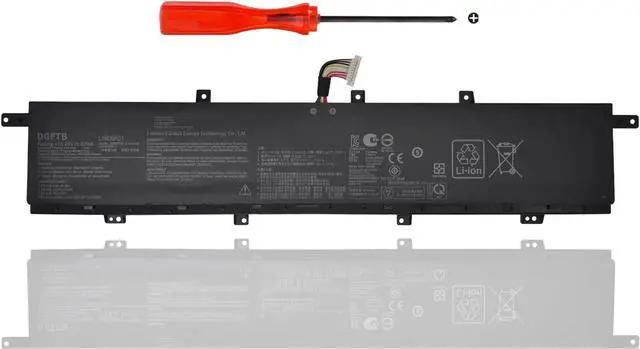

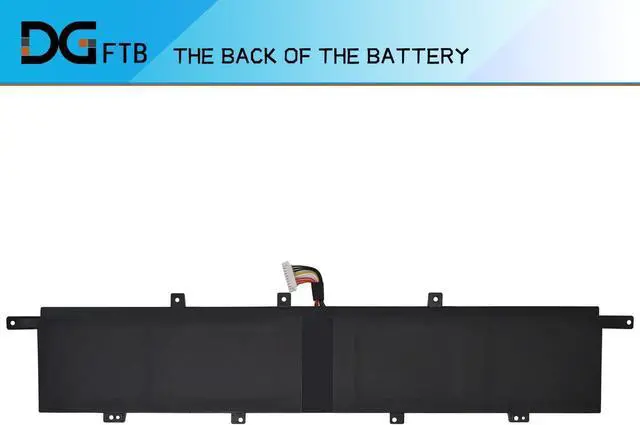




DGFTB C42N2008 Laptop Battery for ASUS ZenBook Pro Duo 15 OLED UX582 UX582LR XS74T UX582LR-H2002R UX582LR-BP1979R UX582LR-H2002TS H2003R UX582LR-H2017T H2025R UX582LR-XS94T 0B200-03840000 92Wh
- Replacement Battery TypeVoltage:15.48V; Capacity: 92Wh/5810mAh.
- Compatible P/NC42N2008 0B200-03840000 0B20003840000 4ICP6/50/69-2.
- Compatible ModelsFor ASUS ZenBook Pro 15 UX582LR, ZenBook Pro 15 UX582LR-H2002R, ZenBook Pro Duo 15 OLED UX582LR-BP1979R, ZenBook Pro Duo 15 OLED UX582LR-H0701TS, ZenBook Pro Duo 15 OLED UX582LR-H2002R, Zenbook Pro Duo 15 OLED UX582LR-H2002TS, ZenBook Pro Duo 15 OLED UX582LR-H2003R, ZenBook Pro Duo 15 OLED UX582LR-H2013T, ZenBook Pro Duo 15 OLED UX582LR-H2014R, ZenBook Pro Duo 15 OLED UX582LR-H2014T, ZenBook Pro Duo 15 OLED UX582LR-H2017T, ZenBook Pro Duo 15 OLED UX582LR-H2025R, Zenbook Pro Duo 15 OLED UX582LR-XS94T, ZenBook Pro Duo UX582 LR-1BH2, ZenBook Pro Duo UX582 LR-XS74T, ZenBook Pro Duo UX582LR...
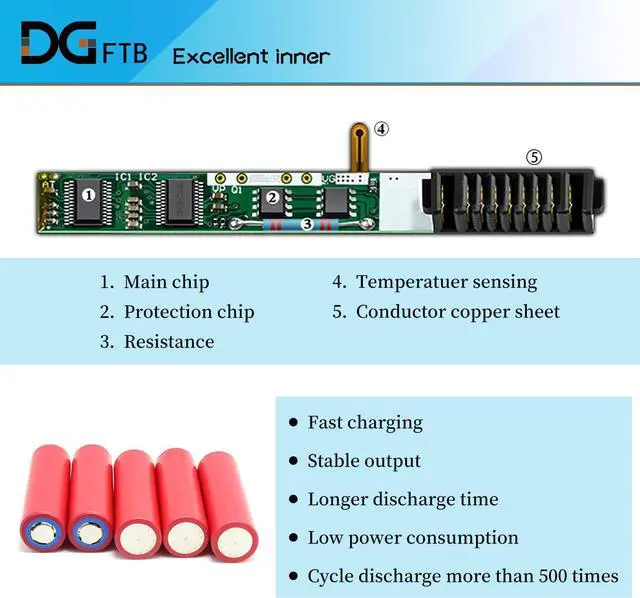
- DG QualityGrade A cells mitigate the risk of battery leakage and maximize output stability. Built-in circuit protection, enhances safety of usage and extends battery life.
- DG TIPSFor the initial installation, please reinstall and check the i

+
+
Overview
Specs
Reviews

Any questions? Our AI beta will help you find out quickly.
Try me now
We are a professional laptop battery provider,
We are always working hard to ensure high quality laptop battery standards.
Your satisfaction is our team goal, your support is our most precious wealth.
Voltage: 15.48V Capacity: 92Wh/5810mAh Battery Condition: Brand New Battery Type: Lithium Ion
Compatible Part Numbers:
C42N2008 0B200-03840000 0B20003840000 4ICP6/50/69-2
for Asus ZenBook Pro 15 UX582LR UX582LR-H2002R Series
for Asus ZenBook Pro Duo 15 OLED UX582LR Series
for Asus ZenBook Pro Duo 15 OLED UX582LR-BP1979R UX582LR-H0701TS UX582LR-H2002R UX582LR-H2002TS Series
for Asus ZenBook Pro Duo 15 OLED UX582LR-H2003R UX582LR-H2013T UX582LR-H2014R UX582LR-H2014T Series
for Asus ZenBook Pro Duo 15 OLED UX582LR-H2017T UX582LR-H2025R UX582LR-XS94T Series
for Asus ZenBook Pro Duo UX582 LR-1BH2 LR-XS74T Series
for Asus ZenBook Pro Duo UX582LR Series
1,Disconnect the connection between the old battery and the motherboard to avoid unnecessary damage caused by disassembling the battery. Then unscrew the old battery screws one by one and carefully save each.
2, Remove the old battery, carefully install the new battery on the battery case, and connect the wiring of the new battery.
3, If you don't understand the above steps, you can search for the video about laptop battery installation on website. Maybe it will help you
Remove all battery drivers
Remove battery
Connect laptop using AC charger, double check no battery drivers installed
Connect battery
Drivers will install automatically
Full charge the battery by ac adapter
Leave charger and let the battery drain to shut off
Weve been doing this for the many years.
We know how to get the most out of our batteries for you.
The safety and longevity of battery is our goal for the buyer.
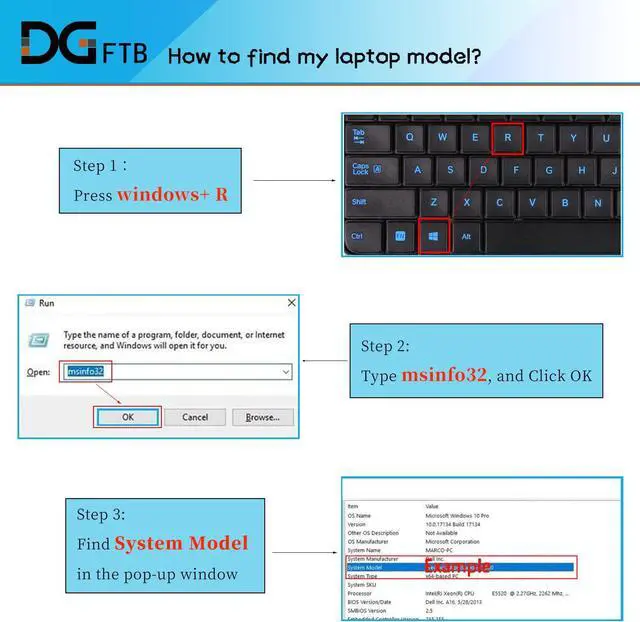
Before placing an order, please open the back cover of your laptop,
check and confirm your original battery model and appearance,
and compare with our battery pictures to ensure that this is what you need.
It helps you to buy the correct battery
Welcome to DGTFB Specification: Compatible Machine Models: Install A New Battery: Battery can't be recognized by my laptop: Unparalleled Expertise:
We are always working hard to ensure high quality laptop battery standards.
Your satisfaction is our team goal, your support is our most precious wealth.
Voltage: 15.48V Capacity: 92Wh/5810mAh Battery Condition: Brand New Battery Type: Lithium Ion
Compatible Part Numbers:
C42N2008 0B200-03840000 0B20003840000 4ICP6/50/69-2
for Asus ZenBook Pro 15 UX582LR UX582LR-H2002R Series
for Asus ZenBook Pro Duo 15 OLED UX582LR Series
for Asus ZenBook Pro Duo 15 OLED UX582LR-BP1979R UX582LR-H0701TS UX582LR-H2002R UX582LR-H2002TS Series
for Asus ZenBook Pro Duo 15 OLED UX582LR-H2003R UX582LR-H2013T UX582LR-H2014R UX582LR-H2014T Series
for Asus ZenBook Pro Duo 15 OLED UX582LR-H2017T UX582LR-H2025R UX582LR-XS94T Series
for Asus ZenBook Pro Duo UX582 LR-1BH2 LR-XS74T Series
for Asus ZenBook Pro Duo UX582LR Series
1,Disconnect the connection between the old battery and the motherboard to avoid unnecessary damage caused by disassembling the battery. Then unscrew the old battery screws one by one and carefully save each.
2, Remove the old battery, carefully install the new battery on the battery case, and connect the wiring of the new battery.
3, If you don't understand the above steps, you can search for the video about laptop battery installation on website. Maybe it will help you
Remove all battery drivers
Remove battery
Connect laptop using AC charger, double check no battery drivers installed
Connect battery
Drivers will install automatically
Full charge the battery by ac adapter
Leave charger and let the battery drain to shut off
Weve been doing this for the many years.
We know how to get the most out of our batteries for you.
The safety and longevity of battery is our goal for the buyer.
Before placing an order, please open the back cover of your laptop,
check and confirm your original battery model and appearance,
and compare with our battery pictures to ensure that this is what you need.
It helps you to buy the correct battery
Welcome to DGTFB Specification: Compatible Machine Models: Install A New Battery: Battery can't be recognized by my laptop: Unparalleled Expertise:
Warranty & Returns
Warranty, Returns, And Additional Information
Warranty
- Please contact the Seller directly for warranty information. Warranty information may also be found on the Manufacturer's website.
- CONTACT
Return Policies
- Return for refund within: 45 days
- Return for replacement within: 45 days
- This item is covered by Xalvion E-Commerce Limited Return Policy
Manufacturer Contact Info
- For a directory of all our manufacturers, please click below.
- Manufacturers Directory
LOADING...