

Your Browsing History


Meet Your Seller

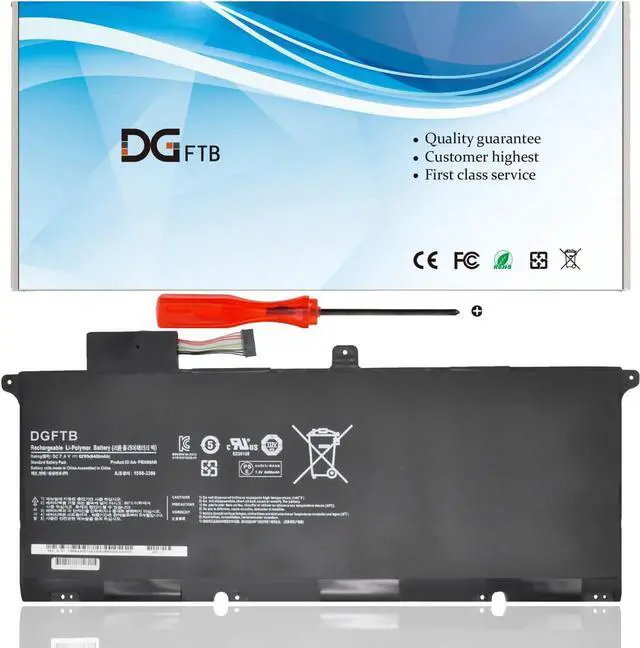
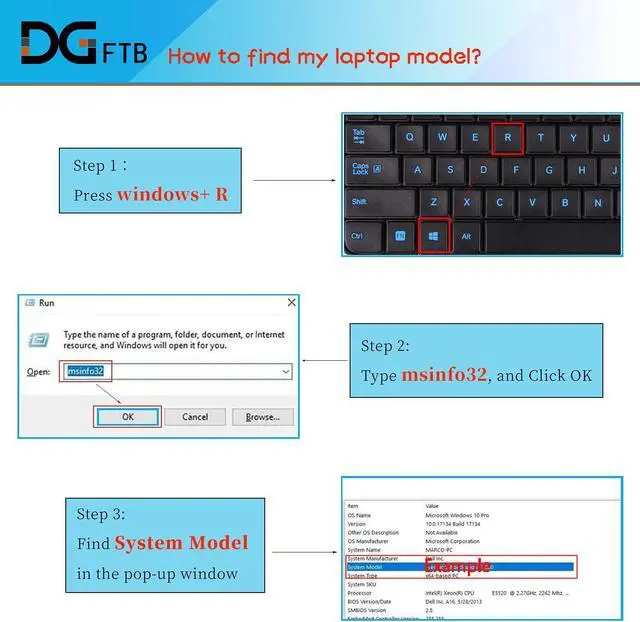
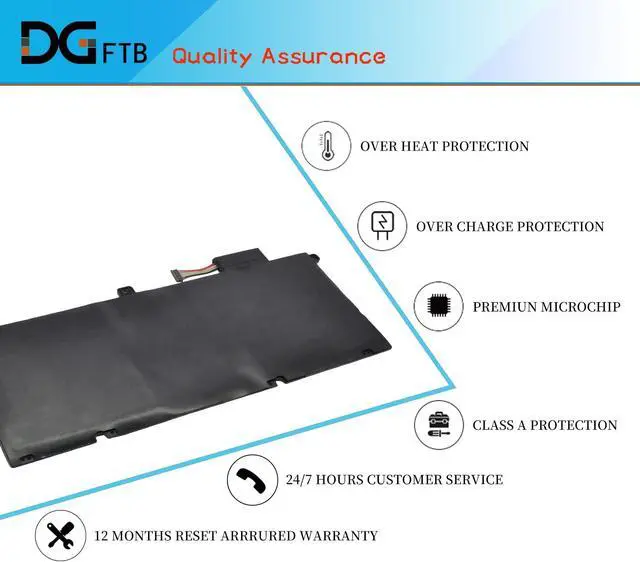



New AA-PBXN8AR Laptop Battery Replacement for Samsung 9 900X4D NP900X4C-A01 A02 A03 900X4 900X46 900X4B-A01DE Series Notebook NP900XC4D NP900X4B(7.4V 62Wh/8400mAh)
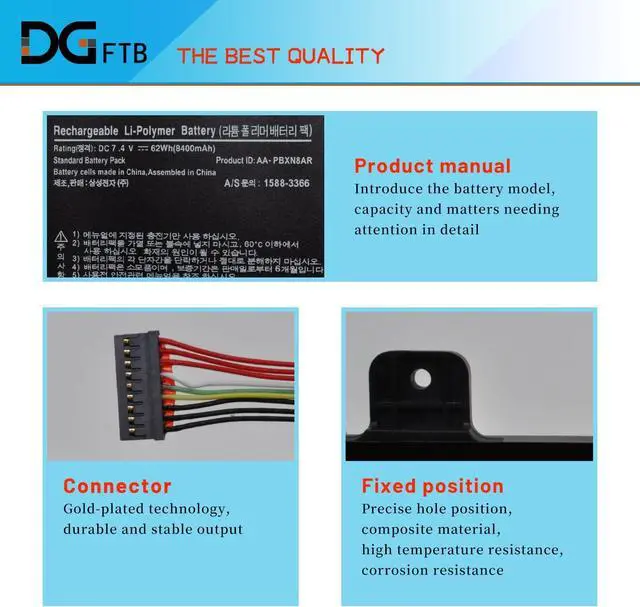
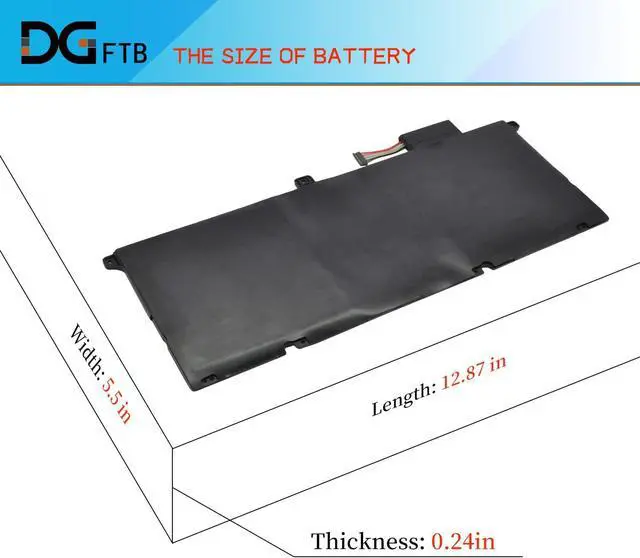
- Replacement Battery TypeLi-ion; Voltage:7.4V Capacity:62Wh/8400mAh
- Compatible P/NAA-PBXN8AR, AAPBXN8AR, PBXN8AR
- Compatible ModelsFor Samsung Series 9 900X 900X46 900X4B 900X4C 900X4D NP900X4B NP900X4C NP900X4D Series: 900X4B-A01DE 900X4B-A01FR 900X4B-A02US NP900X4C-A01US, 900X4C-A04DE, NP900X4C-A01AU, NP900X4C-A03US, NP900X4C-A04US, NP900X4C-A07US, NP900X4C-A06US, NP900X4C-A01SE, NP900X4C-A05AU, NP900X4D-A03CA, NP900X4D-A03US, NP900X4D-K03SE, NP900X4D-K01DE
- DG QualityGrade A cells mitigate the risk of battery leakage and maximize output stability. Built-in circuit protection, enhances safety of usage and extends battery life
- DG TIPSFor the initial installation, please reinstall and check the interface fully connected, discharge the battery to 5%(not to 0%) and then charge to 95%, and cycle 3-4 times
+
+
Overview
Specs
Reviews

Any questions? Our AI beta will help you find out quickly.
Try me now
Replacement Battery TypeLi-ion; Voltage:7.4V Capacity:62Wh/8400mAh
Compatible P/NAA-PBXN8AR, AAPBXN8AR, PBXN8AR
Compatible ModelsFor Samsung Series 9 900X 900X46 900X4B 900X4C 900X4D NP900X4B NP900X4C NP900X4D Series: 900X4B-A01DE 900X4B-A01FR 900X4B-A02US NP900X4C-A01US, 900X4C-A04DE, NP900X4C-A01AU, NP900X4C-A03US, NP900X4C-A04US, NP900X4C-A07US, NP900X4C-A06US, NP900X4C-A01SE, NP900X4C-A05AU, NP900X4D-A03CA, NP900X4D-A03US, NP900X4D-K03SE, NP900X4D-K01DE
DG QualityGrade A cells mitigate the risk of battery leakage and maximize output stability. Built-in circuit protection, enhances safety of usage and extends battery life
DG TIPSFor the initial installation, please reinstall and check the interface fully connected, discharge the battery to 5%(not to 0%) and then charge to 95%, and cycle 3-4 times
Compatible P/NAA-PBXN8AR, AAPBXN8AR, PBXN8AR
Compatible ModelsFor Samsung Series 9 900X 900X46 900X4B 900X4C 900X4D NP900X4B NP900X4C NP900X4D Series: 900X4B-A01DE 900X4B-A01FR 900X4B-A02US NP900X4C-A01US, 900X4C-A04DE, NP900X4C-A01AU, NP900X4C-A03US, NP900X4C-A04US, NP900X4C-A07US, NP900X4C-A06US, NP900X4C-A01SE, NP900X4C-A05AU, NP900X4D-A03CA, NP900X4D-A03US, NP900X4D-K03SE, NP900X4D-K01DE
DG QualityGrade A cells mitigate the risk of battery leakage and maximize output stability. Built-in circuit protection, enhances safety of usage and extends battery life
DG TIPSFor the initial installation, please reinstall and check the interface fully connected, discharge the battery to 5%(not to 0%) and then charge to 95%, and cycle 3-4 times
Warranty & Returns
Warranty, Returns, And Additional Information
Warranty
- Please contact the Seller directly for warranty information. Warranty information may also be found on the Manufacturer's website.
- CONTACT
Return Policies
- Return for refund within: 45 days
- Return for replacement within: 45 days
- This item is covered by Xalvion E-Commerce Limited Return Policy
Manufacturer Contact Info
- For a directory of all our manufacturers, please click below.
- Manufacturers Directory
LOADING...