

Your Browsing History


Meet Your Seller

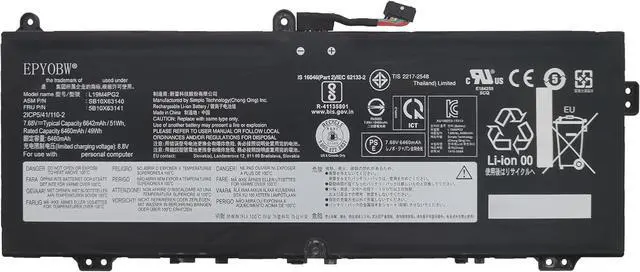
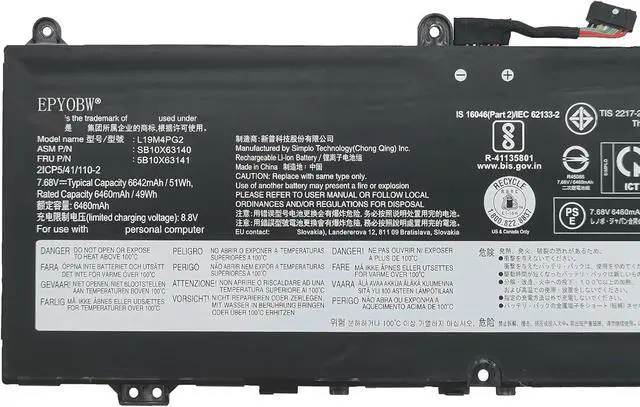
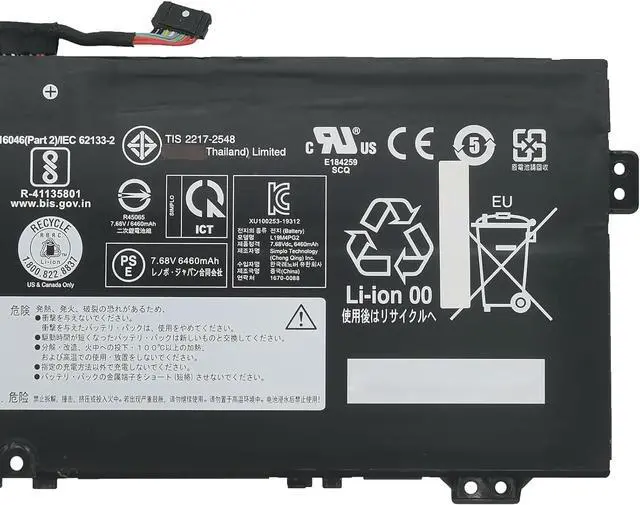
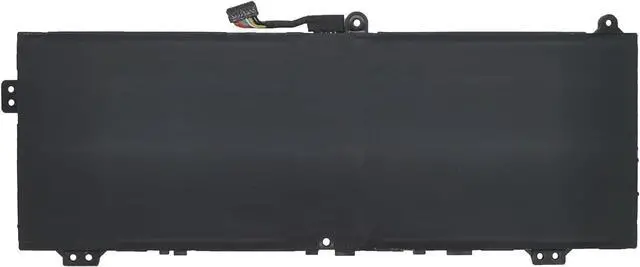


L19M4PG2 Laptop Battery 51Wh Compatible with Lenovo IdeaPad Flex 5 Chromebook-13ITL6 / IdeaPad 5 Chrome-14ITL6 / ThinkPad C13 Yoga Gen 1 Chromebook Series L19L4PG2 L19D4PG2
- Specifications Battery Model: L19M4PG2 / Voltage: 7.68V / Capacity: 51Wh 6642mAh 4-Cell / Color: Black / Condition: Brand New.
- Replace Part Number L19M4PG2 SB10X63140 5B10X63141 L19L4PG2 SB10X63137 5B10X63136 L19D4PG2 SB10X63139 5B10X63138 2ICP5/41/110-2
- Compatible with Laptop Models For Lenovo IdeaPad Flex 5 Chromebook-13ITL6 (Type: 82M7) Series; For Lenovo IdeaPad Flex 5 Chromebook-13IML05 (Type: 82B8) Series; For Lenovo IdeaPad 5 Chrome-14ITL6 (Type: 82M8) Series; For Lenovo ThinkPad C13 Yoga Gen 1 Chromebook (Type: 20UX, 20U) Series.
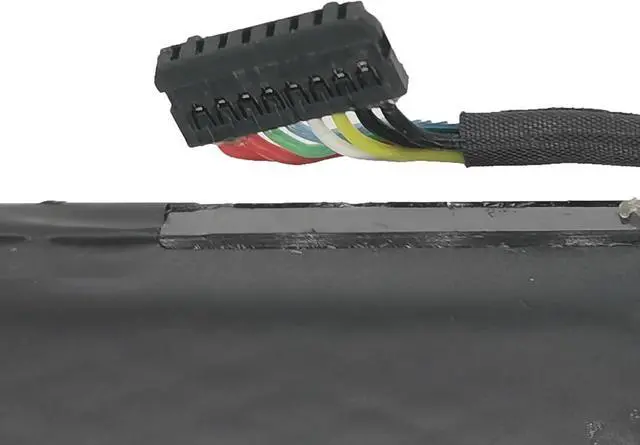
- Purchase Skills Please open the back cover of the laptop before ordering and make sure that the original battery model is consistent with the listing. After getting the battery, please install the battery correctly, make sure that the battery connector is firmly connected to the laptop motherboard, and use the original charger to charge the laptop.Discharge the new battery to 5% (not 0%), then charge and cycle 3-4 times to wake up the new b
+
+
Overview
Specs
Reviews

Any questions? Our AI beta will help you find out quickly.
Try me now
EPYOBW is a professional laptop battery supplier that continues to provide durable and safe laptop batteries. Wish you a happy shopping
Step 1: Press the "Windows + R" keys to pop up the window.
Step 2: Enter "msinfo32" and click "OK".
Step 3: View the "System Model" in the right pane.
Step 1: Shut down the laptop and unplug the power cord.
Step 2: Carefully use a screwdriver to remove the back panel to prevent damage to laptop components.
Step 3: Disconnect the cable connected to the battery, then you can check the model number and specific specifications on the battery.
Brand new battery
Rechargeable up to 1000+ times
Overcharging protection
Overheating protection
Short circuit protection
professional
Battery Model: L19M4PG2
Capacity: 51Wh 6642mAh 4-Cell
Voltage: 7.68V
Battery Type: Li-ion
Condition: Brand New
Color: Black
Replace Part Number:
L19M4PG2 SB10X63140 5B10X63141 L19L4PG2 SB10X63137
5B10X63136 L19D4PG2 SB10X63139 5B10X63138
Compatible Laptop Models: (use"Ctrl+F" to find your model quickly)
for Lenovo IdeaPad Flex 5 Chromebook-13ITL6 (Type: 82M7) Series
for Lenovo IdeaPad Flex 5 Chromebook-13IML05 (Type: 82B8) Series
for Lenovo IdeaPad 5 Chrome-14ITL6 (Type: 82M8) Series
for Lenovo ThinkPad C13 Yoga Gen 1 Chromebook (Type: 20UX, 20U) Series
Notice needing attention:
Not all compatible laptop models are listed or included here.
You can open the back of your laptop to check the original battery model number.
Brand new battery
100% compatible
Meet OEM specifications
Rechargeable up to 1000+ times
capacity is true, stable current, low self-discharge
short circuit, overheat, and overload protections
Multiple protection
Strong battery life
Good "core" quality
After getting the battery, please install the battery correctly, make sure that the battery connector is firmly connected to the laptop motherboard, and start charging the laptop. Discharge the new battery to 5% (not 0%), then charge and cycle 3-4 times to wake up the new battery.
Remember not to discharge the battery to 0%, otherwise the battery will be easily damaged.
After the battery is exhausted, please charge it in time. If it is not charged for a long time, the battery may be damaged.
If the battery is not used for a long time, it needs to be charged to more than 70% for storage. The storage time should not exceed 3 months.
If you often use it with a charger, please use the battery power regularly and use it more than once a week.
Please use original chargers. Inferior chargers will affect the normal charging of the battery.
Regularly clean the fan dust to increase the heat dissipation effect and reduce power consumption, which can effectively extend the battery life.
Please feel free to choose us Welcome to EPYOBW How to get the correct battery? Method 1: Use the shortcut "Window+R" to check your laptop model. Method 2: Open the back cover of the laptop and confirm the battery type, capacity, and laptop model. Brand: EPYOBW Specification EPYOBW High Quality Laptop Battery High Quality Battery Grade "A" cells Trustworthy Easily cope with various scenarios Battery use and maintenance:
Step 1: Press the "Windows + R" keys to pop up the window.
Step 2: Enter "msinfo32" and click "OK".
Step 3: View the "System Model" in the right pane.
Step 1: Shut down the laptop and unplug the power cord.
Step 2: Carefully use a screwdriver to remove the back panel to prevent damage to laptop components.
Step 3: Disconnect the cable connected to the battery, then you can check the model number and specific specifications on the battery.
Brand new battery
Rechargeable up to 1000+ times
Overcharging protection
Overheating protection
Short circuit protection
professional
Battery Model: L19M4PG2
Capacity: 51Wh 6642mAh 4-Cell
Voltage: 7.68V
Battery Type: Li-ion
Condition: Brand New
Color: Black
Replace Part Number:
L19M4PG2 SB10X63140 5B10X63141 L19L4PG2 SB10X63137
5B10X63136 L19D4PG2 SB10X63139 5B10X63138
Compatible Laptop Models: (use"Ctrl+F" to find your model quickly)
for Lenovo IdeaPad Flex 5 Chromebook-13ITL6 (Type: 82M7) Series
for Lenovo IdeaPad Flex 5 Chromebook-13IML05 (Type: 82B8) Series
for Lenovo IdeaPad 5 Chrome-14ITL6 (Type: 82M8) Series
for Lenovo ThinkPad C13 Yoga Gen 1 Chromebook (Type: 20UX, 20U) Series
Notice needing attention:
Not all compatible laptop models are listed or included here.
You can open the back of your laptop to check the original battery model number.
Brand new battery
100% compatible
Meet OEM specifications
Rechargeable up to 1000+ times
capacity is true, stable current, low self-discharge
short circuit, overheat, and overload protections
Multiple protection
Strong battery life
Good "core" quality
After getting the battery, please install the battery correctly, make sure that the battery connector is firmly connected to the laptop motherboard, and start charging the laptop. Discharge the new battery to 5% (not 0%), then charge and cycle 3-4 times to wake up the new battery.
Remember not to discharge the battery to 0%, otherwise the battery will be easily damaged.
After the battery is exhausted, please charge it in time. If it is not charged for a long time, the battery may be damaged.
If the battery is not used for a long time, it needs to be charged to more than 70% for storage. The storage time should not exceed 3 months.
If you often use it with a charger, please use the battery power regularly and use it more than once a week.
Please use original chargers. Inferior chargers will affect the normal charging of the battery.
Regularly clean the fan dust to increase the heat dissipation effect and reduce power consumption, which can effectively extend the battery life.
Please feel free to choose us Welcome to EPYOBW How to get the correct battery? Method 1: Use the shortcut "Window+R" to check your laptop model. Method 2: Open the back cover of the laptop and confirm the battery type, capacity, and laptop model. Brand: EPYOBW Specification EPYOBW High Quality Laptop Battery High Quality Battery Grade "A" cells Trustworthy Easily cope with various scenarios Battery use and maintenance:
Warranty & Returns
Warranty, Returns, And Additional Information
Warranty
- Please contact the Seller directly for warranty information. Warranty information may also be found on the Manufacturer's website.
- CONTACT
Return Policies
- Return for refund within: 45 days
- Return for replacement within: 45 days
- This item is covered by Xalvion E-Commerce Limited Return Policy
Manufacturer Contact Info
- For a directory of all our manufacturers, please click below.
- Manufacturers Directory
LOADING...