

Your Browsing History


Meet Your Seller

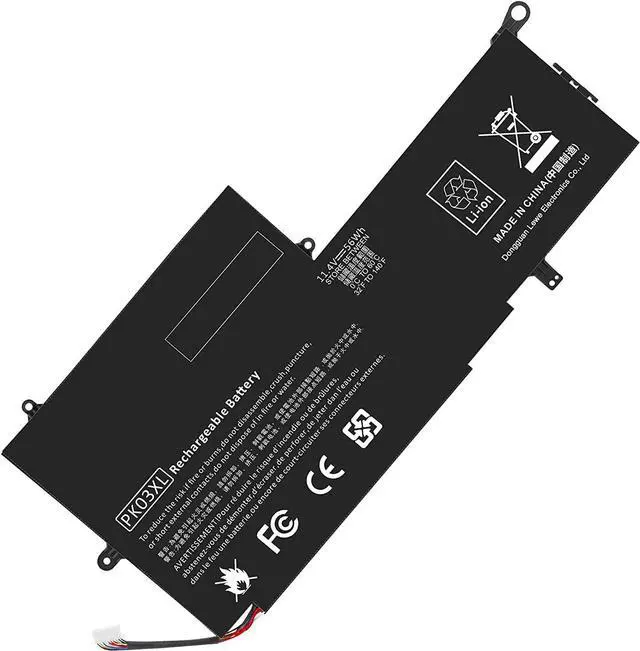
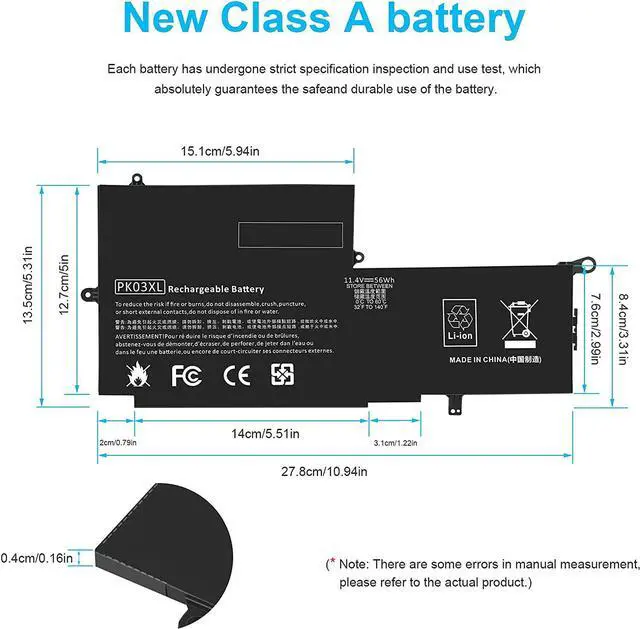
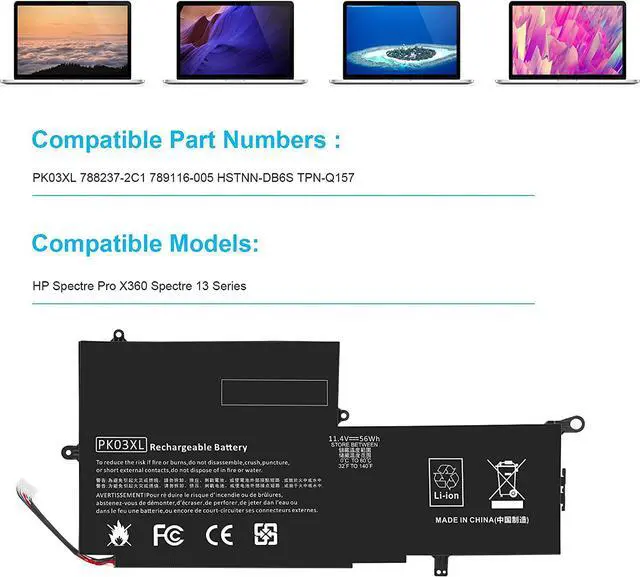
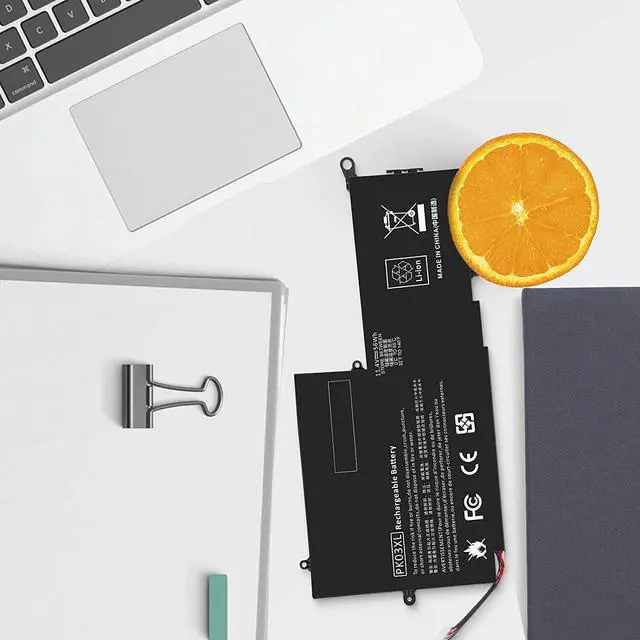


PK03XL 788237-2C1 789116-005 HSTNN-DB6S TPN-Q157 789116-005 788237-2c3 Battery for HP Spectre X360 13-4002dx 13-4003dx 13-4005dx 13-4001dx 13-4100dx 13-4101dx 13-4102dx 13-4103dx 13-4110dx 13-4116dx
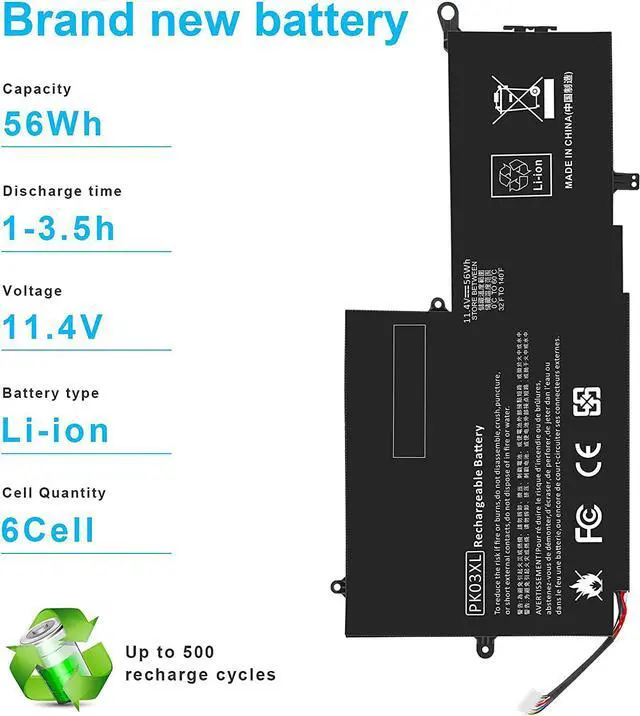
- Battery type: Li-ion Voltage: 11.4V Capacity:56Wh Cell:3 Cells recharge cycles 500
- Compatible Part Number: PK03XL PK03056XL-PL 788237-2C1 788237-2c3 789116-005 HSTNN-DB6S TPN-Q157
- Compatible Models for HP Spectre Pro X360 G1 Spectre Pro x360 G2,Spectre X360 13T-4000 13T-4100 13T-4200 Envy X360 Convertible 13-Y013CL 13-Y023CL 13-Y034CL 13-Y044CL 13-Y084CL 13-Y094CL 13T-Y000 13-y073nr 15-ay034TU 15-ay035TU;Spectre X360 13-4001DX 13-4002DX 13-4003DX 13-4005DX 13-4013DX 13-4101DX 13-4102DX 13-4110DX 13-4116DX 13-4193DX 13-4194DX 13-4195DX 13-4196DX 13-4197DX 13-4010CA 13-4020CA 13-4021CA 13-4030CA 13-4120CA 13-4050CA 13-4128CA 13-4130CA 13-4150CA
- Compatible for HP Spectre Pro X360 13-4158CA 13-4118NR 13-4163NR 13-4165NR 13-4166NR 13-4183NR 13-4125NR 13-4185NR 13-4193NR 13-4195NR 13-4001NA 13-4050NA 13-4104NA 13-4129NA 13-4030LA 13-4040LA 13-4101LA 13-4107LA 13-4109LA 13-4196MS 13-4197MS 13-4105NS 13-4001TU 13-4002TU 13-4003TU 13-4004TU 13-4005TU 13-4006TU 13-4007TU 13-4008TU
+
+
Overview
Specs
Reviews

Any questions? Our AI beta will help you find out quickly.
Try me now
Compatible Part Number:
788237-2C1, 789116-005, HSTNN-DB6S, PK03XL, TPN-Q157
Compatible Laptop/Notebook Models: HP
Spectre x360 13-4000nc (L5D95ea)
Spectre x360 13-4000ne (L0B41ea)
Spectre x360 13-4000nf (L0B42ea)
Spectre x360 13-4000ng (L0M46ea)
Spectre x360 13-4000ni (L5E62ea)
Spectre x360 13-4000nn (M0C29ea)
Spectre x360 13-4000np (L2W19ea)
Spectre x360 13-4000ns (L2W20ea)
Spectre x360 13-4000nt (L0B44ea)
Spectre x360 13-4000nv (L0B45ea)
Spectre x360 13-4000nw (M0R01ea)
Spectre x360 13-4000ur (M4A86ea)
Spectre x360 13-4001dx (L0Q55ua)
Spectre x360 13-4001ng (L0M47ea)
Spectre x360 13-4001ni (L4H61ea)
Spectre x360 13-4001nn (M0C32ea)
Spectre x360 13-4001np (L6A03ea)
Spectre x360 13-4001ns (L5D96ea)
Spectre x360 13-4001nt (L6Z30ea)
Spectre x360 13-4001nx (L5Y77ea)
Spectre x360 13-4001tu (L2Z52pa)
Spectre x360 13-4001ur (M4A87ea)
Spectre x360 13-4002ne (L0B52ea)
Spectre x360 13-4002nf (M0B28ea)
Spectre x360 13-4002nx (L5Y78ea)
Spectre x360 13-4002tu (L2Z53pa)
Spectre x360 13-4002ur (N1L46ea)
Spectre x360 13-4003dx
Spectre x360 13-4003na (L0B54ea)
Spectre x360 13-4003nf (M0B29ea)
Spectre x360 13-4003tu (L2Z54pa)
Spectre x360 13-4004tu (L2Z55pa)
Spectre x360 13-4005dx
Spectre x360 13-4005tu (L2Z73pa)
Spectre x360 13-4006tu (L2Z74pa)
Spectre x360 13-4007nc (M0C38ea)
Spectre x360 13-4007nl (L6Z84ea)
Spectre x360 13-4007tu (L2Z75pa)
Spectre x360 13-4008na (L0B61ea)
Spectre x360 13-4008tu (L2Z76pa)
Spectre x360 13-4009na (L6A11ea)
Spectre x360 13-4009tu (L2Z77pa)
Spectre x360 13-4010ca
Spectre x360 13-4020ca
Spectre x360 13-4021ca
Spectre x360 13-4050ca
Install A New Battery:
1. You need to turn off your laptop and disconnect the power.
2. Remove the old battery, carefully install the new battery on the battery case, and connect the wiring of the new battery.
3. If you don't understand the above steps, you can search for the video about laptop battery installation on YouTube. Maybe it will help you.
Laptop Maintenance Tips:
1. New battery: For use a new battery, youd better try a few cycles of discharging to 5%. then charging up to 95%. So that it can be activated completely
2. Overuse: Do not always run out of a battery to 0%, this would make it damaged or usage life shortened
3. Charging sequence: when charging, first install the battery, then turn on the power, when fully charged, first cut off the power, then pull the power plug.
4. Long-term storage:Please store the unused battery fully charged.(Charge it once a month) Do not store at low power to prevent reduce the lifespan of a battery
5. Charger: Do not replace the laptop adapter casually. If the original adapter cannot be applied due to malfunction or damage, please replace the models, so as not to reduce the service life of the battery due to incompatibility.
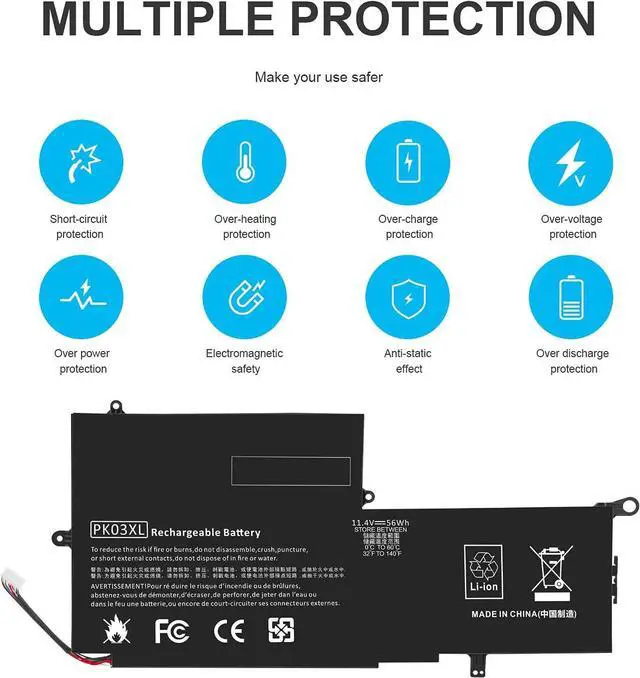
Overload protection
Over-current protection
Over-voltage protection
High voltage protection
Short circuit protection
Over-temperature protection
Easy & Quick Installation
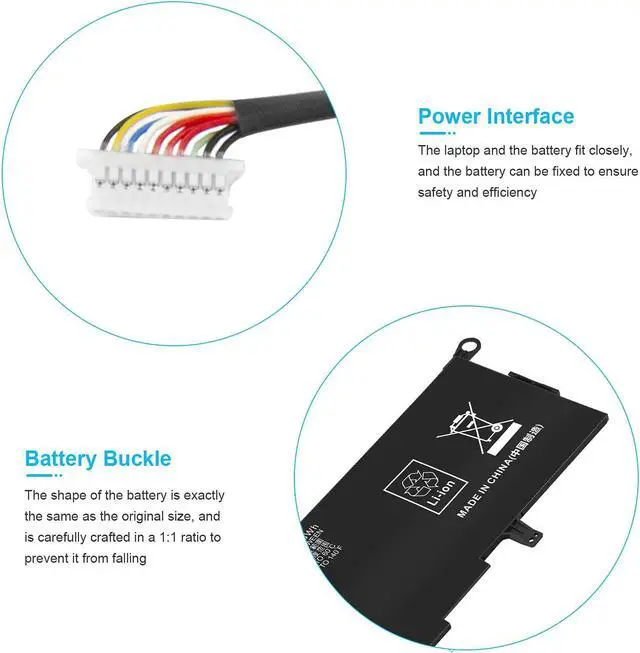
All of our batteries are brand new and are 100% compatible to meet OEM specifications for safety and efficiency. Same size as original battery, Don't worry about assembly and adaptation issues
Grade "A" cells Top Quality Battery
Reliable performance
Extended battery life
Each battery contains built in multi-protection functions such as short circuit, overheat & overload for maximum safety.
788237-2C1, 789116-005, HSTNN-DB6S, PK03XL, TPN-Q157
Compatible Laptop/Notebook Models: HP
Spectre x360 13-4000nc (L5D95ea)
Spectre x360 13-4000ne (L0B41ea)
Spectre x360 13-4000nf (L0B42ea)
Spectre x360 13-4000ng (L0M46ea)
Spectre x360 13-4000ni (L5E62ea)
Spectre x360 13-4000nn (M0C29ea)
Spectre x360 13-4000np (L2W19ea)
Spectre x360 13-4000ns (L2W20ea)
Spectre x360 13-4000nt (L0B44ea)
Spectre x360 13-4000nv (L0B45ea)
Spectre x360 13-4000nw (M0R01ea)
Spectre x360 13-4000ur (M4A86ea)
Spectre x360 13-4001dx (L0Q55ua)
Spectre x360 13-4001ng (L0M47ea)
Spectre x360 13-4001ni (L4H61ea)
Spectre x360 13-4001nn (M0C32ea)
Spectre x360 13-4001np (L6A03ea)
Spectre x360 13-4001ns (L5D96ea)
Spectre x360 13-4001nt (L6Z30ea)
Spectre x360 13-4001nx (L5Y77ea)
Spectre x360 13-4001tu (L2Z52pa)
Spectre x360 13-4001ur (M4A87ea)
Spectre x360 13-4002ne (L0B52ea)
Spectre x360 13-4002nf (M0B28ea)
Spectre x360 13-4002nx (L5Y78ea)
Spectre x360 13-4002tu (L2Z53pa)
Spectre x360 13-4002ur (N1L46ea)
Spectre x360 13-4003dx
Spectre x360 13-4003na (L0B54ea)
Spectre x360 13-4003nf (M0B29ea)
Spectre x360 13-4003tu (L2Z54pa)
Spectre x360 13-4004tu (L2Z55pa)
Spectre x360 13-4005dx
Spectre x360 13-4005tu (L2Z73pa)
Spectre x360 13-4006tu (L2Z74pa)
Spectre x360 13-4007nc (M0C38ea)
Spectre x360 13-4007nl (L6Z84ea)
Spectre x360 13-4007tu (L2Z75pa)
Spectre x360 13-4008na (L0B61ea)
Spectre x360 13-4008tu (L2Z76pa)
Spectre x360 13-4009na (L6A11ea)
Spectre x360 13-4009tu (L2Z77pa)
Spectre x360 13-4010ca
Spectre x360 13-4020ca
Spectre x360 13-4021ca
Spectre x360 13-4050ca
Install A New Battery:
1. You need to turn off your laptop and disconnect the power.
2. Remove the old battery, carefully install the new battery on the battery case, and connect the wiring of the new battery.
3. If you don't understand the above steps, you can search for the video about laptop battery installation on YouTube. Maybe it will help you.
Laptop Maintenance Tips:
1. New battery: For use a new battery, youd better try a few cycles of discharging to 5%. then charging up to 95%. So that it can be activated completely
2. Overuse: Do not always run out of a battery to 0%, this would make it damaged or usage life shortened
3. Charging sequence: when charging, first install the battery, then turn on the power, when fully charged, first cut off the power, then pull the power plug.
4. Long-term storage:Please store the unused battery fully charged.(Charge it once a month) Do not store at low power to prevent reduce the lifespan of a battery
5. Charger: Do not replace the laptop adapter casually. If the original adapter cannot be applied due to malfunction or damage, please replace the models, so as not to reduce the service life of the battery due to incompatibility.
Overload protection
Over-current protection
Over-voltage protection
High voltage protection
Short circuit protection
Over-temperature protection
Easy & Quick Installation
All of our batteries are brand new and are 100% compatible to meet OEM specifications for safety and efficiency. Same size as original battery, Don't worry about assembly and adaptation issues
Grade "A" cells Top Quality Battery
Reliable performance
Extended battery life
Each battery contains built in multi-protection functions such as short circuit, overheat & overload for maximum safety.
Warranty & Returns
Warranty, Returns, And Additional Information
Warranty
- Please contact the Seller directly for warranty information. Warranty information may also be found on the Manufacturer's website.
- CONTACT
Return Policies
- Return for refund within: 45 days
- Return for replacement within: 45 days
- This item is covered by Xalvion E-Commerce Limited Return Policy
Manufacturer Contact Info
- For a directory of all our manufacturers, please click below.
- Manufacturers Directory
LOADING...