

Your Browsing History

- Free 45-day Returns
$135.99

Meet Your Seller


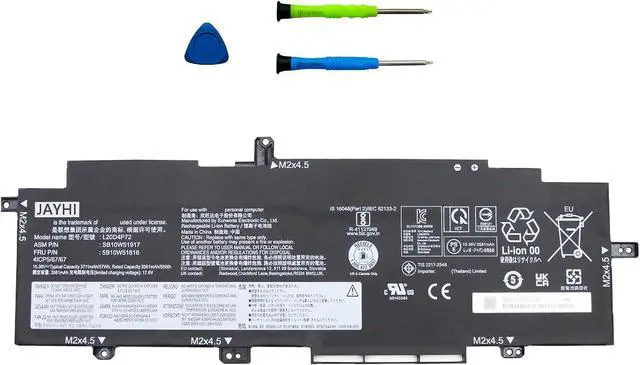
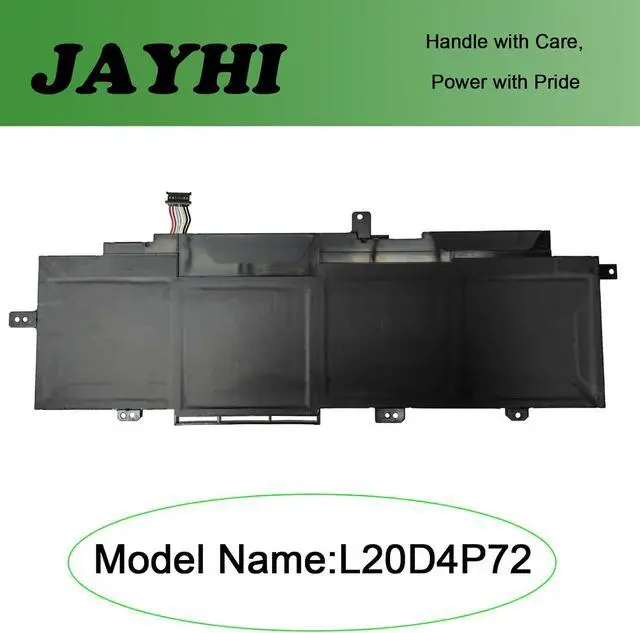
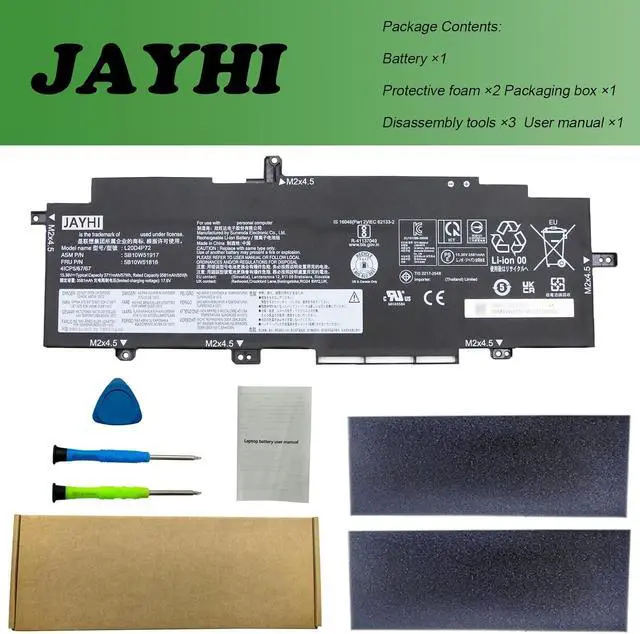


JAYHI L20D4P72 57Wh Laptop Battery L20L4P72 L20M4P72 L20C4P72 15.36V | Compatible with Lenovo ThinkPad T14s Gen 2 20WM 20WN 20XF 20XG Series 6-Cell
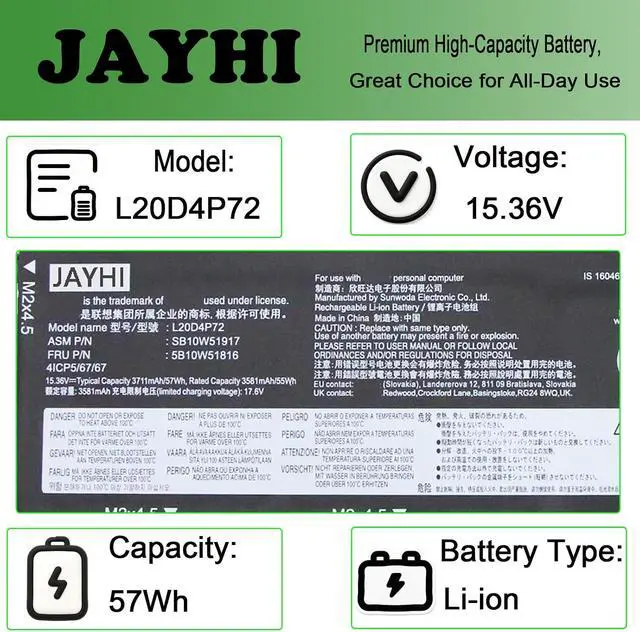
- SpecificationsBattery Model:L20D4P72; Capacity:57Wh 3711mAh 4-Cell ; Voltage: 15.38V; Color:Black; Condition:Brand New Li-ion battery.
- Compatible Part NumberL20D4P72 SB10W51917 5B10W51816 L20M4P72 SB10W51915 5B10W51815 L20C4P72 SB10W51916 5B10W51815 L20L4P72 SB10W51914 5B10W13976
- Compatible with Machine Modelsfor Lenovo ThinkPad T14s Gen 2 (Type: 20WM 20WN 20XF 22XG) series
- Safety and QualityWe specialize in providing quality products from and quality customer service. Each battery undergoes charge and discharge testing before shipment to ensure it is in good condition and is marked accordingly. All JAYHI products are Certified by CE, UL for safety. Overcharge and Overdischarge Circuit Protection, Over-temperature and Short-circuit Protection, up to 500 recharge cycles over the life of the battery. This battery is designed to fit perfectly without modifying your laptop, making replacement straightforward for both tech-savvy users and beginners.
- Instructions and NoteTo en
+
+
Overview
Specs
Reviews

Any questions? Our AI mode will help you find out quickly.
Try me now
SpecificationsBattery Model:L20D4P72; Capacity:57Wh 3711mAh 4-Cell ; Voltage: 15.38V; Color:Black; Condition:Brand New Li-ion battery.
Compatible Part NumberL20D4P72 SB10W51917 5B10W51816 L20M4P72 SB10W51915 5B10W51815 L20C4P72 SB10W51916 5B10W51815 L20L4P72 SB10W51914 5B10W13976
Compatible with Machine Modelsfor Lenovo ThinkPad T14s Gen 2 (Type: 20WM 20WN 20XF 22XG) series
Safety and QualityWe specialize in providing quality products from and quality customer service. Each battery undergoes charge and discharge testing before shipment to ensure it is in good condition and is marked accordingly. All JAYHI products are Certified by CE, UL for safety. Overcharge and Overdischarge Circuit Protection, Over-temperature and Short-circuit Protection, up to 500 recharge cycles over the life of the battery. This battery is designed to fit perfectly without modifying your laptop, making replacement straightforward for both tech-savvy users and beginners.
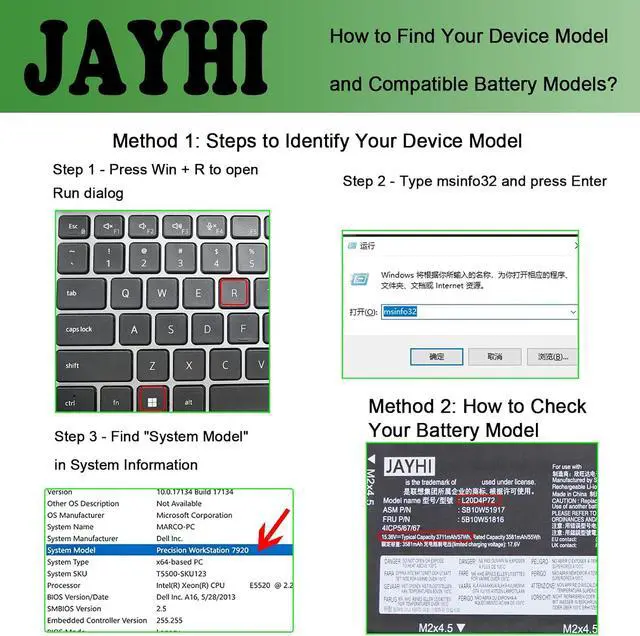
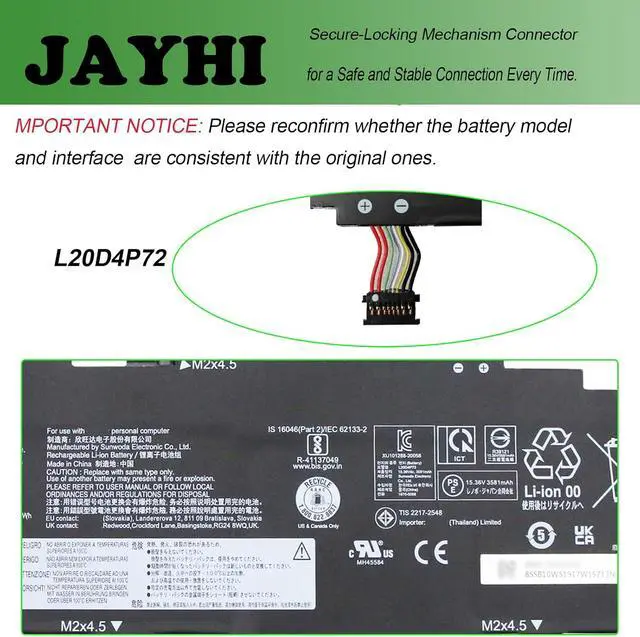
Instructions and NoteTo ensure that you purchase the correct battery, we recommend that you open the back cover of your laptop and confirm that the original battery type matches the description in the picture before purchasing. Please read the battery instruction manual carefully before installing the battery. In the event that the new battery fails to be recognized upon initial installation, kindly reinstall it and verify whether the interface is fully connected. Please use the original charger to charge the laptop. After battery installation, discharge the new battery to 5% (not 0%), then charge and cycle 3-4 times to wake up the new battery.
Compatible Part NumberL20D4P72 SB10W51917 5B10W51816 L20M4P72 SB10W51915 5B10W51815 L20C4P72 SB10W51916 5B10W51815 L20L4P72 SB10W51914 5B10W13976
Compatible with Machine Modelsfor Lenovo ThinkPad T14s Gen 2 (Type: 20WM 20WN 20XF 22XG) series
Safety and QualityWe specialize in providing quality products from and quality customer service. Each battery undergoes charge and discharge testing before shipment to ensure it is in good condition and is marked accordingly. All JAYHI products are Certified by CE, UL for safety. Overcharge and Overdischarge Circuit Protection, Over-temperature and Short-circuit Protection, up to 500 recharge cycles over the life of the battery. This battery is designed to fit perfectly without modifying your laptop, making replacement straightforward for both tech-savvy users and beginners.
Instructions and NoteTo ensure that you purchase the correct battery, we recommend that you open the back cover of your laptop and confirm that the original battery type matches the description in the picture before purchasing. Please read the battery instruction manual carefully before installing the battery. In the event that the new battery fails to be recognized upon initial installation, kindly reinstall it and verify whether the interface is fully connected. Please use the original charger to charge the laptop. After battery installation, discharge the new battery to 5% (not 0%), then charge and cycle 3-4 times to wake up the new battery.
Warranty & Returns
Warranty, Returns, And Additional Information
Warranty
- Please contact the Seller directly for warranty information. Warranty information may also be found on the Manufacturer's website.
- CONTACT
Return Policies
- Return for refund within: 45 days
- Return for replacement within: 45 days
- This item is covered by Xalvion E-Commerce Limited Return Policy
Manufacturer Contact Info
- For a directory of all our manufacturers, please click below.
- Manufacturers Directory
LOADING...