

Your Browsing History

- Free 45-day Returns
$169.99

Meet Your Seller

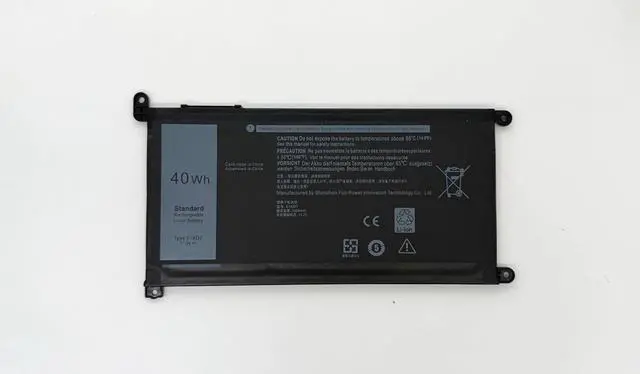

51KD7 C42N1846-1 Battery 62Wh Compatible with Asus ZenBook Pro Duo UX581 UX581G UX581GV UX581LV Series 0B200-03490000 C42N1846
- Specifications Battery Model: 51KD7 / Voltage: 15.4V / Capacity: 62Wh 4038mAh / Color: Black / Condition: Brand New.
- Replace Part Number 51KD7 C42N1846-1 0B200-03490000 C42N1846
- Compatible with Laptop Models For Asus ZenBook Pro Duo UX581 UX581G Series; For Asus ZenBook Pro Duo UX581G-H2004T BP9702U BP9901U H2001TS H2002R H2001R H2001T H2002T H2003T H2004R H2004T H2035T H2036T H2037T H2041T XB74T XB94T XH77T H2050R H7201T H9201T HM7201T Series; For Asus ZenBook Pro Duo UX581LV-BP1911U H2002R H2014R H2014TS H2035T H2045T XS77T XS94T H2018TS H2024R H2024T H2028T Series. (Note: There are two type of ZenBook Duo Pro UX581GV Series, C42N1846-1 62Wh and C42N1846 71Wh. Please open the back cover of the laptop to confirm the battery type before purchasing.)
- Purchase Skills Please open the back cover of the laptop before ordering and make sure that the original battery model is consistent with the listing. After getting the battery, please install the battery correctly, make sure th
+
+
Overview
Specs
Reviews

Any questions? Our AI beta will help you find out quickly.
Try me now
Specifications Battery Model: 51KD7 / Voltage: 15.4V / Capacity: 62Wh 4038mAh / Color: Black / Condition: Brand New.
Replace Part Number 51KD7 C42N1846-1 0B200-03490000 C42N1846
Compatible with Laptop Models For Asus ZenBook Pro Duo UX581 UX581G Series; For Asus ZenBook Pro Duo UX581G-H2004T BP9702U BP9901U H2001TS H2002R H2001R H2001T H2002T H2003T H2004R H2004T H2035T H2036T H2037T H2041T XB74T XB94T XH77T H2050R H7201T H9201T HM7201T Series; For Asus ZenBook Pro Duo UX581LV-BP1911U H2002R H2014R H2014TS H2035T H2045T XS77T XS94T H2018TS H2024R H2024T H2028T Series. (Note: There are two type of ZenBook Duo Pro UX581GV Series, C42N1846-1 62Wh and C42N1846 71Wh. Please open the back cover of the laptop to confirm the battery type before purchasing.)
Purchase Skills Please open the back cover of the laptop before ordering and make sure that the original battery model is consistent with the listing. After getting the battery, please install the battery correctly, make sure that the battery connector is firmly connected to the laptop motherboard, and use the original charger to charge the laptop.Discharge the new battery to 5% (not 0%), then charge and cycle 3-4 times to wake up the new battery.
EPYOBW Promise All EPYOBW's batteries are certificated by UL/CE/FCC/RoHS. Our batteries are tested by strict quality control standards to ensure that the capacity is true, stable current, low self-discharge.And we also have short circuit, overheat, and overload protections. We are confident in the performance of replacement batteries and professional service.
Replace Part Number 51KD7 C42N1846-1 0B200-03490000 C42N1846
Compatible with Laptop Models For Asus ZenBook Pro Duo UX581 UX581G Series; For Asus ZenBook Pro Duo UX581G-H2004T BP9702U BP9901U H2001TS H2002R H2001R H2001T H2002T H2003T H2004R H2004T H2035T H2036T H2037T H2041T XB74T XB94T XH77T H2050R H7201T H9201T HM7201T Series; For Asus ZenBook Pro Duo UX581LV-BP1911U H2002R H2014R H2014TS H2035T H2045T XS77T XS94T H2018TS H2024R H2024T H2028T Series. (Note: There are two type of ZenBook Duo Pro UX581GV Series, C42N1846-1 62Wh and C42N1846 71Wh. Please open the back cover of the laptop to confirm the battery type before purchasing.)
Purchase Skills Please open the back cover of the laptop before ordering and make sure that the original battery model is consistent with the listing. After getting the battery, please install the battery correctly, make sure that the battery connector is firmly connected to the laptop motherboard, and use the original charger to charge the laptop.Discharge the new battery to 5% (not 0%), then charge and cycle 3-4 times to wake up the new battery.
EPYOBW Promise All EPYOBW's batteries are certificated by UL/CE/FCC/RoHS. Our batteries are tested by strict quality control standards to ensure that the capacity is true, stable current, low self-discharge.And we also have short circuit, overheat, and overload protections. We are confident in the performance of replacement batteries and professional service.
Warranty & Returns
Warranty, Returns, And Additional Information
Warranty
- Please contact the Seller directly for warranty information. Warranty information may also be found on the Manufacturer's website.
- CONTACT
Return Policies
- Return for refund within: 45 days
- Return for replacement within: 45 days
- This item is covered by Xalvion E-Commerce Limited Return Policy
Manufacturer Contact Info
- For a directory of all our manufacturers, please click below.
- Manufacturers Directory
LOADING...