

Your Browsing History

- Free 45-day Returns
$140.99

Meet Your Seller


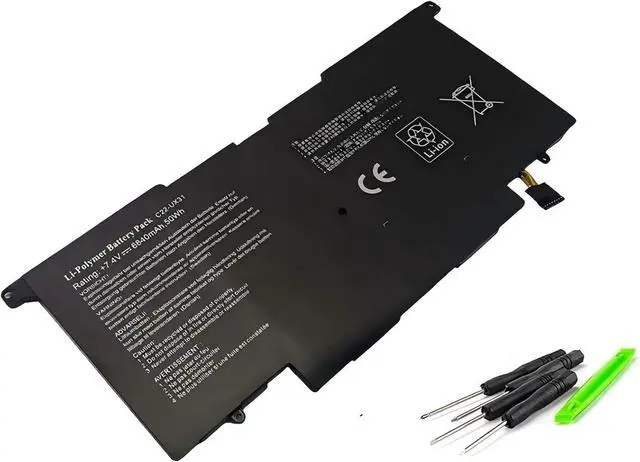

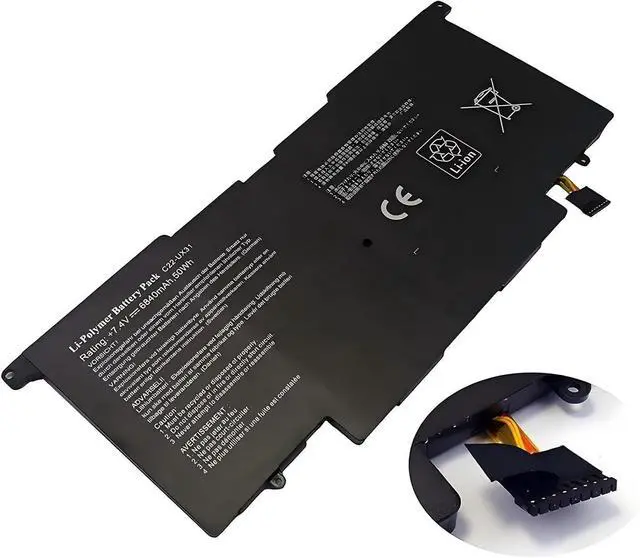
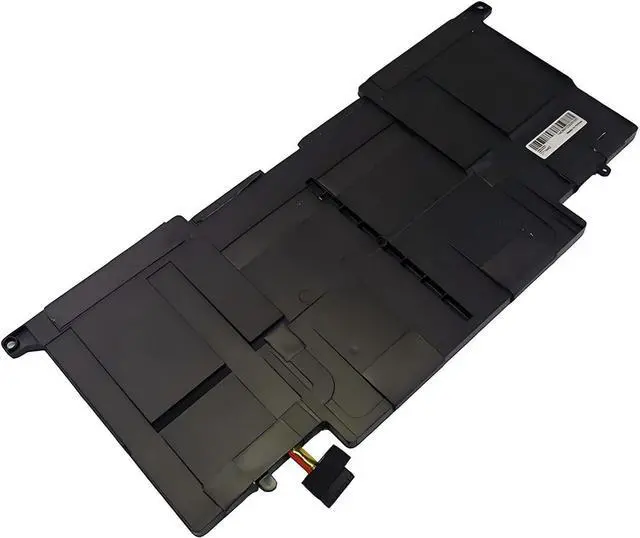
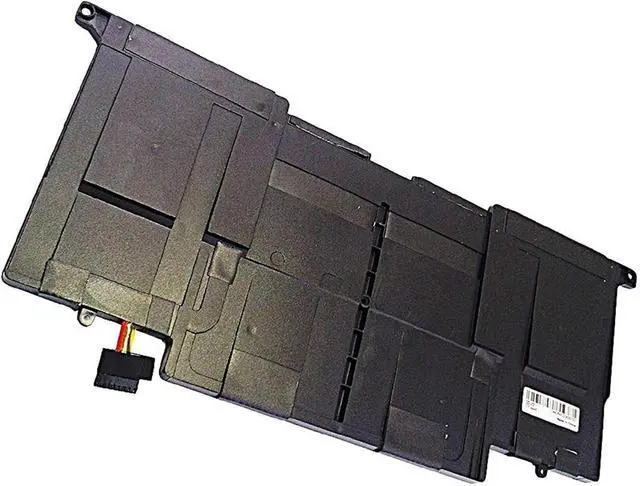

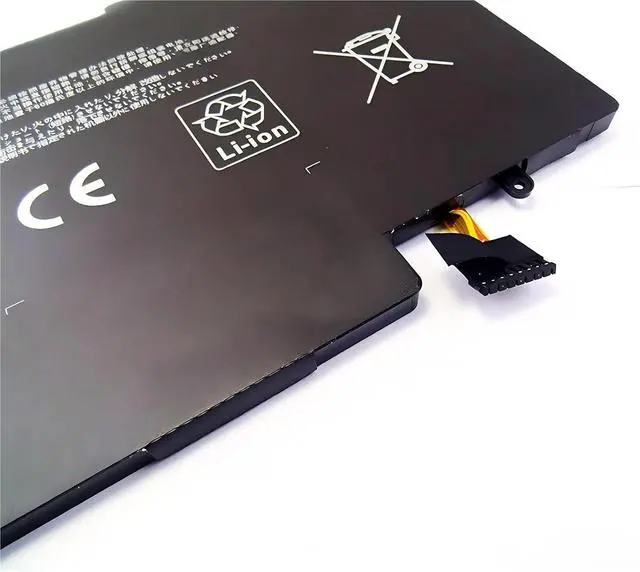


C21-UX31 C22-UX31 C23-UX31 Laptop Battery,Compatible for Asus Zenbook UX31A UX31E UX31 UX31A-R4004H UX31E-DH72 UX31KI3517A Ultrabook.
- C21-UX31 C22-UX31 C23-UX31 Laptop Battery,Compatible for Zenbook UX31A UX31E UX31 UX31A-R4004H UX31E-DH72 UX31KI3517A Ultrabook.
- Meeting the needs of various scenarios: Lithium batteries with a capacity of 60Wh have a longer lifespan than ordinary batteries, making them suitable for office, study, and travel needs.
- Multiple protection: Built in overcharge, overdischarge, short circuit, and overheating protection circuits for safer and more stable use.
- Easy installation: No debugging required upon receipt of the product, replacement can be completed in 3 steps. (Remove cover replace battery reassemble)
- Material safety: free of harmful substances, supports 500+charging cycles, and has a longer lifespan.
+
+
Overview
Reviews

Any questions? Our AI mode will help you find out quickly.
Try me now
Specification:
Voltage: 7.4V
Capacity:6840mAh 50Wh
Compatible Part NO :
C21-UX31 C22-UX31 C23-UX31
Fit Laptops:
For UX31 Series
For UX31 Ultrabook
For ZenBook UX31A
For ZenBook UX31E
For UX31A Series
UX31A-1AR4 UX31A-1AR5 UX31A-1AR7s UX31A-AB71 UX31A-AB72 UX31A-BHI5T11
UX31A-DB51 UX31A-DB52 UX31A-DB71 UX31A-DB72 UX31A-DH51 UX31A-DH71 UX31A-DH71-CA UX31A-DH71-CB
UX31A-R4002V UX31A-R4003V UX31A-R4003X UX31A-R4004V UX31A-R4005V UX31A-R4005X UX31A-R5007V UX31A-R5008V
UX31A-R5102F UX31A-R5102H UX31A-R5202H UX31A-R7202F UX31A-RB71 UX31A-XB52 UX31A-XB72
For UX31E Series
UX31E-081A2677M UX31E-DH52 UX31E-DH53 UX31E-DH72 UX31E-RHP5 UX31E-RSL8
UX31E-RY003V UX31E-RY009V UX31E-RY012V UX31E-XH51
==========
Model Number : C22-UX31
Battery Voltage : 7.4V
Note:
When the device charges the battery for the first time, due to different voltages and unstable currents, the device will stop charging the battery when the battery is half charged (sometimes more, sometimes less). If this happens, don't worry, Just remove the battery from the device, reinstall and recharge. A battery that is charged for the first time may require several iterations. Please be assured that. This is normal.
1. When a battery is charged, it should be charged continuously for 12 hours, fully charging and discharge. Cycle three times. To wake up the battery. Turn off the computer while charging, and do not unplug the power during charging.
2. When the battery is in normal use, if the battery discharge reaches 5%, it must be shut down recharged. It is strictly forbidden to discharge the battery to 0%, because it is easy to damage and accelerate the deterioration of the battery.
3. Avoid artificial squeezing, disassembly, falling, heating or short circuit.
4. Try to avoid using the battery in an environment where the temperature is too high or too low.
Welcome to my shop, quality is our unwavering commitment. Each product undergoes rigorous screening to ensure safety and durability. If you have any unclear questions, please contact me and I will reply promptly to ensure worry free shopping for you. We wish you a pleasant shopping experience!
Voltage: 7.4V
Capacity:6840mAh 50Wh
Compatible Part NO :
C21-UX31 C22-UX31 C23-UX31
Fit Laptops:
For UX31 Series
For UX31 Ultrabook
For ZenBook UX31A
For ZenBook UX31E
For UX31A Series
UX31A-1AR4 UX31A-1AR5 UX31A-1AR7s UX31A-AB71 UX31A-AB72 UX31A-BHI5T11
UX31A-DB51 UX31A-DB52 UX31A-DB71 UX31A-DB72 UX31A-DH51 UX31A-DH71 UX31A-DH71-CA UX31A-DH71-CB
UX31A-R4002V UX31A-R4003V UX31A-R4003X UX31A-R4004V UX31A-R4005V UX31A-R4005X UX31A-R5007V UX31A-R5008V
UX31A-R5102F UX31A-R5102H UX31A-R5202H UX31A-R7202F UX31A-RB71 UX31A-XB52 UX31A-XB72
For UX31E Series
UX31E-081A2677M UX31E-DH52 UX31E-DH53 UX31E-DH72 UX31E-RHP5 UX31E-RSL8
UX31E-RY003V UX31E-RY009V UX31E-RY012V UX31E-XH51
==========
Model Number : C22-UX31
Battery Voltage : 7.4V
Note:
When the device charges the battery for the first time, due to different voltages and unstable currents, the device will stop charging the battery when the battery is half charged (sometimes more, sometimes less). If this happens, don't worry, Just remove the battery from the device, reinstall and recharge. A battery that is charged for the first time may require several iterations. Please be assured that. This is normal.
1. When a battery is charged, it should be charged continuously for 12 hours, fully charging and discharge. Cycle three times. To wake up the battery. Turn off the computer while charging, and do not unplug the power during charging.
2. When the battery is in normal use, if the battery discharge reaches 5%, it must be shut down recharged. It is strictly forbidden to discharge the battery to 0%, because it is easy to damage and accelerate the deterioration of the battery.
3. Avoid artificial squeezing, disassembly, falling, heating or short circuit.
4. Try to avoid using the battery in an environment where the temperature is too high or too low.
Welcome to my shop, quality is our unwavering commitment. Each product undergoes rigorous screening to ensure safety and durability. If you have any unclear questions, please contact me and I will reply promptly to ensure worry free shopping for you. We wish you a pleasant shopping experience!
Warranty & Returns
Warranty, Returns, And Additional Information
Warranty
- Please contact the Seller directly for warranty information. Warranty information may also be found on the Manufacturer's website.
- CONTACT
Return Policies
- Return for refund within: 45 days
- Return for replacement within: 45 days
- This item is covered by Xalvion E-Commerce Limited Return Policy
Manufacturer Contact Info
- For a directory of all our manufacturers, please click below.
- Manufacturers Directory
LOADING...