• $69.99
  • Free 30-day Returns
  • Price alert
    Shop it at NeweggBusiness.

    XPPen Latest 10"x6.25" Drawing Tablet,Deco Graphic Tablet with Pen 16384 Pressure Levels /60° Tilt Function, Max 266RPS Digital Drawing Pad Art Tablet for Phone/Computer/OSU Game

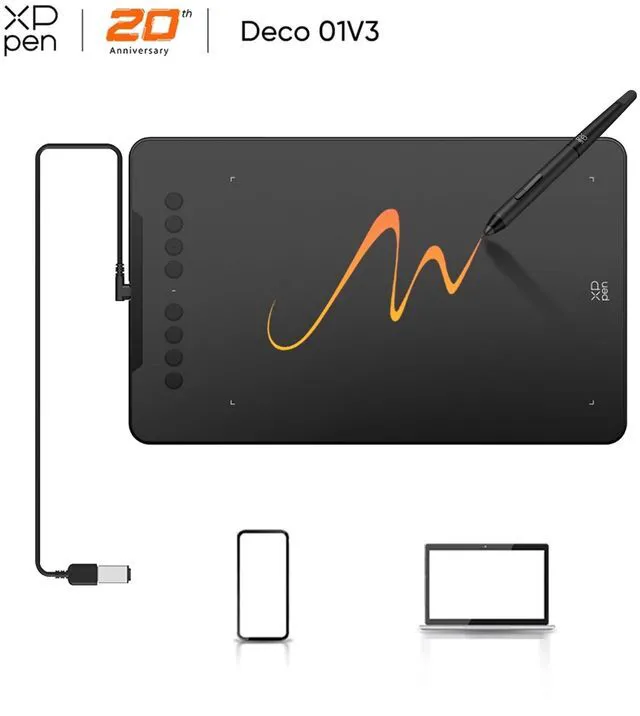
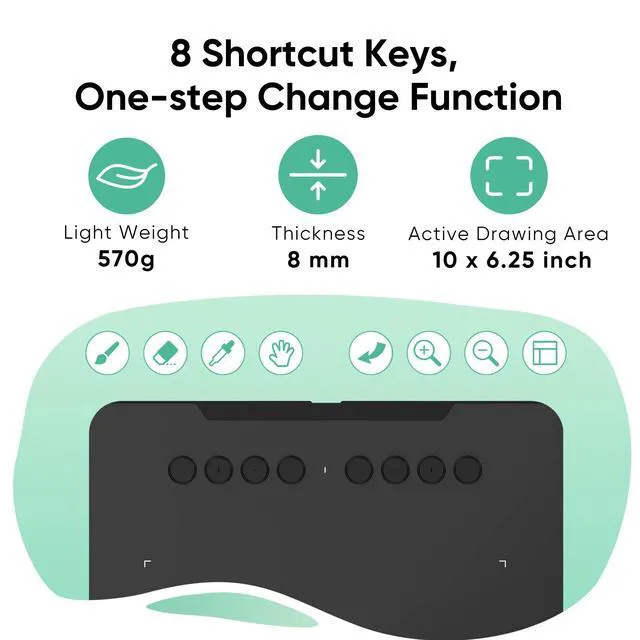
    • Thin and Light Body: XPPen art tablet equips with a 10 x 6.25 inches working area, but with only 8 mm thickness, more lightweight and portable. Minimalist design of appearance make the drawing tablet more attractive.
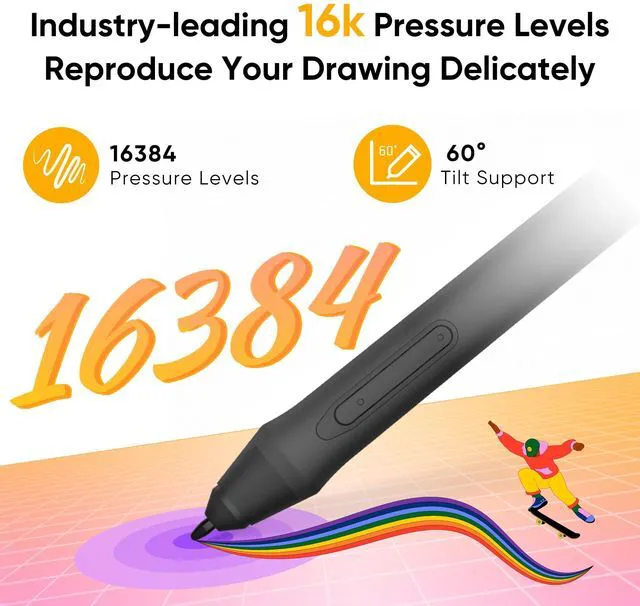
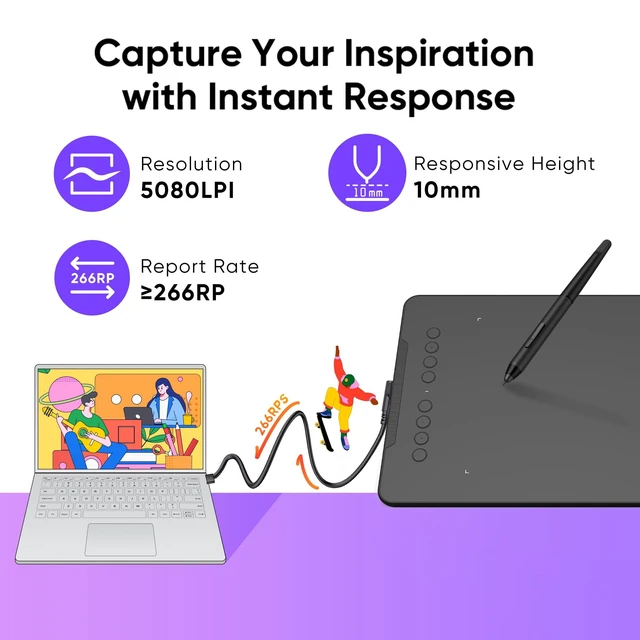
    • Battery-free Stylus Upgrade: The pen pressure sensitivity has doubled to 16,384 levels, and 60° tilt sensing is supported, with a maximum report rate of 266RPS and 5080 LPI, bringing an extremely smooth drawing experience.
    • 8 Customizable Express Keys: You can customize the functions of the shortcut keys through the drawing tablet driver according to your personal preferences, such as erase, zoom in/out, scroll up and down, etc.
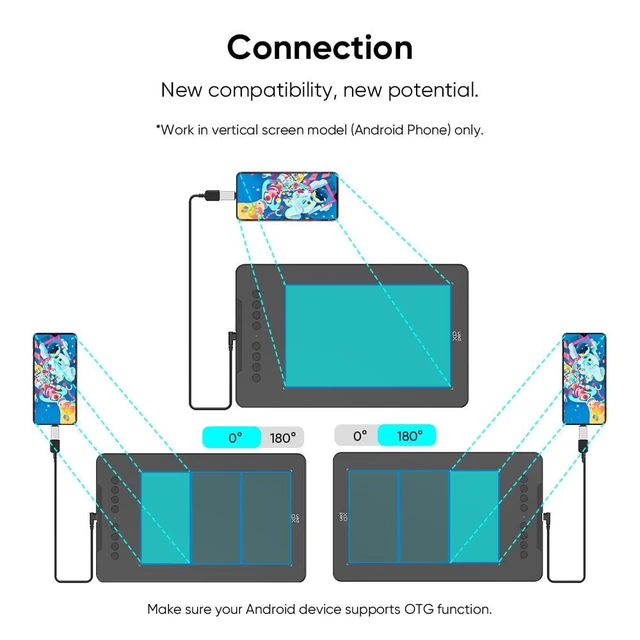
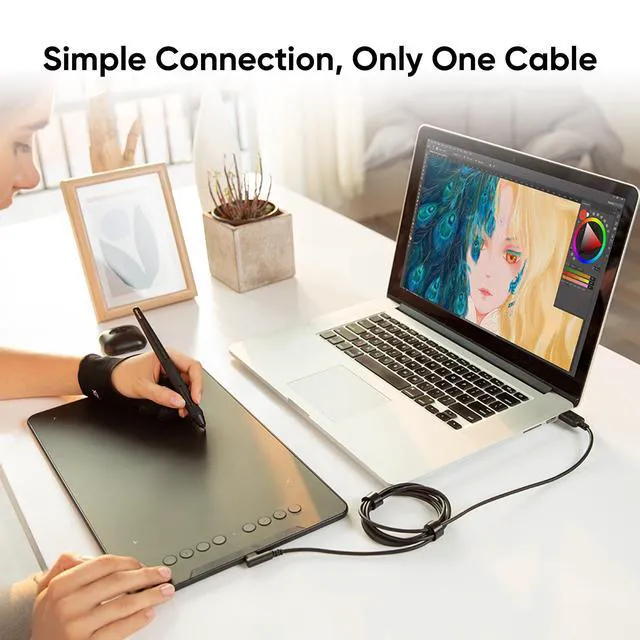
    • One-Cable Easy Connection: The package includes a USB-C to USB-C cable and a USB to USB-C adapter for connection to the computer or Android phone.
    • Compatibility: XP graphics tablet supports Windows 7 (or later), Linux (Detailed versions), macOS 10.13 (or later), Android 10.0 (or later), and Chrome OS 88 (or later). And supports various mainstream design and drawing software, including PS, SAI, AI, CDR, etc.
    • Note: We recommend downloading the XPPen Tools Android app, which adapts to your smartphone's screen ratio for precise mapping. It also supports mapping on Android screens of various aspect ratios in portrait mode.
    • XPPen Deco Series Drawing Tablets: Currently item * Deco 01V3, Deco 01V2, Deco 01, Deco 02, Deco 03, Deco 640
    +
    +
    Overview
    Specs
    Reviews

    Any questions? Ask CelesteSM will help you find out quickly.

    1
    1
    1
    1
    1

    The XP-Pen graphics tablet and display can help users adjust picture details more easily in digital art creation. The design of drawing tablet with screen is very suitable for beginners, professional animators and graphic designers. In order to help you use the digital art pen tablets better, please kindly read the following information

    1. Each XP drawing tablet has a detailed user manual. If you have trouble connecting to a computer or installing a driver, please feel free to ask customer service for help.

    2. XP Art sketch drawing tablet cannot be used alone and download APP. It needs to be connected to a computer or smartphone to use.

    3. Digital graphics tablet and display is an input tools, it is not drawing toy and not suitable for young children to have fun.

    Product information
    Pressure levelPressure Compensating
    Screen size10 in
    Resolution5080LPI
    OSWindows 7
    BrandXP-Pen
    FeaturesAdjustable Brightness
    Resolution5080LPI
    Battery life0 days
    WirelessNone
    DisplayDigital
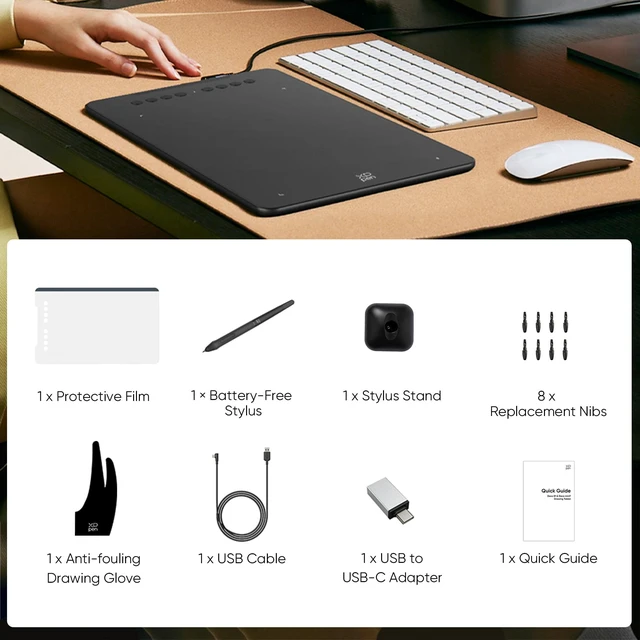
    Accessories1 x Drawing Tablet; 1 x Battery-free Stylus; 1 x Stylus Stand; 1 x USB Cable; 8 x Replacement Nibs; 1 x Protective Film; 1 x USB to USB-C Adapter; 1 x Anti-fouling Drawing Glove; 1 x Quick Guide
    Brightness0 cd/
    Dimensions13.80 x 0.30 x 8.50 in
    Assembled product weight1.25 lb
    Model nameHWD01-JANV3
    Response time14 ms
    Viewing angle178º
    MaterialMetal, ABS
    Apps installedThe XPPen graphics tablet cannot install the app, it needs to be connected to a computer/smartphone to use.

    Warranty & Returns

    Warranty, Returns, And Additional Information

    Warranty

    • Please contact the Seller directly for warranty information. Warranty information may also be found on the Manufacturer's website.
    • CONTACT

    Return Policies

    Manufacturer Contact Info

    LOADING...

    The XPPen Deco is a 10 × 6.25-inch graphics tablet for digital artists and illustrators who want a battery-free pen with 16,384 pressure levels, 60° tilt support, and eight customizable shortcut keys for drawing and editing.

    Recommended For

    • Digital-art beginners who want a medium-sized screenless tablet for learning drawing or painting in desktop software, and are comfortable watching their computer monitor rather than drawing on the tablet itself.
    • Illustrators and digital painters who want a roomy 10 × 6.25-inch work surface and programmable keys for common actions such as undo, zoom, or brush-size changes.
    • Artists and students who want a lightweight tablet they can pack with a laptop for drawing or annotating away from their main desk, and are fine connecting it by cable.
    • Android users who want to use a pen tablet with a compatible phone or tablet for drawing, and are willing to connect it by cable and adjust screen mapping when needed.

    Real-World Use Scenarios

    • When a beginner wants to draw or paint digitally on a computer, they can use the tablet with a drawing app and watch their work appear on the monitor; the screenless setup takes practice, but shortcut keys can keep common actions close at hand.
    • For comic or illustration work in software such as Clip Studio Paint, the user can sketch and ink with a pen instead of a mouse; a hands-on video test includes Clip Studio and Toon Boom, while the screenless design means looking at the monitor rather than the drawing surface.
    • When sketching away from a computer, an Android user can connect the tablet to a compatible phone and draw in a supported app; the XPPen Tools app helps match the tablet area to the phone screen, though the desktop driver offers more adjustment options.
    • For photo editing or graphic-design tasks in Photoshop or Illustrator, users can work with a pen for hands-on edits and assign frequently used actions to the tablet’s shortcut keys; setup requires connecting the tablet and installing its driver.
    • During a live online lesson, a tutor can write, draw, or mark up material in a computer app while sharing their screen; an XPPen customer describes using the Deco 01 V3 for tutoring over Zoom.

    Spec Summary

    AttributeValue
    Best ForDigital drawing and painting on a phone or computer