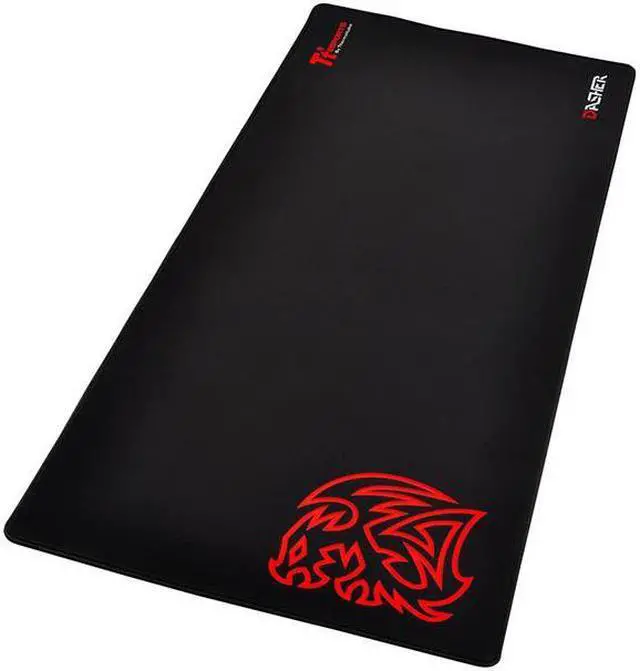
The Thermaltake Dasher Extended Mousepad is a black mouse pad with stitched, anti-fray edges and a non-slip rubber base, suited to PC users who want a stable surface for everyday mouse use.
Recommended For
- Low-sensitivity FPS players who make broad, arm-driven mouse movements and want a large surface for flicks without quickly running out of room.
- Desktop gamers who want room for a full-size keyboard and mouse on one continuous surface, with extra space for wide mouse sweeps.
- Players who prefer a relatively slick cloth surface for quicker, lower-resistance mouse glide rather than a distinctly slow-feeling pad.
- People setting up a fixed, spacious desk who want the keyboard and mouse to stay on a single pad; the reviewer found its rubber base gripped different desk surfaces during use.
Real-World Use Scenarios
- When gaming with a full-size keyboard and mouse, place both on the same continuous surface; the wide pad leaves room for mouse movement without requiring a separate small mousepad.
- In FPS games with low mouse sensitivity, use the broad surface for larger arm-driven sweeps; the reviewer found its size suited wide flicks and its glide felt relatively fast.
- For long gaming sessions across FPS, RTS, or MMORPG titles, keep the keyboard and mouse positioned on the same pad; its cloth surface and non-slip base are intended to support consistent movement during play.
- When switching between work and gaming at the same desk, use the extended pad as a shared surface for the keyboard and mouse; it can also cover much of the desktop beneath them.
- On a desk where a small pad feels restrictive, use the extra width for broad mouse movements; the reviewer reported that the rubber base stayed in place across several desk surfaces during use.




 here!