• $29.99
  • Free 30-day Returns
  • Sold by Direct from manufacturerVIVO
    Top Rated
    4.7 (2,010 seller ratings)

    Shipped by Direct from manufacturerVIVO

    Price alert
    Add to Wish List(Found on 1 wish list)
    Shop it at NeweggBusiness.

    Meet Your Seller

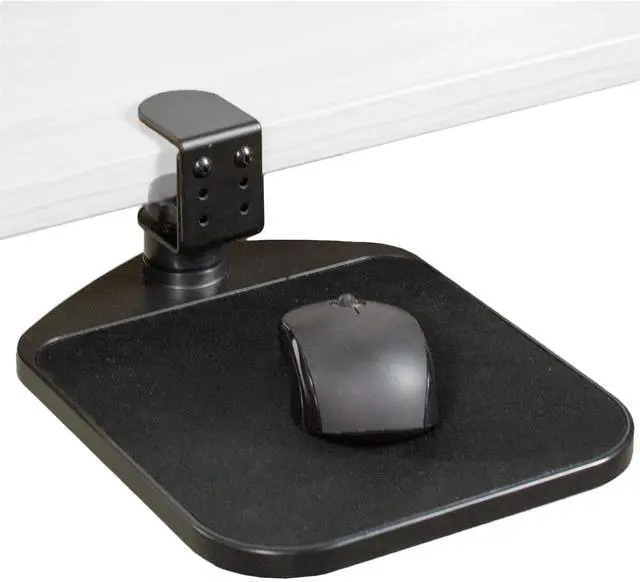
    VIVO Black Rotating Desk Clamp Adjustable Computer Mouse Pad and Device Holder

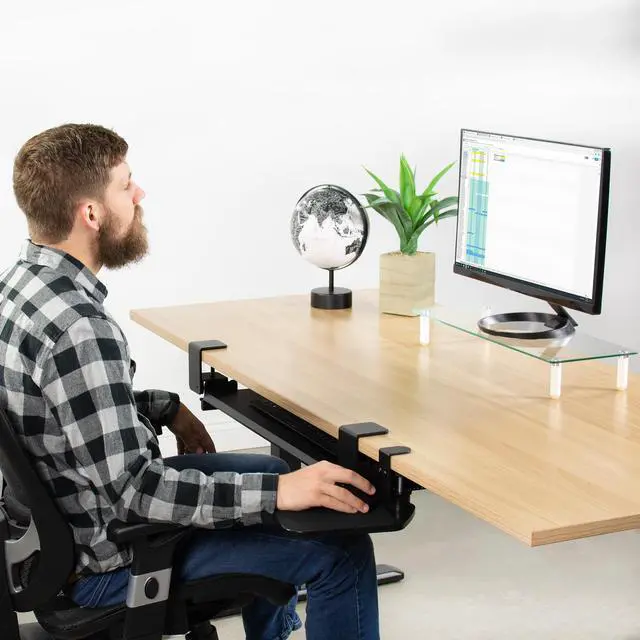
    • VIVO Clamp on Mouse Pads: We create affordable solutions designed with creativity and quality to transform your unique workspace. This product holds your mouse at an ergonomic position so you can click away in comfort
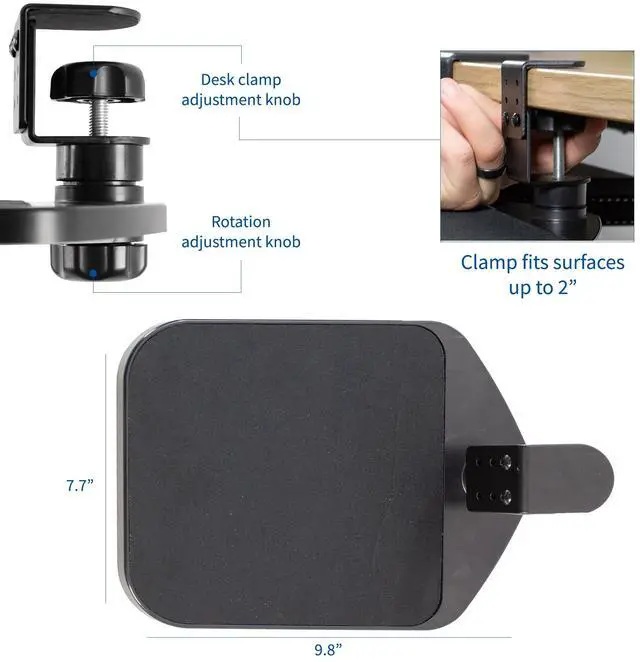
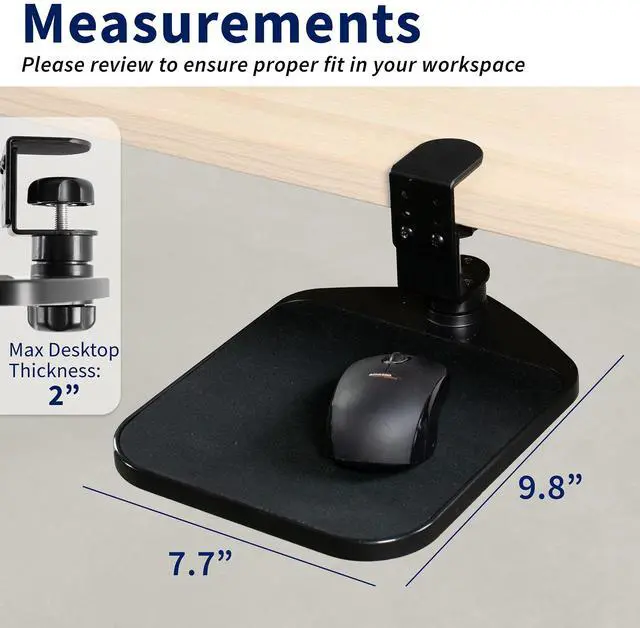
    • Rotating Design: Find just the right angle for your wrist as well as ideal placement for the 9.8" x 7.7" platform with smooth 360° rotation. This flexibility also creates space efficiency, since the tray can rotate under the desk when not in use
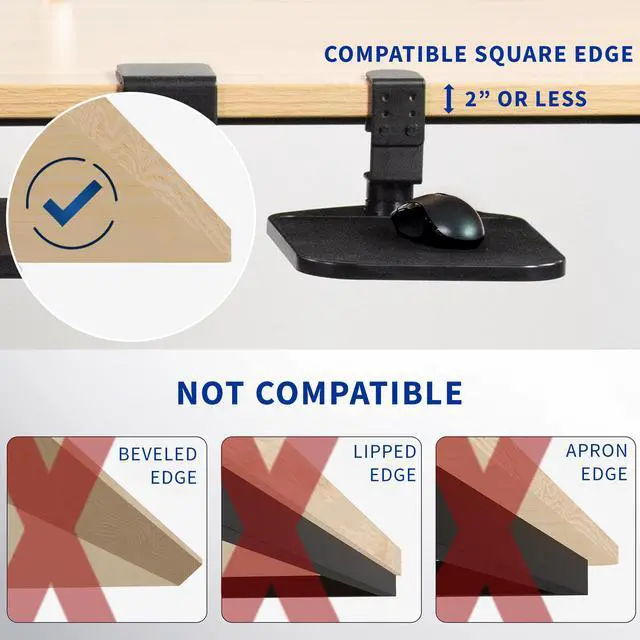
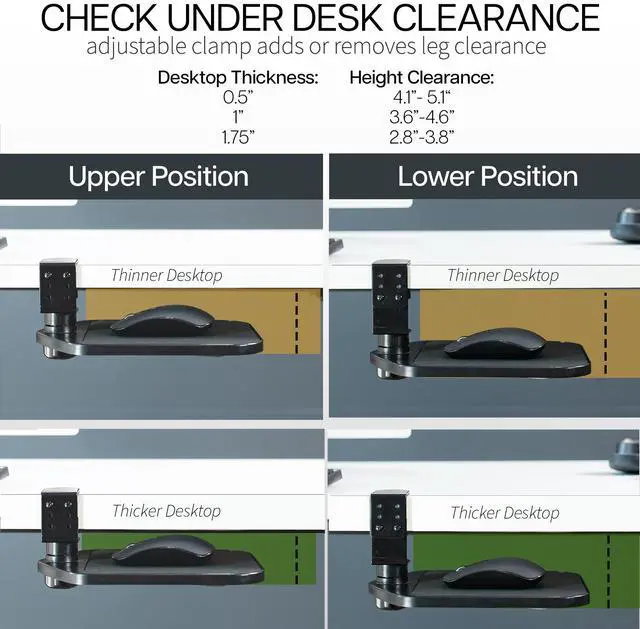
    • Easy Mounting: The sturdy desk clamp attaches the mouse pad to your desk surface (up to 2" in thickness) with no tools required and no damage to your existing desk. The clamp tightens into place for a stable setup allowing smooth motion for adjustments
    • Versatile: When it comes to left or right-handed users, this mouse pad is everyone's friend. Use your dominant hand confidently by placing this platform wherever you need it. To reduce clutter the tray can also hold small items like pens, phones, and more
    +
    +
    Overview
    Specs
    Reviews (1)

    Any questions? Ask CelesteSM will help you find out quickly.

    Click away in comfort with Desk Clamp Mouse Pad (MOUNT-MS01A) from VIVO! This adjustable 9.8" x 7.7" platform creates ergonomic angles for your wrist and provides additional space for your mouse and other small items. Elegant black fabric lines the top surface for optimal comfort and traction. The sturdy desk clamp attaches to any surface up to 2" in thickness for versatile placement, fitting regular office desks, tabletop risers, and more. The clamp also makes it easy to mount and unmount the mouse pad with no damage to your existing desk. Designed for both right-handed and left-handed users, this product accommodates your dominant hand with ease. Full 360° rotation means flexible placement for your wrist, as well as easy storage by rotating the tray under the desk surface when not in use. Minimal assembly is required out of the box, and all necessary hardware and instructions are provided to get your new mouse pad improving work processes in no time!

    Compatibility

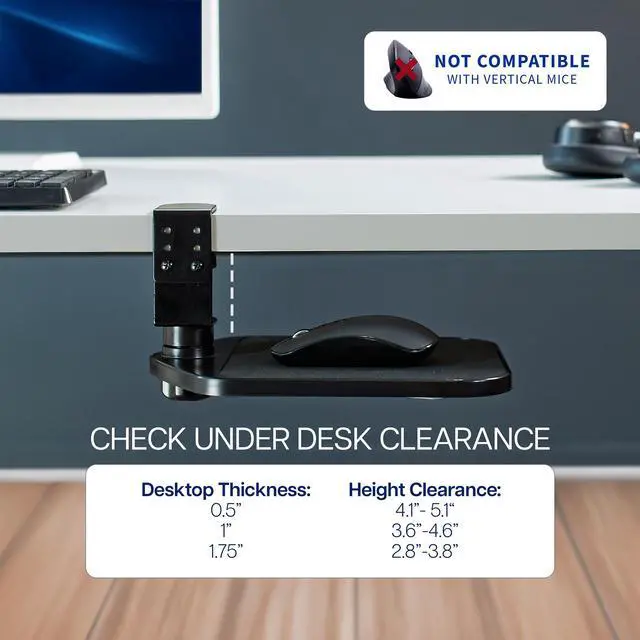
    • Desktop Thickness: Clamp fits surfaces up to 2"

    Specifications

    • Color: Black
    • Material: Steel, ABS Plastic
    • Product Dimensions: 9.8" x 7.7"
    • Rotation: 360°

    Warranty & Returns

    Warranty, Returns, And Additional Information

    Warranty

    • Please contact the Seller directly for warranty information. Warranty information may also be found on the Manufacturer's website.
    • CONTACT

    Return Policies

    • Return for refund within: 30 days
    • Return for replacement within: 30 days
    • This item is covered by VIVO Return Policy

    Manufacturer Contact Info

    LOADING...

    The VIVO Black Rotating Desk Clamp Mouse Pad is an adjustable, 360°-rotating tray for users who want to position a mouse beside their desk without using the desktop surface; it clamps to desks up to 2 inches thick and suits left- or right-handed setups.

    Recommended For

    • Desk workers whose desktop is crowded and who need a separate mouse surface that can rotate underneath the desk when it is not in use.
    • People working at a standing desk or a compact workstation with little room for a mouse, who want a clamp-mounted surface positioned beside the desktop.
    • Left- or right-handed mouse users who want to place a dedicated tray on their preferred side rather than make room for the mouse on the main desktop.
    • Users who want a small auxiliary platform for a mouse or a few lightweight desk items, rather than a full keyboard-and-mouse tray.

    Real-World Use Scenarios

    • When a compact desk has little room beside the keyboard, clamp the pad to the desk edge to give the mouse its own nearby surface and keep more of the desktop clear.
    • When the mouse pad is not needed, rotate it beneath the desk to clear the area in front of the desk for sitting, standing, or moving around.
    • When changing between left- and right-handed mousing or adjusting a seating position, rotate the platform to place the mouse on the preferred side and angle.
    • When the main desktop is being used for papers or other work, use the attached platform as a dedicated mouse area so the mouse remains available without clearing a large patch of desk.
    • When the mouse is set aside, use the platform to keep a few small desk items, such as a phone or pens, within reach; rotate it out of the way when that extra surface is no longer needed.