Details
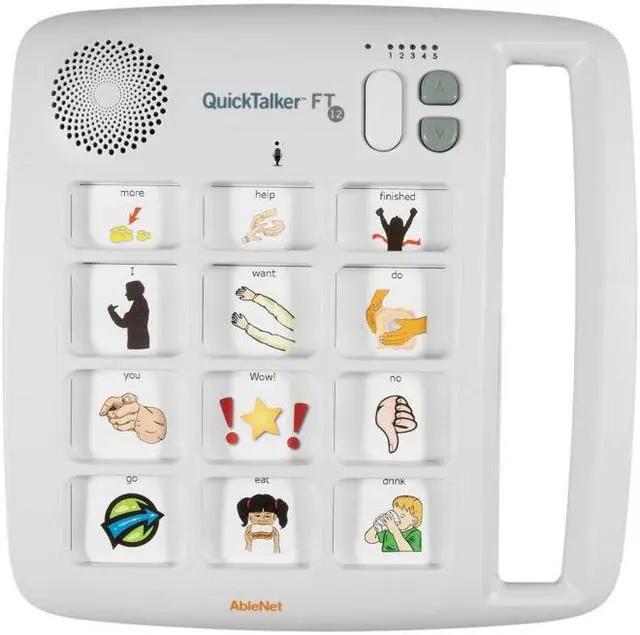
QuickTalker FT 12 is a go-anywhere speech device that is easy-to-use, durable, and plays back crystal clear sound. The new QuickTalker FT 12 includes a Feather Touch membrane that requires 70% less force to activate a message cell!
QuickTalker FT 12 is perfect for use when reading a story, interacting during a lesson in the classroom, or communicating with a family member.
QuickTalker FT 12 includes:
12 message locations (Three core messages that stay the same on every recording level and nine unique messages that change on each recording level)
Five recording levels with a total of 12-minutes of record time
Feather Touch membrane that requires 70% less force to activate a message cell
Integrated handle
Requires 4 AA batteries (not included)
FAQ:
Why does the LED alternate flashing between red and yellow two times and not play my message?
This is typically related to an issue with the battery installed in the device. The battery may be low or depleted or you are using a battery labeled “Heavy Duty”, “Industrial Grade” or “ProCell”. These types of batteries handle power differently than regular alkaline batteries, and when used in our devices respond similar to low/dead batteries. We recommend using a regular alkaline battery to avoid any issues with recording or playing messages. Replace your battery and try to use it again. If the problem persists contact Tech Support for further assistance.
Why can’t I change levels or record new messages?
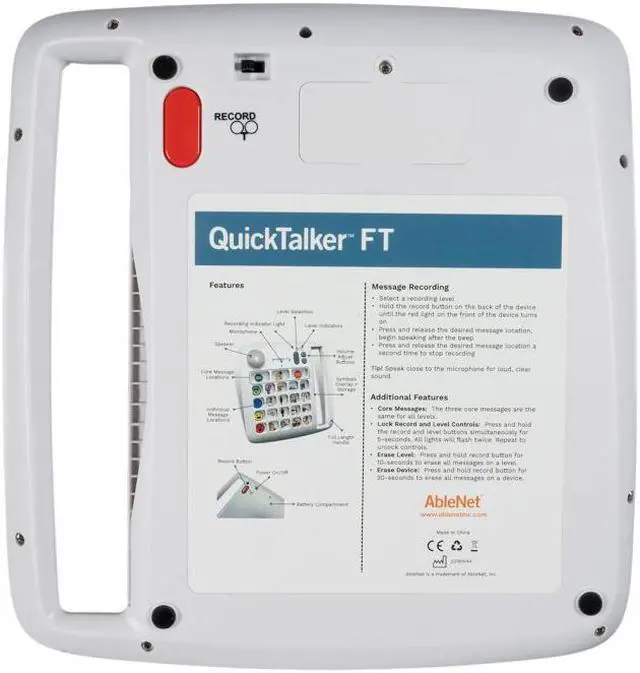
It’s likely the lock feature has been enabled. To enable/disable the lock feature press and hold the Record and Level buttons at the same time for 5 seconds. When activated/deactivated you should see all the LED’s flash twice, then turn off.
Do the top 3 message cells change with different levels?
The top 3 messages are core messages that remain the same through all levels.





 here!
here!