




 here!
here!
I’m your shopping assistant for PC builds, upgrades, and everything tech.
Got questions? Ask away!
Start a conversation
here!
I’m your shopping assistant for PC builds, upgrades, and everything tech.
Got questions? Ask away!
Start a conversation



Any questions? Ask CelesteSM will help you find out quickly.

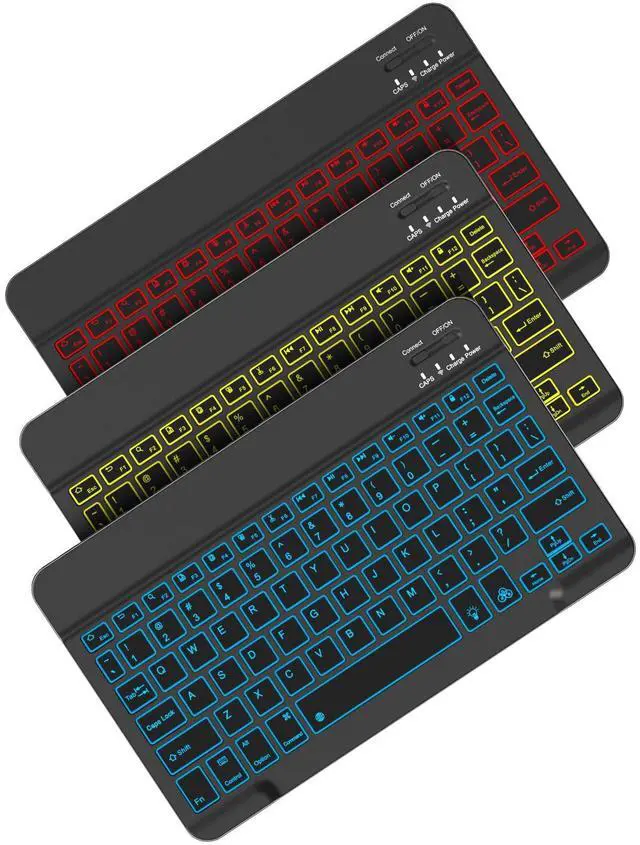
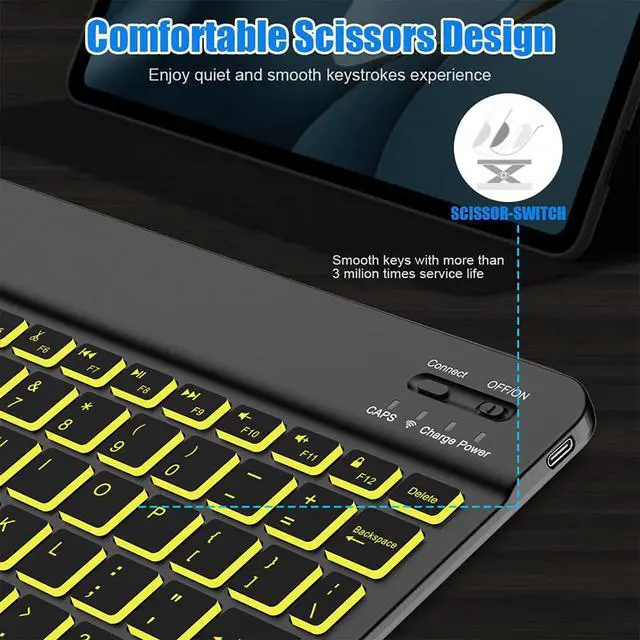
More than a keyboard, it’s an ambient light for your workspace. With several brightness levels and 7 professional light colors (Red, Orange, Yellow, Green, Cyan, Blue, Purple), you can customize your typing vibe. Whether you're working late into the night or sketching ideas in a café, the soft backlight protects your eyes and instantly elevates your creative atmosphere. Light flows at your fingertips with every tap.

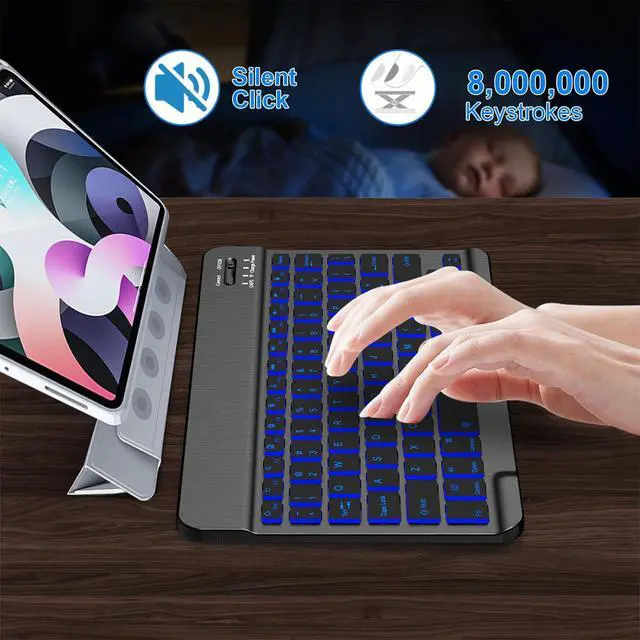
A true productivity tool adapts to wherever inspiration strikes. Whether by a sunny window, under dim cabin lighting, or at your desk late at night, the intelligent backlight system ensures every key is clearly visible. Seamlessly transition between different lighting environments and maintain peak efficiency anywhere. Never let lighting limit your flow again.

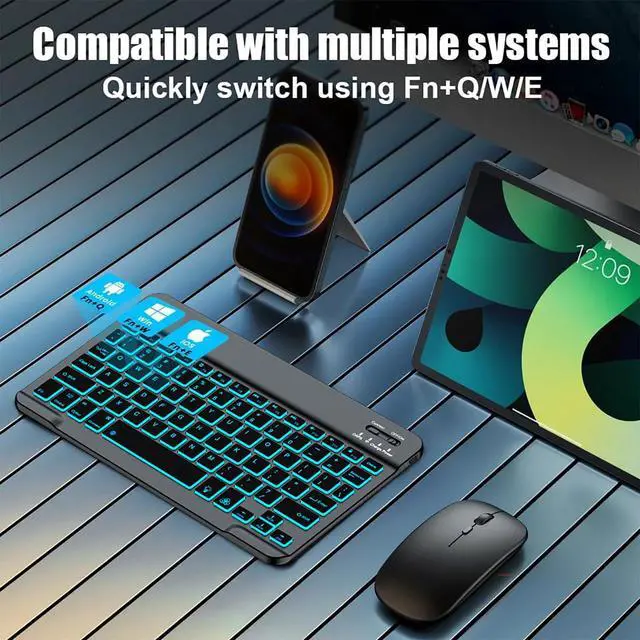
This versatile Bluetooth keyboard is designed to be fully compatible with a wide range of iPad models, offering a seamless typing experience across Apple's tablet lineup. It works perfectly with: iPad Pro: All models, including the latest 13-inch and 11-inch iPad Pro (M4, 2024) with Magic Keyboard support, as well as previous-generation 12.9-inch and 11-inch iPad Pro. iPad Air: All models, including the 13-inch and 11-inch iPad Air (M2, 2024) and the earlier 10.9-inch & 10.5-inch versions. iPad (Standard): The 10th Generation (10.9-inch) and the 10.2-inch models (9th, 8th, and 7th Generation). iPad mini: The entire iPad mini series. Beyond the Apple ecosystem, it works perfectly with Windows-based laptops and desktop computers, as well as smartphones and tablets running Android and HarmonyOS. The keyboard utilizes standard Bluetooth technology for a reliable, plug-and-play connection with virtually any device that supports Bluetooth accessories.
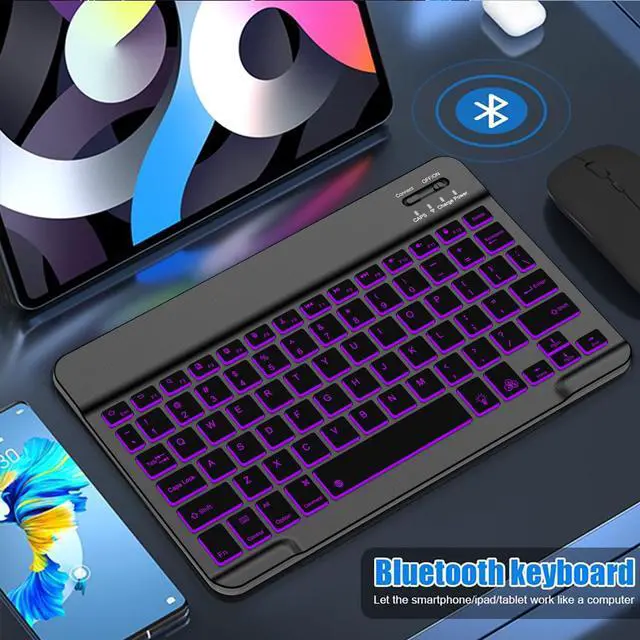
Connection Notes: This keyboard leverages standard Bluetooth connectivity, making it broadly compatible with virtually all devices that support external Bluetooth accessories. The pairing process is simple: just turn on the keyboard, go to your device's Bluetooth settings, find and select the “Bluetooth keyboard" to connect. To pair with a new device, please disconnect the keyboard from the currently connected device first, then pair it with the desired device.
How do I connect the keyboard to my iPad for the first time?
Ensure the keyboard is powered on.On your iPad, go to Settings and turn Bluetooth on. Press Bluetooth pairing key at the top-right until the indicator flashes.Select "Bluetooth Keyboard" from your iPad's available devices list to complete pairing.
How do I use the 7-color backlight system?
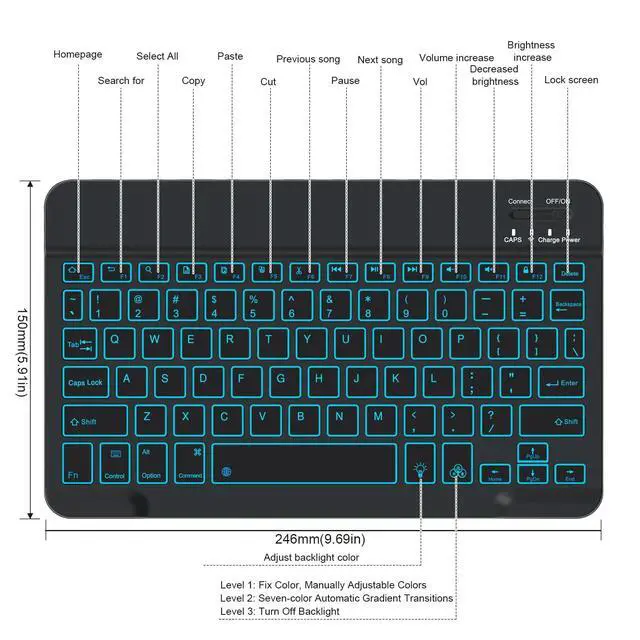
Press and hold the "Backlight Key" to cycle through the 7 colors. Release to select your preferred color. Press and hold the “Color Lock Key” beside "Backlight Key" to save it as the default.
What is the battery life and charging time?
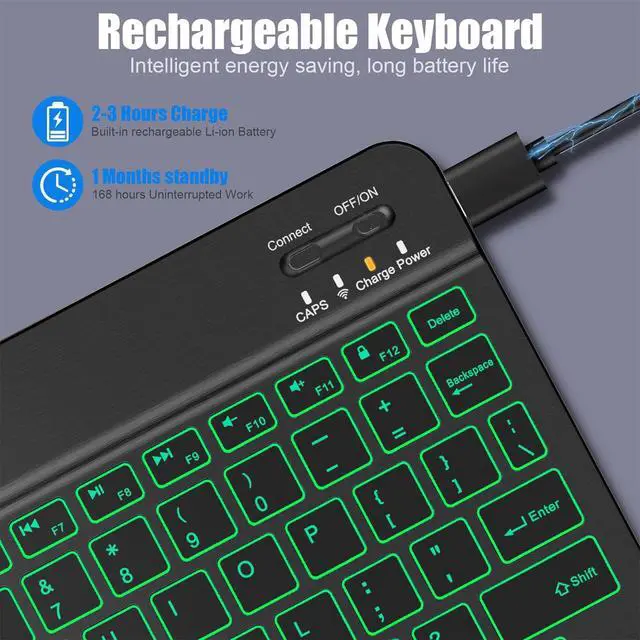
Approximately 2 hours for a full charge via USB-C. The backlight will dim or flash to indicate when charging is needed.
Can I connect the keyboard to multiple devices at once? How do I switch devices?
This keyboard connects to one device at a time.To switch to a second device, please disconnect "Bluetooth Keyboard" from the first device, then pair it to the new device
Which iPad models are compatible?
The keyboard is compatible with most Bluetooth-enabled iPads, including:iPad Pro (2018 and later), iPad Air (3rd gen and later), iPad (6th gen and later), iPad mini (5th gen and later)

More than a keyboard, it’s an ambient light for your workspace. With several brightness levels and 7 professional light colors (Red, Orange, Yellow, Green, Cyan, Blue, Purple), you can customize your typing vibe. Whether you're working late into the night or sketching ideas in a café, the soft backlight protects your eyes and instantly elevates your creative atmosphere. Light flows at your fingertips with every tap.

A true productivity tool adapts to wherever inspiration strikes. Whether by a sunny window, under dim cabin lighting, or at your desk late at night, the intelligent backlight system ensures every key is clearly visible. Seamlessly transition between different lighting environments and maintain peak efficiency anywhere. Never let lighting limit your flow again.

This versatile Bluetooth keyboard is designed to be fully compatible with a wide range of iPad models, offering a seamless typing experience across Apple's tablet lineup. It works perfectly with: iPad Pro: All models, including the latest 13-inch and 11-inch iPad Pro (M4, 2024) with Magic Keyboard support, as well as previous-generation 12.9-inch and 11-inch iPad Pro. iPad Air: All models, including the 13-inch and 11-inch iPad Air (M2, 2024) and the earlier 10.9-inch & 10.5-inch versions. iPad (Standard): The 10th Generation (10.9-inch) and the 10.2-inch models (9th, 8th, and 7th Generation). iPad mini: The entire iPad mini series. Beyond the Apple ecosystem, it works perfectly with Windows-based laptops and desktop computers, as well as smartphones and tablets running Android and HarmonyOS. The keyboard utilizes standard Bluetooth technology for a reliable, plug-and-play connection with virtually any device that supports Bluetooth accessories.
Connection Notes: This keyboard leverages standard Bluetooth connectivity, making it broadly compatible with virtually all devices that support external Bluetooth accessories. The pairing process is simple: just turn on the keyboard, go to your device's Bluetooth settings, find and select the “Bluetooth keyboard" to connect. To pair with a new device, please disconnect the keyboard from the currently connected device first, then pair it with the desired device.
How do I connect the keyboard to my iPad for the first time?
Ensure the keyboard is powered on.On your iPad, go to Settings and turn Bluetooth on. Press Bluetooth pairing key at the top-right until the indicator flashes.Select "Bluetooth Keyboard" from your iPad's available devices list to complete pairing.
How do I use the 7-color backlight system?
Press and hold the "Backlight Key" to cycle through the 7 colors. Release to select your preferred color. Press and hold the “Color Lock Key” beside "Backlight Key" to save it as the default.
What is the battery life and charging time?
Approximately 2 hours for a full charge via USB-C. The backlight will dim or flash to indicate when charging is needed.
Can I connect the keyboard to multiple devices at once? How do I switch devices?
This keyboard connects to one device at a time.To switch to a second device, please disconnect "Bluetooth Keyboard" from the first device, then pair it to the new device
Which iPad models are compatible?
The keyboard is compatible with most Bluetooth-enabled iPads, including:iPad Pro (2018 and later), iPad Air (3rd gen and later), iPad (6th gen and later), iPad mini (5th gen and later)


