



• $18.97
  • Free 30-day Returns
  • Sold by Eirtinkylle

    Shipped by Eirtinkylle

    Price alert
    Shop it at NeweggBusiness.

    Meet Your Seller

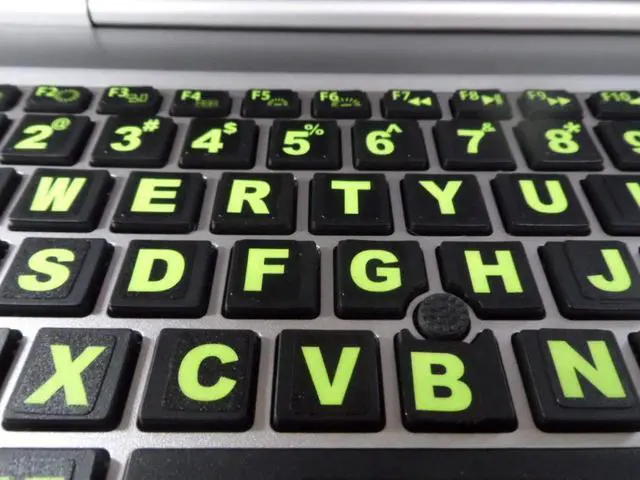
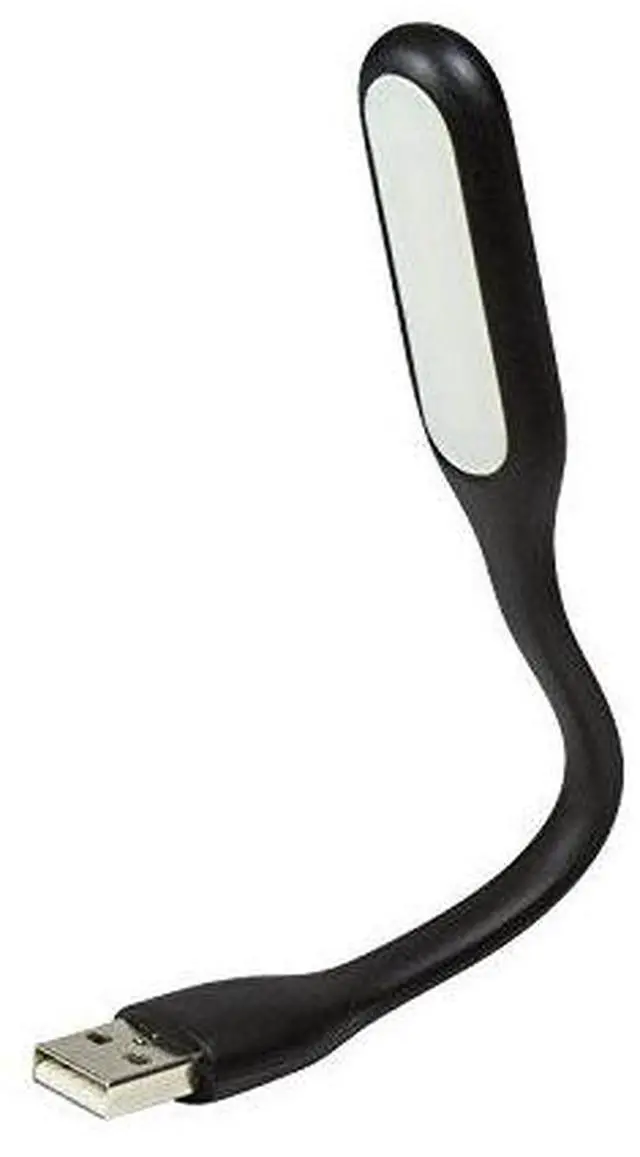
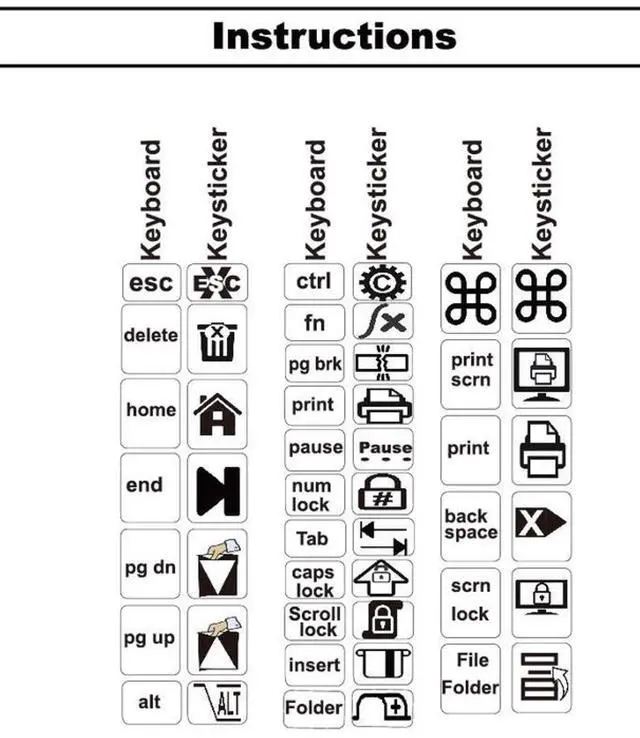
    Keyboard Stickers Big Bright Luminescent Symbols. Will Not Wear or Fade. 3 Yr. Warranty. Great for Sight Impaired. (U.S. English Keyboard) Also Includes Pocket/Purse Magnifier, USB LED & Tweesers.

    • 3 Year Replacement Warranty. Will not corrode, fade or unravel. Sterilize your keyboard or keypad daily without damaging luminescent Keyboard Keysticks. Free Mulligan. Don't like your first trial? Get a free replacement set.
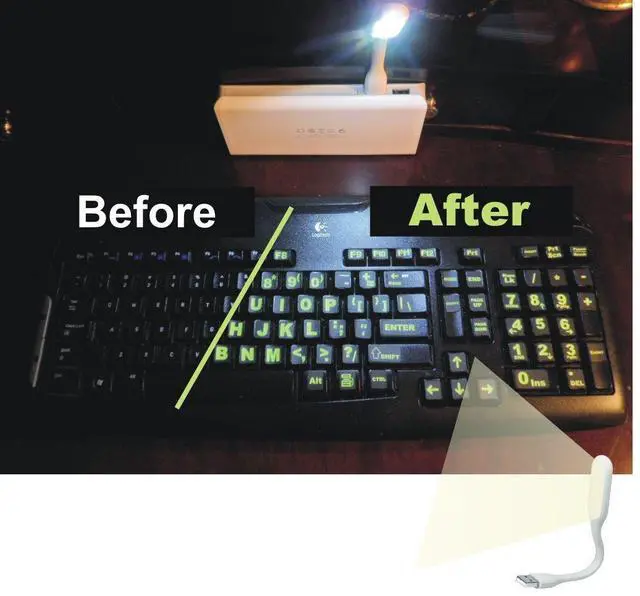
    • Extra Large Type. See each key and symbol in the dim light without glasses. Great for the elderly or people with poor vision.
    • Fits both laptop and desktop keyboards.
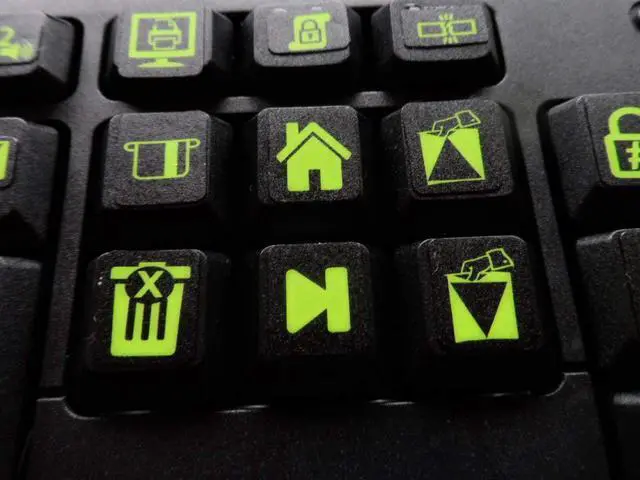
    • Full 200-piece multimedia set with function keys ("F" keys) for use with Spotify, Pandora, Google Play, iHeartRadio, Slacker, TuneIn, SoundCloud, Deezer. Use with MAC and PC.
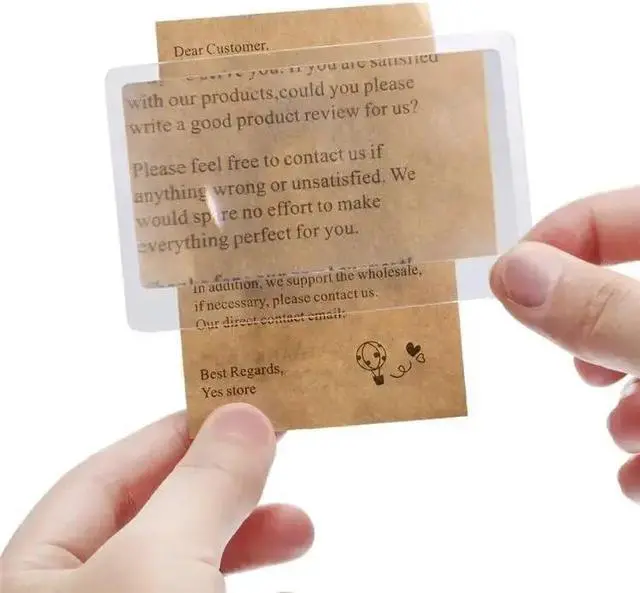
    • Includes a credit card sized magnifying glass. $2.98 value. Fits in a wallet or purse. Great for reading prescriptions, content tags and mobile phones.
    • UBS LED LIGHT WARNING: Laptop USB ports provide 5 volts of electricity with a maximum power output of 0.5 AM. Plug the USB LED light into a mobile phone charger or battery can draw up to 2.4 amps. Exceeding 0.5 Amp can cause overheating or even fire. DO NOT OVER 0.5 amp and/or 2.5 watts.
    +
    +
    Overview
    Specs
    Reviews
    avatar

    Any questions? Our AI beta will help you find out quickly.

    Keystickers Installed on Purchaser's Keyboard

    Keyboard

    DIRECTIONS:

    1. Use the enclosed towelettes to clean the keys on the keyboard thoroughly. Allow a few minutes for the keyboard to dry.

    2. Place the keystickers on the keys using the enclosed tweezers. You may cut or trim keystickers with a scissors. You may also put one sticker on top of

    another. The is often done to build a function key (F1 - F12) at the top of the keyboard. Your kit contains standard PC and MAC function keys.

    3. If you place a sticker on crooked, you can peal the keysticker off and re-attach it.

    4. If you are not happy with your first attempt, go to SOVEREIGNGA.US and request a mulligan (a new replacement). There

    is no charge for the replacement set.

    5. If you wish to clean the keyboard after the keystickers are enclosed, use a damp cloth soaked in detergent or alcohol.

    6. If a keysticker should come loose within 3 years of your purchase, go to SOVEREIGNGA.US for a replacement.

    Keystickers Installed on Purchaser's Keyboard

    Keyboard

    DIRECTIONS:

    1. Use the enclosed towelettes to clean the keys on the keyboard thoroughly. Allow a few minutes for the keyboard to dry.

    2. Place the keystickers on the keys using the enclosed tweezers. You may cut or trim keystickers with a scissors. You may also put one sticker on top of

    another. The is often done to build a function key (F1 - F12) at the top of the keyboard. Your kit contains standard PC and MAC function keys.

    3. If you place a sticker on crooked, you can peal the keysticker off and re-attach it.

    4. If you are not happy with your first attempt, go to SOVEREIGNGA.US and request a mulligan (a new replacement). There

    is no charge for the replacement set.

    5. If you wish to clean the keyboard after the keystickers are enclosed, use a damp cloth soaked in detergent or alcohol.

    6. If a keysticker should come loose within 3 years of your purchase, go to SOVEREIGNGA.US for a replacement.

    Keyboard Stickers Big Bright Luminescent Symbols. Will Not Wear or Fade. 3 Yr. Warranty. Great for Sight Impaired. (U. S. English Keyboard) Also Includes Pocket/Purse Magnifier, USB LED & Tweesers.

    Warranty & Returns

    Warranty, Returns, And Additional Information

    Warranty

    • Please contact the Seller directly for warranty information. Warranty information may also be found on the Manufacturer's website.
    • CONTACT

    Return Policies

    Manufacturer Contact Info

    LOADING...