
















How do I download the S101M-KS driver software?
Step 1: Visit the official Redragon website: Redragon.com
Step 2: Click the “Downloads” section, search for the model “S101M-KS” to download the software driver
Note: Software drivers for keyboards and mice must be downloaded separately
How do I connect a wireless keyboard?
Slide the power switch on the back of the keyboard to the ON position
2.4G - Insert the receiver and press and hold FN+4 (if automatic pairing does not occur)
Bluetooth - Press and hold FN+1/2/3 and search for the device on your computer to connect
How do I connect a wireless mouse?
Switch the mode selector on the mouse's underside to the corresponding position
2.4G - Mouse will automatically connect after inserting the receiver
BT - Set the switch to BT mode, press and hold the “Pair BT” button for three seconds, then connect
Where can I find a 2.4 GHz receiver?
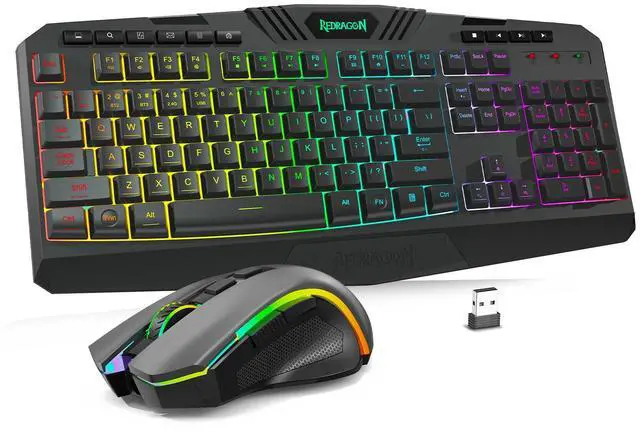
The S101M-KS's 2.4 GHz receiver is located in a slot on the back of the keyboard. This is a two-in-one receiver, allowing you to control both the mouse and keyboard with a single receiver.
Redragon Gaming and Mouse Combo
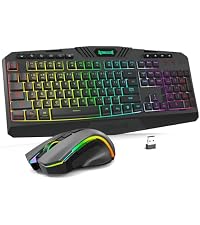 Redragon S101MKS Wireless |  Redragon S107 Wired |  Redragon S107 Wireless |  Redragon S101-3 Pro Wired | 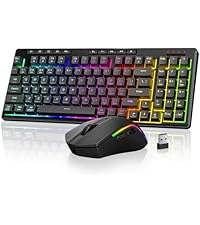 Redragon S156 Wireless | 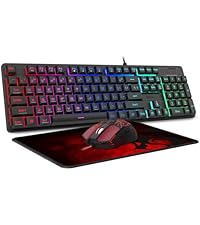 Redragon S107 Combo | 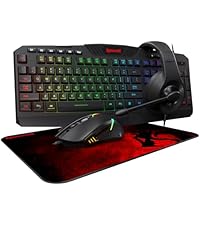 Redragon S101-3 Combo | |
|---|---|---|---|---|---|---|---|
Customer Reviews | — | — | — | — | — | — | — |
Price | — | — | — | — | — | — | — |
Wired/Wireless | Wireless | Wired | Wireless | Wired | Wireless | Wired | Wired |
RGB | ? | ? | ? | ? | ? | ? | ? |
Macro | ? | ? | ? | ? | ? | ? | ? |
Ergonomics | ? | ? | ? | ? | ? | ? | ? |
Number of buttons | 114 | 104 | 104 | 114 | 94 | 104 | 114 |


How do I download the S101M-KS driver software?
Step 1: Visit the official Redragon website: Redragon.com
Step 2: Click the “Downloads” section, search for the model “S101M-KS” to download the software driver
Note: Software drivers for keyboards and mice must be downloaded separately
How do I connect a wireless keyboard?
Slide the power switch on the back of the keyboard to the ON position
2.4G - Insert the receiver and press and hold FN+4 (if automatic pairing does not occur)
Bluetooth - Press and hold FN+1/2/3 and search for the device on your computer to connect
How do I connect a wireless mouse?
Switch the mode selector on the mouse's underside to the corresponding position
2.4G - Mouse will automatically connect after inserting the receiver
BT - Set the switch to BT mode, press and hold the “Pair BT” button for three seconds, then connect
Where can I find a 2.4 GHz receiver?
The S101M-KS's 2.4 GHz receiver is located in a slot on the back of the keyboard. This is a two-in-one receiver, allowing you to control both the mouse and keyboard with a single receiver.
Redragon Gaming and Mouse Combo
 Redragon S101MKS Wireless | Redragon S107 Wired | Redragon S107 Wireless | Redragon S101-3 Pro Wired | Redragon S156 Wireless | Redragon S107 Combo | Redragon S101-3 Combo |
|---|---|---|---|---|---|---|
| Customer Reviews | ||||||
| — | — | — | — | — | — | — |
| Price | ||||||
| — | — | — | — | — | — | — |
| Wired/Wireless | ||||||
| Wireless | Wired | Wireless | Wired | Wireless | Wired | Wired |
| RGB | ||||||
| ? | ? | ? | ? | ? | ? | ? |
| Macro | ||||||
| ? | ? | ? | ? | ? | ? | ? |
| Ergonomics | ||||||
| ? | ? | ? | ? | ? | ? | ? |
| Number of buttons | ||||||
| 114 | 104 | 104 | 114 | 94 | 104 | 114 |