






FENIFOX 120-Key Wireless Keyboard – Design Features
Do I need to install a driver?
No. Simply plug the USB nano receiver into your computer's port; it's plug-and-play and requires no drivers.
Does it support both Windows and Mac systems?
Yes. It includes dedicated screenshot shortcuts for macOS and calculator shortcuts for Windows.
Is it completely silent?
It's not 100% silent, but significantly quieter than standard keyboards — designed for quiet office or shared environments. For even lower sound, attach the included silicone cover to further reduce typing noise.
How is it powered?
Requires 2 AAA batteries (not included). Compatible with 1.5V rechargeable batteries.
Num Lock indicator not lighting up? Some keys not working?
Please check that the 3-position power switch is set to the correct system mode (Windows or macOS) and turned on. This ensures full functionality of all keys.
Experiencing lag or short range?
This may be caused by low battery or interference. Common interference sources include USB 3.0/3.1 ports, Wi-Fi, metal and docking stations. Try using the USB port closest to the keyboard or switch to another port.
What if the keyboard stops working?
First, check the battery level. If the issue persists, remove all other USB devices, wait at least 3 seconds, then reinsert the USB receiver (this ensures the system fully resets the connection). If it still doesn’t work, try a different USB port.

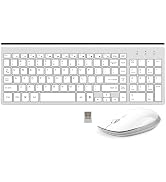
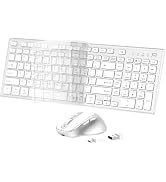
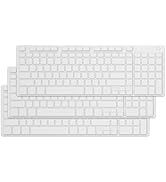
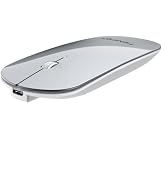
FENIFOX Series

FENIFOX: Precision Typing
FENIFOX specializes in wireless keyboards and mice built on patented technology. Every product is engineered for a quiet, responsive feel — whether you're on Windows or macOS.
We hold multiple patents in key mechanisms and wireless design. All devices pass rigorous safety testing and meet international quality standards, ensuring reliable performance day after day.
Designed for comfort. Built to last. FENIFOX — made for the way you work.
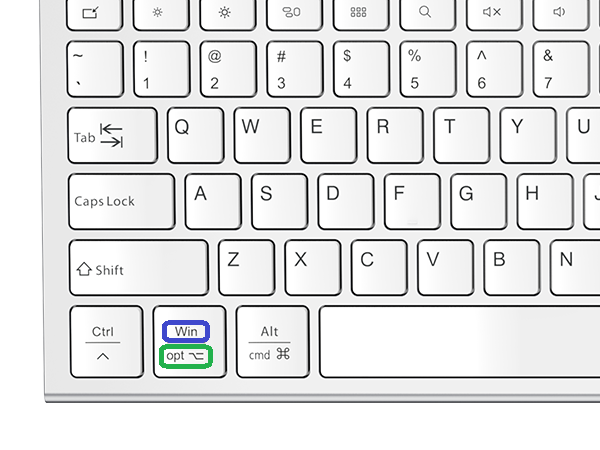
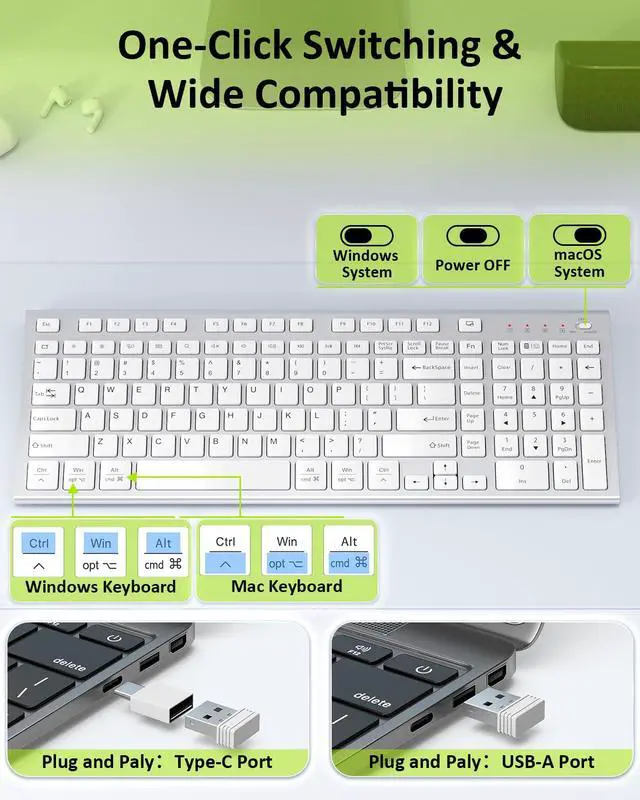
2-in-1 Key: Windows & Option for Windows PC & Mac
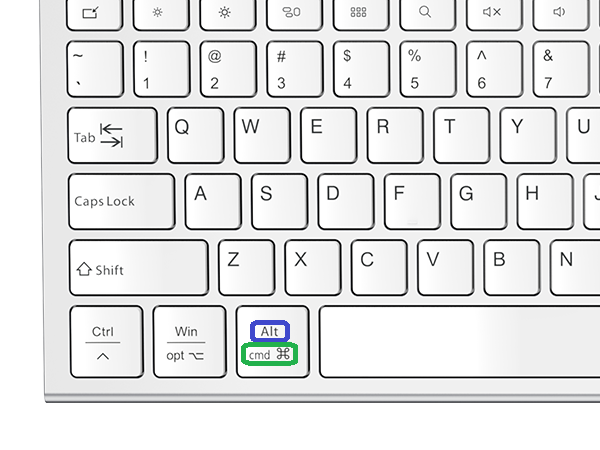
2-in-1 Key: Alt & Command for Windows PC & Mac
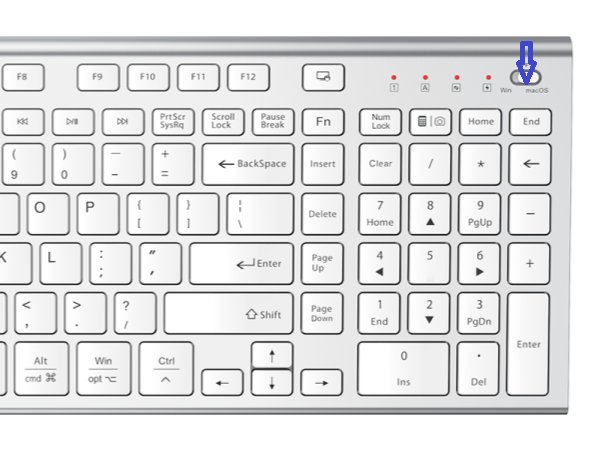
3-Mode Keyboard Switch: Windows / Off / macOS
Win ? OFF ? macOS
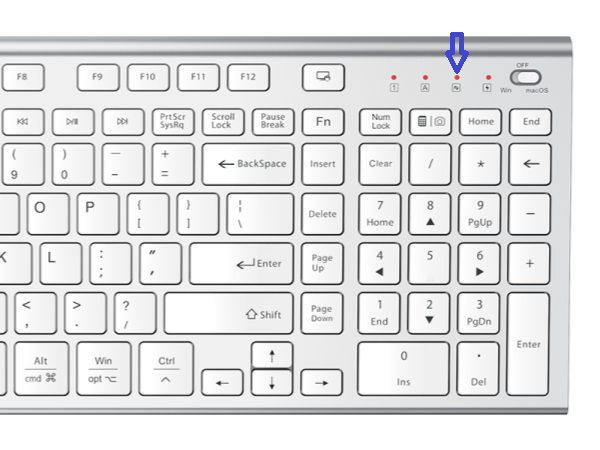
Scroll Lock LED Indicator
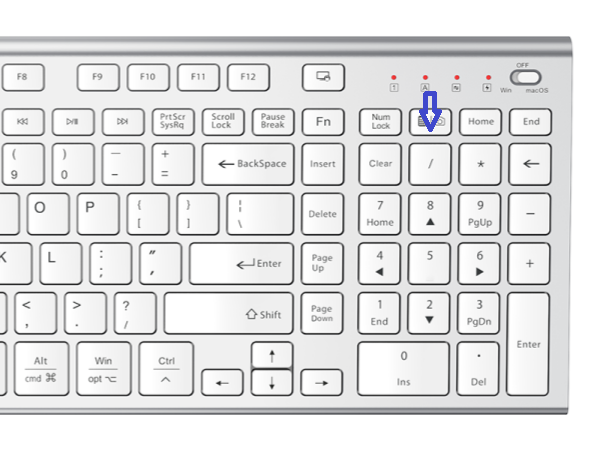
Calculator key (Windows) / Screenshot key (macOS)
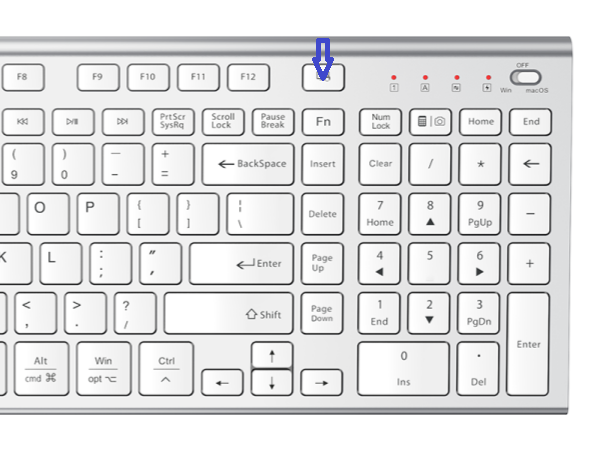
Lock Screen
FENIFOX 120-Key Wireless Keyboard – Design Features
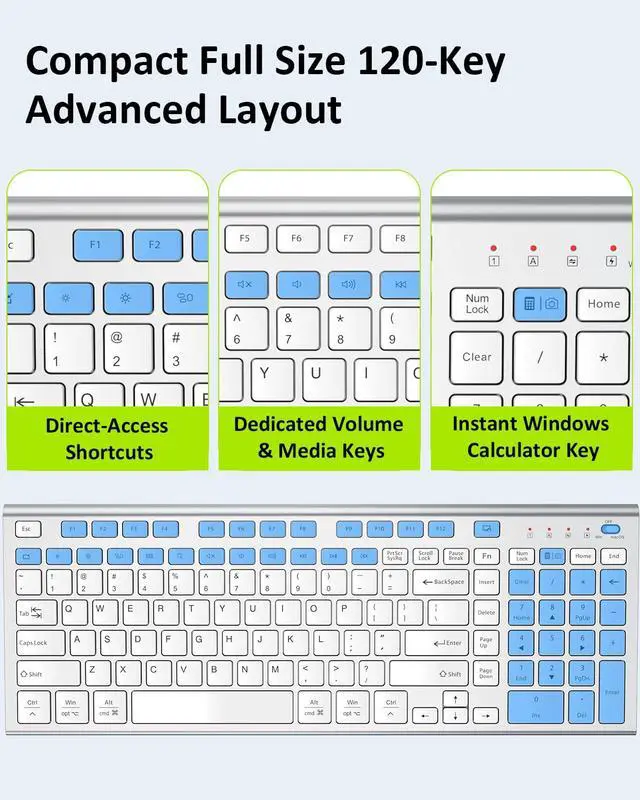
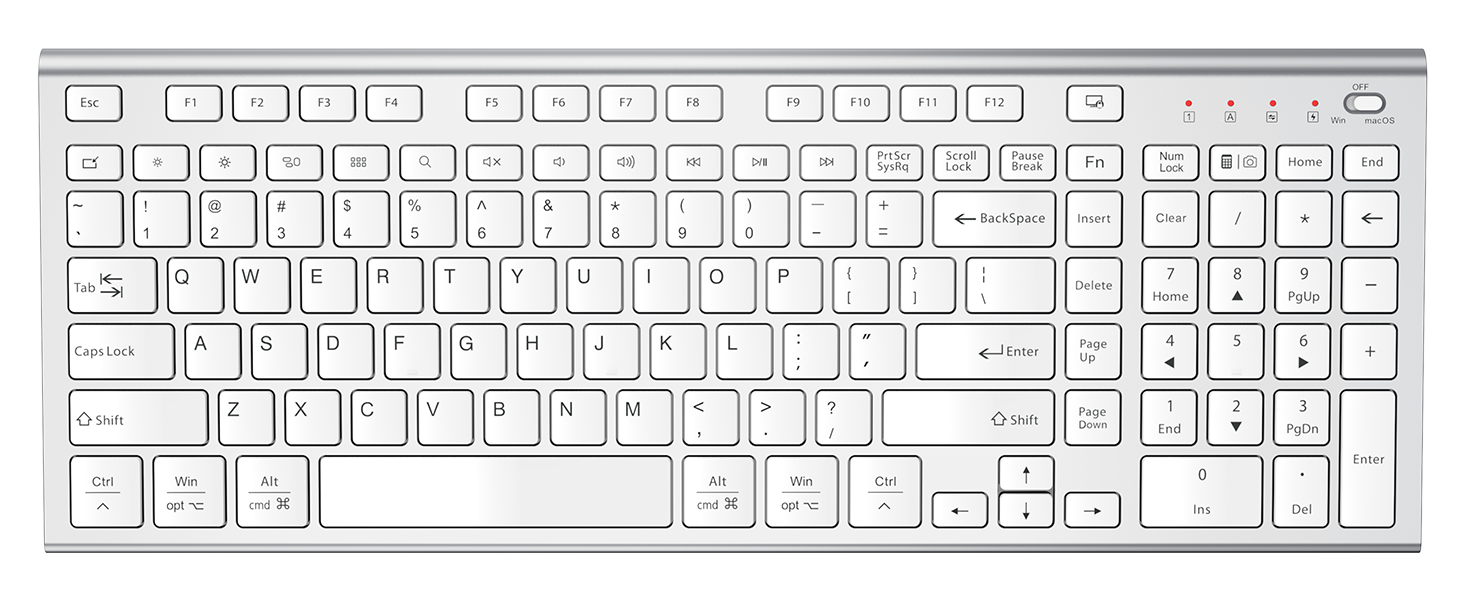
| Layout | 120 Keys in a 90% Compact Layout – Full Function Keyboard |
|---|---|
| Numeric Keypad | Built-in Number pad for Efficient Data Entry |
| Dual-Layout Keys | Windows/Option(?) & Alt/Command(?) Compatible with Windows & macOS |
| Function & Shortcut Keys | 12 Dedicated F1–F12 Function Keys + 14 Dedicated Shortcut Keys (Lock Screen, Windows Calculator Shortcut, macOS Screenshot Shortcut, Dedicated Volume Control & More) |
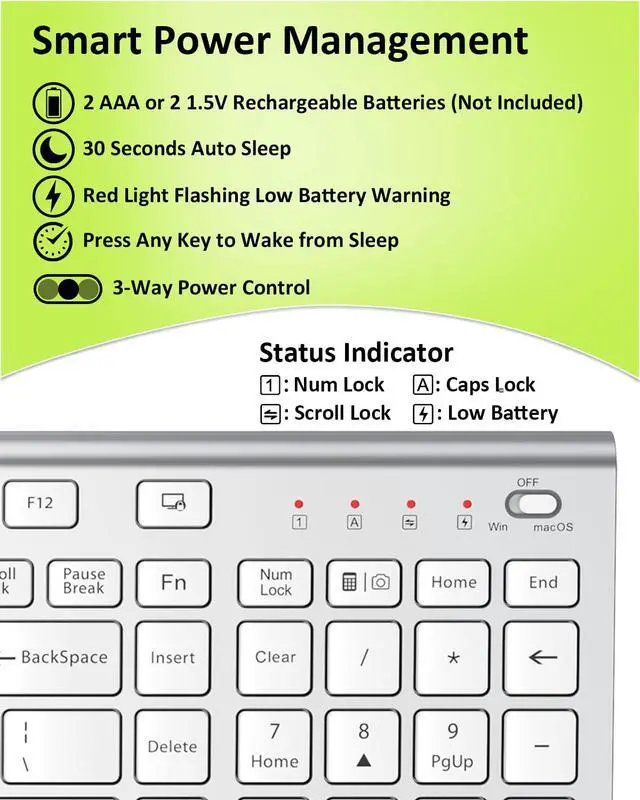
| LED Indicators | Indicators for Num Lock, Caps Lock, Scroll Lock, and Low Battery Warning |
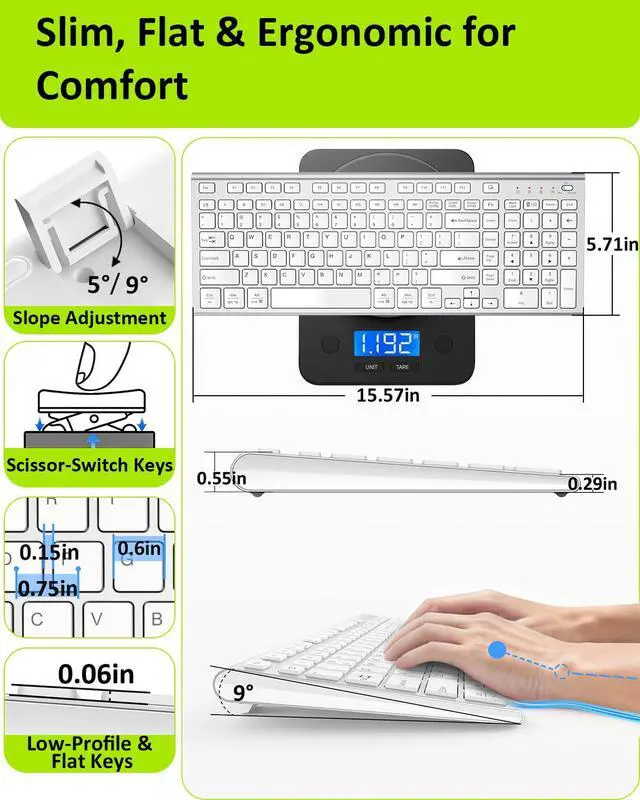
| Adjustable Tilt Angle | 2-Stage Adjustable Tilt Angle for Customized Typing Comfort |
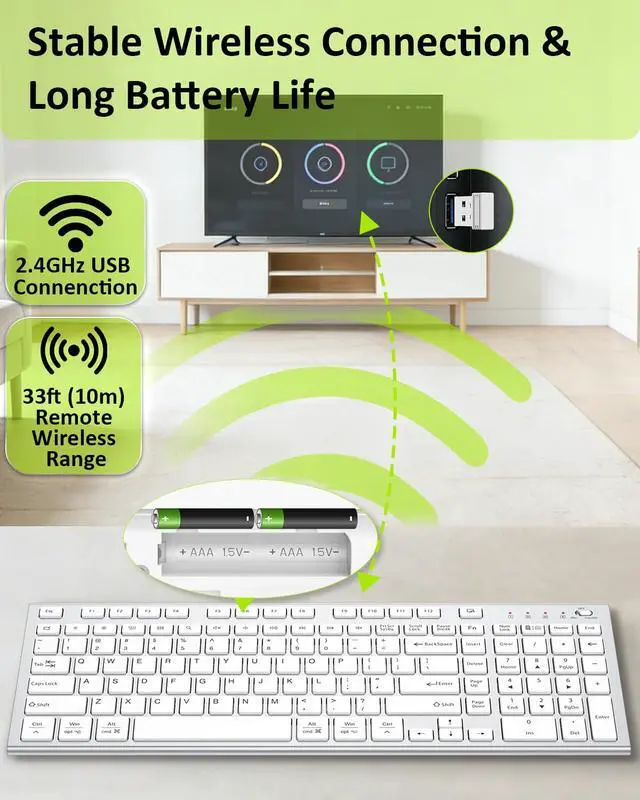
| Long Range Wireless Connection | Plug & Play 2.4G Wireless Connection via USB Receiver (33ft / 10m) |
| Switch Structure | Scissor Switch Silent Structure for Laptop-Like Typing Feel |
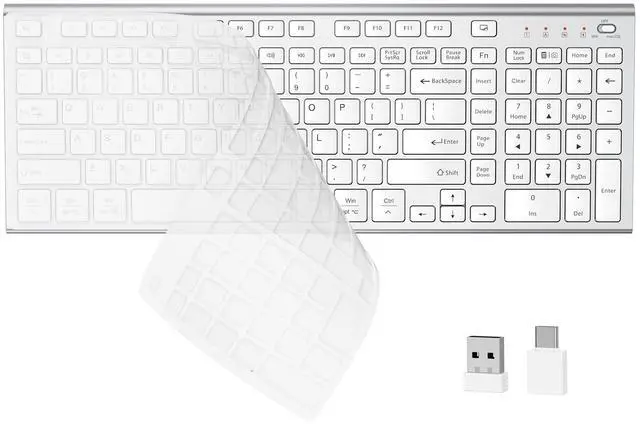
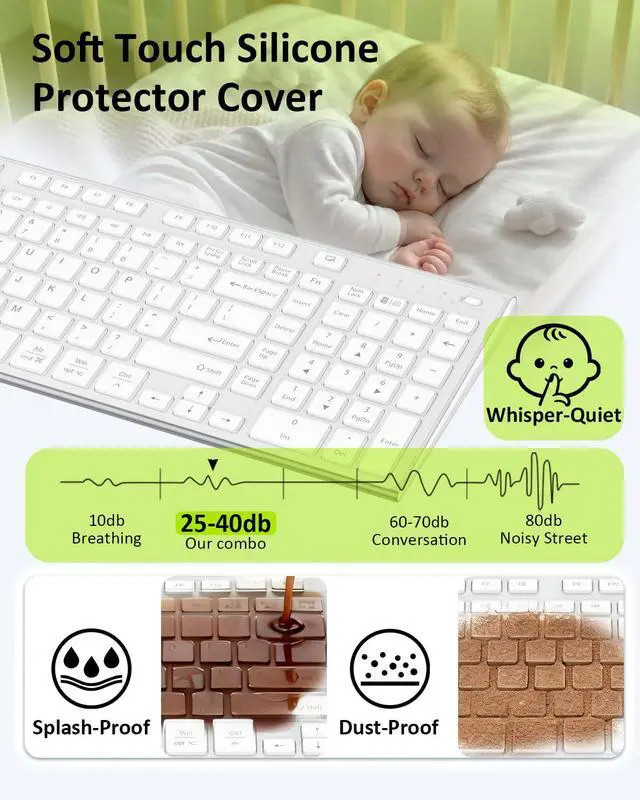
| Protective Cover | Detachable Silicone Protective Cover – Dustproof, Spill-Resistant, Soft-Touch & Quiet |
| Power Supply | Powered by 2 AAA batteries or 2 x 1.5V rechargeable batteries (not included) |
| 3-Position Slide Switch | For Windows System Keyboard – Off – For macOS System Keyboard |
Do I need to install a driver?
No. Simply plug the USB nano receiver into your computer's port; it's plug-and-play and requires no drivers.
Does it support both Windows and Mac systems?
Yes. It includes dedicated screenshot shortcuts for macOS and calculator shortcuts for Windows.
Is it completely silent?
It's not 100% silent, but significantly quieter than standard keyboards — designed for quiet office or shared environments. For even lower sound, attach the included silicone cover to further reduce typing noise.
How is it powered?
Requires 2 AAA batteries (not included). Compatible with 1.5V rechargeable batteries.
Num Lock indicator not lighting up? Some keys not working?
Please check that the 3-position power switch is set to the correct system mode (Windows or macOS) and turned on. This ensures full functionality of all keys.
Experiencing lag or short range?
This may be caused by low battery or interference. Common interference sources include USB 3.0/3.1 ports, Wi-Fi, metal and docking stations. Try using the USB port closest to the keyboard or switch to another port.
What if the keyboard stops working?
First, check the battery level. If the issue persists, remove all other USB devices, wait at least 3 seconds, then reinsert the USB receiver (this ensures the system fully resets the connection). If it still doesn’t work, try a different USB port.
FENIFOX Series
FENIFOX: Precision Typing
FENIFOX specializes in wireless keyboards and mice built on patented technology. Every product is engineered for a quiet, responsive feel — whether you're on Windows or macOS.
We hold multiple patents in key mechanisms and wireless design. All devices pass rigorous safety testing and meet international quality standards, ensuring reliable performance day after day.
Designed for comfort. Built to last. FENIFOX — made for the way you work.
