




 here!
here!
I’m your shopping assistant for PC builds, upgrades, and everything tech.
Got questions? Ask away!
Start a conversation
here!
I’m your shopping assistant for PC builds, upgrades, and everything tech.
Got questions? Ask away!
Start a conversation




Any questions? Ask CelesteSM will help you find out quickly.


Q1:How many lighting modes does this backlit keyboard have?
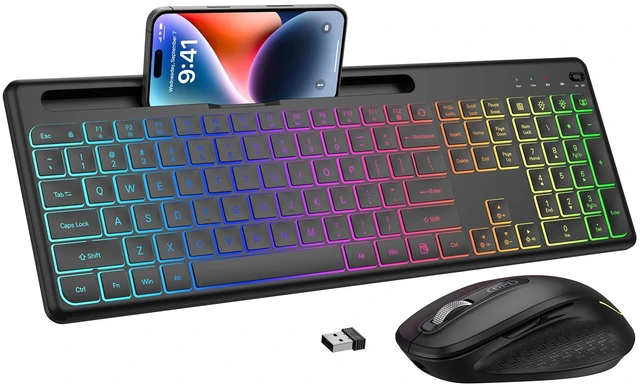
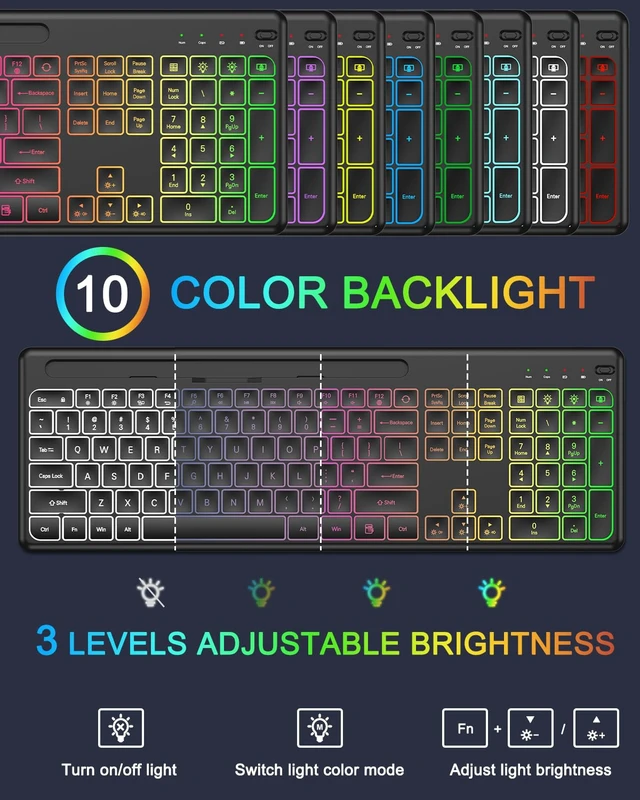
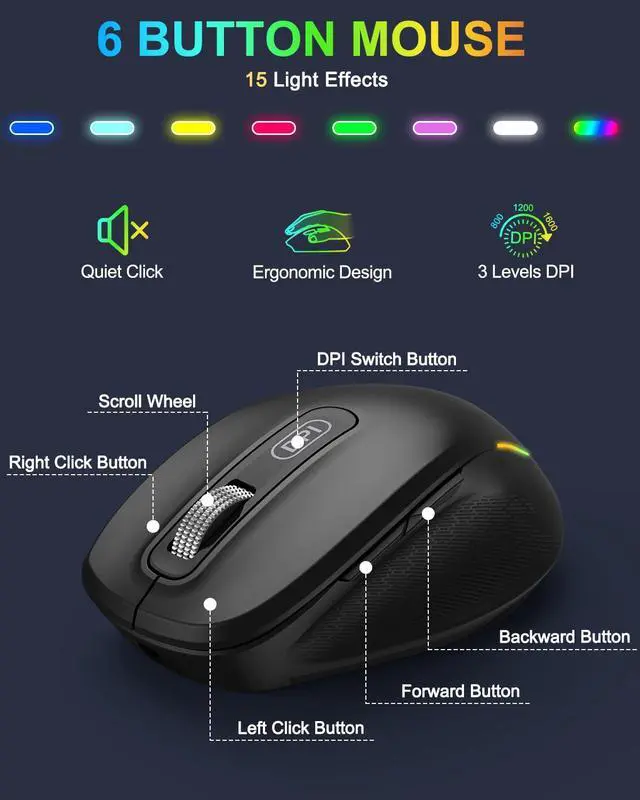
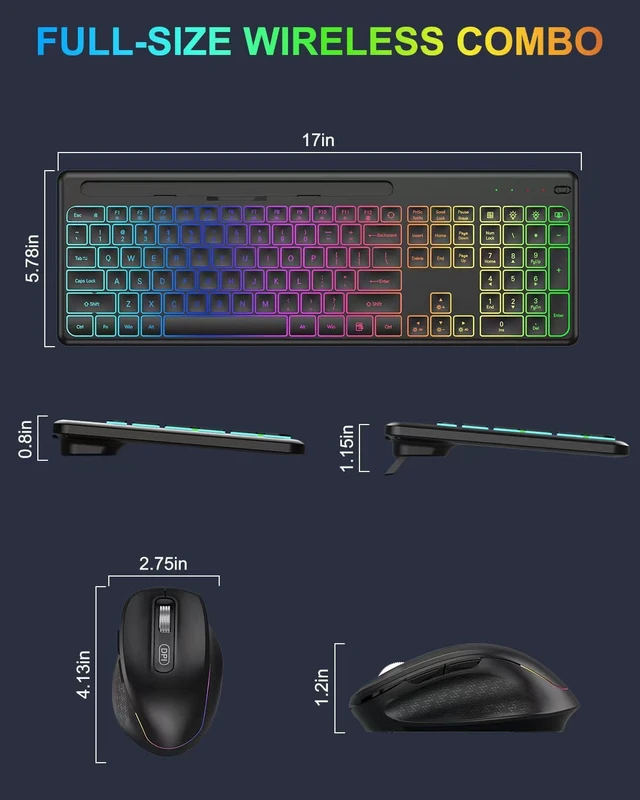
A1:The backlit wireless keyboard has 10 switchable backlit modes and 3-level adjustable brightness. The mouse has 15 switchable lighting effects.
Q2:Can the letters light up?
A2:The letters and edge of the keys both can light up. The light up letters help you type in the dark easily.
Q3:How to turn on/off the LED lights and adjust the backlit lightings?
A3:First, plug the USB dongle into computer. Then press Light bulb with cross icon key to turn on/off the keyboard backlight. Press Light bulb with M icon key to change the backlight colors, Fn+Up Arrow (or Fn+Down Arrow) to adjust the brightness.
Q4:How long does this Ergonomic Keyboard need to be charged? Does it come with a charging cable?
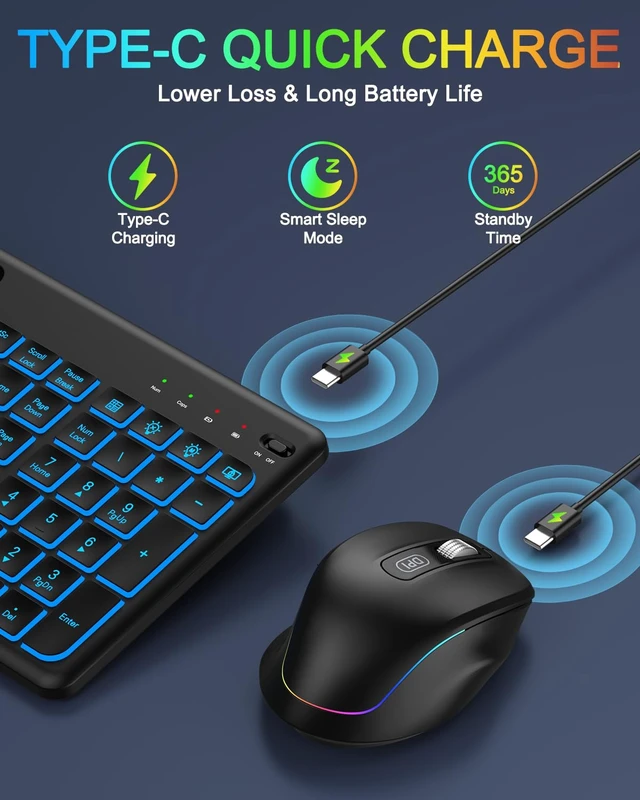
A4: The rechargeable keyboard come with charging cable and it only takes 2 hours to fully charge and has an extra long standby time of 24 months.
Q5:Is this backlit wireless keyboard and mouse quiet when typing?
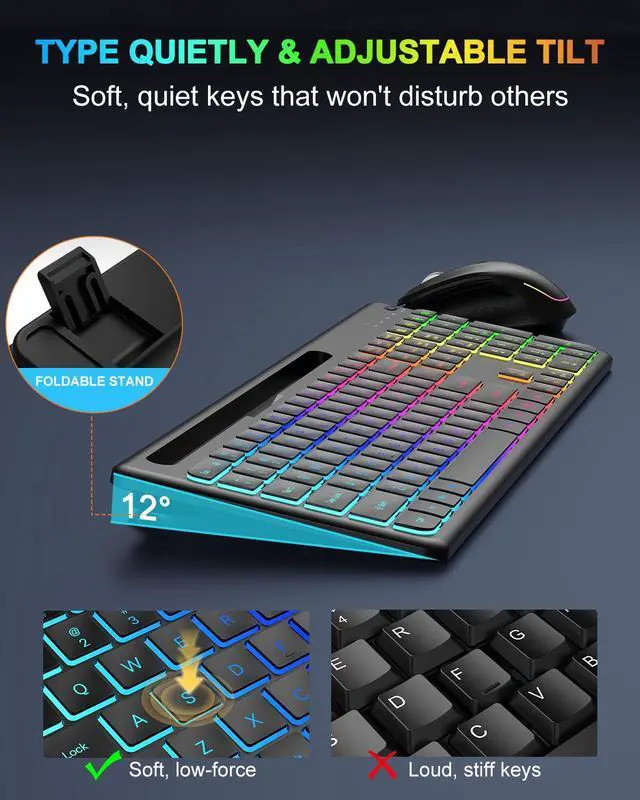
A5:We use a scissor-leg structure membrane lighted keyboard and can effectively reduce noise by 95%, which must be the perfect choice for office work.


Q1:How many lighting modes does this backlit keyboard have?
A1:The backlit wireless keyboard has 10 switchable backlit modes and 3-level adjustable brightness. The mouse has 15 switchable lighting effects.
Q2:Can the letters light up?
A2:The letters and edge of the keys both can light up. The light up letters help you type in the dark easily.
Q3:How to turn on/off the LED lights and adjust the backlit lightings?
A3:First, plug the USB dongle into computer. Then press Light bulb with cross icon key to turn on/off the keyboard backlight. Press Light bulb with M icon key to change the backlight colors, Fn+Up Arrow (or Fn+Down Arrow) to adjust the brightness.
Q4:How long does this Ergonomic Keyboard need to be charged? Does it come with a charging cable?
A4: The rechargeable keyboard come with charging cable and it only takes 2 hours to fully charge and has an extra long standby time of 24 months.
Q5:Is this backlit wireless keyboard and mouse quiet when typing?
A5:We use a scissor-leg structure membrane lighted keyboard and can effectively reduce noise by 95%, which must be the perfect choice for office work.


